
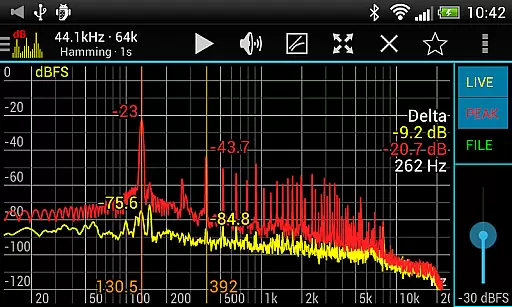
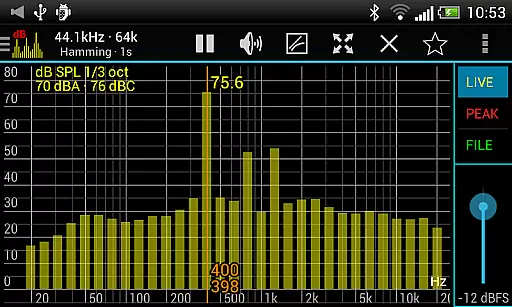
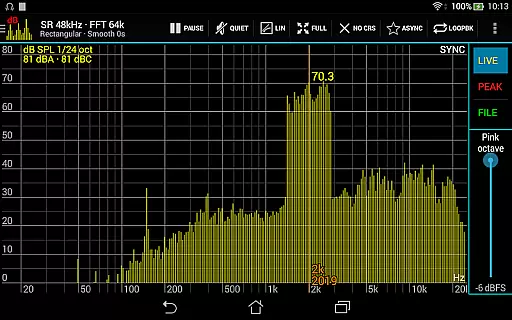
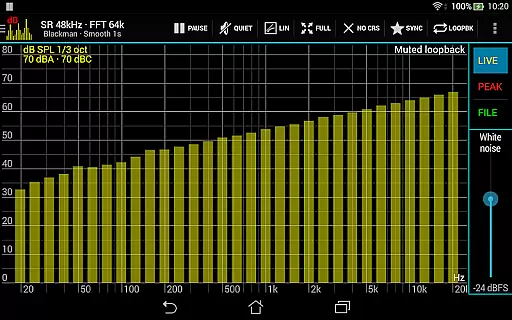
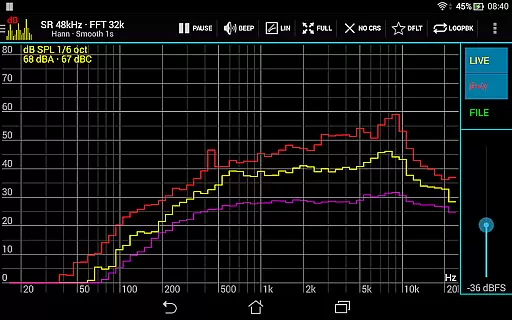
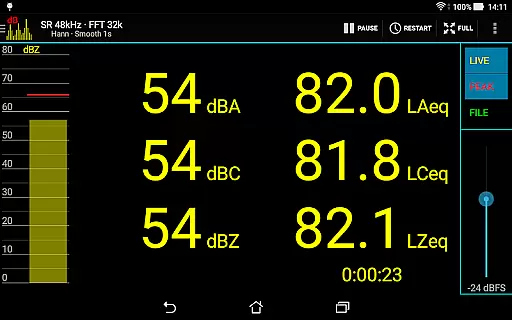
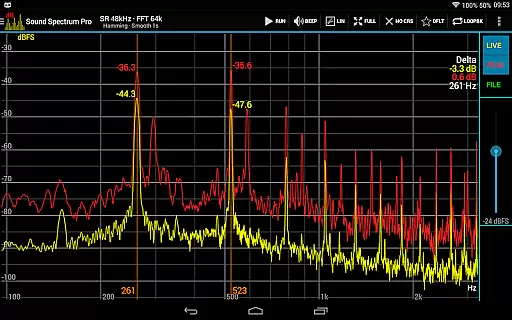
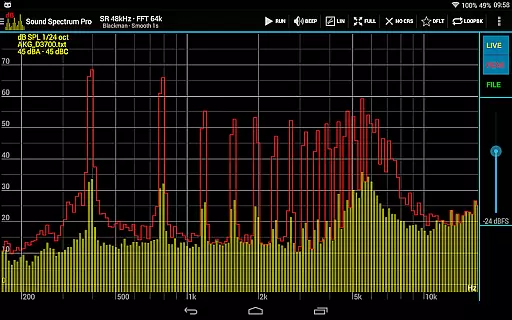
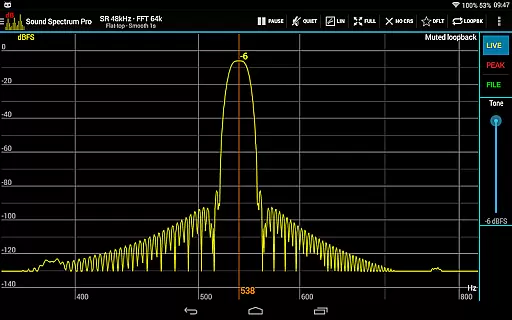
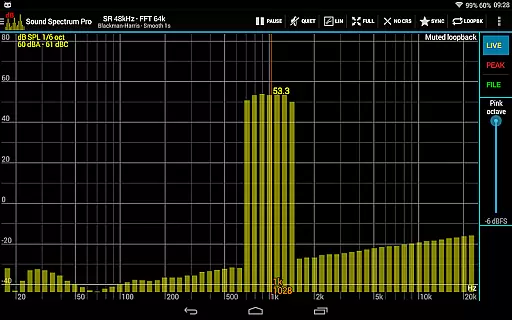
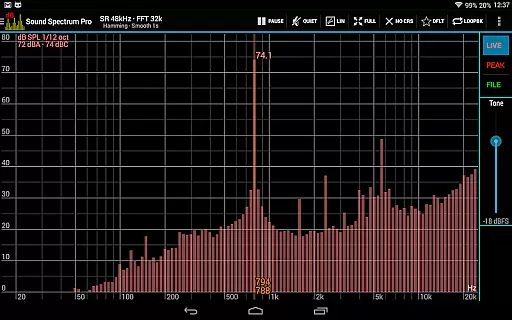
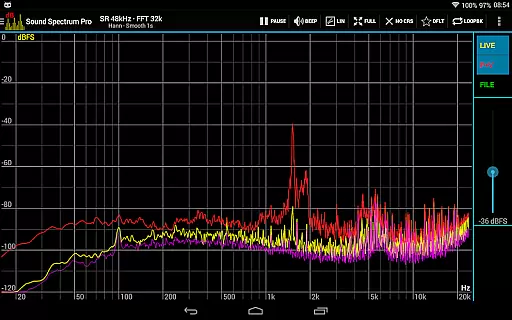
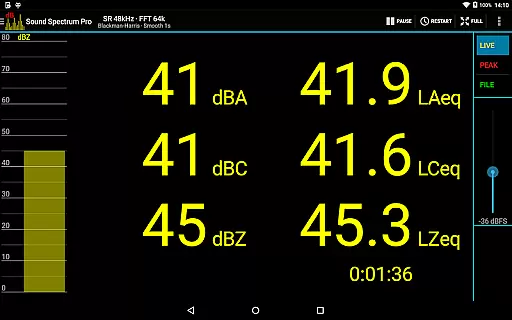
Sound Spectrum Pro is a comprehensive audio analysis tool designed for both professionals and enthusiasts in the music and audio industry. This application offers advanced features such as Real-Time Analyzer (RTA), Fast Fourier Transform (FFT) amplitude display, and sound pressure level measurements in dBA, dBC, and dBZ. With its user-friendly interface, users can easily navigate through various on-screen controls while enjoying a smooth real-time display of their audio data.
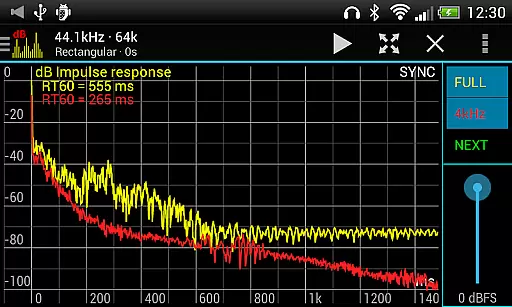
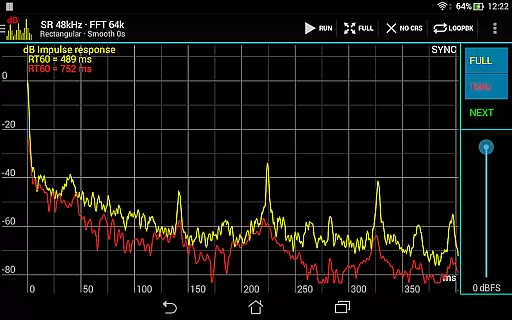
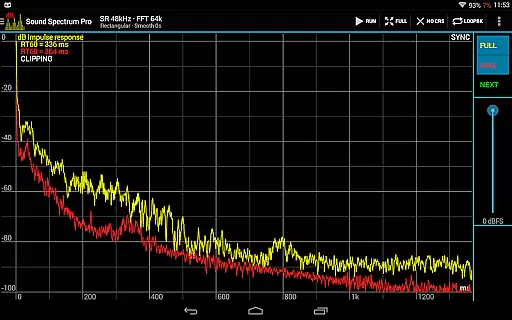
In addition to its core functionalities, Sound Spectrum Pro provides specialized tools like Noise Criterion and Noise Rating measurements, equivalent continuous sound level calculations (LAeq, LCeq, LZeq), and impulse response analysis with RT60 measurement. Whether you're calibrating audio equipment or conducting detailed acoustic research, this app delivers the precision and reliability needed for professional-grade work.
The app's versatility makes it suitable for multiple scenarios, from live sound engineering to academic research in acoustics. Its ability to generate detailed spectrum analyses and accurate sound level readings helps users make informed decisions about their audio setups. By combining powerful analytical tools with an intuitive design, Sound Spectrum Pro enhances productivity and ensures accurate results for all your audio analysis needs.
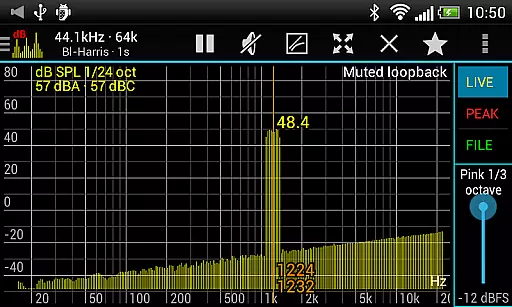
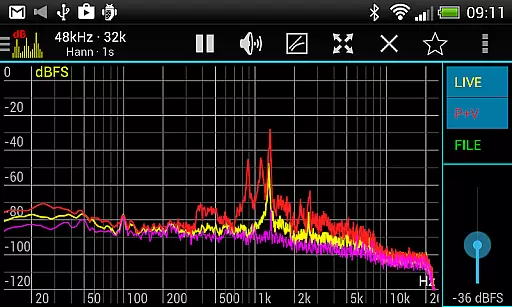
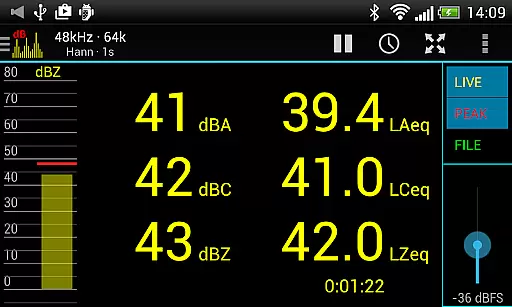
Sound Spectrum Pro stands out with its extensive feature set tailored for audio professionals. The app includes both FFT (amplitude) and RTA (octave) functionalities, ranging from 1/3 octave down to 1/24 octave resolution. It supports various sound pressure level measurements including dBA, dBC, dBZ, and equivalent continuous sound levels like LAeq and LCeq. Additionally, the app provides specialized measurements such as Noise Criterion, Noise Rating, and Total Harmonic Distortion plus Noise (THD+N).
One of the key strengths of Sound Spectrum Pro is its lightning-fast FFT capabilities, supporting sizes from 16k to 1M and providing frequency resolutions as precise as 0.01Hz with downsampling. The app also offers multiple window functions, logarithmic or linear frequency axis options, and adjustable exponential smoothing. These features ensure that users can customize their analysis to suit specific requirements while maintaining high accuracy and responsiveness.
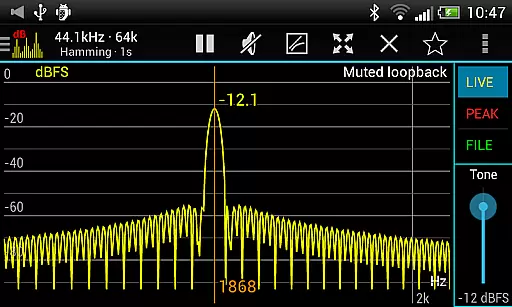
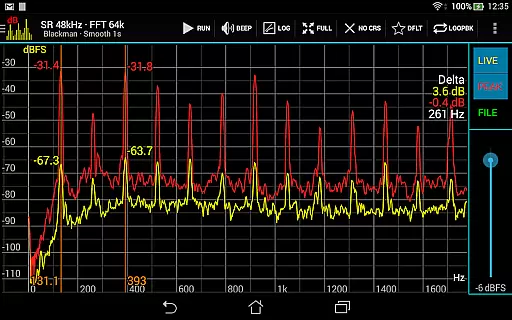
Beyond its technical capabilities, Sound Spectrum Pro enhances user experience through practical functionalities like easy pan and zoom controls, measurement cursors for precise signal generator settings, and comprehensive file load/save capabilities with full calibration support. The inclusion of various signal generators—including tone, white noise, and pink noise—and sharing/printing options for screenshots further solidifies its position as a versatile tool in the music and audio category.
Sound Spectrum Pro offers a comprehensive suite of audio analysis tools that go beyond the typical music library. The app includes advanced features such as FFT amplitude display and RTA octave band analysis, providing users with detailed insights into sound properties.
The application's strength lies in its ability to perform precise measurements without infringing on copyrighted material. It generates various types of noise and tones internally, ensuring all content is fully compliant with copyright laws. This makes it an invaluable tool for professionals who require accurate audio data without legal concerns.
Users benefit from a wide array of built-in signal generators and analysis modes. Whether you need to measure sound pressure levels or analyze harmonic distortion, this app provides the necessary tools while maintaining complete authenticity and legality of its functions.
When evaluating audio quality options, Sound Spectrum Pro stands out with its professional-grade features. The app supports lightning-fast FFT calculations with frequency resolutions as precise as 0.01Hz, enabling users to conduct highly accurate spectral analyses.
The software offers multiple window functions and adjustable settings for smoothing, peak holding, and decay rates. These features allow users to fine-tune their analysis according to specific requirements, whether they're working with linear or logarithmic frequency scales.
Additionally, the app maintains a 48kHz sample rate when supported by the device, ensuring high-fidelity audio processing. With its comprehensive calibration capabilities and measurement accuracy, Sound Spectrum Pro delivers exceptional audio quality options for both casual users and audio professionals alike.
Comprehensive audio analysis
User-friendly interface
Highly customizable settings
Accurate sound level readings
No ads
Steep learning curve
Requires calibration
Advanced features may overwhelm beginners
Device compatibility issues
Premium price point

The Music Journey in Your Hands
 4.30
4.30
10-Band Audio Equalizer, Sound / Bass Booster for Spotify Users & Music Players
4.40
Full-featured, High-Quality Groovebox Workstation, perfect for Live Performance!
4.80
DJ Music Mixer Pro is a real DJ controllers and DJ Music Studio to remix DJ.
4.40
Save hundreds of dollars for a physical strobe tuner and instead use this app.
4.50
More downloads than any other metronome. Includes drum machine & tempo trainer.
4.80
The Minimalistic Premium Music Player. Handmade with passion for music
2.20
PowerAudio is a powerful offline music player.
4.20
Be a true music maker: create beats, mix and make music like a real DJ!
4.30
24,000 free audio books and no ads!
4.90
Music, News & Sports Radio Tuner App. Tune in Live FM & AM Radio Stations.
4.80
Walkout Song DJ is the most intuitive app to manage your sports music.
4.70
Record, Mix & Master with all n-Track effects, 64-bit audio and Stem Separation.
4.70
Over 100 million tracks available for high quality streaming and download
4.60
Super Sound Editor, Song Maker & Mixer, Vocal Remover, Voice Recorder & Changer!
4.60
Recording studio w/ 10k beats, pro vocal FX and a network of 20M rappers & fans!
4.60
Help you quickly get started with Shokz headphones
4.40
Turn your phone into a musical instrument from the future!
3.90
MilkDrop for Android TV
3.00


User Reviews