
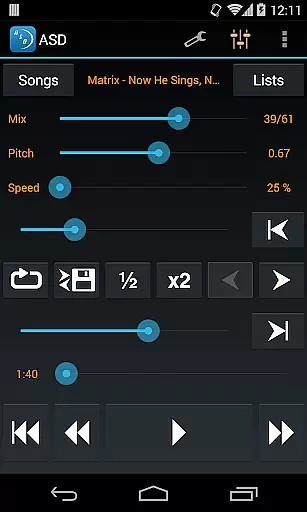
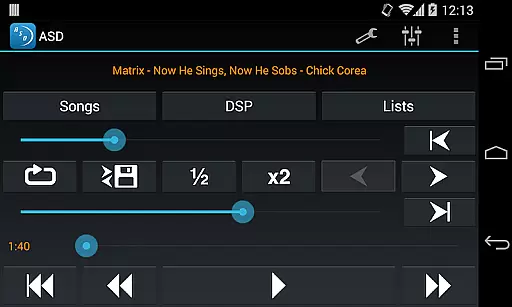
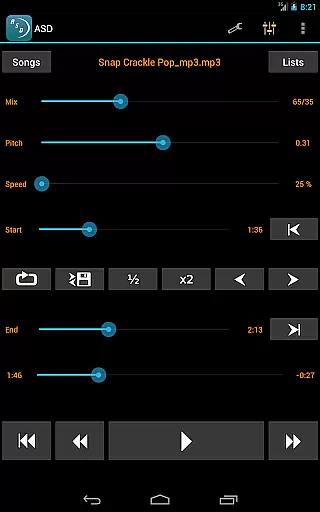
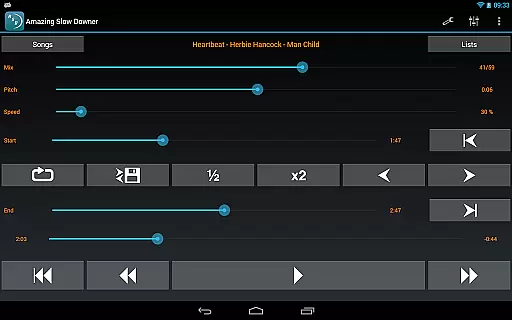
Amazing Slow Downer is a powerful tool for musicians and audio enthusiasts who need to slow down music without affecting its pitch. Designed specifically for the Music & Audio category, this app allows users to change playback speed from 25% to 200%, enabling detailed analysis of songs and techniques.
In addition to speed control, the app offers pitch adjustment features, seamless loop creation, and outstanding sound quality. Whether you're transcribing a complex solo or practicing a new dance routine, Amazing Slow Downer provides the precision and flexibility needed to improve your skills effectively.
One of the standout features of Amazing Slow Downer is its ability to adjust playback speed while maintaining the original pitch. This functionality is crucial for musicians who want to learn difficult passages without distortion. The app supports speeds ranging from 25% (one-quarter of the original speed) to 200% (double speed).
Another key feature is the pitch adjustment capability, which allows users to change the musical key of the audio. Combined with seamless loop functionality, these tools make it easy to focus on specific sections of a song repeatedly. The app also delivers exceptional sound quality, ensuring an optimal listening experience even at modified speeds.
When evaluating a music application like Amazing Slow Downer, the size and variety of its music library play a crucial role in user satisfaction. A comprehensive library ensures that musicians have access to a wide range of tracks for practice and learning.
This app allows users to import their own music files, meaning the library size is virtually limitless, constrained only by what users choose to add. This flexibility offers an extensive repertoire of songs across different genres and styles.
Regarding copyright authenticity, Amazing Slow Downer respects intellectual property rights by enabling users to manipulate only the music files they legally own. This approach avoids copyright infringement issues while providing powerful tools for altering playback speed and pitch.
The benefit to users is clear: they can slow down complex passages without affecting the pitch, making it easier to learn new techniques and songs. This functionality supports musicians in honing their skills effectively and efficiently.
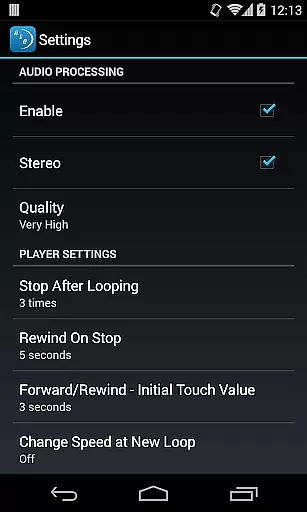
Audio quality is paramount when dealing with music applications, especially those aimed at musicians and transcribers. Amazing Slow Downer excels in delivering outstanding sound quality even when manipulating playback speeds.
The app maintains high audio fidelity by employing advanced algorithms that preserve the integrity of the original recording. Users can change the speed between 25% and 200% without noticing any degradation in sound quality or changes in pitch unless desired.
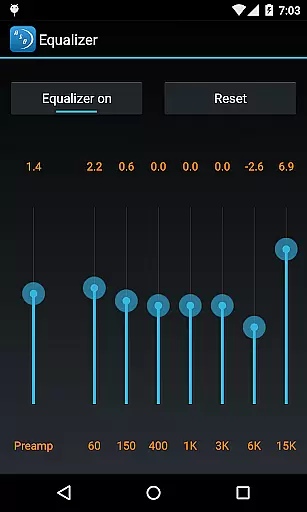
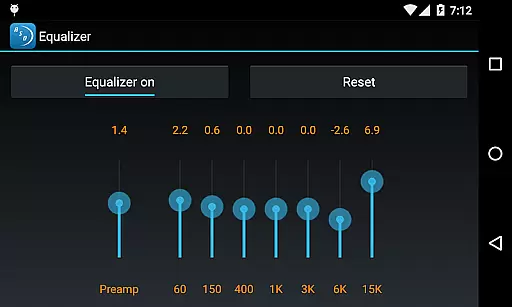
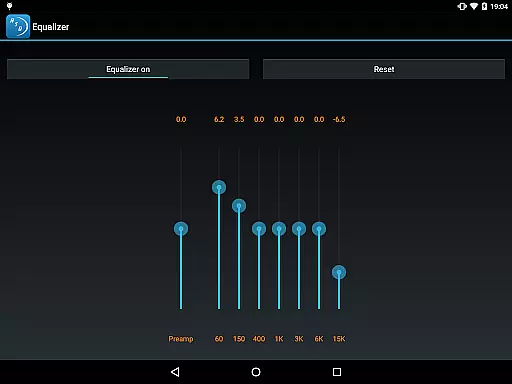
Amazing Slow Downer also provides options for adjusting tuning or musical key, further enhancing its appeal to musicians who require precision in their practice sessions. These features ensure that the nuances of the original piece are preserved during playback modifications.
Ultimately, this focus on maintaining superior audio quality makes Amazing Slow Downer an indispensable tool for anyone looking to improve their musical abilities through meticulous practice and analysis.
User-friendly interface
High-quality audio output
Flexible speed adjustments
Pitch correction feature
Seamless looping capability
No official Spotify support
Limited free version
Occasional bugs reported
Subscription required for full access
Interface may feel outdated

Offline and always ad-free - stream in the highest quality available.
 4.10
4.10
A synth that really lets you shape your sounds!
4.50
Time Trainer: accurate metronome w tools to help you develop your internal time!
4.20
Permanently backup Now Playing. Maps, filters & listening stats.
4.00
USB audio recording and playback finally possible on Android 3.1 or higher!
3.90
The alternative folder based music player.
4.20
24,000 free audio books and no ads!
4.90
Super Sound Editor, Song Maker & Mixer, Vocal Remover, Voice Recorder & Changer!
4.60
Reverse your voice & songs instantly! Fun singing challenge with cool effects.
4.60
Music, News & Sports Radio Tuner App. Tune in Live FM & AM Radio Stations.
4.80
Record, Mix & Master with all n-Track effects, 64-bit audio and Stem Separation.
4.70
Taal player that lets you sing any Indian & Western song with Tabla & Tanpura
4.60
Offline Music Player&MP3 Player with themes, equalizer, lyrics, music play mode
4.60
Enhance the sound quality of your devices, listen to what you want
4.50
Enjoy singing any song, no matter how high or low it is
4.30
A sleek, no-frills player designed for true music lovers.
4.20
The official Sonos app
4.10
Turn your phone into a musical instrument from the future!
3.90
Control your MIDI USB or Bluetooth devices in app and avoid some trampling
3.30


User Reviews