
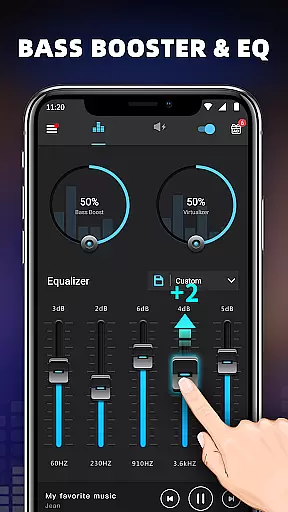
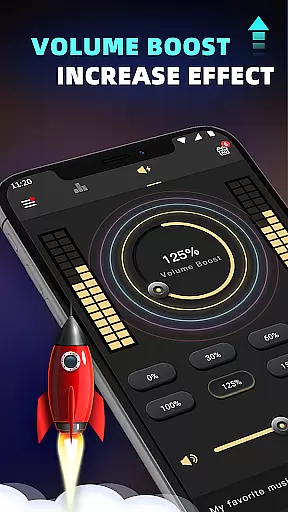
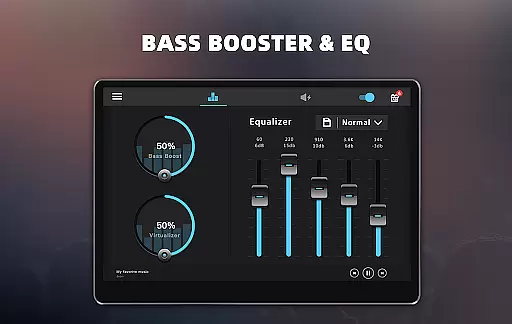
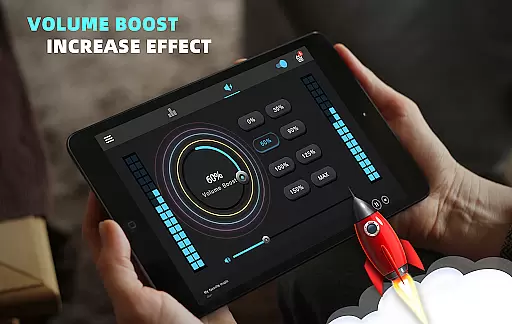
Bass Booster & Equalizer PRO is a premium audio enhancement application designed to elevate the sound quality of Android devices. This app offers an ad-free experience with advanced features such as Bass Boost, Volume Boost, Virtualizer, and a five-band Equalizer. Users can enjoy an unparalleled audio experience with customizable presets and 16 colorful themes.
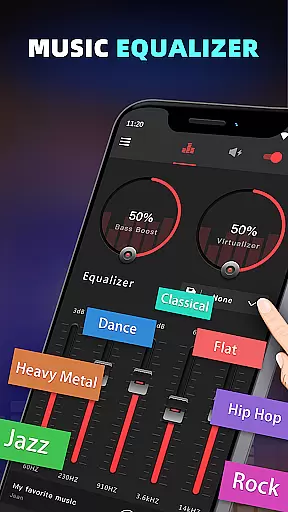
The app's main appeal lies in its ability to transform ordinary audio into a rich soundscape. With options like Stereo Surround Sound and 10 preset equalizations ranging from Normal to Rock, it caters to diverse musical tastes. Whether you're listening to music or watching videos, this app ensures your audio output is crisp, clear, and customized to your preferences.
Perfect for audiophiles and casual listeners alike, Bass Booster & Equalizer PRO enhances every aspect of digital audio consumption. Its user-friendly interface allows seamless integration with most music and video players, making it an essential tool for anyone looking to improve their device's sound quality.
Bass Booster & Equalizer PRO stands out with its comprehensive suite of audio-enhancing features. The app includes a Bass Boost effect that adds depth to low frequencies, a Volume Boost to amplify speaker output, and a Virtualizer for a surround sound experience. These tools work together to create a richer, more immersive audio environment.
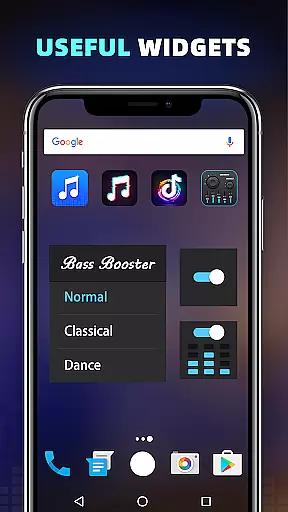
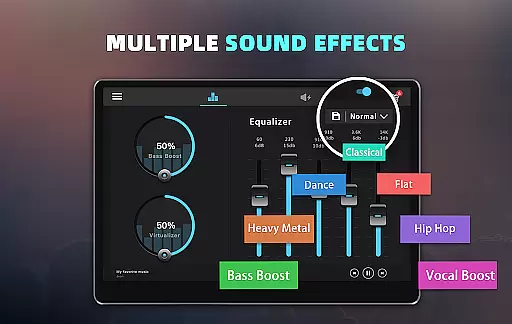
One of the app's key strengths is its five-band Equalizer with 10 preset options, including Classic, Dance, Hip Hop, and more. Users can also create Customizable Presets to suit their unique preferences. Additionally, the app offers 16 Colorful Themes and 3 Widgets for personalized control and aesthetics, ensuring both functionality and visual appeal.
Designed for ease of use, the app provides simple installation instructions and intuitive controls. Whether adjusting sound levels for music or video, users can effortlessly enhance their audio experience. The app runs efficiently in the background, allowing uninterrupted enjoyment of media content while delivering professional-grade sound enhancement.
When it comes to music enhancement applications like Bass Booster & Equalizer PRO, the size and variety of the music library are crucial for an enriched auditory experience. This app does not host a music library itself but rather enhances the audio output from your existing music and video files.
The application focuses on improving sound quality through its powerful features such as Bass Boost, Volume Boost, Virtualizer, and a five-band Equalizer. These tools allow users to customize their listening experience across various genres, effectively expanding their enjoyment without legal concerns related to copyright infringement.
Users can apply these enhancements to most music and video players, ensuring that their personal media collections sound better than ever. The app's 10 preset equalizations cater to different music styles, from Classic to Hip Hop, providing a tailored experience that respects original audio content copyrights.
With priority support and an ad-free environment, subscribers can enjoy uninterrupted, high-quality audio experiences. The emphasis on customizable presets ensures that each user's preferences are met without compromising the integrity or legality of their media consumption.
Audio quality is paramount when selecting a sound enhancement tool, and Bass Booster & Equalizer PRO excels in delivering superior audio options. It offers advanced sound effects including Bass Boost, Volume Boost, and a Stereo surround sound effect, which collectively elevate the auditory experience on Android devices.
This premium version provides users with five bands of equalization and ten distinct presets ranging from Normal to Rock. Such diversity allows listeners to fine-tune their audio settings according to specific musical genres or personal taste, ensuring optimal sound reproduction for every track.
In addition to its comprehensive equalizer, the app includes 16 Colorful Themes and a Cool Spectrum visualizer, enhancing both the functional and aesthetic aspects of audio playback. These features contribute to a more immersive experience while maintaining clarity and depth in sound.
Furthermore, the inclusion of three widget sizes (1x1, 1x1, 2x2) and notification controls ensures that users have convenient access to their sound settings. This ease of use, combined with the ability to amplify speaker output via the Volume Booster, guarantees that every note is heard with precision and richness.
Ad-free experience
Advanced equalizer
Customizable presets
Priority support
Colorful themes
Premium cost
Complex for beginners
Limited video support
No cloud sync
High battery usage

Most Advanced AI Song Generator and Music Creator. Rap, Pop, Rock, Gospel & more
 4.70
4.70
Your song collections with lyrics and chords on Android smartphones and tablets.
4.80
More downloads than any other metronome. Includes drum machine & tempo trainer.
4.80
Ultimate Sonos Controller
4.70
Guzheng Master supports many playing techniques as an acoustic Guzheng
4.50
The official Sonos app
4.10
The original SP-1200 experience on your iPad
4.20
MilkDrop for Android TV
3.00
Offline Tunes, Unlimited Vibes
3.90
Offline Music Player & MP3 Player.Powerful equalizer, Lyrics, Themes, Tag Editor
4.80
Brian Eno and Peter Chilvers’ acclaimed music app Bloom, radically reinvented.
4.80
Simple & Intuitive Metronome
4.70
Record, Mix & Master with all n-Track effects, 64-bit audio and Stem Separation.
4.70
Unleash your creativity! Turn simple prompts into full fledged songs.
4.70
Recording studio w/ 10k beats, pro vocal FX and a network of 20M rappers & fans!
4.60
A complete sound package for the sound engineer or enthusiast
4.60
The alternative folder based music player.
4.20
Smart piano keyboard, Classical to Pop, Real-time multiplayer connection!
4.20
VB-AUDIO Software / VBAN-Receptor allows listening to any VBAN Streams
4.10


User Reviews