
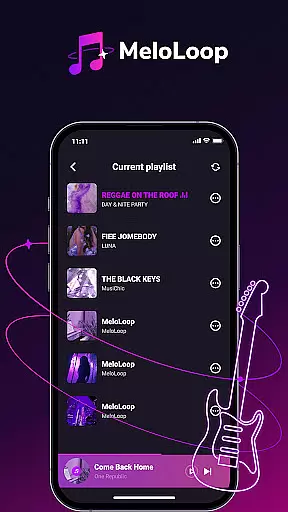
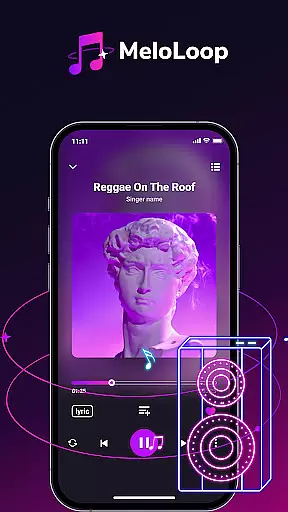
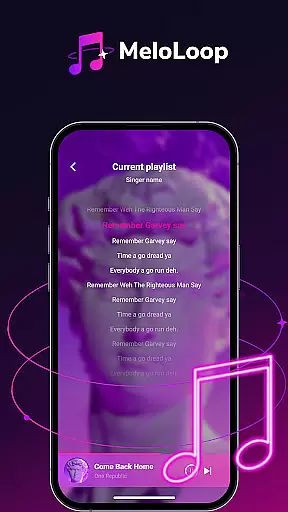
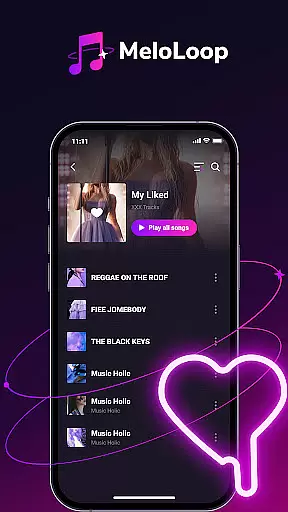
MeloLoop is a premium music player app designed for audiophiles who demand the best listening experience. The app offers instant access to your local music library through smart scanning technology, supporting various formats including MP3, FLAC, and WAV. Enjoy lossless audio playback anytime, anywhere, even without an internet connection.
Beyond basic playback, MeloLoop provides intelligent music curation features that automatically organize your collection by album, artist, and mood. The app's advanced tagging system makes finding specific tracks effortless while its playlist creation tools let you build unlimited custom collections tailored to different occasions.
Whether you're relaxing at night, traveling, or enjoying studio-quality sessions, MeloLoop elevates every listening moment into an immersive audio experience.
MeloLoop stands out with its comprehensive feature set that caters to both casual listeners and serious audiophiles. The app's instant local library scan quickly detects all audio files on your device, making them immediately available for playback in multiple high-quality formats.
What truly sets MeloLoop apart is its intelligent music management system. The app automatically sorts your collection using advanced algorithms while allowing manual customization through custom tags. This hybrid approach gives users precise control over their music organization while maintaining convenient automated features.
The personal music studio functionality enables unlimited creativity. Users can create themed playlists for any occasion, build exclusive collections, and enjoy their music exactly how they want. These features combine to deliver a music player that adapts to each user's unique preferences and listening habits.
MeloLoop offers an extensive music library that caters to the needs of audiophiles by providing support for various audio formats including MP3, FLAC, and WAV. This ensures users have access to a wide range of music choices without limitations.
The application emphasizes copyright authenticity by allowing users to manage their legally acquired audio files. It supports personal music collections, ensuring that users can enjoy their own library with peace of mind regarding copyright compliance.
With smart scanning capabilities, MeloLoop quickly identifies and organizes all user audio files. This feature not only enhances accessibility but also guarantees that the music library reflects authentic and legal content ownership.
MeloLoop stands out in delivering studio-quality listening sessions through its support for lossless playback. Audiophiles can indulge in high-fidelity sound, experiencing their music as the artists intended without any compromise on quality.
The app provides multiple audio format compatibilities such as MP3, FLAC, and WAV which cater to different preferences for sound quality. Whether you are a casual listener or a critical audiophile, MeloLoop adapts to your desired audio experience.
Users can create exclusive collections and unlimited themed playlists while enjoying pristine sound quality. This flexibility makes MeloLoop perfect for various scenarios, from late-night relaxation to travel soundtracks, enhancing every moment with superior audio fidelity.
Lossless audio quality
Advanced library management
Offline playback capability
Multiple format support
Intuitive user interface
No streaming service integration
Limited social sharing options
Premium feature lock-in
Higher device storage usage
Steeper learning curve

Turn your phone into a musical instrument from the future!
 3.90
3.90
Time Guru will strengthen your internal sense of musical time via random muting.
4.30
Network/Cloud Streaming, Visualization, Graphic Equalizer and Sound Effects.
4.20
Advanced 10-Band Audio Graphic Equalizer Sound Booster Pro
4.30
Guzheng Master supports many playing techniques as an acoustic Guzheng
4.50
The alternative folder based music player.
4.20
Make songs with AI! Any genre, custom lyric, song generator for music creation!
4.80
Help you quickly get started with Shokz headphones
4.40
Manage your Sonos system directly from your home-screen!
4.40
Most Advanced AI Song Generator and Music Creator. Rap, Pop, Rock, Gospel & more
4.70
SqueezePlayer turns your Android phone or tablet into a SqueezeBox on its own!
4.60
Pay Once, no monthly payment
4.60
Taal player that lets you sing any Indian & Western song with Tabla & Tanpura
4.60
Offline Music Player&MP3 Player with themes, equalizer, lyrics, music play mode
4.60
Let your Android device with the sound effects you want
4.50
Versatile MP3 recorder with auto-backup to Dropbox and Google Drive
4.10
The only true audiophile music player with Hi-Fi audio rendering and DSP engine
3.90
The Skullcandy App Experience
3.20
Make music anywhere. Turn your device into an instrument.
4.2


User Reviews