
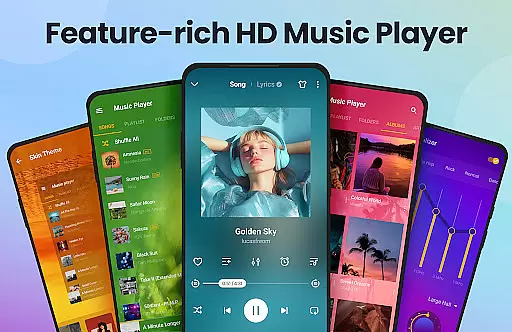
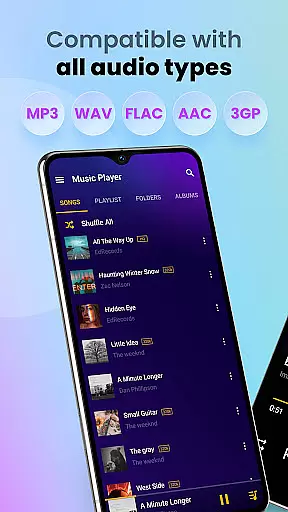
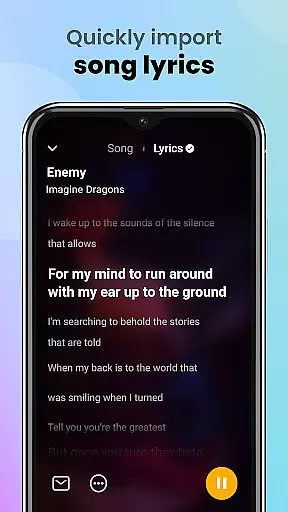
Music Player & MP3 Player is a premier music application designed for Android users who appreciate high-quality audio playback. This app supports all major audio formats including MP3, MIDI, WAV, FLAC, AAC, and APE, ensuring comprehensive compatibility with your music library. The built-in equalizer, complete with bass boost and reverb effects, enhances the auditory experience by allowing users to customize sound profiles according to their preferences.
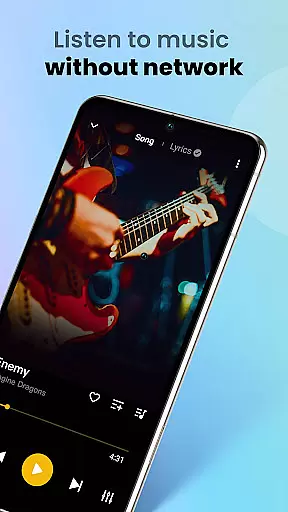
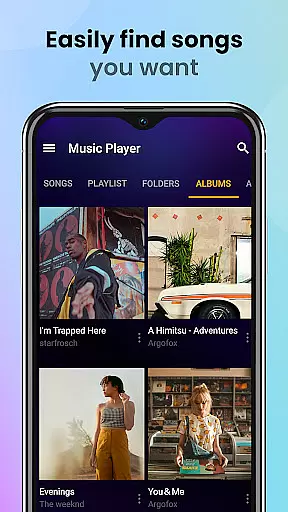
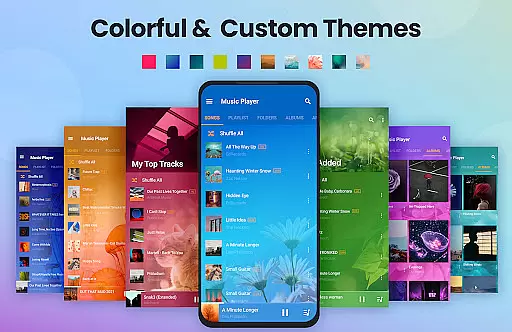
In addition to its robust playback capabilities, Music Player offers an intuitive user interface that combines functionality with aesthetics. Users can browse their music collection by songs, artists, albums, or playlists, and even customize themes to suit their style. With features like offline playback, song scanning, playlist management, and lock screen controls, this app provides a seamless and enjoyable music listening experience on Android devices.
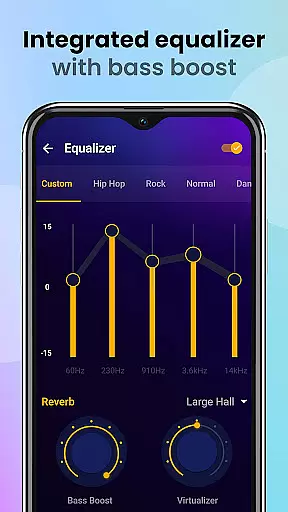
One of the standout features of Music Player & MP3 Player is its powerful equalizer, which includes various sound-enhancing options such as bass boost and reverb effects. These tools allow users to fine-tune their listening experience, making each track sound richer and more dynamic. Additionally, the app's support for a wide range of audio formats ensures that no file is left behind, catering to audiophiles who demand versatility and quality in their music players.
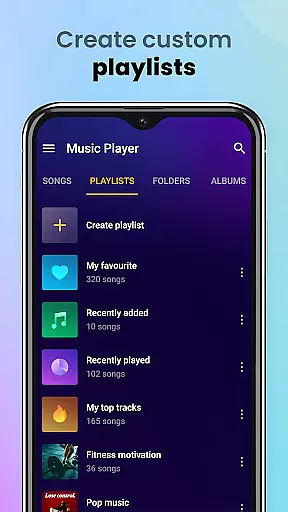
Beyond its technical prowess, Music Player excels in usability and customization. The app automatically scans and organizes audio files, presenting them in a clean and navigable interface. Users can create custom playlists, mark favorite tracks, and search for songs using keywords. Moreover, the availability of different themes and color schemes allows for personalization, while practical features like sleep timers and widget support enhance accessibility and convenience.
Music Player offers an extensive music library that supports all major audio formats including MP3 MIDI WAV FLAC AAC and APE. This ensures that users can enjoy a wide variety of music genres and styles without worrying about format compatibility.
The application focuses on playing local files which emphasizes the importance of copyright authenticity. By encouraging users to manage and play their legally acquired music files Music Player respects intellectual property rights while providing a high-quality listening experience.
With its automatic scanning feature the app efficiently organizes your entire music collection making it easily accessible. This comprehensive management system enhances user convenience by allowing quick searches and custom playlist creation.
Furthermore Music Player enables users to set songs as ringtones and share music with others. These features combined with the ability to favorite songs contribute to a personalized and engaging musical journey.
Delivering high-quality audio is a core feature of Music Player. The app includes a powerful equalizer with bass boost and reverb effects which significantly enhances the listening experience by allowing users to customize sound profiles according to their preferences.
In addition to standard playback options Music Player supports high-quality audio playback for all compatible formats. This ensures that listeners enjoy their music in the best possible fidelity whether they are using high-end headphones or standard speakers.
The player also offers various playback modes such as shuffle order or loop giving users control over how their music is played. These options cater to different listening preferences and occasions enhancing overall user satisfaction.
Moreover with lock screen controls and notification bar playback management users can conveniently control their music experience. The inclusion of a sleep timer further demonstrates the app's commitment to providing practical and user-friendly features without compromising on audio quality.
User-friendly interface
High-quality audio playback
Extensive format support
Customizable equalizer settings
Offline music access
No integrated music downloader
Limited advanced editing tools
Occasional ads in free version
Basic widget functionality
Interface may feel cluttered

Tune in to the greatest hits on UK Radio | The home of Capital, Smooth & Heart.
 4.90
4.90
Gorgeous UI, Powerful music Search and Equalizer, the great choice for you!
4.70
Walkout Song DJ is the most intuitive app to manage your sports music.
4.70
Enhance the sound quality of your devices, listen to what you want
4.50
Simple & Intuitive Metronome
4.70
Brian Eno and Peter Chilvers’ acclaimed music app Bloom, radically reinvented.
4.80
Bass Booster Pro takes auto-equalizing to the next level!
4.30
Super Sound Editor, Song Maker & Mixer, Vocal Remover, Voice Recorder & Changer!
4.60
Music, News & Sports Radio Tuner App. Tune in Live FM & AM Radio Stations.
4.80
Your song collections with lyrics and chords on Android smartphones and tablets.
4.80
Listen radio AM / FM Stations. Live AM / FM Radio App Station. Radio Com.
4.70
Let your Android device with the sound effects you want
4.50
Learn and play 2M+ music tabs & chords on guitar, ukulele, bass, and more
4.30
No wifi music app. Mp3 offline. Tuner radio, young radio music. Music downloader
4.20
Smart piano keyboard, Classical to Pop, Real-time multiplayer connection!
4.20
Offline Tunes, Unlimited Vibes
3.90
Control your MIDI USB or Bluetooth devices in app and avoid some trampling
3.30
Remove ads permanently from Music Visualizer
4.5
Music Streaming suite for Ampache, Nextcloud Music and compatible backends.
4.1


User Reviews