

Kid Security is a cutting-edge parental control app that provides comprehensive protection for children both online and offline. The app's core functionality revolves around three main pillars: child safety monitoring, digital content control, and location tracking.
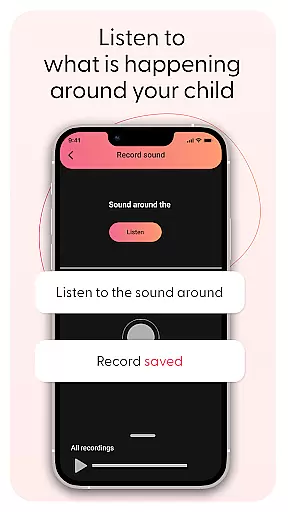
One of its most innovative features allows parents to listen to surrounding sounds through their child's phone microphone. This unique capability helps identify potentially unsafe situations while providing peace of mind. The app also offers robust parental controls to manage and restrict access to inappropriate apps and websites, ensuring children encounter only age-appropriate content.
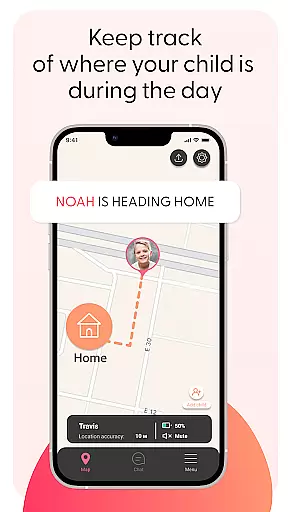
The integration of GPS tracking and geolocation services enables real-time location monitoring and geofencing capabilities. Parents can set up safe zones around important locations and receive instant alerts when their child enters or exits these areas. With an intuitive user interface, Kid Security makes it easy to configure all settings efficiently, making it an essential tool for modern parenting.
Kid Security stands out with its comprehensive feature set designed to address various aspects of child safety. The app's signature feature is its ability to monitor surrounding sounds through the child's phone microphone, allowing parents to discreetly check their child's environment when needed.
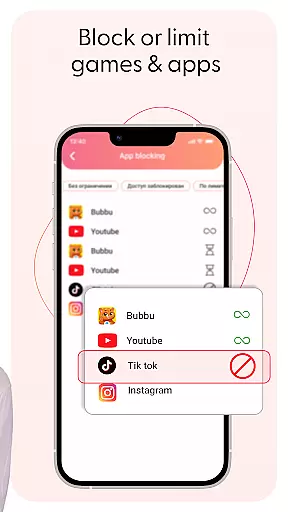
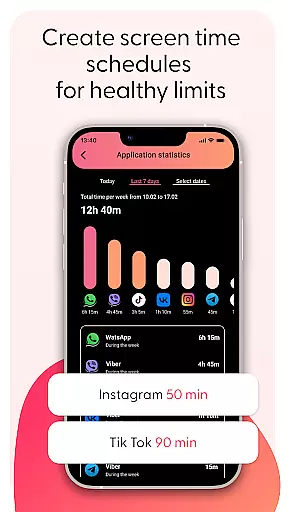
The parental control system is highly customizable, enabling parents to block specific apps and websites while monitoring usage statistics. The app's geolocation capabilities include real-time GPS tracking and geofencing features that work seamlessly with other safety tools. Parents can set up multiple safe zones and receive instant notifications about their child's location status.
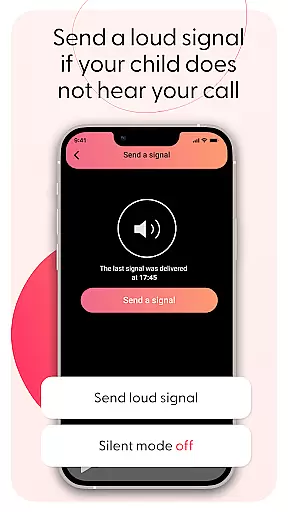
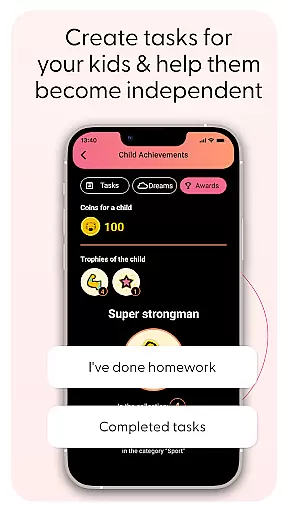
Additional features include voice chat functionality, profile management through camera and gallery access, and screen time limit controls. The intuitive interface organizes these features into easily manageable sections, allowing parents to configure content filters, check location history, and access safety features quickly and efficiently.
When it comes to parenting applications, the credibility of the content and expert validation are crucial factors. Kid Security stands out in this aspect by offering features that are designed with child safety as a top priority. The app provides tools for parents to monitor their children's surroundings, including the ability to listen to ambient sounds through the child's phone, ensuring real-time awareness of their environment.
The app is developed with insights from child safety experts, making sure that each feature serves a practical purpose in protecting children both online and offline. For instance, the surrounding sound monitoring feature has been crafted to provide parents with an additional layer of security, bridging the gap between digital oversight and real-world safety. This innovative approach reassures parents about their children's well-being at any given moment.
Kid Security also includes parental control functionalities that are endorsed by experts in digital child safety. These controls allow parents to manage access to inappropriate content on their children's devices effectively. With the ability to block specific apps or categories and monitor usage statistics, parents can tailor the digital experience to suit their child's age and maturity level.
By integrating these expert-validated features, Kid Security empowers parents with confidence in their child's safety. It ensures that all actions taken within the app contribute positively towards creating a secure environment for children while fostering balanced digital habits through its screen time limit features.
Growth tracking accuracy is essential for understanding a child's development over time. Kid Security offers precise growth tracking by providing detailed reports on children's digital habits and physical whereabouts. The app meticulously records location data and app usage statistics, giving parents an accurate overview of their child's daily activities.
One of the standout features contributing to growth tracking accuracy is the GPS tracking and geolocation capabilities integrated into Kid Security. Parents can view their child's real-time location on a map, set up safe zones known as geofences around important places, and receive instant alerts when these boundaries are crossed. This allows for vigilant yet non-intrusive monitoring of a child's movements.
In addition to location tracking, Kid Security enables parents to monitor app usage patterns which serve as indicators of behavioral changes or interests. By analyzing this data, parents can gain insights into how their child interacts with technology and identify areas where guidance may be needed.
With its comprehensive approach to tracking both online behavior and physical location, Kid Security ensures that parents have access to reliable information about their child's growth trajectory. This empowers them to make informed decisions regarding their child's safety and development while promoting responsible digital citizenship.
Comprehensive safety features
Real-time location tracking
Surrounding sound monitoring
Customizable parental controls
User-friendly interface
Requires separate Tigrow app
Premium features may cost extra
Some features need constant internet
May affect device performance
Privacy concerns possible

All-in-one pregnancy app, contraction timer, kick counter & due date calculator
 4.40
4.40
Track Pregnancy, Baby Feeding, Sleep, Diaper Changes, Postpartum Health & More!
4.80
The Baby’s Bounty App is your hub to register for our diaper banks in Nevada
3.70
Real-time family location with consent, check-ins & SOS—private by default.
4.40
Protect kids online safety through GPS tracking,screen time control,app blocking
4.20
Keep track of your stored breastmilk
4.40
GeoLog - Real-Time Location Tracker
4.40
Speech Therapy Exercises For All!
4.40
All-In-One Pregnancy Tracker, Your Baby's Milestones, Growth Stages & Parenting.
4.90
Track your labor contractions
4.90
Advanced baby tracking, expert sleep help & parenting support for every stage.
4.80
Family GPS locator app — child location tracker. GPS kids tracker, family safety
4.70
Kids story books for children. Baby reading books with audio for pre-k toddlers
4.70
Live Location, Alerts & 2-Way Voice for Kids and Adults with Special Needs
4.60
Parental control App for Location, Remote Camera, Screen Mirroring, Block Apps.
4.60
The Most Trusted Co-Parenting App.
4.60
Parental control: child monitoring app, screen time control, GPS child tracker
4.40
Learn according to the age of your child and consult with other moms.
4.20
Educational resource for parents to inspire creativity in their children.
4.00


User Reviews