
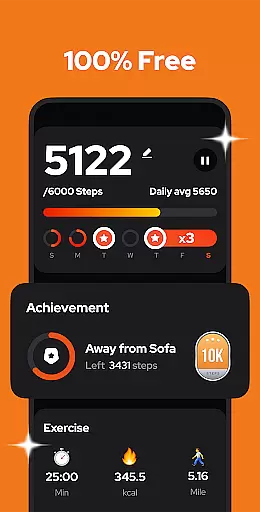
Step Counter - Pedometer is a premier health and fitness application designed to automatically track your daily steps, walking distance, calories burned, and exercise duration with precision. Compatible with all Android devices, this app operates efficiently without the need for GPS or Wi-Fi, thus conserving battery life while providing accurate offline tracking.
This pedometer stands out by offering an easy-to-use interface that starts counting steps with a single tap, whether your phone is in hand or pocket, even when the screen is locked. It also features adjustable sensitivity settings and pause functionality to ensure accuracy during various activities. With its comprehensive weekly, monthly, and yearly graphs, users can monitor their progress and trends over time.
Whether you're aiming to hit the recommended 10,000 steps per day for better health or simply wish to keep track of your physical activity, Step Counter - Pedometer provides all necessary tools to help you achieve your fitness goals effectively.
Step Counter - Pedometer boasts a variety of advanced features tailored to enhance user experience in health tracking. One of its key functionalities includes automatic step counting using the built-in motion sensor, which works seamlessly regardless of how you carry your device. The app's ability to function offline ensures that users can rely on it anywhere, anytime, without worrying about internet connectivity.
Another standout feature is the customizable sensitivity adjustment, allowing users to fine-tune step detection according to their specific needs. Additionally, the pause and resume function prevents unwanted step counts during non-walking activities like driving. Users can also benefit from detailed graphical representations of their activity data, categorized by day, week, month, or year, facilitating better insight into personal fitness trends.
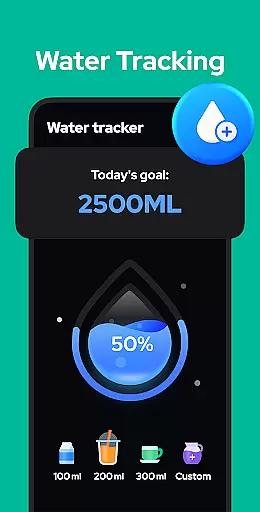
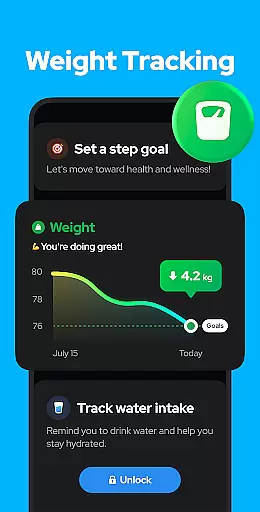
Furthermore, the app offers cloud backup and restore options, ensuring that valuable data is never lost even when switching devices. Upcoming enhancements such as training mode customization, hydration reminders, and health metric recordings promise to further enrich the user experience, making Step Counter - Pedometer a comprehensive tool for maintaining an active lifestyle.
Personalized planning in a fitness app refers to the ability to create tailored exercise routines based on individual user data and goals. This feature is crucial for users who want to optimize their workouts according to their specific needs.
Step Counter - Pedometer offers personalized planning by analyzing daily steps, walking duration, and calories burned. The app uses advanced algorithms to adjust step goals and provide recommendations that align with personal fitness objectives.
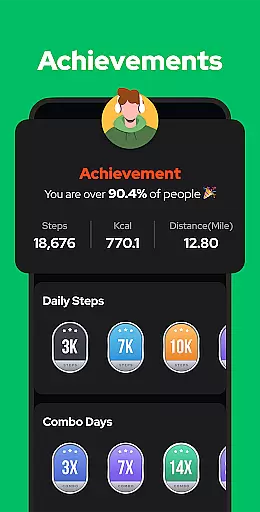
Users benefit from this feature as it helps them stay motivated by setting achievable targets. The app's intelligent tracking ensures that each milestone is suited to the user's progress, making fitness goals more attainable.
The true value of personalized planning lies in its adaptability. As users become more active, the app modifies goals to continually challenge and improve their fitness levels, ensuring long-term engagement and success.
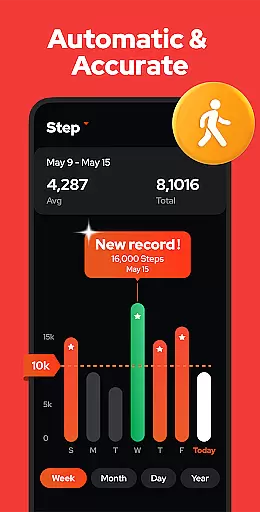
Progress visualization is an essential feature in health and fitness apps, allowing users to see their achievements and improvements over time. Visual representations such as charts and graphs make it easier to understand personal fitness data.
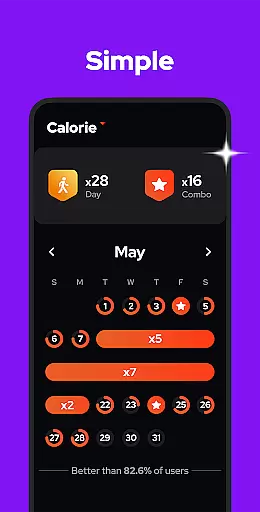
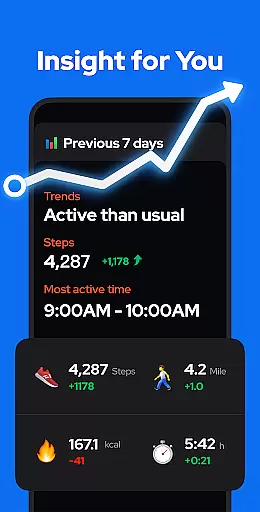
With Step Counter - Pedometer, progress visualization is comprehensive yet straightforward. Users can view detailed charts that display steps, calories, distance, and duration by day, week, month, or year, providing insights into exercise trends.
This feature empowers users by clearly showing how their efforts translate into results. Seeing progress in a visual format can be highly motivating and encourages users to maintain or increase their activity levels.
By offering multiple ways to visualize data, the app caters to different preferences, enhancing user engagement. Progress visualization not only tracks past achievements but also aids in planning future fitness goals effectively.
User-friendly interface
Accurate step tracking
Offline functionality
Battery efficient
Comprehensive analytics
Limited wearable integration
No live GPS tracking
Occasional step count errors
Basic social features
Ads in free version

App to stop smoking slowly or now with a motivational badges and helpful tips
 4.80
4.80
Control your sleep in real-time wearing Garmin device
3.60
Interval timer for High Intensity Interval Training, Tabata and Circuit Training
4.20
Measure your Pupil Distance for Eyeglasses and VR headsets in 3 quick steps.
4.70
Relax. Sleep Better. Feel Better.
4.50
Blood Pressure Log, HRV & Heartbeat Tracker. Pulse Checker.
4.40
Track sleep cycle, relax with white noise, sleep sounds & smart alarm clock
3.80
Jogging app for calorie counter and distance tracker. Running app to lose weight
4.20
Comprehensively record and manage your health
4.50
Meditation app, head space app provides calm music to help you meditate & sleep
5.00
Easy access to health benefits
4.70
The OFFICIAL Couch to 5K® running training app! A 9 week walk-run workout plan.
4.50
Pilates, Calisthenics, Yoga
4.50
Point, scan, and unlock truth in every bite.
4.50
Chair Workout: Women's Edition for safe, flexible, and personalized fitness.
4.40
Track heart rate & HRV in 30s! Get live health insights and anomaly alerts
4.40
Download MadMuscles to start your positive body transformation!
4.30
Your Health Has Met Its App (℠)
3.90
HRV4Training helps you optimize goals and improve performance. No sensors needed
3.30


User Reviews