
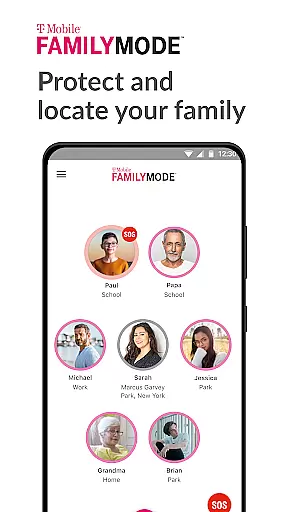
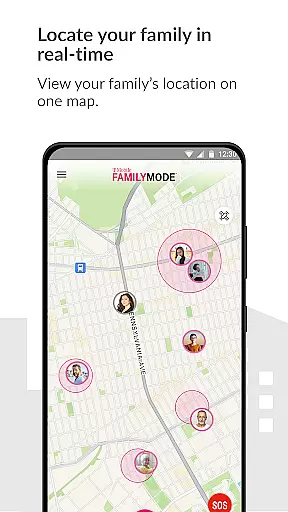
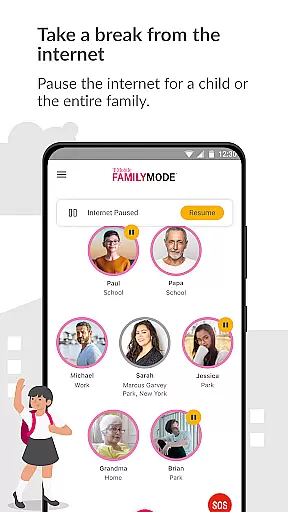
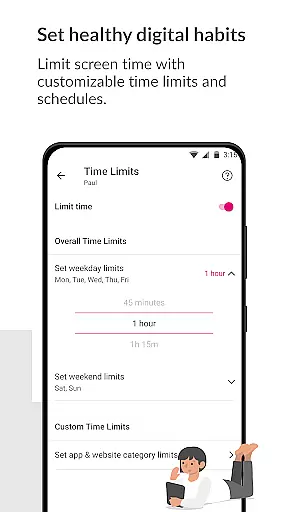
T-Mobile FamilyMode is a comprehensive family safety app designed to help parents manage their children's digital habits while ensuring their safety. The app allows real-time location tracking of family members, helping you stay connected and informed about your loved ones' whereabouts. With features like Internet access control, content filtering, and screen time management, FamilyMode makes digital parenting more manageable.
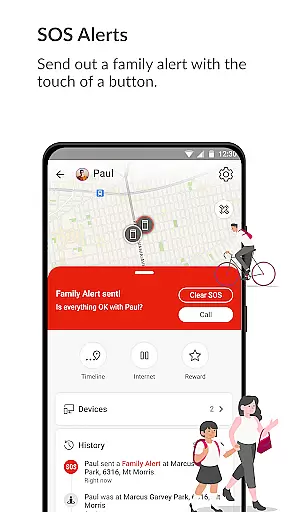
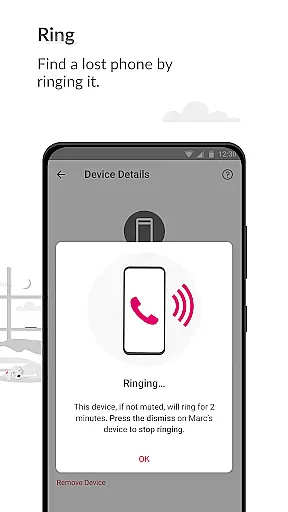
One of the standout capabilities of FamilyMode is its ability to set healthy digital habits for kids. Parents can pause Internet access during family dinners or reward good behavior with additional screen time. The app also includes new functionalities such as finding lost devices by ringing them, sending SOS alerts, and sharing locations instantly. These features ensure that families remain safe and connected in today's digital world.
FamilyMode is particularly useful for modern families who want to balance technology use with real-world interactions. By providing tools to monitor and control online activities, it helps parents guide their children's internet experience, ensuring they engage with age-appropriate content. This app is an essential tool for any parent looking to foster a safer and healthier digital environment for their family.
T-Mobile FamilyMode offers a robust set of features aimed at enhancing family safety and managing digital habits effectively. One of the primary functionalities is real-time location tracking, which allows parents to know where their children are at all times. This feature provides peace of mind by showing the path taken by family members, ensuring their safety throughout the day.
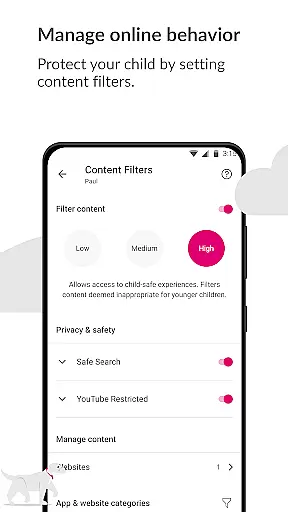
In addition to location services, FamilyMode enables parents to set healthy digital boundaries. You can establish time limits for device usage, pause Internet access during specific times like meals or homework, and even reward positive behavior with extra screen time. The app also includes content filters that can be customized to ensure children only access age-appropriate material online, protecting them from unwanted or harmful content.
Another innovative aspect of FamilyMode is its use of Google Accessibility Services API. This integration allows parents to set up parental controls directly on their children's phones, giving them the power to block inappropriate content as defined by the user. With added features like finding lost devices, sending SOS alerts, and instant location sharing, FamilyMode stands out as a versatile and indispensable tool for modern parenting.
When it comes to parenting apps, the credibility of content and expert validation are paramount. T-Mobile FamilyMode takes these responsibilities seriously by providing features that are designed with both parental control and child safety in mind. The app allows parents to set up filters and controls on their children's devices, ensuring they only access age-appropriate content online.
The app's use of Google Accessibility Services API is solely for enabling parental controls that users define themselves. This means that no information is processed or collected beyond what the parent sets, ensuring privacy and security. With pre-set or custom filters, parents can have peace of mind knowing that their kids are protected from unwanted or dangerous content.
T-Mobile FamilyMode also offers real-time location tracking and path history, which not only helps keep track of family members' whereabouts but also builds trust within the family unit. By allowing parents to know where their kids are and the routes taken, it fosters an environment where children feel supported rather than surveilled.
Growth tracking in parenting applications refers to monitoring various aspects of a child's development, including digital habits and physical whereabouts. T-Mobile FamilyMode excels in this area by offering precise tools for parents to manage screen time effectively. Parents can set time limits, pause internet access during meals or study times, and even reward good behavior with additional screen time.
In addition to managing screen time, the app provides features like SOS alerts and lost device finding, which contribute to a child's safety and security. These functions allow family members to stay connected and provide quick assistance when needed, enhancing the overall growth tracking experience.
By integrating these functionalities, T-Mobile FamilyMode ensures that growth tracking is not just about monitoring but also about fostering healthy digital habits and maintaining open lines of communication within the family. This holistic approach supports both the physical and digital well-being of children as they grow.
Real-time location tracking
Customizable content filters
Screen time management
SOS alert functionality
Device locator feature
Limited to T-Mobile users
Requires constant internet
Dependent on Google API
May need frequent updates
Premium features may cost extra

Cherish every beat - capture your baby's heart sounds with our app
 4.30
4.30
Pregnancy and baby formula tips for moms, plus Enfamil coupons & cash back
4.10
Play activities, milestones, expert-led classes, baby tracker, and more!
3.00
Real-time family location with consent, check-ins & SOS—private by default.
4.40
Learn according to the age of your child and consult with other moms.
4.20
Affirmations | Stories | Bible
4.10
Track pregnancy health and wellness with pregnant tracker from healthcare advice
4.4
Speech Therapy Exercises For All!
4.40
GPS tracker app: Simple GPS phone tracker for fast family location tracking
4.60
Pinardin - Smart Parental Control, Online Safety & GPS Tracking!
4.80
Track your pregnancy, kick & contraction counter, baby & mom's heartrate monitor
4.60
Parental control App for Location, Remote Camera, Screen Mirroring, Block Apps.
4.60
With BabyCam you can monitor your baby using your mobile phone, tablet, PC or TV
4.40
Join over 1MM parents & professionals who've used OFW to navigate co-parenting
4.40
Babysitting video camera - Turn your two phones or tablets into a single nanny.
4.40
Free symptom & med tracker with expert-reviewed tips.
4.30
Findnumber: Real-time location tracker for ultimate family security
4.20
Educational resource for parents to inspire creativity in their children.
4.00
SemLog aims to raise awareness among families and their children
3.40


User Reviews