
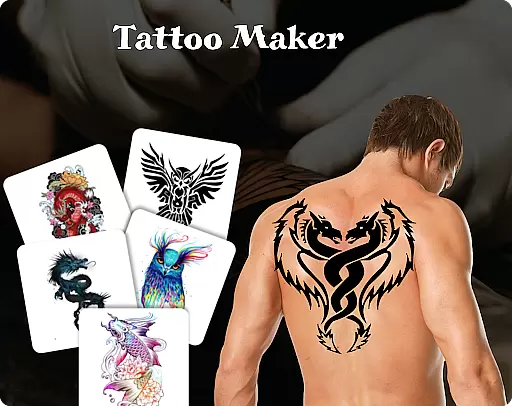
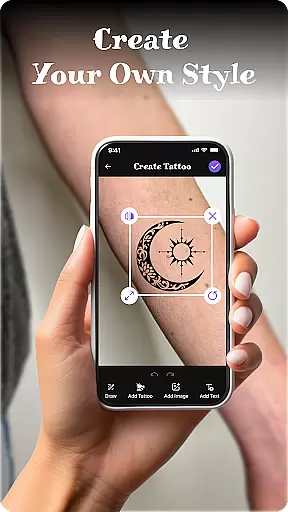
Tattoo Maker: Design & Art is a creative app designed for tattoo enthusiasts and artists alike. This powerful tool allows users to design custom tattoos, preview them on their body through realistic AR technology, and explore an extensive art library filled with inspiration. Whether you're a beginner or a professional artist, the app offers intuitive features that cater to all skill levels.
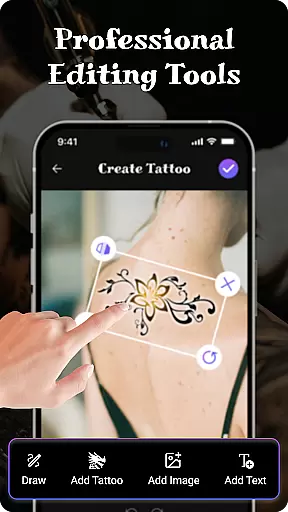
The app provides advanced design tools including brushes, vibrant colors, text customization, and precise editing options like flipping and rotating designs. Users can upload personal photos to preview how their tattoo would look in real life. With easy sharing capabilities, Tattoo Maker makes it simple to showcase your creations with friends or clients, making it an essential tool for anyone interested in tattoo art.
Tattoo Maker: Design & Art stands out with its comprehensive set of features tailored for both casual users and professional tattoo artists. The app includes pro-level drawing tools such as customizable brushes, various sizes, and a wide color palette, enabling users to create intricate designs with precision. Additionally, the unique text insertion feature lets users add personalized messages in stylish fonts that perfectly match their tattoo art.
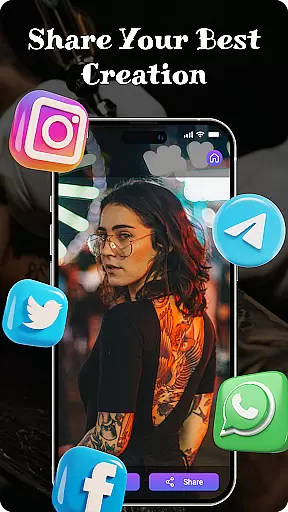
One of the most innovative aspects of this app is the AR-based body preview functionality. By uploading a photo, users can see how their tattoo will appear on their skin in a realistic manner. The app also boasts a vast library of pre-designed tattoos ranging from small minimalist styles to complex masterpieces, providing endless inspiration. Sharing your finished designs is effortless, allowing you to quickly distribute your work via social media or messaging apps.
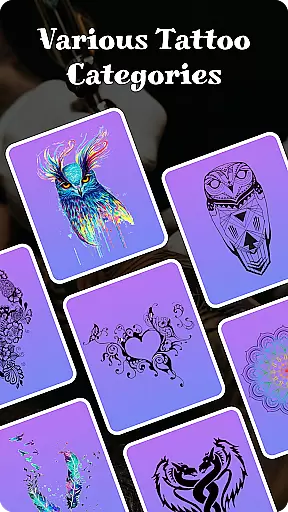
When it comes to creating realistic and personalized tattoos, having access to a comprehensive product database is crucial. Tattoo Maker: Design & Art offers an extensive collection of tattoo designs ranging from small minimalist patterns to intricate masterpieces. This vast library ensures that users can find inspiration for any style they desire.
The app provides detailed information about each design, including categories such as tribal, floral, geometric, and more. Users can explore these options to understand different aesthetics and choose elements that best fit their vision. With thousands of pre-made designs at their fingertips, individuals have the resources needed to craft something truly unique.
Moreover, the ability to customize every aspect of a tattoou2014such as size, orientation, and coloru2014adds another layer of depth. By offering tools to adjust these parameters, the app empowers users to tailor each piece according to their preferences. This level of detail ensures that whether you're a beginner or an experienced artist, you'll have all the necessary components to bring your ideas to life.
One of the standout features of Tattoo Maker: Design & Art is its focus on personalization precision. The app allows users to upload photos and preview how a tattoo would look on their body through augmented reality (AR). This feature provides a realistic view, helping individuals make informed decisions before committing to permanent ink.
Users can scale, rotate, and position their chosen design to see how it fits on various parts of their body. This interactive process ensures that the final artwork aligns perfectly with their expectations. Additionally, the app's text insertion tool lets users add custom messages with different fonts and colors, further enhancing the personal touch.
The precision doesn't stop there; advanced drawing tools enable creators to fine-tune every line and shade. Brushes of varying sizes and vibrant color palettes allow for meticulous detailing. Whether you're tweaking an existing design or starting from scratch, the app's intuitive interface supports both novice experimentation and professional refinement, ensuring each tattoo reflects the user's individuality accurately.
User-friendly interface
Extensive art library
Realistic AR previews
Vibrant color options
Easy sharing features
Limited free resources
Occasional ads
Premium feature costs
Steep learning curve
Inconsistent rendering

Photo enhancer 360, image enhancement, restore old photos, colorize photo ai
 4.70
4.70
Professional HD Camera App: Capture Bright HD Selfie & Record Stunning Moments
4.40
Enhance your selfies with face beauty makeup tool and an easy background remover
4.70
Selfiechat Filters for amazing photos with Funny face filters
4.60
Unique selfie filter camera! Upload live sticker & face filter every week!
4.70
Try on different hairstyles and hair colors, glasses and jackets | Cartoon face
4.10
Salon appointment booking and scheduling software for beauty pros and barbers.
4.80
HD Camera, Selfie Camera, Camera filters, is a fully featured 4K camera
4.60
Snap stunning selfies with AI from the Sweet Beauty Camera editor
4.10
Mirror app that shows your image with photo editor, zoom and light!
4.70
Try interesting trending filters allows you switch to a cute girl
4.70
Beauty Camera - Selfie Camera with beauty editing tool, makeup, filter, sticker
4.60
Beauty for every eye, lip & face. Earn rewards, play games, connect with others.
4.30
Try On Style with AI: Virtual Dressing Room & Personal Fashion Stylist App
4.00
Create, design and dress up your own beautiful characters in cute fashion styles
3.50
Beauty/age defining ai coach guides you through the exercises in daily routine.
3.30
Enjoy convenience wherever you are with the Tune Up, The Manly Salon app.
3.20
Your Personal Stylist for Smart Shopping, Beauty & Styling Outfits.
4.0
Your future self face age old or young from camera selfie into beautify videos
4.1


User Reviews