
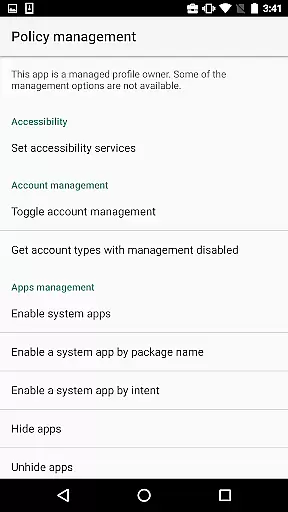
Test DPC is a specialized development tool designed exclusively for Android Enterprise management testing. This app serves as a sample device policy controller, enabling developers to simulate and test managed environments such as device owner mode or managed profiles.
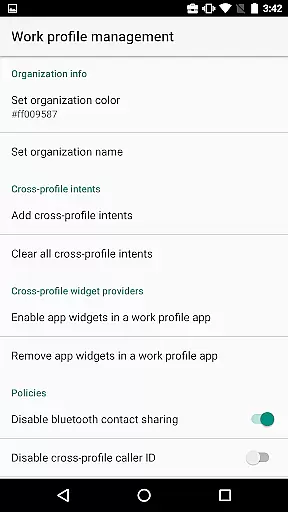
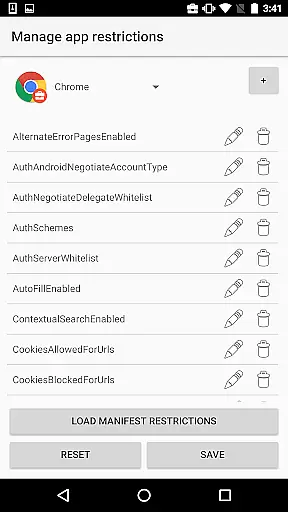
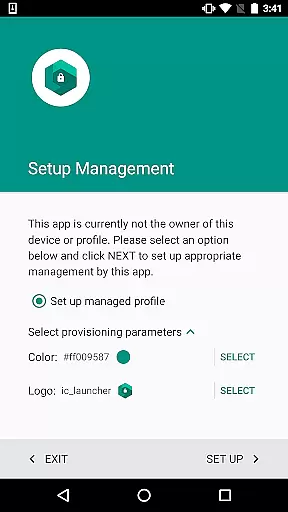
With Test DPC, users can set up work profiles, enable enterprise applications, establish application restrictions, and manage security policies. The app provides comprehensive features for testing various management scenarios while also serving as an implementation reference for other device policy controllers through its open-source codebase.
The app offers a complete suite of enterprise management features including the ability to create and manage work profiles, set application-specific restrictions, and configure security policies. Developers can explore different management capabilities like locking the device, setting password constraints, and controlling network settings.
Test DPC stands out with its detailed logging functionality that helps developers debug their applications in managed environments. Additionally, it provides clear documentation and source code references, making it an invaluable resource for both learning and implementing enterprise mobility management solutions.
Functionality completeness refers to the extent to which an application provides features that cover all expected use cases within its category. For Test DPC, this means offering a comprehensive set of tools for managing Android Enterprise environments.
The app allows developers to simulate various management scenarios such as setting up work profiles, enabling work apps, and establishing security policies. These capabilities ensure that developers can thoroughly test their applications in different managed contexts.
By providing these extensive management features, Test DPC supports developers in identifying potential issues before deployment. This leads to more robust and reliable enterprise solutions, ultimately enhancing user experience in real-world applications.
Usability focuses on how easily users can interact with an application's interface to achieve their goals efficiently. Operational smoothness ensures that processes within the app run seamlessly without interruptions or errors.
Test DPC offers intuitive controls for setting application restrictions and managing security policies, making it accessible even for those new to Android Enterprise development. Its straightforward setup process helps users quickly get started with testing their apps.
This ease of use combined with reliable performance enables developers to focus on refining their products rather than troubleshooting tool-related challenges. As a result, they can deliver higher-quality enterprise solutions more rapidly.
Comprehensive management tools
Open-source reference code
Detailed logging features
Wide range of testing scenarios
Official Google sample project
Not for production use
Limited to Android platform
Complex for beginners
No real data support
Development-focused only

Do you want to drive easy ? do you wanna full mirror link Mobile with your car
 4.10
4.10
Read Holy Quran Feel Like Real Quran & Listen Al Quran Mp3 Audio Online Offline.
4.70
SmartCast mirrors Android phone to TV screen With Cast Screen, Chromecast.
4.80
An essential GFX utility developed for specific FPS mobile games
4.50
Collection of Maps and Mods for Dmod
3.30
Demo version of the mcpro24fps manual video camera. Try and buy a full version!
4.00
CloudEye 365 is a easy-handling APP
3.60
Phone Software Update Quick Checker helps you to keep your phone apps up to date
4.50
Mirror phone to TV effortlessly! Stream, share & connect with Airplay ease.
3.60
Study Bible King James Version: the correct way to learn the Bible with audio
4.80
Explore The Holy Quran Majeed for Muslim. Listen to MP3 Quran & Al Quran Kareem.
4.80
You can remote control and play much easier.
4.10
The best PS2 games from your childhood come to life in their mobile version!
4.00
Use your Phone as Drone Controller.
3.70
Connect your phone to any endoscope camera, USB camera, or borescope with ease.
3.70
Simulator of real black light
3.50
Experience virtual reality on your smartphone with Cardboard.
3.50
Now Available on Android ™
3.40
Mirror Link Car Display to share your screen with car dashboard wirelessly
4.5


User Reviews