

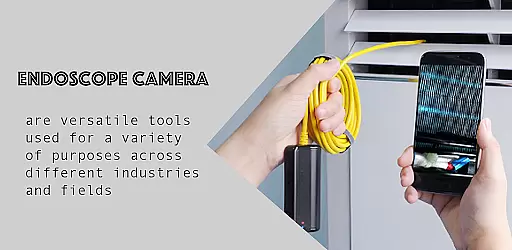
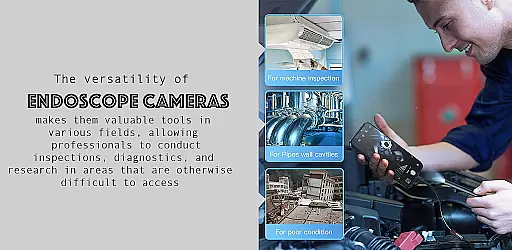
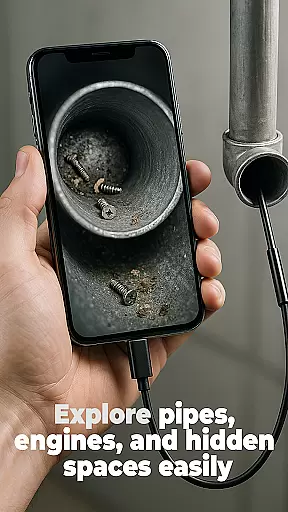
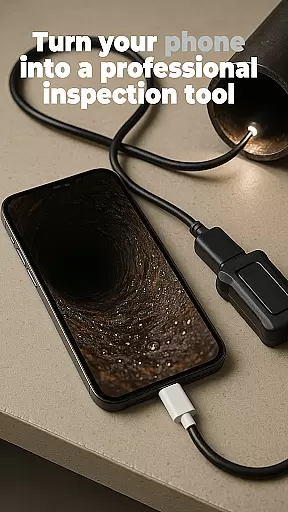
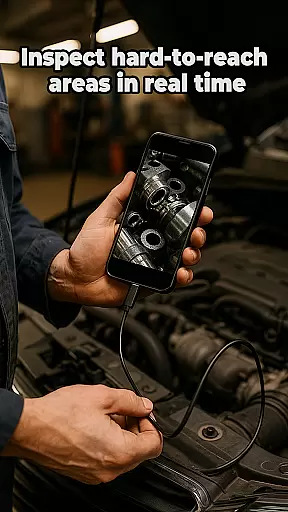
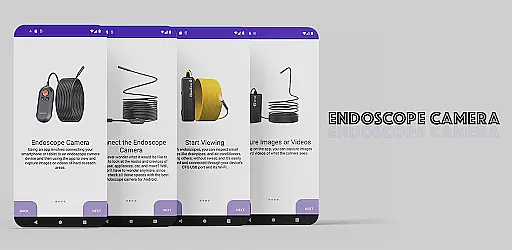
The Endoscope Camera app is a versatile tool designed to connect your smartphone with various external camera devices, including endoscopes, USB cameras, borescopes, and sewer inspection cameras. This functionality makes it an ideal choice for anyone needing to inspect hard-to-reach areas such as blocked drains or pipes without the need for costly professional equipment.
With its user-friendly interface, this app allows users to quickly set up their devices using OTG USB technology. Once connected, users can capture high-quality photos and videos, making it easier than ever to identify issues in plumbing or other tight spaces. The built-in gallery feature provides seamless management of captured media, allowing users to view, delete, and organize files effortlessly.
This app is particularly beneficial for DIY enthusiasts, homeowners, and professionals in plumbing or inspection services who require a reliable and portable solution for visual assessments. By providing clear visuals of otherwise inaccessible areas, the Endoscope Camera app significantly enhances productivity and problem-solving capabilities.
The Endoscope Camera app boasts a range of features that cater to both casual users and professionals. One of its standout functionalities is the broad compatibility with various external camera devices, including endoscopes, USB cameras, and borescopes. This versatility ensures that users can employ the app across different scenarios, from home repairs to industrial inspections.
Another notable feature is the quick and easy setup process facilitated by OTG USB connectivity. Users can connect their devices within seconds, minimizing downtime and maximizing efficiency. Additionally, the app supports capturing high-quality photos and videos, which are essential for detailed inspections. These media files are stored in a built-in gallery, where users can conveniently manage their content by viewing, deleting, or organizing files as needed.
Furthermore, the app's intuitive design ensures that even those with minimal technical expertise can navigate and utilize its features effectively. Whether inspecting blocked drains or examining intricate machinery, the Endoscope Camera app delivers a seamless and efficient user experience, enhancing the ability to diagnose and resolve issues swiftly.
When evaluating an app like Endoscope Camera, functionality completeness is crucial for ensuring that users can achieve their desired tasks without limitations. This app offers a comprehensive suite of features tailored to meet the needs of those requiring detailed inspections in hard-to-reach areas.
The app supports various types of external cameras including endoscopes, USB cameras, borescopes, and sewer inspection cameras. This wide-ranging compatibility ensures that whether you're dealing with blocked drains or conducting detailed inspections, the necessary tools are at your disposal.
Additionally, the app provides quick and easy setup through OTG USB connections, allowing users to swiftly begin capturing high-quality photos and videos. The built-in gallery further enhances user experience by enabling straightforward management and deletion of files, making it simple to organize and review captured media.
Usability and operational smoothness are key factors that determine how effectively users can interact with an application. For the Endoscope Camera app, these aspects are meticulously crafted to ensure a seamless user experience from start to finish.
Upon opening the app, users are greeted with an intuitive interface that simplifies the process of connecting their endoscope camera via USB. With just a few clicks, the camera is operational, allowing users to capture photos and record videos effortlessly. The clear instructions provided within the app help streamline this process even further.
Moreover, managing captured media is equally hassle-free thanks to the app's built-in gallery. Users can easily navigate through their photos and videos, delete unwanted files, and choose preferred players for video playback. This operational fluidity not only saves time but also enhances overall satisfaction with the appu2019s performance.
User-friendly interface
High-quality media capture
Broad device compatibility
Quick OTG USB setup
Efficient file management
Limited advanced settings
No cloud backup option
Basic video editing tools
Occasional connection issues
Ads in free version

Read Holy Quran Feel Like Real Quran & Listen Al Quran Mp3 Audio Online Offline.
 4.70
4.70
SmartCast mirrors Android phone to TV screen With Cast Screen, Chromecast.
4.80
Wireless reverse charging using phone now is possible
4.30
Block and secure the microphone and protect from secret listening and recording.
4.50
Collection of Maps and Mods for Dmod
3.30
Enjoy hours of entertainment with our Roblox mobile games app
4.5
An impressive collection of tools, characters, weapons, skins and more!
4.30
Manage apps & elevate your gaming experience with Game Launcher: Gaming Hub app.
4.30
Mirror phone to TV effortlessly! Stream, share & connect with Airplay ease.
3.60
Study Bible King James Version: the correct way to learn the Bible with audio
4.80
Phone Software Update Quick Checker helps you to keep your phone apps up to date
4.50
Recite Quran Majeed القران with special 16 line real Kuran page in hand
4.30
Test DPC is a sample device policy controller for use with Android Enterprise.
4.20
Do you want to drive easy ? do you wanna full mirror link Mobile with your car
4.10
You can remote control and play much easier.
4.10
Mirror link car connector to share your screen with car dashboard
3.80
Mobile Connect To TV - HDMI USB & WiFi Screen Mirroring
3.70
Simulator of real black light
3.50
Collection of high-quality, trendy skins and outfits!
4.4


User Reviews