
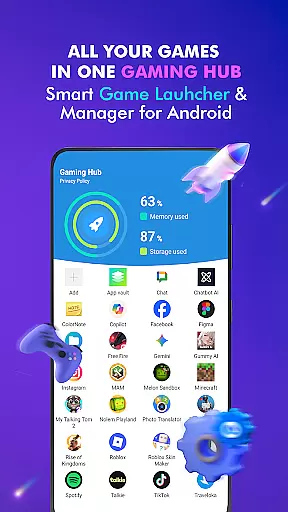



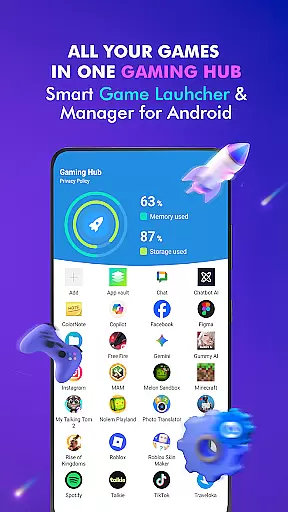



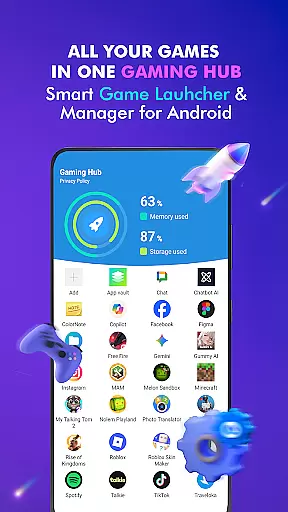



Gaming Hub is a comprehensive app management solution designed to simplify how Android users interact with their favorite games and apps. This Libraries & Demo category app offers an intuitive interface that centralizes all your gaming and app needs in one place, making it easier than ever to manage your digital library.
With features like automatic game detection from top publishers and manual addition options, Gaming Hub ensures you never lose track of your apps again. It also provides essential performance monitoring tools, allowing users to keep an eye on RAM usage and device storage, ensuring optimal gaming conditions at all times.
Whether you're a casual gamer or a power user, Gaming Hub enhances your smartphone experience by offering a seamless way to organize and launch your apps, providing both convenience and efficiency in managing your digital life.
Gaming Hub stands out with its robust feature set tailored for app and game management. The Android Game Launcher allows users to easily manage and access their favorite games and apps without the clutter typically associated with traditional app drawers.
The App Organization tool automatically detects popular games from renowned publishers, while also giving users the flexibility to manually add their preferred apps. This dual approach ensures that all your favorites are accounted for, regardless of their source.
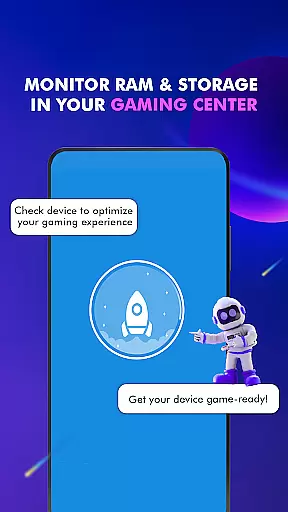
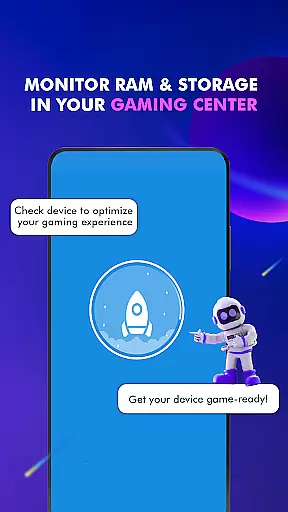
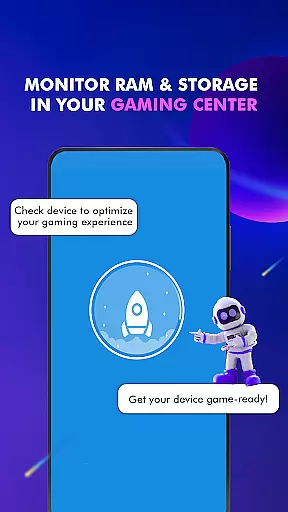
Performance Monitoring is another key feature, enabling users to monitor RAM usage and track device storage. These insights help optimize the gaming experience by ensuring that your device has enough resources to run smoothly. As a result, Gaming Hub not only simplifies app management but also enhances overall device performance.
Functionality completeness is a crucial aspect of any app, and Gaming Hub excels in this area. The app offers a comprehensive suite of features designed to simplify the management of apps and games on Android devices. With its Android Game Launcher, Gaming Hub allows users to easily manage their favorite games and apps, ensuring that everything is organized and accessible from one central location.
Gaming Hub goes beyond just launching apps; it provides tools for app organization, performance monitoring, and quick access. The Organizer Master feature automatically detects and adds popular games from renowned publishers, while also allowing manual additions. This ensures that users have a personalized and efficient experience tailored to their preferences. Additionally, the Performance Monitoring tool helps users keep track of RAM usage and device storage, optimizing the overall gaming experience.
The benefits of using Gaming Hub are numerous. Users can enjoy a clutter-free interface that makes finding and launching their favorite apps a breeze. By centralizing all games and apps in one place, Gaming Hub reduces the time and effort required to manage multiple applications. Furthermore, the ability to monitor device performance ensures that users can maintain optimal conditions for gaming, enhancing both convenience and enjoyment.
Usability and operational smoothness are key factors that determine the overall user experience of an app. Gaming Hub stands out by providing a user-friendly interface that is intuitive and easy to navigate. The app's design focuses on simplicity and efficiency, ensuring that users can quickly find and launch their desired games and apps without any hassle. This streamlined approach significantly enhances the user experience, making app management a seamless process.
One of the standout features of Gaming Hub is its Launcher functionality. This feature allows users to swiftly launch their apps with just a tap, activating necessary functions beforehand to ensure a smooth start. The app also emphasizes ease of use with clear instructions and straightforward controls, eliminating the learning curve often associated with new software. Whether adding new games to the library or monitoring device performance, every action within Gaming Hub is designed to be intuitive and efficient.
By prioritizing usability and operational smoothness, Gaming Hub delivers a superior user experience. Users benefit from reduced complexity in managing their apps, quicker access to their favorite games, and reliable performance monitoring. These advantages make Gaming Hub an indispensable tool for anyone looking to enhance their Android gaming experience, offering both convenience and reliability in everyday use.
User-friendly interface
Automatic game detection
Manual app addition
RAM usage monitoring
Centralized app management
No direct game boosting
Limited to Android devices
Storage tracking only
Basic launcher features
No FPS improvement

Read Holy Quran Feel Like Real Quran & Listen Al Quran Mp3 Audio Online Offline.
 4.70
4.70
Block and secure the microphone and protect from secret listening and recording.
4.50
Identify securely online
3.10
You can remote control and play much easier.
4.10
Test DPC is a sample device policy controller for use with Android Enterprise.
4.20
Block, disable and secure phone camera from secretly taking photos by spyware.
4.50
Demo version of the mcpro24fps manual video camera. Try and buy a full version!
4.00
An impressive collection of tools, characters, weapons, skins and more!
4.30
Expo is a free & open source platform to build apps using JavaScript and React.
4.70
TV USB connector app provides you a seamless cast option from your phone to tv.
4.70
MirrorLink for connecting your Android phone to your car’s infotainment screen.
4.50
View your cameras anywhere and anytime
4.20
Unlock the hidden menus of your phone with our mobile secret codes app.
4.20
charging your phone by other phone easly
4.00
A Pydroid Quick Install repository provider.
4.00
Sad ringtones full of feeling, sad music ringtones
3.90
Mirror link car connector to share your screen with car dashboard
3.80
Collection of high-quality, trendy skins and outfits!
4.5
Turn your phone into a wireless Xbox controller – play, stream & control anytime
4.5


User Reviews