
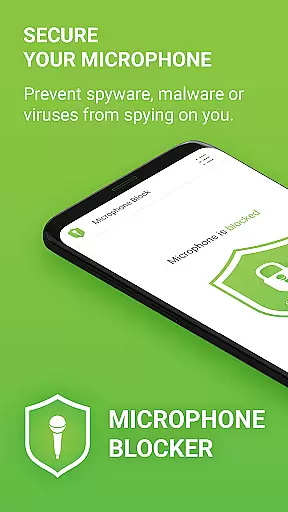

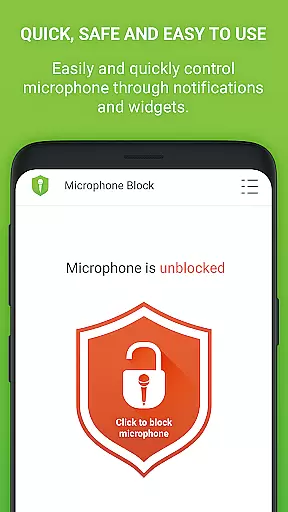
Microphone Blocker is a privacy-focused application designed to secure access to your device's microphone, ensuring that unauthorized apps cannot secretly record or listen to you. The app operates without requiring root access and guarantees uninterrupted phone call functionality while providing robust protection against spyware, malware, and viruses.
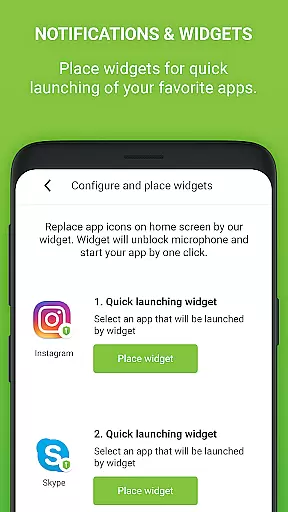
With over 6,000 five-star ratings, this app offers a one-click solution to block microphone access, monitor apps with microphone permissions, and automatically schedule blocking times. It also features a microphone detector and guard, home screen widgets, and notifications for quick access. Its user-friendly interface includes dark mode and customizable icon sets, making it both functional and visually appealing.
This app is particularly useful in environments where privacy is paramount, such as business meetings or personal conversations. By preventing unauthorized recording, Microphone Blocker empowers users to maintain control over their privacy and ensures peace of mind in an increasingly connected world.
Microphone Blocker stands out with its comprehensive set of features tailored to enhance user privacy. One of the key functionalities is the ability to block, disable, and remove microphone access with a single click, effectively protecting against eavesdropping by spyware, malware, or surveillance apps. This feature alone significantly boosts the security of personal and professional communications.
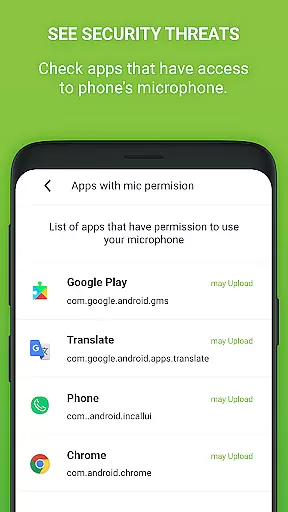
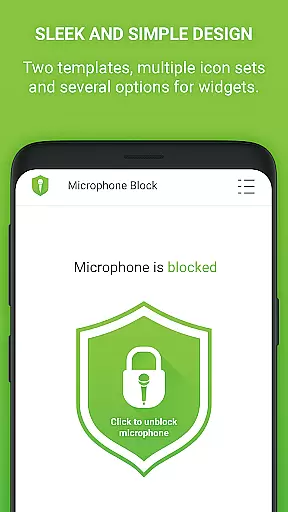
In addition to blocking capabilities, the app provides tools for monitoring which apps have access to your microphone and allows setting automatic blocking schedules. The inclusion of a microphone detector and guard adds another layer of security by continuously monitoring apps permitted to access the microphone and notifying users of any new app gaining such access. Furthermore, the app offers a simple and clear design with dark mode and multiple icon sets, alongside convenient home screen widgets and notifications for easy access to blocking functions.
For those seeking advanced protection, the PRO version offers unlimited 24-hour protection, removes ads, and ensures no internet access or private data collection. With a lifetime license and no additional fees, upgrading to the PRO version provides comprehensive and uninterrupted privacy protection.
Microphone Blocker offers comprehensive functionality to secure your device's microphone access effectively. The app provides a one-click solution to block, disable, and deactivate microphone access, ensuring that spyware, malware, and viruses cannot secretly record or listen to you. This feature is crucial for maintaining privacy and protecting against unauthorized surveillance.
In addition to blocking access, the app allows users to monitor which applications have permission to use the microphone. This transparency empowers users to make informed decisions about their privacy. The inclusion of a microphone detector and guard further enhances security by notifying users when new apps gain microphone access.
The app also features automatic blocking times and a home screen widget for quick access. These functionalities ensure that users can maintain continuous protection without interrupting their daily activities. With its simple and clear design, including dark mode and several icon sets, Microphone Blocker caters to various user preferences, making it both functional and user-friendly.
Usability is at the core of Microphone Blocker's design, offering an intuitive interface that simplifies the process of securing your microphone. The app's straightforward design ensures that even those unfamiliar with advanced privacy tools can easily navigate and utilize its features. With clear instructions and easy-to-follow steps, users can quickly learn how to remove apps that have unnecessary access to their microphone.
Operational smoothness is evident in the app's ability to function without requiring root access, ensuring that phone calls remain uninterrupted while still providing robust protection. The app's efficient performance does not compromise the user experience, allowing individuals to continue using their devices as usual while benefiting from enhanced security measures.
For users seeking additional features, the PRO version offers unlimited 24-hour protection, removing limitations present in the free version. This upgrade path demonstrates the app's commitment to delivering a seamless and reliable user experience, ensuring that all users can find a solution that meets their specific needs.
Easy-to-use interface
Effective privacy protection
No root access required
Automatic blocking schedules
Real-time monitoring and alerts
Limited free version
Occasional false positives
PRO version requires purchase
Some features are complex
Dependent on Android permissions

Wireless reverse charging using phone now is possible
 4.30
4.30
The Free Catholic Latin American Bible in complete Spanish
4.60
Identify securely online
3.10
Easily evaluate the performance of Scandit's barcode and ID scanning SDK
4.10
use your smartphone as Remote control drones .
4.20
Recite Quran Majeed القران with special 16 line real Kuran page in hand
4.30
Mirror link car connector to share your screen with car dashboard
3.80
Al QURAN-القرأن الكريم app to read Quran offline just like an actual Quran book
4.30
Simulator of real black light
3.50
Study Bible King James Version: the correct way to learn the Bible with audio
4.80
An impressive collection of tools, characters, weapons, skins and more!
4.30
Unlock the hidden menus of your phone with our mobile secret codes app.
4.20
Connect and find your Smarttag devices through our app.
4.00
Sad ringtones full of feeling, sad music ringtones
3.90
CloudEye 365 is a easy-handling APP
3.60
DamonSx2 is the open Source LGPL Emulator
3.20
If you are looking for melon playground mod that fun you deffinitely try our app
2.70
Collection of high-quality, trendy skins and outfits!
4.3
Enjoy hours of entertainment with our Roblox mobile games app
4.0


User Reviews