
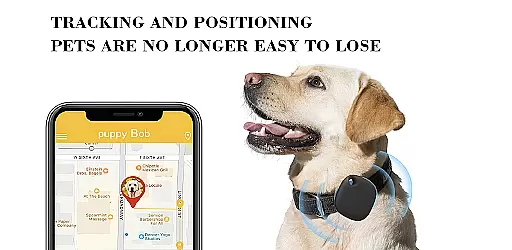
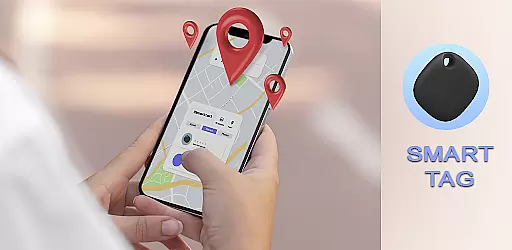
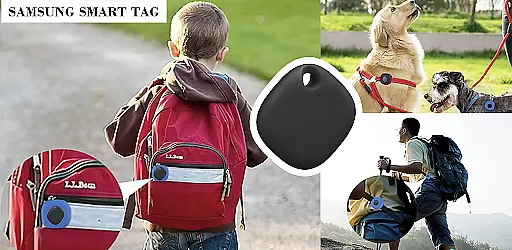
SmartTag Samsung is an innovative tracking application designed to provide safety and peace of mind for your family and pets. The app allows you to monitor the location of your loved ones and ensures their security through advanced geofencing technology. By creating specific places and geofences, you can receive automatic notifications when a child arrives at or leaves a designated area, such as school. Additionally, SmartTag Samsung enables you to track your pet's location wherever they are, offering serenity and reassurance.
Beyond just location tracking, this app also monitors your pet's activity and sleep patterns, helping you maintain their health and fitness. With durable, lightweight tags that don't add extra weight to your pet's neck, SmartTag Samsung is ideal for keeping tabs on your pet's movements without causing any discomfort. Whether you're heading to the dog beach or ensuring your pet stays within safe zones, SmartTag Samsung provides comprehensive monitoring solutions tailored to your needs.
SmartTag Samsung offers a variety of sophisticated features that cater to the safety and well-being of your family and pets. One of its standout capabilities is the ability to create private groups and circles for family members, allowing you to manage and oversee the safety of everyone in your household. This feature is particularly useful for parents who want to ensure their children's safety as they travel to and from school or other locations.
In addition to group management, SmartTag Samsung provides robust geofencing options. You can establish virtual boundaries around important locations like schools or parks and receive real-time alerts if a family member strays outside these areas. For pet owners, the app includes a well-being indicator that tracks your pet's daily activity and sleep, comparing it with other dogs or cats to help you keep them healthy. The waterproof design of the tags ensures durability, making them suitable for any environment, whether it's a rainy day or a trip to the beach.
Functionality completeness refers to the range of features and capabilities that an application offers to meet user needs. For the Samsung SmartTag app, this involves providing a comprehensive suite of tools for tracking and ensuring the safety of your family and pets. The app allows you to add family members to your private account, create circles for private groups, and set up geofences to receive automatic notifications about your child's whereabouts.
In addition to family safety features, the Samsung SmartTag app also focuses on pet safety and health monitoring. You can track your pet's location, monitor their activity and sleep patterns, and even compare their fitness levels with other pets using the well-being indicator. This ensures that pet owners have peace of mind knowing they can locate their pets and keep them healthy.
The app's functionality extends beyond just tracking; it is designed to be durable and waterproof, making it suitable for various environments, including outdoor activities like trips to the dog beach. By covering these diverse use cases, the Samsung SmartTag app demonstrates its commitment to offering a complete and robust solution for users seeking both family and pet safety.
Usability and operational smoothness are crucial factors in determining how easily users can interact with an application. The Samsung SmartTag app excels in this area by providing an intuitive interface that simplifies the process of setting up and managing your smart tags. Whether adding family members to your private account or creating geofences for location alerts, the app ensures that these tasks are straightforward and hassle-free.
Operational smoothness is further enhanced by the app's ability to deliver real-time updates and notifications. Users can expect timely alerts when a child arrives at or leaves a designated place, such as school. This immediate feedback loop helps maintain constant awareness of loved ones' locations without requiring manual checks or updates, thus streamlining the user experience.
Moreover, the Samsung SmartTag app integrates seamlessly with other devices, allowing for cross-device synchronization and reliable performance. Its compatibility with Samsungu2019s ecosystem ensures that users enjoy a fluid and uninterrupted service, whether they're using smartphones, tablets, or wearables. This cohesive integration underscores the app's dedication to delivering a smooth and efficient user experience across different platforms.
User-friendly interface
Advanced geofencing
Real-time notifications
Pet activity monitoring
Durable and waterproof tags
Limited device compatibility
Subscription fees may apply
Occasional connectivity issues
Requires constant internet access
Privacy concerns with location data

Record with Double Camera Video Recording using Dual Camera Front and Back Video
 3.00
3.00
SmartCast mirrors Android phone to TV screen With Cast Screen, Chromecast.
4.80
Enjoy Minecraft Mod Scary Neighbor Granny for Minecraft PE.
4.30
Wireless reverse charging using phone now is possible
4.30
With Endoscope Camera Connector you can connect your phone with endoscope cam
3.70
Block, disable and secure phone camera from secretly taking photos by spyware.
4.50
Demo version of the mcpro24fps manual video camera. Try and buy a full version!
4.00
Mirror Link Car Display to share your screen with car dashboard wirelessly
4.3
Barcode scanning made simple!
4.40
Read Holy Quran Feel Like Real Quran & Listen Al Quran Mp3 Audio Online Offline.
4.70
Block and secure the microphone and protect from secret listening and recording.
4.50
Phone Software Update Quick Checker helps you to keep your phone apps up to date
4.50
Game Booster GFX for smoother gaming experience. Enjoy 120 FPS and 4x Game Space
4.20
Android secret code for smart phone, mobile codes, with secret codes app
4.20
You can remote control and play much easier.
4.10
DamonSx2 is the open Source LGPL Emulator
3.20
Identify securely online
3.10
A great tool help you to format Micro SD memory Card
3.10
Collection of high-quality, trendy skins and outfits!
4.0


User Reviews