
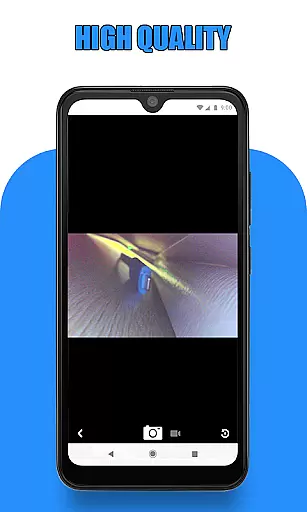
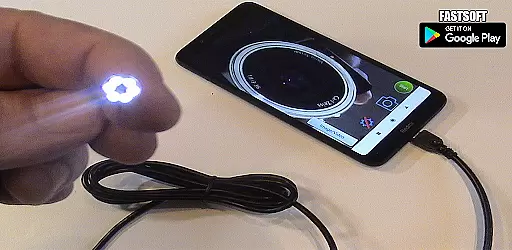
Endoscope Camera Connector is a specialized app designed to connect Android devices with external cameras such as endoscopes, USB cameras, or Borescope cameras. This versatile tool allows users to view live feeds from these devices directly on their smartphones, making it ideal for various inspection tasks.
The app functions similarly to an OTG (On-The-Go) viewer, enabling users to connect their external cameras via USB OTG or Type-C ports. Once connected, users can record videos with sound and capture images, which are then stored in the device's gallery. The app also provides essential features like an OTG checker to ensure compatibility with your device.
This application is particularly useful for professionals in plumbing, sewer inspections, and other fields requiring remote visual assessments. By using Endoscope Camera Connector, users can efficiently diagnose issues without needing additional specialized equipment, thus saving time and resources.
Endoscope Camera Connector offers a range of features that enhance its functionality and usability. Firstly, it supports UVC-compatible USB cameras, ensuring broad compatibility with various external devices. Users can easily check if their device supports USB OTG technology through the built-in OTG checker feature.
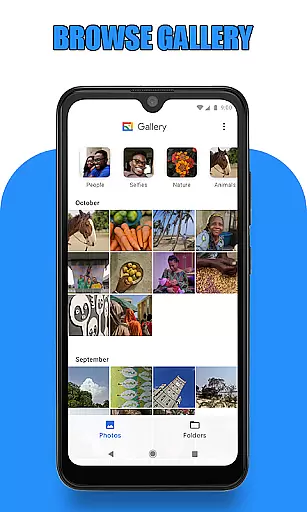
Once connected, the app provides intuitive controls for capturing photos and recording videos. The interface allows users to seamlessly switch between viewing modes and access the gallery where all media files are stored. Within the gallery, users can manage their content by deleting unwanted photos or videos with simple gestures.
Additionally, the app facilitates sharing captured media across different platforms, enhancing collaboration and documentation processes. Its ability to work with multiple types of external cameras makes it a valuable tool for professionals who require reliable and flexible inspection solutions.
Endoscope Camera Connector offers a comprehensive solution for connecting your mobile device with various external cameras, including endoscopes, USB cameras, and Borescope cameras. This app ensures that users can access the full functionality of their external devices directly from their smartphones.
The app supports OTG technology, allowing users to connect their external cameras via USB or Type-C ports. Once connected, users can view live footage, record videos with sound, and capture photos effortlessly. The app also integrates seamlessly with the phone's gallery, enabling easy storage and retrieval of media files.
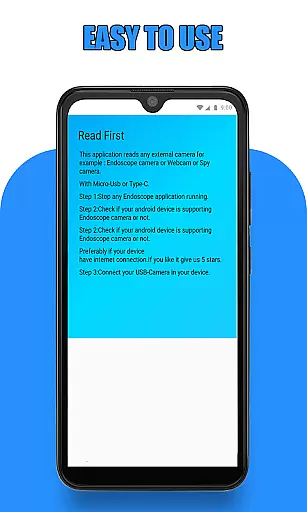
Before using the app, it is essential to verify that your device supports USB OTG and that your camera is UVC-compatible. These checks ensure optimal performance and compatibility, providing a smooth user experience when operating external cameras through the Endoscope Camera Connector.
Usability is a key focus of the Endoscope Camera Connector, designed to provide an intuitive and efficient user experience. Upon launching the app, users are greeted with a straightforward interface that simplifies the process of connecting and utilizing external cameras.
To begin, users simply need to plug their endoscope camera into the phone and tap on the camera icon within the app. With a single click, the camera feed becomes accessible, allowing users to take photos and record videos seamlessly. The appu2019s design emphasizes ease of use, ensuring that even those unfamiliar with such technology can operate it without difficulty.
In addition to its operational simplicity, the app includes a built-in gallery feature. This allows users to manage their captured media efficiently, offering functionalities such as viewing, deleting, and organizing photos and videos. Overall, the Endoscope Camera Connector delivers a smooth and user-friendly experience, making it an invaluable tool for various inspection tasks.
User-friendly interface
Wide device compatibility
Efficient media management
Supports UVC cameras
Integrated OTG checker
Limited iOS support
Requires OTG adapter
Dependent on camera quality
No advanced editing tools
Occasional connectivity issues

Game Booster GFX for smoother gaming experience. Enjoy 120 FPS and 4x Game Space
 4.20
4.20
Do you want to drive easy ? do you wanna full mirror link Mobile with your car
4.10
Collection of high-quality, trendy skins and outfits!
4.3
SmartCast mirrors Android phone to TV screen With Cast Screen, Chromecast.
4.80
Mirror Link Car Display to share your screen with car dashboard wirelessly
4.3
Mobs maker Minecraft help MCPE creators make their own mob by using Blockbench
3.50
Al QURAN-القرأن الكريم app to read Quran offline just like an actual Quran book
4.30
Now Available on Android ™
3.40
Expo is a free & open source platform to build apps using JavaScript and React.
4.70
Demo for Key Attestation feature of the Android system.
4.80
Block and secure the microphone and protect from secret listening and recording.
4.50
Popular mods fnaf mods for melon playground
4.50
An essential GFX utility developed for specific FPS mobile games
4.50
Enjoy Minecraft Mod Scary Neighbor Granny for Minecraft PE.
4.30
use your smartphone as Remote control drones .
4.20
Sad ringtones full of feeling, sad music ringtones
3.90
Connect your phone to any endoscope camera, USB camera, or borescope with ease.
3.70
Simulator of real black light
3.50
Identify securely online
3.10


User Reviews