
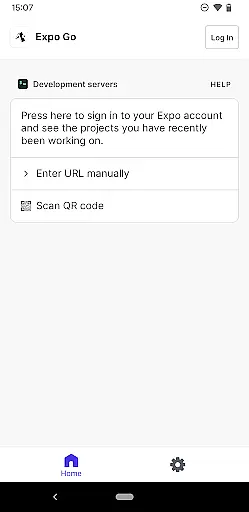
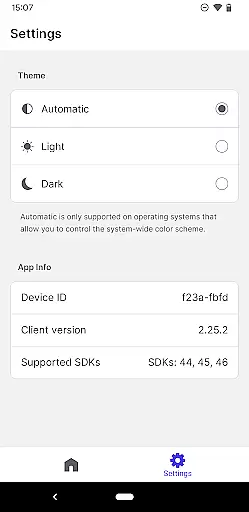
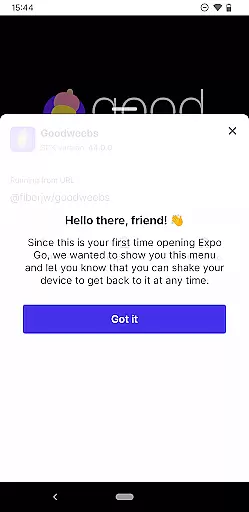
Expo Go is a powerful development tool that allows users to build interactive mobile experiences directly from their Android device. Designed for developers, this app simplifies the process of creating rich applications using JavaScript and React Native.
The app provides access to a wide range of native device features such as the camera, background location services, audio and video capabilities, and SQLite databases. Whether you're prototyping a new app or testing complex functionalities, Expo Go offers an intuitive environment to streamline your workflow.
Ideal for both beginners and experienced developers, Expo Go bridges the gap between coding on your computer and instantly previewing results on your device. With extensive documentation available at https://expo.dev, it ensures a seamless development experience while adhering to professional standards.
Expo Go stands out with its robust set of features tailored for mobile app development. One of its key strengths is the ability to test code in real-time by connecting your Android device to your development environment. This eliminates the need for emulators and speeds up the debugging process.
The app supports advanced functionalities like gesture recognition, multimedia integration, and persistent data storage through SQLite. Developers can also leverage APIs for hardware components such as the camera and GPS sensors, enabling them to create feature-rich applications without dealing with low-level implementations.
Additionally, Expo Go integrates seamlessly with popular developer tools and frameworks, making it adaptable to various workflows. Its compatibility with React Native ensures that projects remain scalable and maintainable, catering to both small prototypes and enterprise-level solutions.
Functionality completeness is a critical aspect of any development tool, and Expo Go excels in this area. The app provides a comprehensive suite of features that allow developers to create rich, interactive experiences using JavaScript and React Native.
Expo Go offers access to device capabilities such as the camera, background location services, audio and video playback, and SQLite databases. This extensive functionality ensures that developers can build complex applications without needing to write native code for each feature.
By covering a wide range of use cases, from simple UI interactions to more advanced functionalities like real-time data processing, Expo Go empowers developers to focus on creativity and innovation. The ability to leverage these built-in features significantly reduces development time and effort.
Ultimately, the completeness and coverage of Expo Go's functionality make it an invaluable tool for both novice and experienced developers looking to create robust mobile applications with ease.
Usability and operational smoothness are essential for ensuring a positive developer experience, and Expo Go delivers on both fronts. The app is designed to be intuitive, allowing developers to quickly start building applications with minimal setup.
With its straightforward interface and seamless integration with development environments, Expo Go streamlines the process of creating and testing applications. Developers can easily preview their work on an Android device in real-time, which enhances productivity and accelerates the development cycle.
The operational smoothness of Expo Go is further highlighted by its reliable performance and stability. Whether running complex graphics or handling multiple concurrent processes, the app maintains a high level of responsiveness and efficiency.
By prioritizing usability and operational smoothness, Expo Go ensures that developers can focus on crafting exceptional user experiences without being hindered by technical obstacles or cumbersome workflows.
User-friendly interface
Real-time testing
Wide feature support
Active community
Cross-platform
Requires coding skills
Limited offline use
Dependent on internet
No drag-and-drop
Steep learning curve

Enjoy Minecraft Mod Scary Neighbor Granny for Minecraft PE.
 4.30
4.30
Wireless reverse charging using phone now is possible
4.30
Read Quran pak offline & listen online mp3 Quran in Al Quran Majeed app
4.1
Enjoy hours of entertainment with our Roblox mobile games app
4.1
Looking to connect your phone to your car screen? Mirror Link is the solution.
3.20
Barcode scanning made simple!
4.40
Ps2 plugins for 64 bit artitechture
3.70
Endoscope camera an app to connect with endoscope cam or any device
3.30
Mirror phone to TV effortlessly! Stream, share & connect with Airplay ease.
3.60
Tune your game graphics with our GFX optimizer for optimal gaming experience
4.50
MirrorLink for connecting your Android phone to your car’s infotainment screen.
4.50
Game Booster GFX for smoother gaming experience. Enjoy 120 FPS and 4x Game Space
4.20
Test DPC is a sample device policy controller for use with Android Enterprise.
4.20
Connect and find your Smarttag devices through our app.
4.00
Demo version of the mcpro24fps manual video camera. Try and buy a full version!
4.00
Connect your phone to any endoscope camera, USB camera, or borescope with ease.
3.70
Simulator of real black light
3.50
Experience virtual reality on your smartphone with Cardboard.
3.50
Collection of Maps and Mods for Dmod
3.30


User Reviews