
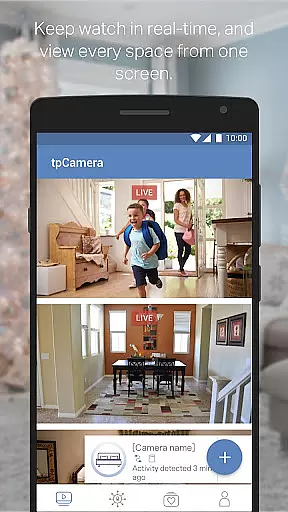
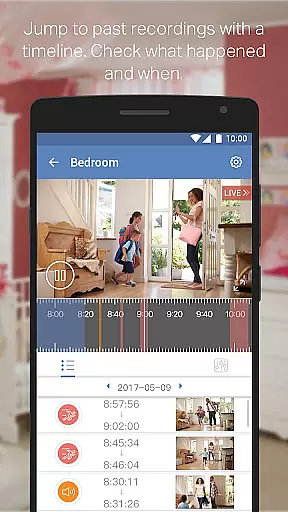
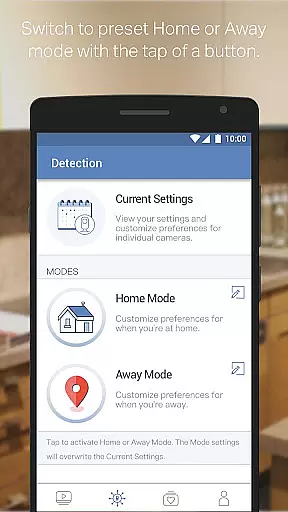
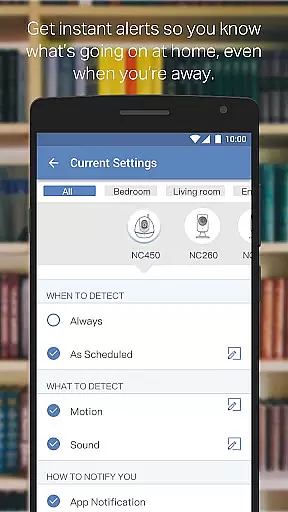
TP-LINK tpCamera is a cloud-based video monitoring app that allows users to stay connected to their home, family, or pets remotely. With this app installed on your smartphone, you can access your cloud cameras anytime and from anywhere over the Internet, ensuring you never miss an important moment.
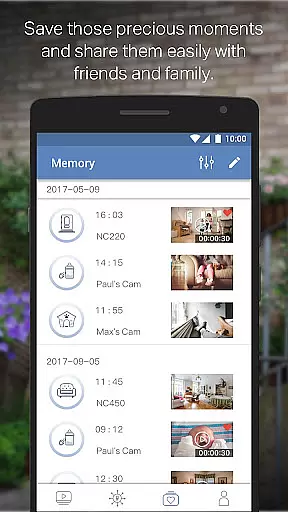
The app offers features such as free cloud service for life, quick registration and setup, live video streaming from multiple cameras, and storage of photos and videos. Compatible with various devices including NC200, NC210, NC220, NC230, NC250, NC260, and NC450, it provides peace of mind by allowing users to monitor their surroundings in real-time.
TP-LINK tpCamera stands out with its comprehensive set of features designed to enhance user experience. The app provides a free lifetime cloud service, enabling users to store and access their data without any additional cost. Its quick registration and setup process ensures that users can start monitoring their premises within minutes.
Additionally, the app supports managing and streaming live videos from multiple cameras simultaneously, offering flexibility and convenience. Users can also store photos and videos, allowing them to relive precious moments. With support for multiple languages and compatibility with a range of devices, TP-LINK tpCamera caters to a diverse user base.
When evaluating a cloud-based video monitoring app like TP-LINK tpCamera, functionality completeness is crucial. This app offers an extensive range of features that ensure users can stay connected to their homes, families, or pets remotely without any hassle.
The app provides free cloud service for life, allowing users to store and access their videos and photos anytime and anywhere. With quick registration and setup, it simplifies the process of connecting to your home or office cameras. The ability to manage and stream live videos from multiple cameras adds another layer of convenience and security.
TP-LINK tpCamera also supports a variety of compatible devices including NC200, NC210, NC220, NC230, NC250, NC260, and NC450. This wide compatibility ensures that users with different models can utilize the app effectively. Additionally, the app supports multiple languages such as English, French, German, Spanish, Portuguese, Italian, Russian, Polish, Traditional Chinese, and Korean, making it accessible to a global audience.
Usability and operational smoothness are vital for any application, especially one used for security purposes like TP-LINK tpCamera. The app excels in providing a seamless user experience through its intuitive interface and reliable performance.
One of the standout features is the quick registration and setup process, which allows users to start monitoring their spaces almost instantly. This ease of use extends to managing and streaming live videos from multiple cameras, ensuring that users can keep an eye on various areas without any interruptions.
Moreover, the app's operational smoothness is enhanced by its support for a broad range of devices and languages. Whether you're using an NC200 or an NC450 camera model, the app maintains consistent performance. Similarly, language support for major global languages ensures that users from different regions can operate the app comfortably, thus broadening its appeal and practicality.
User-friendly interface
Free cloud storage
Quick setup process
Multi-camera support
Real-time monitoring
Limited device compatibility
No advanced analytics
Basic video quality
In-app purchases
Occasional connectivity issues

Connect and find your Smart Tag 2 devices through our app.
 3.60
3.60
Tune your game graphics with our GFX optimizer for optimal gaming experience
4.50
With Endoscope Camera Connector you can connect your phone with endoscope cam
3.70
Popular mods fnaf mods for melon playground
4.50
a wireless controller that provides a seamless and gaming experience for players
3.80
An impressive collection of tools, characters, weapons, skins and more!
4.30
Game booster GFX may reduce interruptions and improve gaming experience.
4.50
A Pydroid Quick Install repository provider.
4.00
The best PS2 games from your childhood come to life in their mobile version!
4.00
MirrorLink for connecting your Android phone to your car’s infotainment screen.
4.50
Recite Quran Majeed القران with special 16 line real Kuran page in hand
4.30
Wireless reverse charging using phone now is possible
4.30
Game Booster GFX for smoother gaming experience. Enjoy 120 FPS and 4x Game Space
4.20
Connect your phone to any endoscope camera, USB camera, or borescope with ease.
3.70
Mobs maker Minecraft help MCPE creators make their own mob by using Blockbench
3.50
Experience virtual reality on your smartphone with Cardboard.
3.50
Collection of Maps and Mods for Dmod
3.30
Zlink Carplay Android a mirror link app with a Carplay interface style
4.3
Enjoy hours of entertainment with our Roblox mobile games app
4.2


User Reviews