
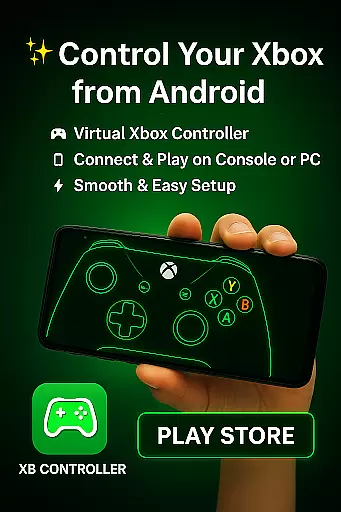
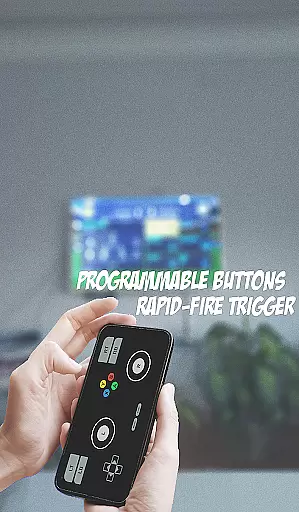
XB CONTROLLER is a specialized gaming input device designed for Xbox consoles, including Xbox One and Xbox Series X/S. It offers a wireless experience with an ergonomic design that ensures comfort during extended gaming sessions.
The controller features two thumbsticks, a directional pad, four action buttons (A, B, X, Y), shoulder buttons (LB, RB), triggers (LT, RT), and a menu button. These controls provide precise gameplay actions such as movement, shooting, and menu navigation. The inclusion of vibration feedback enhances the immersive experience by simulating in-game events through tactile sensations.
With both wireless and optional wired USB connectivity, the XB CONTROLLER ensures minimal input lag and uninterrupted gameplay. Its latest iteration includes enhanced haptic feedback and an improved D-pad, making it ideal for various gaming genres and ensuring a seamless connection between the player and the game world.
XB CONTROLLER stands out with its advanced features tailored for modern gaming needs. The wireless functionality allows freedom of movement, while the ergonomic design ensures comfort even during long gaming sessions.
One of its key features is the incorporation of vibration feedback, which adds realism to gameplay by providing tactile responses to in-game actions. This feature significantly enhances immersion, making players feel more connected to the virtual environment.
Additionally, the controller supports both wireless and wired connections, offering flexibility based on user preference. The latest version introduces enhanced haptic feedback and an improved D-pad, allowing for more accurate inputs. These innovations make the XB CONTROLLER a versatile tool suitable for a wide range of gaming genres, from action-packed shooters to intricate role-playing games.
Functionality completeness in a gaming controller refers to the range of features and capabilities it offers to enhance gameplay. The XB CONTROLLER excels in this area by providing an extensive set of input options, including two thumbsticks, a directional pad, four action buttons (A, B, X, Y), shoulder buttons (LB and RB), triggers (LT and RT), and a menu button. These controls are strategically placed for easy access and precise control during gameplay.
The controller's design supports both casual and hardcore gamers, with vibration feedback that adds a tactile dimension to gaming, making virtual experiences feel more real. This sensory feedback is crucial for immersive gameplay, as it corresponds to in-game events, thus deepening player engagement.
Moreover, the XB CONTROLLER has evolved over time, incorporating improvements such as enhanced haptic feedback and an improved D-pad, which cater to the need for more precise inputs. Such advancements ensure that players have a seamless experience across a wide range of gaming genres, from action-packed shooters to story-rich role-playing games.
By offering both wireless functionality and the option for a wired connection, the controller ensures minimal input lag and uninterrupted gameplay. This dual connectivity approach caters to different preferences and situations, making the XB CONTROLLER a reliable choice for Xbox console players who demand both performance and flexibility.
Usability in a gaming controller pertains to how intuitive and comfortable it is for users to operate during extended gaming sessions. The XB CONTROLLER boasts an ergonomic design that fits naturally in the hands, promoting comfort even during marathon gaming sessions. Its familiar layout ensures that both novice and experienced gamers can adapt quickly without a steep learning curve.
Operational smoothness is achieved through the controller's responsive controls, which offer accurate and immediate feedback to user inputs. Whether navigating complex menus or executing precise movements in fast-paced games, the XB CONTROLLER delivers a fluid experience that keeps players focused on their gaming objectives without distraction.
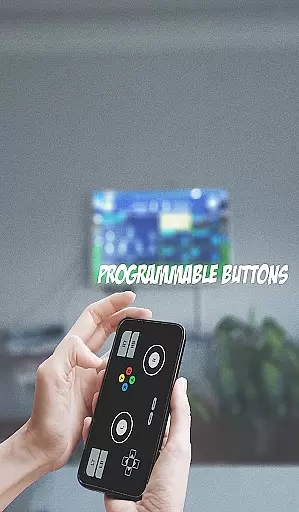
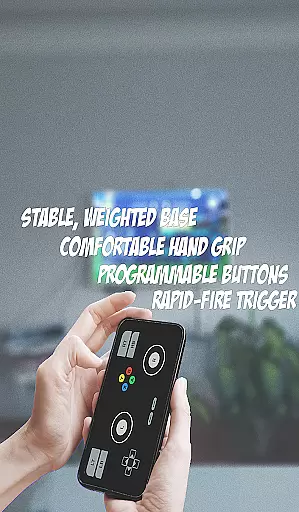
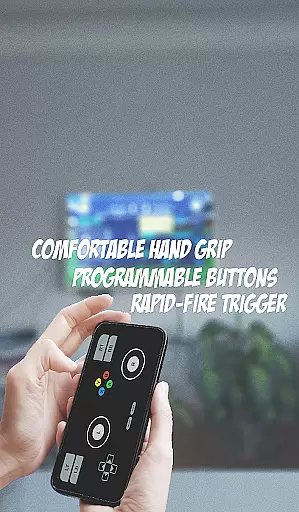
In addition to its physical design, the controller incorporates software features that further enhance usability. For instance, customizable button mapping allows users to tailor the controller to their specific needs, while firmware updates ensure that the device remains compatible with new games and maintains optimal performance over time.
Ultimately, the XB CONTROLLER's commitment to usability and operational smoothness translates into an accessible and enjoyable gaming experience for all types of players. By prioritizing user-centric design principles, it sets a high standard for what gamers should expect from modern gaming peripherals.
Comfortable ergonomic design
Precise control options
Vibration feedback enhances immersion
Wireless and wired connectivity options
Enhanced features in latest model
Limited to Xbox ecosystem
Battery life may vary
No major cons for intended use
Higher cost than basic controllers
Specific improvements only in new models

With Endoscope Camera Connector you can connect your phone with endoscope cam
 3.70
3.70
Collection of Maps and Mods for Dmod
3.30
You can remote control and play much easier.
4.10
Block, disable and secure phone camera from secretly taking photos by spyware.
4.50
Zlink Carplay Android a mirror link app with a Carplay interface style
4.5
Mirror link car connector to share your screen with car dashboard
3.80
Al QURAN-القرأن الكريم app to read Quran offline just like an actual Quran book
4.30
Turn your phone into a wireless Xbox controller – play, stream & control anytime
4.2
Game booster GFX may reduce interruptions and improve gaming experience.
4.50
Explore The Holy Quran Majeed for Muslim. Listen to MP3 Quran & Al Quran Kareem.
4.80
Study Bible King James Version: the correct way to learn the Bible with audio
4.80
TV USB connector app provides you a seamless cast option from your phone to tv.
4.70
An essential GFX utility developed for specific FPS mobile games
4.50
Android secret code for smart phone, mobile codes, with secret codes app
4.20
Connect and find your Smarttag devices through our app.
4.00
charging your phone by other phone easly
4.00
CloudEye 365 is a easy-handling APP
3.60
Mobs maker Minecraft help MCPE creators make their own mob by using Blockbench
3.50
Record with Double Camera Video Recording using Dual Camera Front and Back Video
3.00


User Reviews