
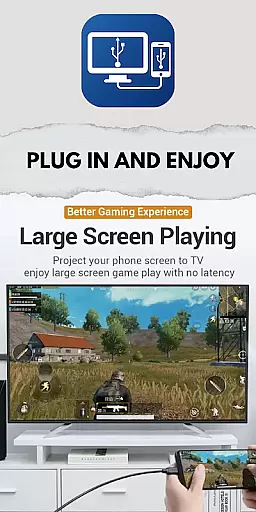
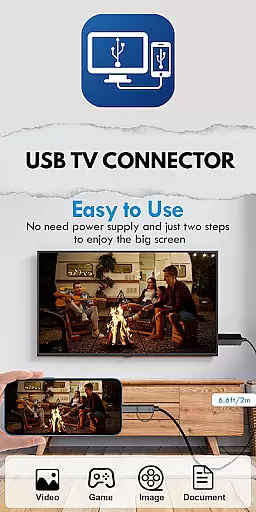
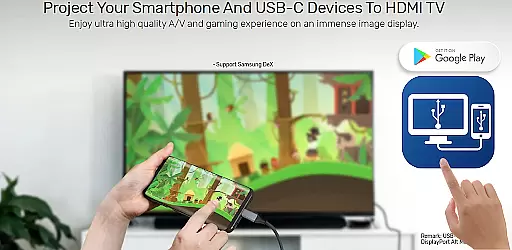
USB Tv Connector is a powerful screen mirroring solution that allows users to connect their mobile devices to TV screens via USB. This app enables seamless content sharing, making it easy to enjoy photos, videos, and music on a larger display. With support for HDMI MHL, users can cast high-quality HD content from their phone to TV.
The app also provides additional functionality by allowing users to check if their device is OTG supported. Beyond simple screen mirroring, the app transforms your phone into a remote control for your TV, offering versatile interaction options. Whether you're looking to share media or enhance your viewing experience, USB Tv Connector delivers a comprehensive solution for modern digital connectivity.
USB Tv Connector offers an array of features designed to enhance user experience. The core functionality includes USB-based screen mirroring, enabling users to display their phone's content on a TV with ease. The app supports high-definition casting through HDMI MHL, ensuring premium video quality during screen sharing sessions.
Beyond basic mirroring capabilities, this app provides advanced functions such as transforming your phone into a TV remote control. Users can conveniently manage their TV operations directly from their mobile device. The application also facilitates quick content sharing between devices, making it simple to transfer media files while maintaining excellent transmission speed and stability.
Functionality completeness is a critical aspect of any application, especially for the USB TV Connector app. This app offers a comprehensive solution for screen mirroring from your phone to your TV via USB connection. It ensures that users can enjoy their favorite content on a larger screen without any hassle.
The app covers various essential features such as USB screen mirroring, casting files including videos, photos, and audio from the phone to TV, and checking if the mobile device supports OTG. These functionalities ensure that users have a seamless experience when sharing content between devices.
Moreover, the app supports HDMI MHL for HD quality casting, which enhances the user's viewing experience by providing high-definition content transmission. The ability to use the phone as a remote for the TV adds another layer of convenience and functionality.
By offering these extensive features, the USB TV Connector app demonstrates its commitment to providing a complete and versatile tool for users who wish to mirror their phone screens onto a TV. This level of functionality completeness ensures that users can fully utilize their devices in a way that suits their entertainment needs.
Usability and operational smoothness are vital for ensuring a pleasant user experience with the USB TV Connector app. The app is designed to provide an intuitive and straightforward interface for connecting a phone to a TV via USB, making it accessible even for those who may not be tech-savvy.
With clear instructions and easy-to-follow steps, users can quickly establish a connection and start screen mirroring with minimal effort. The app's design focuses on reducing complexity, allowing users to cast their phone screens to the TV effortlessly.
Operational smoothness is further enhanced by the app's ability to maintain stable connections during screen mirroring sessions. Users can expect consistent performance without interruptions, ensuring that their viewing experience remains enjoyable and frustration-free.
Overall, the USB TV Connector app prioritizes usability and operational smoothness, aiming to deliver a reliable and user-friendly solution for screen mirroring needs. By focusing on these aspects, the app ensures that users can enjoy their content on a bigger screen with ease and confidence.
User-friendly interface
HD quality casting
OTG compatibility check
Remote control functionality
Stable connection performance
Limited device compatibility
Requires USB connection
No wireless option available
Premium features locked
Occasional connection issues

Game Booster GFX for smoother gaming experience. Enjoy 120 FPS and 4x Game Space
 4.20
4.20
Block and secure the microphone and protect from secret listening and recording.
4.50
Connect and find your Smarttag devices through our app.
4.00
Identify securely online
3.10
Easily evaluate the performance of Scandit's barcode and ID scanning SDK
4.10
charging your phone by other phone easly
4.00
a wireless controller that provides a seamless and gaming experience for players
3.80
Manage apps & elevate your gaming experience with Game Launcher: Gaming Hub app.
4.30
Experience virtual reality on your smartphone with Cardboard.
3.50
Study Bible King James Version: the correct way to learn the Bible with audio
4.80
Read Holy Quran Feel Like Real Quran & Listen Al Quran Mp3 Audio Online Offline.
4.70
An essential GFX utility developed for specific FPS mobile games
4.50
Recite Quran Majeed القران with special 16 line real Kuran page in hand
4.30
Use your Phone as Drone Controller.
3.70
Simulator of real black light
3.50
Connect and Find your smart tag via our app.our app is compatible with smarttag.
3.30
Collection of high-quality, trendy skins and outfits!
4.4
Zlink Carplay Android a mirror link app with a Carplay interface style
4.4
Turn your phone into a wireless Xbox controller – play, stream & control anytime
4.4


User Reviews