
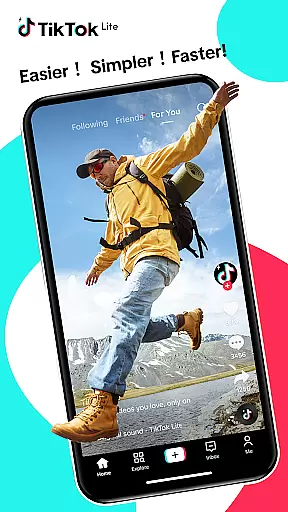

TikTok Lite is a streamlined version of TikTok, optimized for users with low-end devices or unstable networks. It offers seamless video streaming, trending music videos, and social sharing capabilities while consuming minimal data and storage. With its lightweight design, the app ensures quick loading times and smooth performance even on devices with limited resources.
The app provides a complete suite of features including personalized feeds, advanced editing tools, and interactive community functions. Users can create professional-quality videos using effects, filters, and music, while also engaging with a global audience through comments, duets, and direct messaging. TikTok Lite bridges accessibility gaps, making video creation and sharing possible for everyone regardless of their device limitations.
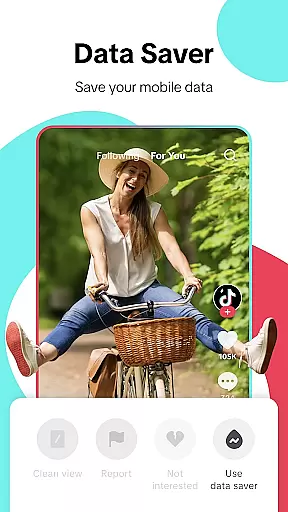
TikTok Lite stands out with its performance benefits tailored for challenging technical environments. The app saves up to 20% on data usage during video streaming and occupies only 18MB of storage, making it ideal for devices with limited capacity. Its offline mode allows users to watch cached videos without an active internet connection, ensuring uninterrupted entertainment.
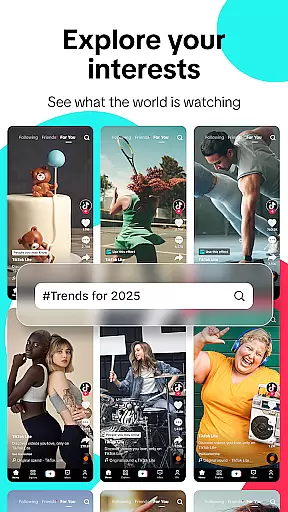
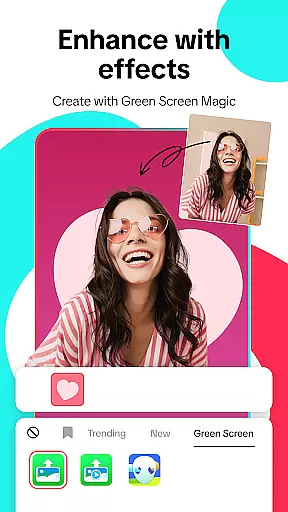
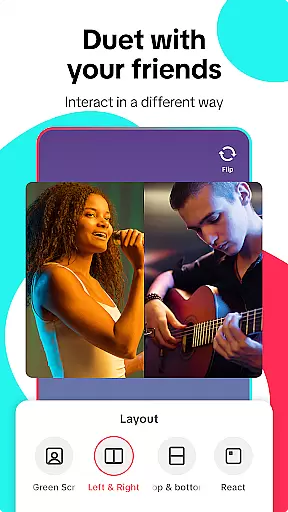
Beyond performance, TikTok Lite excels in content discovery and creation. A personalized feed delivers videos based on user preferences, while hashtag exploration helps uncover trending topics. Advanced editing tools such as green screen effects, voiceovers, and privacy controls empower creators to produce unique content. Additionally, cross-platform sharing enables users to post their creations directly to other social media apps like Instagram Stories or WhatsApp Status with ease.
User profile customization and authenticity verification are essential features in any social platform, including TikTok Lite. These features allow users to express their individuality while ensuring a safe and trustworthy environment. With TikTok Lite, users can personalize their profiles by adding profile pictures, bios, and links to other social media accounts, creating a unique digital identity that reflects their personality.
In terms of authenticity verification, TikTok Lite employs a robust system to confirm the identity of its users. This process helps prevent fake accounts and ensures that interactions on the platform are genuine. Verified accounts may receive badges or marks that signify their authenticity, providing an additional layer of trust for followers and collaborators. By prioritizing these aspects, TikTok Lite fosters a community where users feel confident about who they're engaging with.
The benefits of such features extend beyond mere personalization. They play a crucial role in enhancing user engagement and retention. When users invest time in customizing their profiles and undergo verification processes, they tend to be more active and committed to the platform. This sense of ownership and credibility encourages them to create and share more content, knowing that their audience is likely to consist of real people interested in their work.
Overall, TikTok Lite's focus on user profile customization and authenticity verification not only enhances the user experience but also strengthens the platform's integrity. Users can enjoy connecting with others in a space that values both creativity and security, making it an attractive choice for those looking to expand their social presence responsibly.
Connection discovery is a pivotal feature within TikTok Lite, designed to help users find and connect with friends, family, and like-minded individuals across the globe. This functionality leverages advanced algorithms and user data to recommend potential connections based on shared interests, mutual contacts, and viewing habits. As a result, users can quickly expand their networks and engage with content that resonates with them personally.
TikTok Lite simplifies the process of adding friends through integration with other social media platforms. Users can link their accounts from services like YouTube, Instagram, and Facebook, allowing TikTok Lite to suggest connections from these networks. This seamless integration makes it easier for users to bring their existing relationships into the TikTok Lite ecosystem, fostering a sense of familiarity and continuity as they explore new content and creators.
Beyond just finding friends, connection discovery also plays a significant role in content recommendation. By analyzing user interactions and preferences, TikTok Lite curates personalized feeds that highlight videos from both followed accounts and new creators. This approach not only aids in discovering fresh content but also helps users uncover emerging talents and niche communities that align with their interests.
Ultimately, TikTok Lite's connection discovery mechanisms enhance the overall social experience by facilitating meaningful interactions and expanding users' horizons. Whether seeking to reconnect with old friends or discover new content creators, TikTok Lite provides the tools necessary to build a vibrant and engaging social network that keeps users coming back for more.
Lightweight design
Low data consumption
Offline viewing support
Advanced editing tools
Cross-platform sharing
Limited advanced features
Fewer customization options
Restricted video length
No high-definition export
Ads may interrupt experience

The hottest live chat app so far. Video chat and meet great people...
 4.60
4.60
Dive into diverse fandoms. Connect, create, reblog.
3.90
Watch 24/7 live stream, and make real friends nearby
4.30
Social calendar for friends to make plans, group chat, share events & schedules
4.60
Discover an open-minded dating experience when you download today
4.10
Chill and Chat with Tagged Live Video with millions of peeps
4.10
The world's leading social networking app for gay, bi, trans, and queer people.
4.10
Random chat & meet online. Find your soulmate or someone special and have fun!
3.90
Reddit is where you’ll find your people and feel at home in every conversation.
4.60
Get notifications of FREE Stuff for Nextdoor, Letgo, offerup & TrashNothing
4.70
Live pics from your friends - Only the photos you want to see
4.60
Global short video platform: epic effects, trending videos & vibrant community!
4.40
Live video chat to connect with people around the world. Video chatting on Olive
4.40
FREE calling and texting (SMS texts + MMS) in US & Canada with FREE phone number
4.30
Free texting (SMS) to US, Canada & more. Free new number. Call free & Text free.
4.30
Honest dating app where real people find genuine love and real matches.
4.20
Join your friends and discover videos you love, only on TikTok
4.10
Meet local people, make friends & network: Join a community, group, host events
4.00
Resonate & Date with New Match
3.70


User Reviews