
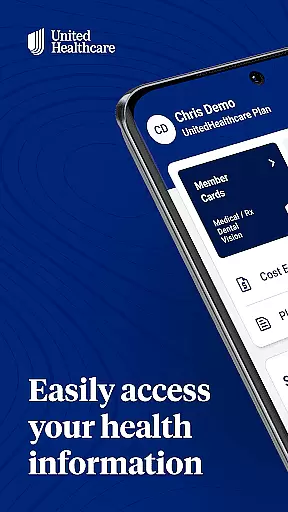
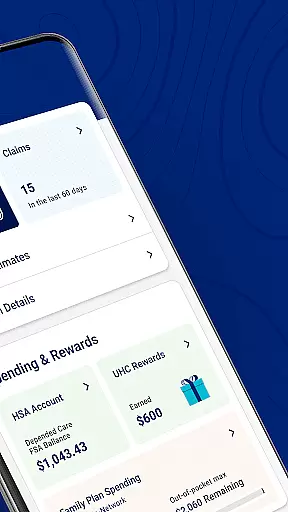
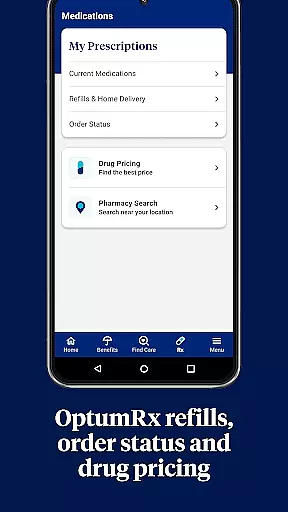
UnitedHealthcare is a comprehensive mobile application designed to simplify healthcare management for users on the go. The app provides easy access to essential health plan information, enabling users to efficiently manage their healthcare needs. Key functionalities include finding and saving preferred healthcare providers, reviewing claims and payment breakdowns, and accessing digital ID cards. Additionally, users can view cost estimates, reference copays, and check account balances related to health savings and spending accounts.
The app's intuitive design saves time by offering personalized features based on individual health plans. With secure login options like HealthSafe ID™ and fingerprint authentication, users can conveniently access their healthcare information anytime, anywhere. Whether you need to locate a specialist, understand your benefits, or manage preventative care recommendations, UnitedHealthcare ensures you have the necessary tools at your fingertips.
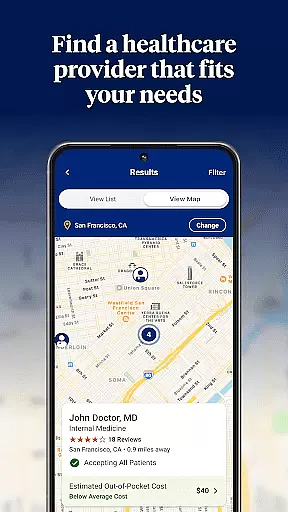
UnitedHealthcare offers an array of robust features tailored to enhance user experience in managing healthcare. One standout feature is the guided and location-based search functionality, which helps users find doctors, specialists, and healthcare facilities effortlessly. Users can save their favorite providers for quick future reference, streamlining the process of accessing medical care.
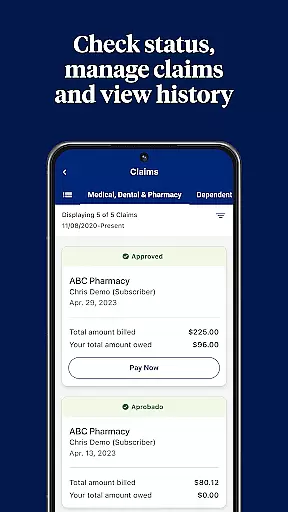
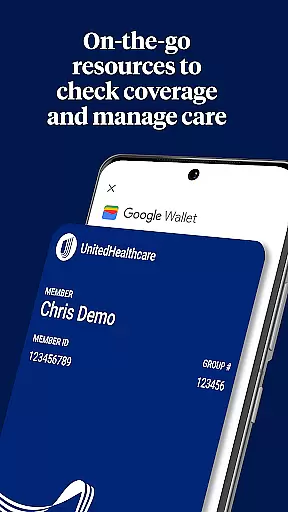
Another significant feature is the comprehensive claims management system. Users can review claims by various filters such as member, provider, status, facility, service, or date. The app also provides detailed explanations of benefits and payment breakdowns, ensuring transparency in financial matters. Furthermore, the digital ID card feature eliminates the worry of misplacing physical cards, allowing users to view and share their insurance information easily.
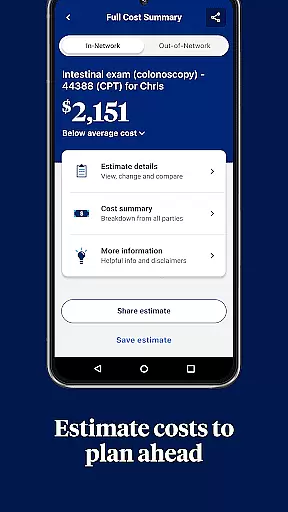
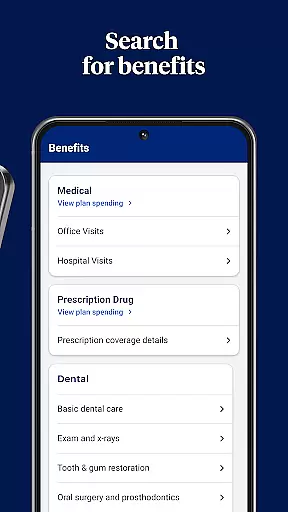
Additional notable features include viewing cost estimates for treatments, referencing copays and deductibles, and checking balances for health reimbursement and spending accounts. These functionalities empower users to make informed decisions about their healthcare expenses. The integration of HealthSafe ID™ and fingerprint login enhances security while simplifying the login process, making healthcare management both safe and convenient.
In the realm of digital health management, the credibility of medical content is paramount. The UnitedHealthcare app excels in this area by providing users with accurate and reliable information tailored to their specific health plans. This ensures that all data concerning copays, deductibles, and out-of-pocket expenses is not only accessible but also trustworthy.
The app offers detailed insights into claims, allowing members to review payments and understand their benefits through an Explanation of Benefits feature. By presenting verified information from healthcare providers, it reinforces its reliability as a source for managing personal healthcare finances.
Moreover, the availability of cost estimates for treatments and specialty services adds another layer of transparency. Members can make informed decisions about their healthcare based on realistic financial projections provided by the app's expertly reviewed algorithms.
With personalized recommendations for preventative care, UnitedHealthcare demonstrates a commitment to expert-reviewed content that enhances user engagement with their health management. This proactive approach empowers users to take charge of their well-being with confidence in the app's authoritative guidance.
Teleconsultation has become an essential aspect of modern healthcare, and the UnitedHealthcare app positions itself as a facilitator of high-quality virtual consultations. While the app does not directly host teleconsultations, it streamlines access to necessary information that supports these interactions, such as details on preferred providers and facilities which may offer telehealth services.
By enabling users to easily find and manage their preferred healthcare providers, including those who specialize in telemedicine, the app indirectly enhances the quality of teleconsultations. Users can ensure they are consulting with reputable professionals whose credentials align with their healthcare needs.
Additionally, features like HealthSafe IDu2122 provide secure access to digital tools needed for teleconsultations, ensuring privacy and security during remote sessions. The convenience of fingerprint login further facilitates seamless entry into these vital communications without compromising safety protocols.
While direct teleconsultation capabilities might evolve over time, current functionalities within UnitedHealthcare lay a solid foundation for supporting quality virtual care experiences through robust provider networks and secure access mechanisms.
User-friendly interface
Comprehensive claims review
Secure login options
Detailed cost estimates
Personalized care recommendations
Limited plan compatibility
Feature availability varies
Potential data privacy concerns
Occasional technical issues
Dependent on internet connectivity

Explore human anatomy with this rich learning experience.
 4.00
4.00
Molina Members: My Molina. Manage your health anytime, anywhere!
4.30
Download the PulsePoint app and use your CPR skills to save a life!
4.60
A rapid reference for prehospital providers caring for pediatric patients.
4.3
Zepbound & Mounjaro support & resources for savings, tracking & more
3.90
Good for You. Great for Life.
4.00
This app is simply 1 book (also large app) and 17 other apps combined into 1
4.70
A rapid reference for healthcare professionals caring for pediatric patients.
4.30
Get your lab results on your smartphone with MyQuest.
4.40
Medication reminder, Medicine list, Trackers for BP, glucose, weight, water, etc
4.70
Health Care at Your Fingertips
4.60
ASCCP Management Guidelines- There’s an app for that!
4.60
Beat alcohol and drug addiction with a revolutionary treatment program in an app
4.50
Modivcare members can book and manage trips.
4.50
The Omada app enhances your program experience and helps you stay engaged.
4.50
Personalized hearing experience and health data tracking
4.50
Download OctaApp for easy access to your plasma donation info
4.40
Manage your health care in one easy place
4.40
X-Vein: Advanced vein detection for medical practice
3.10


User Reviews