
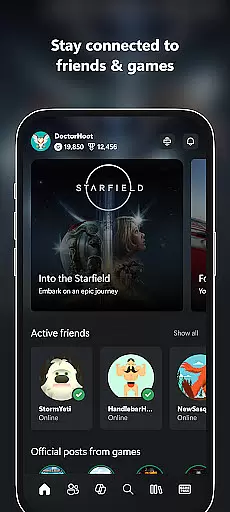
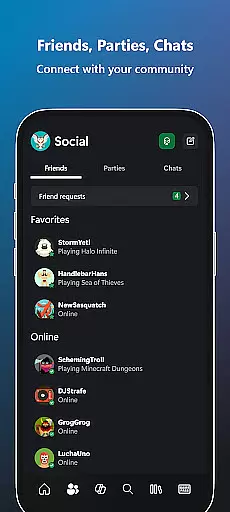
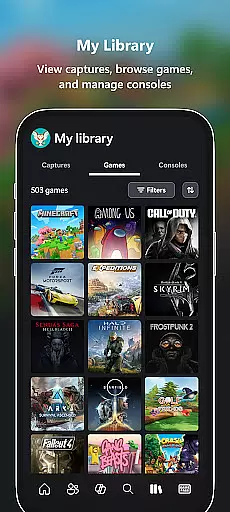
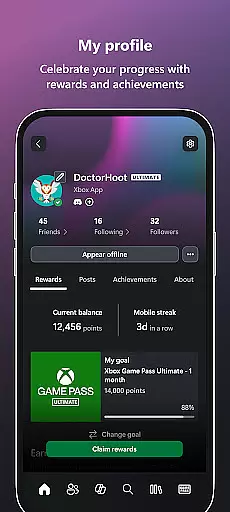
Xbox app is your ultimate entertainment companion, bringing the gaming ecosystem to your mobile device. It allows users to stay connected with friends through integrated voice and text chat, regardless of whether they are on console or PC. The app provides real-time notifications for game launches, achievements, and messages, ensuring you never miss important updates.
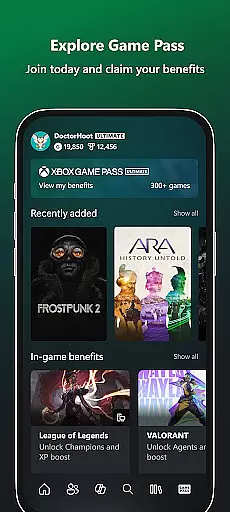
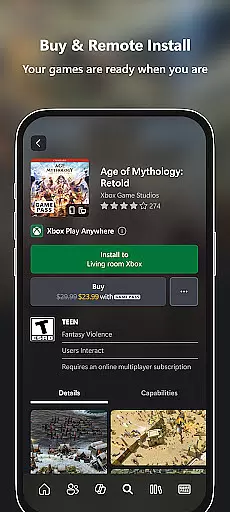
With Xbox, users can conveniently purchase games and add-on content directly from their mobile devices. The built-in Game Pass catalog lets players explore and download new titles, while the Gaming Copilot feature offers personalized recommendations and in-game assistance. Sharing gameplay moments is effortless, as the app enables easy posting of game clips and screenshots to favorite social networks.
This app is particularly useful for gamers who want to maintain constant connection to the Xbox community. Whether commuting or taking a break, users can manage their gaming library, interact with friends, and even remotely install games to their console, making every moment count in their gaming journey.
The Xbox app stands out with its comprehensive set of features designed to enhance the gaming experience. One of its key capabilities is the cross-platform communication system that supports both voice and text chat, allowing seamless interaction between mobile, console, and PC users. This ensures that players remain connected regardless of their chosen gaming platform.
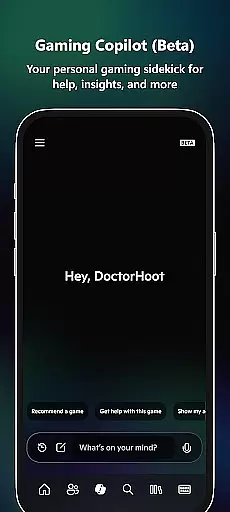
Another notable feature is the integrated store functionality, which lets users browse and purchase games without switching apps. The Game Pass integration provides instant access to a vast library of titles, while the Perks section allows redeeming special offers. The inclusion of Gaming Copilot (Beta) brings AI-powered assistance to help players overcome challenges and improve their skills.
The app also excels in content sharing capabilities. Gamers can quickly capture and share their best moments through the streamlined screenshot and game clip sharing system. Remote management features enable users to install games to their console from their mobile device, ensuring their system is always ready for play sessions.
The Xbox app offers a diverse range of content that keeps users engaged with the gaming community. From notifications about new game launches to party invites and messages, the app ensures you are always in the loop. It provides access to the Game Pass catalog, allowing users to explore and download games directly to their console, ensuring they are ready to play when desired.
One of the standout features is the ability to easily share game clips and screenshots to favorite social networks. This functionality not only enhances user interaction but also contributes to the freshness of content by enabling gamers to showcase their latest achievements and memorable gaming moments. The integrated voice and text chat further enriches the experience, making it seamless to connect with friends on console or PC.
Additionally, the Gaming Copilot (Beta) acts as a personal gaming sidekick, offering recommendations, help, insights, and more. This feature assists users in overcoming roadblocks, leveling up their gameplay, or simply getting unstuck with in-game assistance. By tapping the Copilot button, players can get to the fun faster, adding another layer of engagement and content variety.
User engagement and retention are critical components of the Xbox app's design. With features like integrated voice and text chat, users can maintain constant communication with friends, regardless of whether they are on console or PC. This continuous connection fosters a sense of community and belonging, encouraging longer usage durations and repeat visits to the app.
The app's notification system plays a significant role in retaining users by alerting them to new game launches, party invites, and messages. These timely updates ensure that users never miss out on important events or opportunities to engage with their gaming circle. Furthermore, the ability to buy games and add-on content without leaving the app streamlines the purchasing process, enhancing user convenience and satisfaction.
Exploring the Game Pass catalog and redeeming Perks adds another dimension to user retention. By providing a one-stop destination for all gaming needs, the Xbox app successfully keeps users engaged and invested in the platform. The ease of sharing game clips and screenshots to social networks also encourages users to return to the app, knowing they can effortlessly capture and share their gaming highlights.
User-friendly interface
Seamless cross-platform integration
Comprehensive game management tools
Integrated voice and text communication
AI-powered gaming assistance
Limited offline functionality
Occasional connectivity issues
Requires Xbox Game Pass subscription
Some features need active Xbox Live Gold
Heavy data usage for remote installs

SpiritWave is paranormal ITC application.
 5.00
5.00
Music visualizer and party effects for Hue
3.90
Best of icon for christmas
4.30
Series,Películas y Telenovelas
4.50
5 funny and lovely ponies waiting for you to style them!
4.80
Raise Christmas Magic with daily missions, magical scanners, and kindness.
4.3
Official KennysGifs Stickers
4.20
Companion app for Elden Ring to track quests, bosses, progress and more.
4.70
Stream, Watch, Chat. Live.
4.00
Fun brain twisting challenge with trending Whirlpool Filter.
4.70
Scan sets, track your builds, and enjoy intuitive digital instructions.
4.70
Tarot & Oracle Card Readings
4.50
Stream Online TV - Watch Live IPTV Playlist & Channel with Built-In Player
4.50
Geooh GO is the most feature rich geocaching app available today.
4.50
Realistic Baby Simulator App
4.00
Binaural Brainwave Doses for Every Imaginable Mood
3.60
VR 360 Cinema Player is the ultimate VR player for playing videos on mobile
3.50
With the credits you earn play more games
2.90
EVP Recorder / Voice Recorder for ghost hunting, to communicate with ghosts.
4.5


User Reviews