
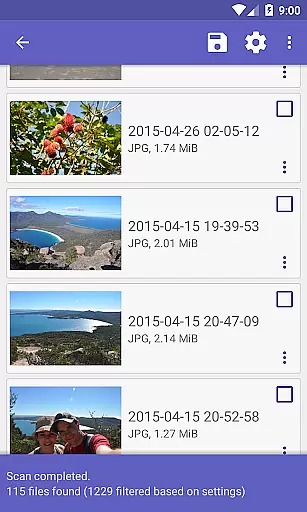
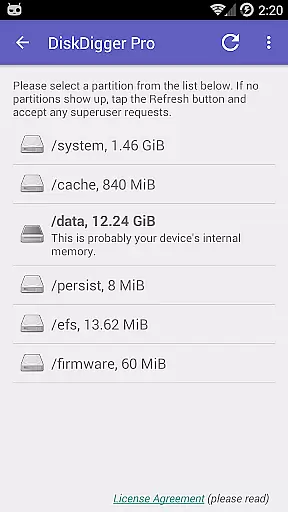
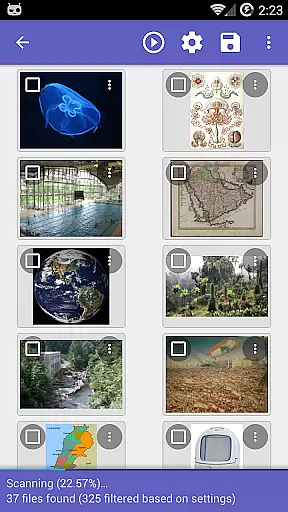
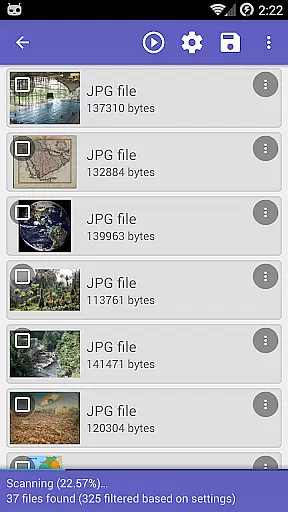
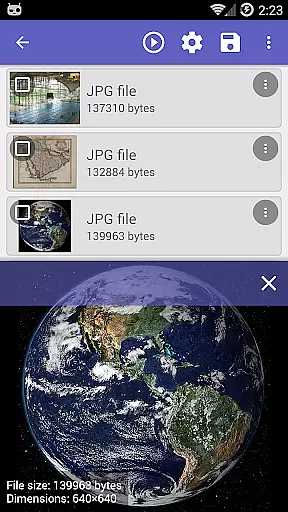
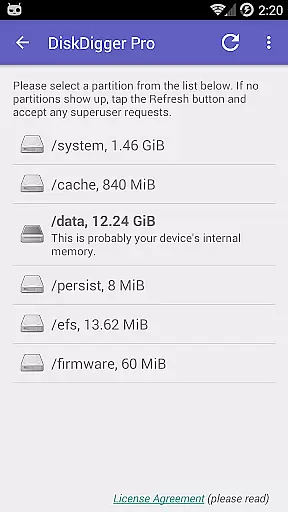
DiskDigger Pro file recovery is a powerful tool designed for rooted Android devices, enabling users to recover lost files including photos, documents, videos, and music. With its advanced scanning capabilities, the app can retrieve deleted files even from reformatted memory cards.
While non-rooted devices have limited functionality, primarily recovering lower-resolution photos and videos, DiskDigger Pro offers comprehensive data recovery options for rooted devices. The app also provides features like permanent deletion of unnecessary files and wiping free space to prevent future recovery of deleted files.
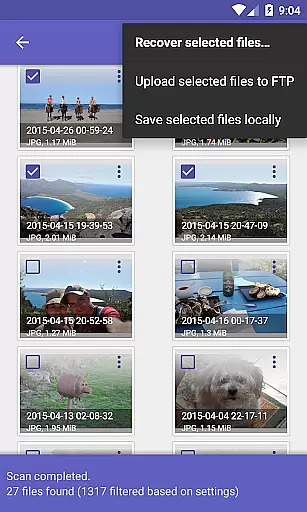
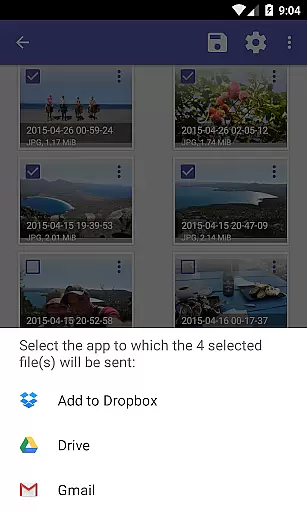
The app stands out with its ability to recover a wide range of file types, from common formats like JPG, PNG, MP4 to document types such as PDF and DOCX. DiskDigger Pro supports direct uploads of recovered files to cloud services like Google Drive and Dropbox, or via email and FTP.
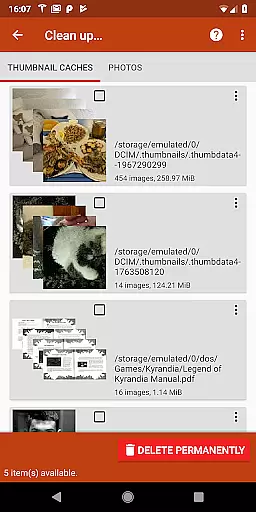
Additional features include the experimental 'Clean up' function for permanently deleting unwanted items and the 'Wipe free space' option to ensure deleted files remain unrecoverable. These tools make DiskDigger Pro not only a recovery solution but also a privacy safeguard for users who need to manage sensitive data securely.
DiskDigger Pro file recovery is designed to retrieve lost files with precision and efficiency. This tool stands out in the Tools category by offering advanced data recovery features that are both accurate and effective.
The app employs powerful scanning algorithms capable of detecting and recovering over 50 different file types, including photos, documents, videos, and music. Whether files were accidentally deleted or memory cards reformatted, DiskDigger Pro can locate lost data from internal memory or external storage devices.
For users with rooted devices, the app provides comprehensive scanning capabilities, ensuring high recovery rates across various file formats. Even on non-rooted devices, it offers a limited scan for photos and videos, showcasing its commitment to accessibility and broad user support.
By enabling direct uploads to cloud services like Google Drive and Dropbox, DiskDigger Pro not only recovers files but also facilitates their immediate backup and sharing, enhancing overall user experience through seamless integration with popular platforms.
The interface of DiskDigger Pro file recovery is crafted to ensure ease of use without compromising functionality. As a leading app in the Tools category, it balances complex recovery processes with an intuitive user experience.
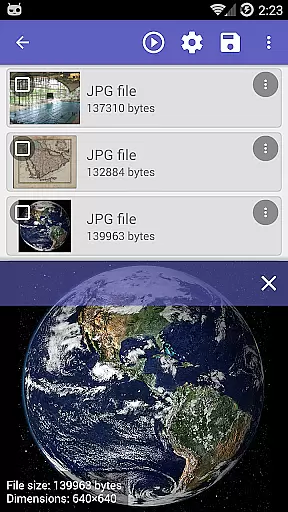
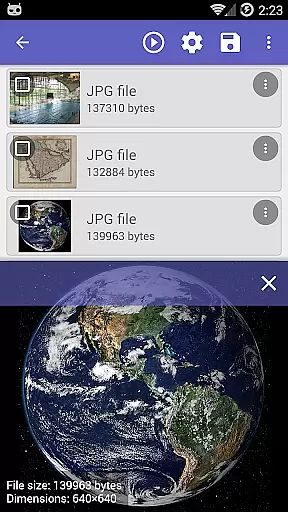
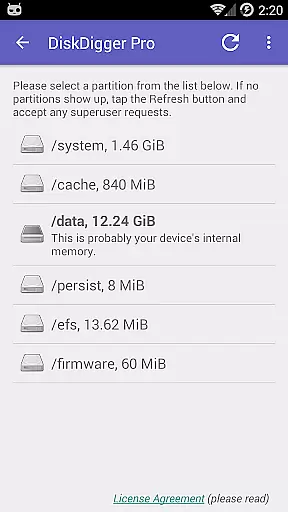
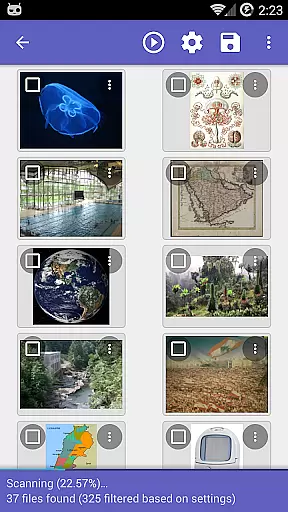
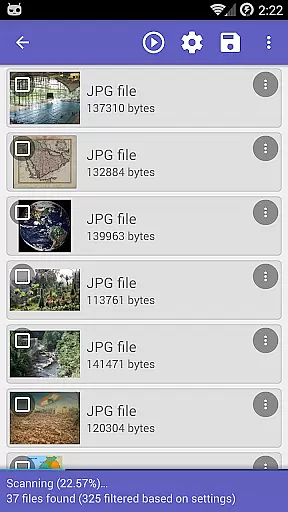
Upon launching the app, users are greeted with straightforward navigation options that guide them through the recovery process step-by-step. The design prioritizes clarity, presenting essential functions like scan initiation, file preview, and recovery execution in an accessible manner.
Advanced features such as permanent deletion of unnecessary items and wiping free space are integrated into the interface with clear labels and instructions. These tools empower users to manage their storage effectively while maintaining privacy and security.
Overall, DiskDigger Pro's interface exemplifies how sophisticated data recovery operations can be simplified for a wide audience, making it an invaluable asset for anyone needing reliable file restoration solutions.
Powerful recovery capabilities
Supports multiple file formats
Direct cloud integration
Privacy protection features
User-friendly interface
Limited functionality on non-rooted devices
Rooting requirement may deter some users
Experimental features not fully reliable
Complex for novice users
Interface could be more modern

Change your GPS location instantly. Simulate routes anywhere in the world.
 4.90
4.90
A powerful, easy-to-use flight computer on your phone or tablet!
3.80
HD Camera captures every special moment.
4.60
HD Video player and downloader for all formats, fast & smooth 4K video playback.
4.60
Clean up large files and similar photos, fast and easy to use
4.40
A clean app.
4.50
Screen recorder with audio to record high-quality videos and take screenshots.
4.40
Fast VPN USA for any country. Super secure VPN for calls, streaming, games, TV.
4.40
Your personal health butler
3.60
Unit and currency converter with easy and simple UI.
4.80 4.50
4.50
Forza Tuning Calculator App for Forza Horizon 5, Motorsport and Earlier Titles
4.40
Quickly check the frequency of the Earth
4.30
Remote for Roku, Fire TV, Samsung TV, LG TV, Android TV, Chromecast and VIZIO TV
4.20
A convenient photo, video, and file recovery tool.
4.00
Family Locator, Share location, StayConnect with your family in real time
3.90
Smart and comfortable browsing experience.
3.80
Clean the junk files on your device
3.40
card-reader app
2.20


User Reviews