
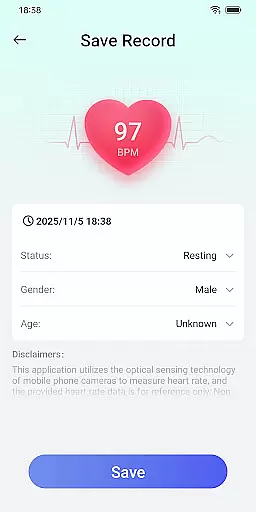
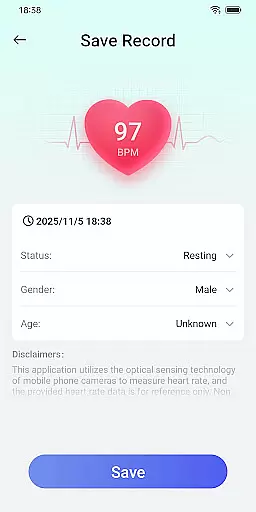
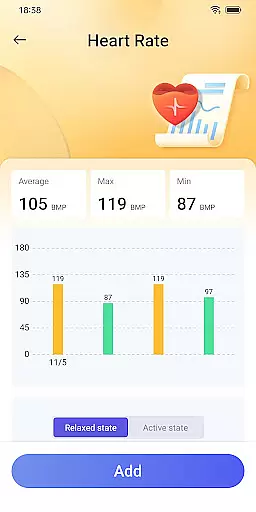
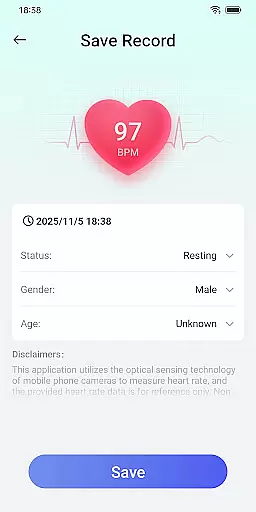
Daily HealthTracker is a comprehensive health monitoring tool that transforms your smartphone into a personal health assistant. The app utilizes the phone's camera to measure real-time heart rate by analyzing changes in fingertip blood flow, providing users with instant insights into their cardiovascular health.
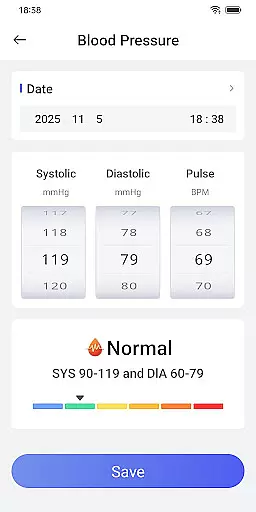
In addition to heart rate monitoring, the app allows users to manually input and track blood pressure readings, helping them maintain a detailed record of their health metrics. With customizable reminders for measurements, it ensures users never miss an important health check. Whether you're a fitness enthusiast, an office worker concerned about sedentary lifestyle risks, or a senior looking after your well-being, Daily HealthTracker offers practical tools tailored to various health management needs.
While the heart rate data provided is for reference only and may vary based on environmental factors, the app serves as a convenient daily health companion. For medical-grade accuracy, users are advised to consult healthcare professionals.
Daily HealthTracker stands out with its innovative use of smartphone technology to provide health monitoring solutions. By leveraging the device’s camera, it delivers real-time heart rate measurements, making health tracking accessible without additional hardware.
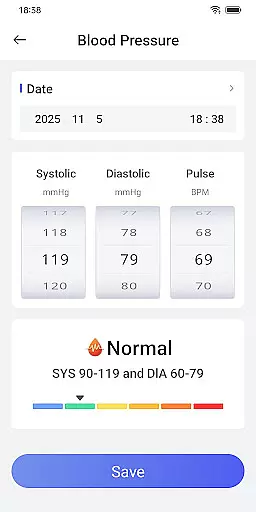
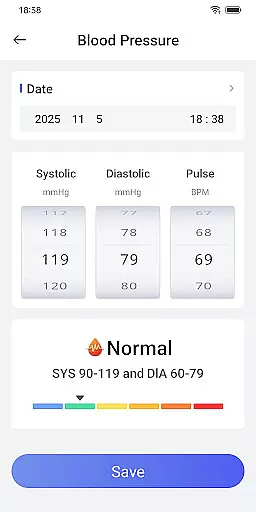
The app also supports manual entry of blood pressure data, enabling users to maintain a chronological health log. Customizable alarms can be set to remind users to take their readings, ensuring consistent monitoring. This feature is particularly beneficial for those managing conditions like hypertension or individuals tracking their fitness progress.
Designed with user experience in mind, Daily HealthTracker caters to different demographics, including athletes, seniors, and busy professionals. It emphasizes simplicity and functionality, offering quick access features once home screen permissions are granted. While not a replacement for professional medical equipment, it provides valuable health insights for everyday use.
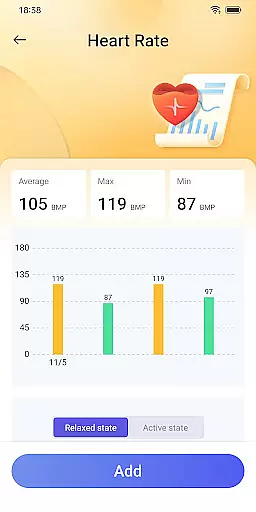
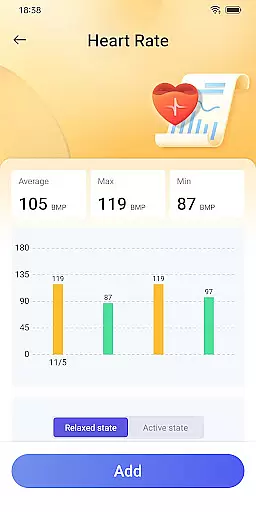
At the heart of Daily HealthTracker lies its ability to accurately measure and track vital health metrics using just a smartphone. The app employs advanced algorithms that work in tandem with the phone's camera to capture subtle changes in fingertip blood flow, providing real-time heart rate data. This innovative approach eliminates the need for additional hardware and makes health monitoring more accessible than ever.
The application also allows users to manually input blood pressure readings, ensuring comprehensive tracking of cardiovascular health. By maintaining a detailed log of these metrics, the app empowers users to identify trends and detect potential anomalies early. This meticulous recording system is designed to support sustained health management, making it an invaluable tool for those looking to maintain optimal well-being.
While the app provides valuable insights, it is important to note that the measurements are intended for personal reference and may vary due to external factors such as lighting conditions and device type. For medical-grade assessments, users are encouraged to consult healthcare professionals. Despite this limitation, Daily HealthTracker offers a reliable and convenient way to keep tabs on your health metrics daily.
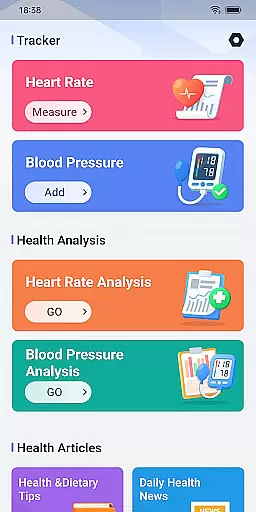
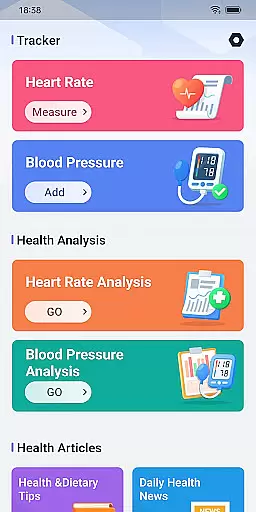
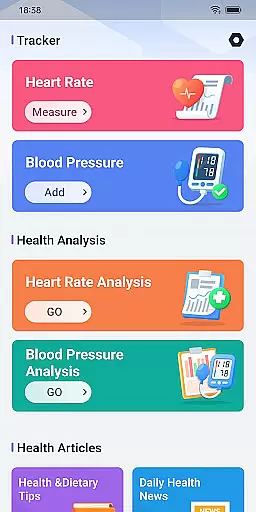
Daily HealthTracker boasts an interface designed with user-friendliness at its core. Upon launching the app, users are greeted with a clean and organized layout that prioritizes ease of navigation. Key features such as heart rate measurement and blood pressure logging are readily accessible from the main screen, ensuring that users can quickly perform their desired actions without unnecessary complexity.
To further enhance the user experience, the app supports setting reminder alarms for regular health check-ins. These reminders are easily configurable, allowing users to tailor them according to their schedules. Such intuitive design elements ensure that users never miss an opportunity to monitor their health, whether they are seasoned athletes or office workers looking to prevent sedentary lifestyle risks.
In addition to its straightforward functionality, Daily HealthTracker respects user privacy and adheres strictly to data protection policies. After granting necessary permissions, users can enjoy quick access features that streamline the health tracking process. With clear instructions available on their website, the app ensures that even those new to digital health tools can effortlessly integrate Daily HealthTracker into their routines.
User-friendly interface
Real-time heart rate monitoring
Blood pressure tracking
Customizable reminders
Accessible health insights
Heart rate accuracy varies
Limited to non-medical use
Manual blood pressure input
Dependent on device quality
Privacy concerns possible

 4.50
4.50
Just swipe the edge to do something!
4.40
FV File Manager Pro, Fast and powerful file manager for Android
4.60
Fluid navigation gestures for all of us!
4.30
Use your phone as a webcam on your computer over WiFi or USB.
4.40
Amateur Radio app for APRS: Track friends, exchange messages, get tactical info.
3.90
Quickly check the frequency of the Earth
4.30
NFC Tools can read and write NFC tags.
4.70
Automate everything from settings to photos, SMS to speech. ADC2 prize winner.
4.10
The Ultimate Flex Drivers Utility App - Convenient Tapping & Block Filters
4.70
HD Camera captures every special moment.
4.60 4.50
4.50
Carry a FTP server in your pocket and avoid USB cables for file transfer
4.20 4.10
4.10
MS-DOS in your pocket. Play old DOS games anywhere you are ;)
4.10
View detailed information about your Nissan Leaf the dealer never shows you.
4.10
Family Locator, Share location, StayConnect with your family in real time
3.90
Create your own live wallpaper or check out thousands already made presets
3.90
Safely recover deleted photos, videos, and files with a single easy tap.
3.70


User Reviews