
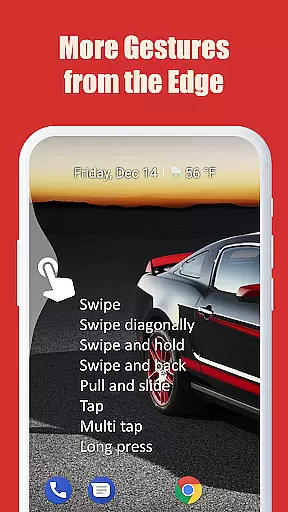
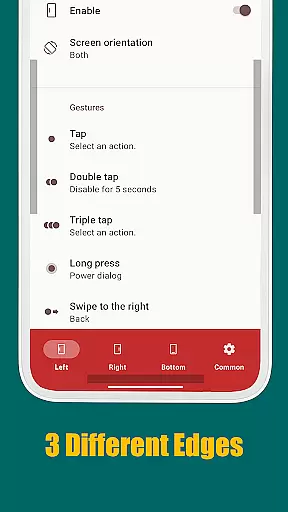
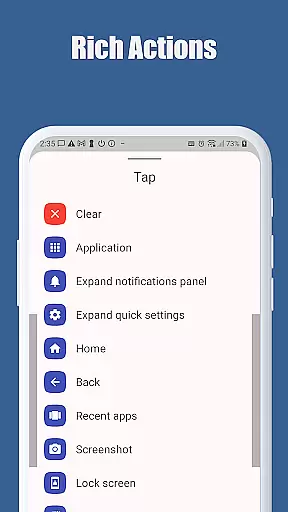
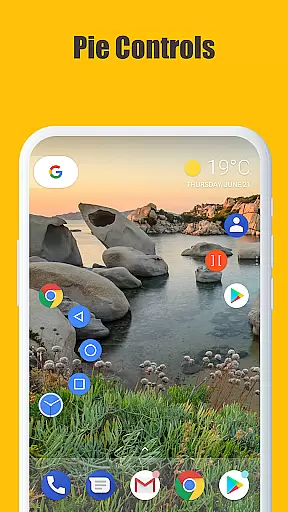
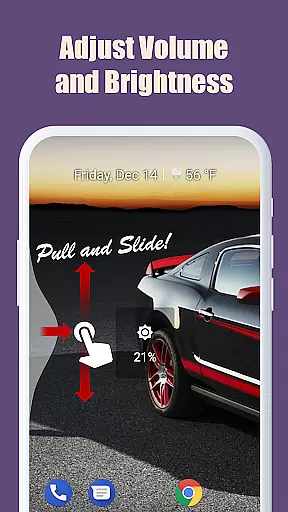
Edge Gestures is a powerful tool app that allows users to perform various actions through simple gestures on the screen edge. With support for multiple gesture types such as Tap, Double tap, Long press, and Swipe, it offers a highly customizable experience. Users can launch applications, control soft keys, adjust brightness, toggle split screen, and more, all through intuitive gestures.
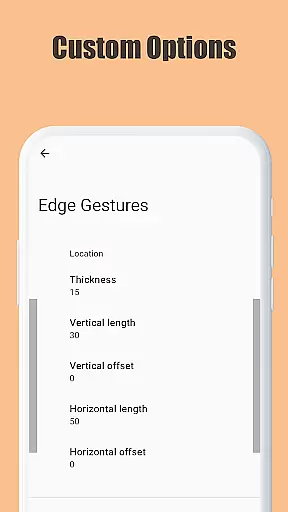
The app stands out with its ability to customize the edge area's thickness, length, and position, providing a personalized user interface. It requires minimal permissions, ensuring privacy and security while delivering an efficient way to navigate and manage your device. Edge Gestures is particularly useful for those looking to enhance their device interaction with quick and easy controls.
Edge Gestures boasts a rich set of features designed to streamline device interaction. The app supports a wide array of gesture types including Tap, Double tap, Long press, Swipe, and Pie controls. Each gesture can be assigned specific actions like launching apps, controlling soft keys, expanding the status bar, and adjusting device settings.
One of the standout features is the ability to customize the edge area where gestures are recognized. Users can adjust the thickness, length, and position of this area to suit their preferences. Additionally, the app uses accessibility service API to detect the foreground app and command system actions without compromising user privacy. This makes Edge Gestures not only versatile but also secure and reliable for everyday use.
Edge Gestures offers a highly accurate and effective way to interact with your device through simple gestures on the screen edge. The app supports a wide range of gesture types, including tap, swipe, and long press, each triggering specific actions that enhance user experience.
The application's core functions are meticulously designed to ensure precision. For instance, users can launch applications, adjust brightness, or toggle split screens effortlessly. These features are implemented using accessibility service APIs, which guarantee reliable performance and seamless interaction with the Android system.
By customizing the edge area for thickness, length, and position, users can tailor the gesture controls to their preferences, ensuring an intuitive and personalized experience. This level of customization not only boosts productivity but also makes daily tasks more manageable and efficient.
Despite its powerful functionality, Edge Gestures maintains a simple and intuitive interface that is easy to navigate. Users can quickly set up and customize gestures without needing extensive technical knowledge, making it accessible for individuals of all skill levels.
The app provides clear options for each supported action, such as launching applications or controlling media volume. This straightforward presentation ensures that users can easily understand and utilize the available features without feeling overwhelmed by complex settings.
Furthermore, the permission requirements are minimal and transparent, reinforcing the app's commitment to user privacy and security. By focusing on essential permissions, Edge Gestures delivers a streamlined yet powerful tool that enhances device interaction while maintaining ease of use.
Highly customizable
Intuitive gesture controls
Minimal permissions required
Versatile action assignments
Enhances device navigation
Limited to Android devices
Requires accessibility permission
Some features need Android 6.0+
Gestures may need practice
Interface can be complex

 4.50
4.50
Easily install aab(Android App Bundle) files on your Android device with our app
4.80
Unlock your Essential Key. Create custom shortcuts to your favorite apps!
4.4
App that Recover your pictures, videos or files after you delete them.
4.20
card-reader app
2.20
Detect hidden spy camera with advanced scanning {{ Premium version }}
4.00
Quickly check the frequency of the Earth
4.30
Creation, Learning, Entertainment & More — The All-in-One AI Search Engine
4.70
Enjoy a smooth mobile reading experience!
3.60
Excellent scientific calculator with symbolic algebra, integrals, derivatives
4.80
ADB support Android 4.X-Android 13(Support wireless pair mode).No root required!
4.70
Small and simple app to Verify Root Access and BusyBox Install!
4.70
The Ultimate Flex Drivers Utility App - Convenient Tapping & Block Filters
4.70
NFC Tools can read and write NFC tags.
4.70
Mirror your screen to Chromecast and Android TV - Super fast and simple
4.60
Universal TV remote control all TVs, Roku, LG, Samsung, Fire, Vizio, Sony, TCL.
4.40
Pro Emulator is an easy to use game console emulator for a range of consoles.
4.40
Complete kernel toolbox with features to manage and tweak your rooted device
4.30
MS-DOS in your pocket. Play old DOS games anywhere you are ;)
4.10


User Reviews