
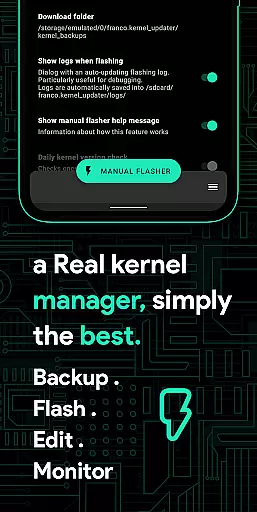
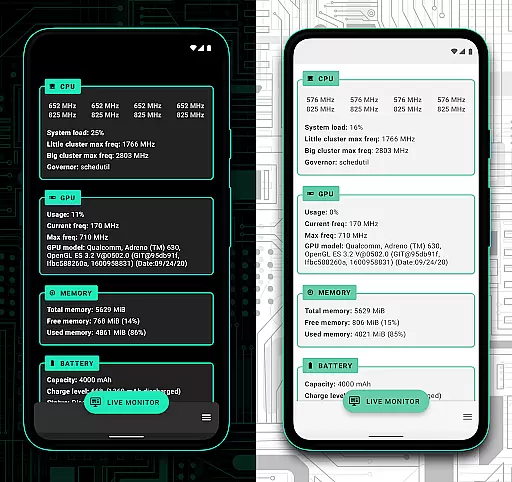
Franco Kernel Manager is a comprehensive toolbox designed for Android users who want to optimize their device performance. This app offers a rich set of features that cater to both beginners and expert users, providing everything needed to manage, tweak, and enhance your device's kernel.
With Franco Kernel Manager, you can achieve better performance and extended battery life while enjoying the convenience of flashing mods without using a custom recovery. The app supports all devices and kernels but requires root access for full functionality, except for the Battery Monitor feature which works without root.
The app's intuitive interface and tailored features make it stand out from other similar tools, offering users an unparalleled experience in kernel management.
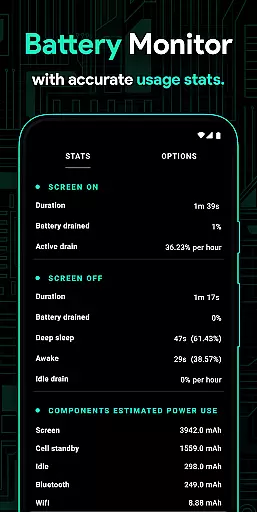
Franco Kernel Manager boasts an extensive array of features aimed at maximizing your device's potential. It includes a Battery Monitor notification with detailed power consumption data, charging time estimation, and more. Users can also access detailed battery stats, edit build.prop files, and auto-flash various zips without a custom recovery.
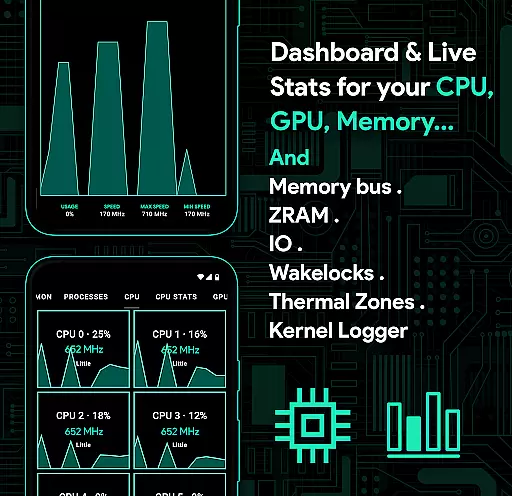
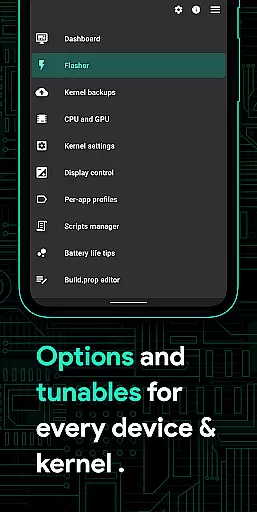
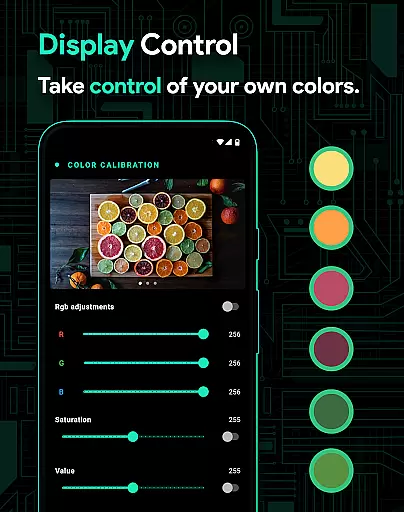
Additionally, the app provides powerful battery-saving tips, display color temperature presets, and supports various GPUs. It allows control over CPU frequencies, governors, and scheduling, along with backup and restore options for kernels. Advanced users will appreciate the custom kernel settings and per-app profiles for optimized performance based on usage scenarios.
Other notable features include system health monitoring, automatic Night Shift for eye comfort, CPU temperature notifications, script management, and light/dark themes. These capabilities ensure that Franco Kernel Manager remains a versatile and indispensable tool for Android power users.
Franco Kernel Manager is designed to provide users with a comprehensive set of tools for managing and optimizing their device's kernel. The app's core functions are meticulously crafted to ensure both accuracy and effectiveness, catering to a wide range of users from novices to experts.
One of the standout features is its ability to monitor battery consumption in detail, providing insights into power usage during active and idle periods. This functionality extends to charging time estimations and real-time monitoring of charging amps and watts, ensuring that users have precise control over their device's energy management.
In addition to battery monitoring, the app offers advanced capabilities such as auto-flashing kernels and mods without the need for a custom recovery. This seamless integration allows users to enhance their device's performance effortlessly. Furthermore, the inclusion of powerful CPU and GPU management tools ensures that users can fine-tune their device's processing power to suit their specific needs.
The effectiveness of Franco Kernel Manager is further highlighted by its support for creating per-app profiles, allowing users to customize settings based on individual app requirements. Whether it's maximizing CPU frequency for gaming or conserving power while reading, the app provides tailored solutions that deliver tangible benefits to the user.
A key aspect of Franco Kernel Manager is its commitment to providing an interface that is both simple and intuitive. Despite the complexity of the tasks it performs, the app ensures that users can navigate and utilize its features with ease.
The design philosophy centers around making advanced kernel management accessible to all users. For instance, the app includes a Build.prop editor and detailed battery stats, yet these features are presented in a manner that is straightforward and easy to understand. This approach removes the intimidation factor often associated with kernel management tools.
Moreover, the app offers powerful battery-saving tips at the touch of a button, demonstrating its dedication to user-friendly functionality. These tips are not only practical but also enhance the overall user experience by simplifying complex processes into actionable insights.
Franco Kernel Manager also supports light and dark themes, which align with the latest Android aesthetics, ensuring a visually pleasing and consistent experience. By combining a clean layout with intuitive controls, the app empowers users to harness the full potential of their devices without being overwhelmed by technical jargon or complicated procedures.
User-friendly interface
Extensive feature set
Comprehensive battery monitoring
Advanced customization options
Regular updates and support
Requires root access
Complex for beginners
Limited without root
Some features device-specific
Premium version needed

 4.10
4.10 4.50
4.50
A convenient photo, video, and file recovery tool.
4.00
Connect instantly to a fast, encrypted VPN with one tap
4.60
Learn the vast amount of system information about device and monitor it's state
4.70
Smart and comfortable browsing experience.
3.80
MS-DOS in your pocket. Play old DOS games anywhere you are ;)
4.10
Screen recorder with audio to record high-quality videos and take screenshots.
4.40
fast and easy mp3 music downloader
4.80 4.50
4.50 4.50
4.50 4.50
4.50
Quickly switch to an encrypted DNS server on Android TV
4.50
eXtended Permission Manager - a small app to manage permissions and AppOps
4.50
Game Booster, GFX Tool is now compatible with newer game update
4.50
VESC Tool can monitor and configure VESC-compatible devices over BLE and Wifi
4.20
An open-source APK explorer for Android!
4.10
Automate everything from settings to photos, SMS to speech. ADC2 prize winner.
4.10
Unlock your Essential Key. Create custom shortcuts to your favorite apps!
4.0


User Reviews