









Exora VPN is a powerful virtual private network tool designed to provide users with secure, fast, and unrestricted internet access. The app ensures complete online privacy by using advanced V2Ray technology that prevents tracking and data logging. With its automatic kill switch and custom DNS settings, Exora VPN offers a reliable solution for protecting your digital footprint while maintaining high-speed connectivity.
Whether you're streaming content, gaming, or browsing globally, Exora VPN connects you to optimized servers around the world. Its one-tap connection feature makes it easy to use without requiring any registration or complicated setup. This makes it an ideal choice for individuals seeking seamless borderless browsing without compromising speed or security.
Exora VPN stands out with its comprehensive set of features tailored for both casual and power users. One of its key highlights is the lightning-fast global server network, which ensures minimal latency during activities like streaming and gaming. Users can manually select server locations or let the app automatically connect to the nearest option for optimal performance.
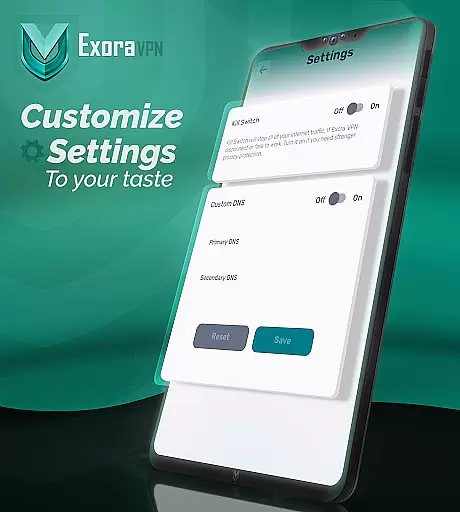
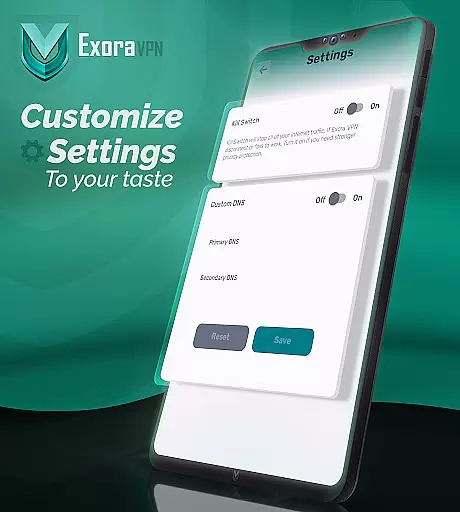
The app also includes advanced functionalities such as an automatic kill switch that immediately halts unsecured traffic if the VPN connection drops, ensuring no data leaks occur. Additionally, Exora provides customizable DNS settings, allowing users to tweak their browsing preferences according to specific needs. These robust features are backed by a zero-logs policy, guaranteeing true privacy without third-party interference.
Exora VPN positions itself as a tool that delivers on speed, privacy, and accessibility. Its core functions are designed to provide users with seamless internet access while ensuring their data remains secure. The app leverages modern V2Ray technology, which is known for its efficiency and security, making it an ideal choice for users who need reliable connections without compromising safety.
The app offers features such as automatic kill switch functionality, which immediately halts unsecured traffic if the VPN connection drops. This ensures that user data is not exposed under any circumstances. Additionally, Exora provides custom DNS settings, allowing users to tailor their browsing experience according to specific needs. These advanced options make the app highly effective for both casual browsing and specialized tasks like streaming or gaming.
Another key aspect of Exora's effectiveness is its global server network. With high-speed servers located worldwide, users can connect instantly to the nearest server or choose a location manually. This flexibility enhances performance, especially for latency-sensitive activities such as online gaming or HD streaming. The app also emphasizes ease of use, offering one-tap instant connections without requiring complicated setups.
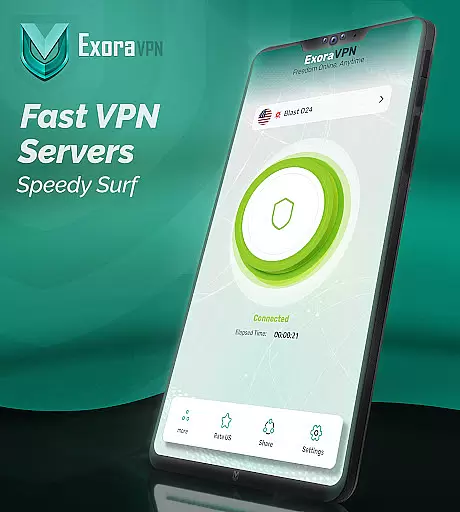
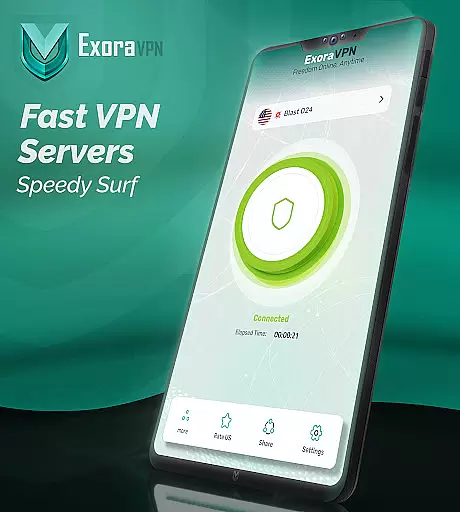
A standout feature of Exora VPN is its intuitive interface, which makes navigation straightforward even for beginners. Upon opening the app, users are greeted with a clean layout where all essential functions are easily accessible. The main screen prominently displays a large button for initiating the connection, ensuring that users can start browsing securely within seconds.
Beyond basic connectivity, Exora includes several advanced settings that are neatly organized in submenus. For instance, users can adjust DNS preferences or enable the automatic kill switch through dedicated sections without feeling overwhelmed by technical jargon. This thoughtful organization ensures that both novice and experienced users can customize their experience without hassle.
Furthermore, real-time connection stats are displayed directly on the home screen, providing transparency about current session details like server location and ping rates. Such visibility adds another layer of trust and control for the user. Overall, Exora strikes an excellent balance between simplicity and depth, offering an interface that feels approachable yet powerful enough to meet diverse user requirements.
Fast global server connections
Zero-logs privacy policy
One-tap instant connection
Automatic kill switch protection
No signup required
Limited free tier usage
Occasional server congestion
Advanced settings may overwhelm beginners
Ads in free version
Requires constant updates

 4.50
4.50
1-Click close all background apps on Android TV
3.90
FV File Manager Pro, Fast and powerful file manager for Android
4.60
Keep track of your Palia friendships, tasks, and inventory with Palia Notebook
4.60
The one-and-only remote control for PC, Mac, and Linux
4.70
With videos, electrical calculators, and built-in ebook, Ugly’s has your answer.
4.50
Powerful collection of electronics tools and reference.A must for any enthusiast
4.90
NFC Tools can read and write NFC tags.
4.70
Automate everything from settings to photos, SMS to speech. ADC2 prize winner.
4.10
WiFi Signal Strength Meter help you detect WiFi Signal Strength in real time.
4.80
Monitor car performance in real time and troubleshoot malfunctions.
4.80
Remote Play with FSR upscaling, low latency & full controller support
4.80
Optimize your WiFi network, turn your phone into Wifi Analyzer
4.70
App to pay for FUTO Keyboard
4.60
Play your X-Box games remotely in 1080p with any controller and zero latency
4.60
App that Recover your pictures, videos or files after you delete them.
4.20
Carry a FTP server in your pocket and avoid USB cables for file transfer
4.20
Family Locator, Share location, StayConnect with your family in real time
3.90
Create your own custom widget with endless possibilities
3.90


User Reviews