
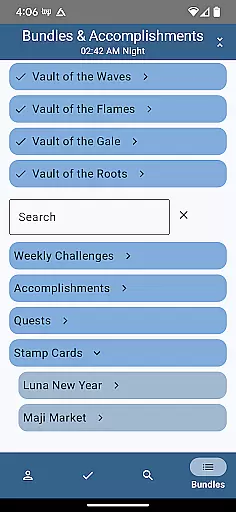
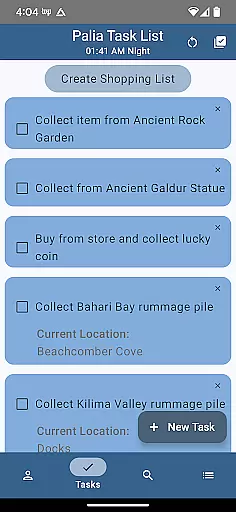
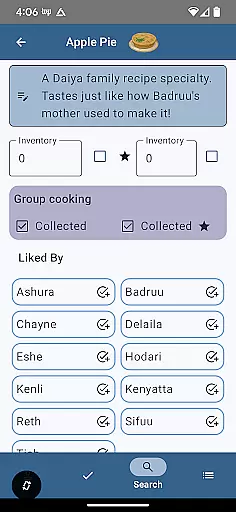
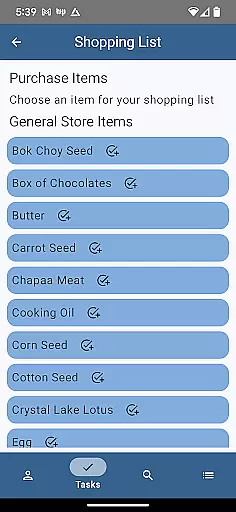
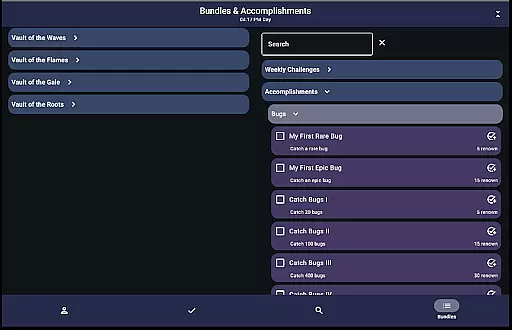
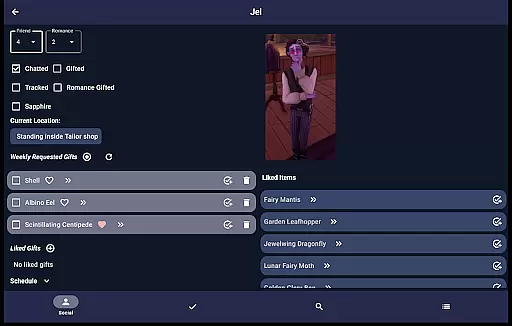
Palia Notebook is a comprehensive companion app designed for players of the video game Palia. This ad-free tool helps users manage their daily interactions with villagers including chatting, gifting, and tracking schedules and locations. The app allows you to efficiently organize your in-game activities by providing detailed insights into villager preferences and behaviors.
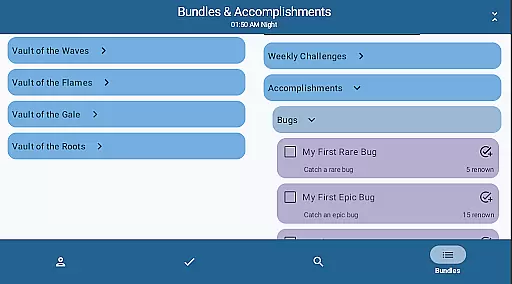
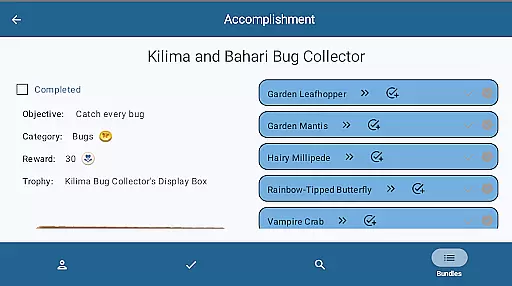
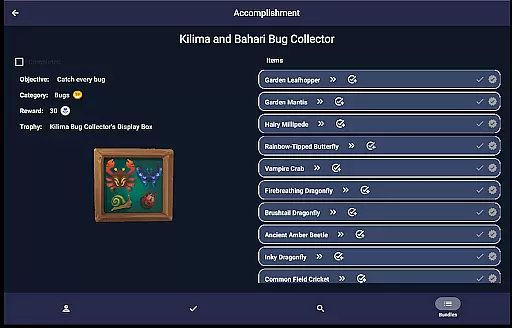
With features like inventory management task creation and processing trackers for preserves seeds and worms the app ensures that you stay on top of your game. You can also monitor achievements and keep track of the current Palia game time. Whether you're planning your day or strategizing for maximum profits this app proves invaluable.
The app shines in its ability to streamline social interactions and optimize resource management. By offering an intuitive interface for tracking villager interactions and item processing values it significantly enhances gameplay efficiency. This makes Palia Notebook an essential tool for both casual and dedicated players looking to enrich their gaming experience.
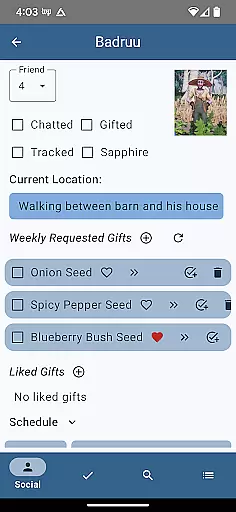
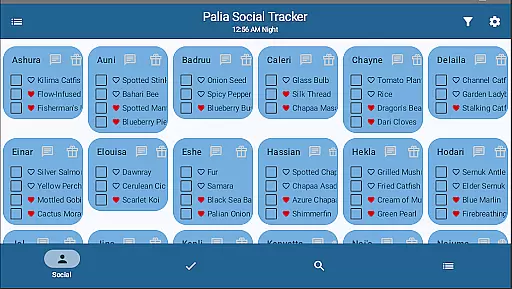
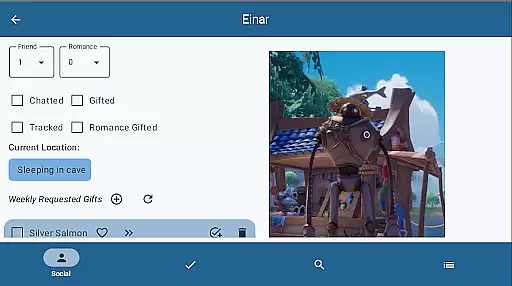
Palia Notebook offers a robust set of features tailored for Palia gamers. One standout feature is the Villager screen where you can track chats gifts schedules and likes. The automatic update of chat and gift statuses based on game time ensures you're always informed about your social standing with each villager.
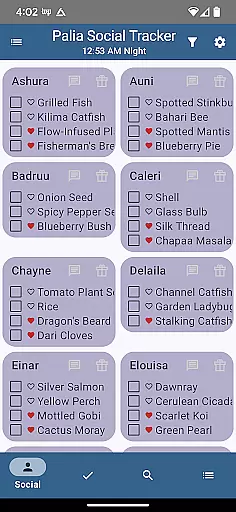
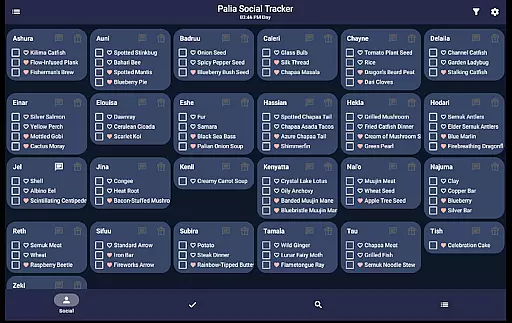
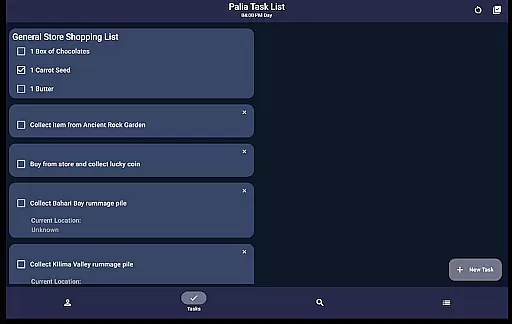
In the Social Tracker screen you can get a bird's-eye view of all villager interactions. This includes filtering options for those you've already interacted with and a search function for specific items requested or liked by villagers. The Task Edit screen allows for meticulous task management letting you link tasks and assign them to particular villagers.
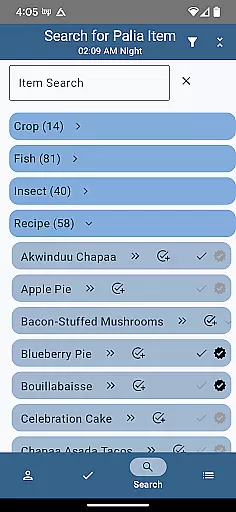
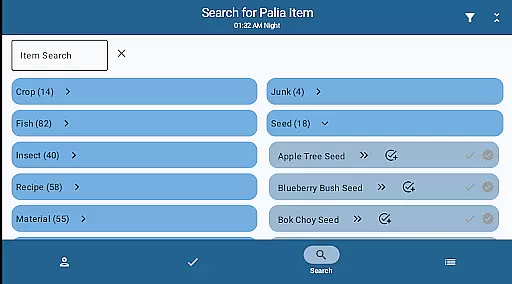
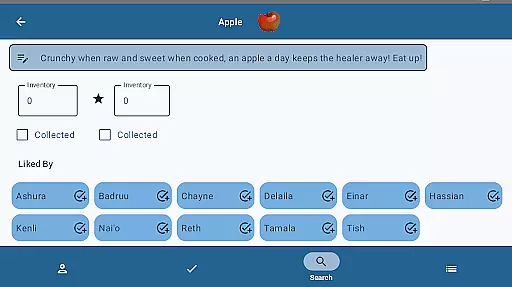
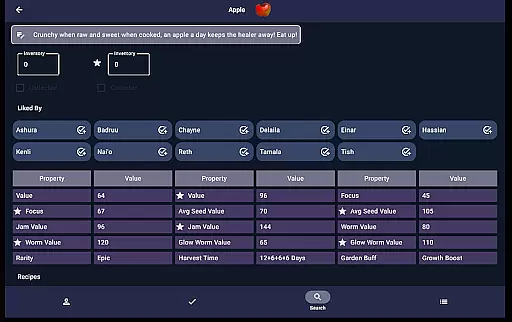
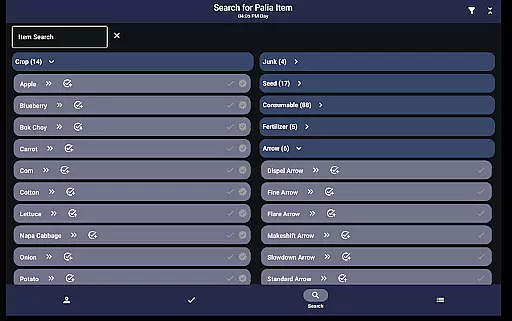
The Items screen provides detailed information on item properties and processing values helping you strategize for maximum profit. Additionally the Search screen lets you browse and filter items by various criteria making it easier to locate specific resources. These features collectively enhance your ability to manage and enjoy the game effectively.
Palia Notebook serves as an essential tool for players of the video game Palia, ensuring accurate tracking and management of in-game interactions. The app meticulously records daily chats, gifts, villager schedules, and locations, providing reliable data that directly corresponds with the game's internal clock.
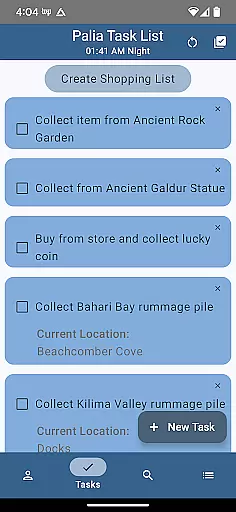
The application's effectiveness is demonstrated through its comprehensive task management system. Users can create, edit, and link tasks, while also tracking item requirements for villagers. This structured approach allows gamers to strategize their interactions efficiently, optimizing their gameplay experience.
Another crucial feature is the inventory management system, which enables users to log collected items and their quality variants. The app provides valuable insights into item processing values across different methods, empowering players to make informed decisions about resource utilization and profit maximization.
The search functionality exemplifies the app's precision, offering multiple filtering options by location, biome, and time. This granular approach to information retrieval ensures players can quickly identify available resources and plan their in-game activities accordingly, making Palia Notebook an indispensable tool for both casual and dedicated gamers.
The user interface of Palia Notebook demonstrates a clear commitment to simplicity and intuitive navigation. Each core feature is accessible through distinct, logically named screens such as Villager, Social Tracker, and Items, enabling users to quickly locate desired information without unnecessary complexity.
A notable aspect of the interface design is its consistent visual language and logical flow. The Villager screen presents all relevant information in a single view, including chat status, gift preferences, and schedules. This thoughtful arrangement of data minimizes cognitive load, allowing players to focus on their in-game relationships rather than struggling with complicated menus.
The Task Edit screen showcases the app's attention to user-friendly design through its straightforward task creation process. Users can easily define task parameters, link dependencies, and assign villager-specific gifts without encountering confusing controls or procedures, streamlining the planning process significantly.
Furthermore, the Search screen's filtering capabilities demonstrate how complex data sets can be managed through simple, hierarchical selection methods. Players can quickly narrow down item categories using basic criteria like time of day or location, proving that sophisticated functionality doesn't require complicated interfaces when designed with user experience in mind.
User-friendly interface
Comprehensive villager tracking
Efficient task management
Detailed item information
Regular updates and improvements
Limited to Palia gamers
No iOS version available
Offline functionality only
Requires manual input for some data
Interface may feel complex to new users

Change your GPS location instantly. Simulate routes anywhere in the world.
 4.90
4.90
A powerful, easy-to-use flight computer on your phone or tablet!
3.80
Just swipe the edge to do something!
4.40
Quickly & easily calculate the spacing of handrail balusters
4.20
Connect wirelessly to your computer to watch movies, browse the web, play games
5.00
Clean up large files and similar photos, fast and easy to use
4.40
Protect your device with antivirus, storage cleanup, and system monitoring
4.70
Mobile Security with Scam Protection | Malware & Virus Cleaner | Safe Browser
4.70
Fast VPN USA for any country. Super secure VPN for calls, streaming, games, TV.
4.40
Monitor car performance in real time and troubleshoot malfunctions.
4.80
Small and simple app to Verify Root Access and BusyBox Install!
4.70
Fast Video Downloader, Movie Downloader, Torrent Downloader & Adblock Browser
4.70
Connect instantly to a fast, encrypted VPN with one tap
4.60
FV File Manager Pro, Fast and powerful file manager for Android
4.60
Canon PRINT is a companion app for your Canon printer.
4.60
eXtended Permission Manager - a small app to manage permissions and AppOps
4.50
Screen Mirroring for Roku Sticks, Roku TCL TV and Roku Hisense TV
4.50
A simple app to back up and restore SMS & MMS messages and call logs.
4.10
Create your own live wallpaper or check out thousands already made presets
3.90


User Reviews