
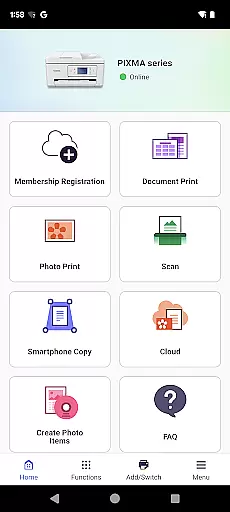
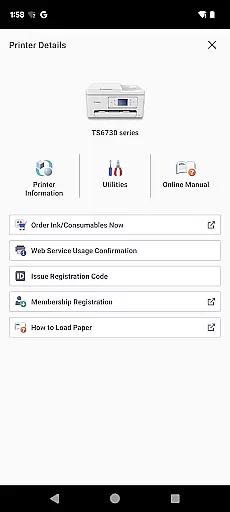
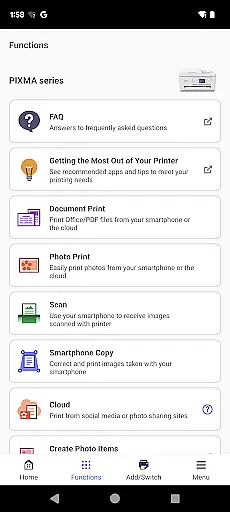
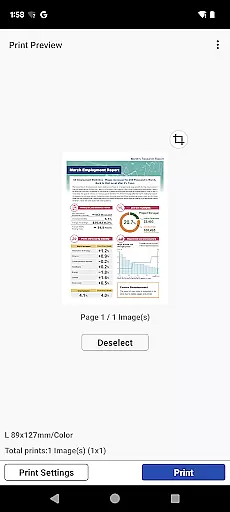
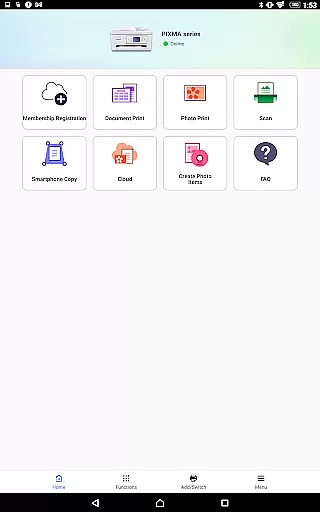
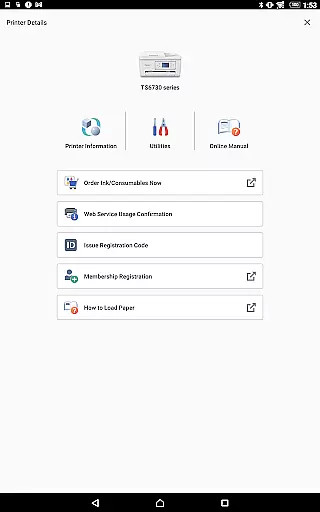
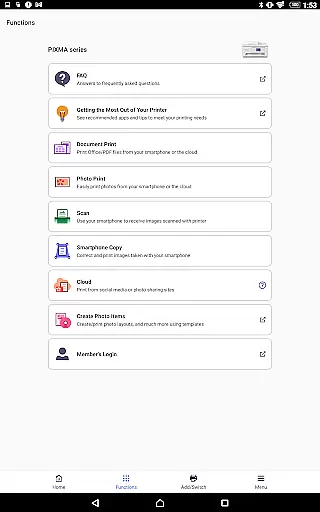
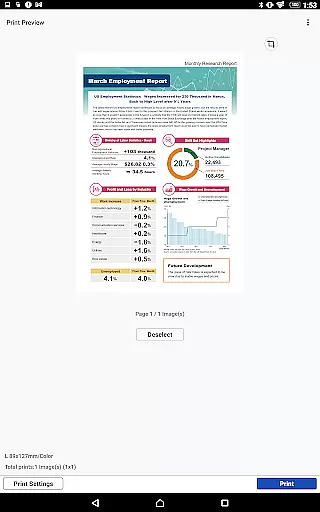
Canon PRINT is a versatile mobile application designed to enhance the printing and scanning experience for Canon printer users. This app allows seamless setup of your Canon printer directly from your mobile device, enabling effortless printing and scanning operations. With support for a wide range of Canon printer series including Inkjet, Laser, and Compact Photo Printers, it ensures compatibility across various models.
The app provides practical features such as checking consumable levels, cloud printing, and access to different scanning options. Whether you need to print documents, photos, or scan materials, Canon PRINT offers a comprehensive solution that caters to both personal and professional needs. Its intuitive interface makes managing print jobs straightforward, while its cloud integration expands printing possibilities beyond local networks.
While some advanced functionalities may vary depending on printer models and regional availability, Canon PRINT remains an essential tool for maximizing the potential of your Canon printer. The app's ability to streamline printer management and offer remote printing solutions makes it particularly valuable for users seeking efficiency in their printing tasks.
Canon PRINT stands out with its extensive feature set tailored for Canon printer owners. The app supports a broad spectrum of printer series, including PIXMA, MAXIFY, imagePROGRAF, imageFORCE, and SELPHY models, ensuring wide compatibility. Users can easily perform initial printer setup, initiate print jobs, and execute scans directly from their mobile devices, streamlining the entire printing process.
One of the key highlights is the app's ability to monitor consumable levels, helping users maintain optimal printer performance. Cloud printing functionality enables convenient access to documents stored online, while various scanning options cater to different user needs. The app also facilitates wireless printing, eliminating the need for complex network configurations.
Although certain features may not be available across all printer models or regions, Canon PRINT consistently delivers reliable performance. Its user-friendly interface and comprehensive feature set make it an indispensable companion for anyone looking to optimize their printing workflow using Canon printers.
Canon PRINT is designed to ensure the highest level of functionality for managing your printing and scanning tasks. The app provides accurate setup processes that seamlessly integrate with a wide range of Canon printers, ensuring that users can start their tasks without unnecessary complications.
The app's core functions include checking consumable levels, which helps prevent unexpected shortages during critical print jobs. This feature not only enhances productivity but also allows users to maintain their devices more effectively by providing timely alerts when supplies are running low.
Additionally, Canon PRINT offers cloud printing capabilities, allowing users to send documents from various devices directly to their printers. This ensures that no matter where you are, as long as you have an internet connection, your printing needs can be met swiftly and efficiently.
By focusing on these essential features, Canon PRINT delivers a reliable tool that meets both home and office requirements, making it an indispensable companion for anyone relying on Canon printers.
A user-friendly interface is crucial for any application, and Canon PRINT excels in providing an intuitive experience. From the moment you launch the app, its straightforward design guides you through setting up your printer effortlessly, ensuring even beginners can navigate its features with ease.
The layout is clean and organized, grouping related functions together to minimize the time spent searching for specific tools. Whether you need to initiate a print job or scan documents, everything is accessible within a few taps, streamlining your workflow significantly.
Moreover, the app includes helpful tips and notifications that guide users through complex tasks, such as troubleshooting common issues or optimizing print settings. These elements contribute to a smoother overall experience, reducing the learning curve associated with new software.
By prioritizing simplicity and intuitiveness, Canon PRINT ensures that users can focus on their primary objectivesu2014printing and scanningu2014without being bogged down by complicated interfaces or procedures.
User-friendly interface
Wide printer compatibility
Convenient cloud printing
Efficient consumables monitoring
Wireless printing capability
Limited to Canon printers
Some features region-restricted
Advanced options model-specific
Occasional connectivity issues
Setup requires Wi-Fi

 4.50
4.50
Quickly switch to an encrypted DNS server on Android TV
4.50
Unlock your Essential Key. Create custom shortcuts to your favorite apps!
4.1
Forza Tuning Calculator App for Forza Horizon 5, Motorsport and Earlier Titles
4.40
Effortlessly run ADB commands directly on your device without a PC.
4.20
Undelete and recover your lost or deleted files with DiskDigger!
3.40
Planner and Tracker for Stardew Valley
4.60
Mirror your screen to Fire TV - Super fast and simple
4.40
Introducing Smart Printer, your ultimate destination for printing solutions!
4.00
Unit and currency converter with easy and simple UI.
4.80
The one-and-only remote control for PC, Mac, and Linux
4.70
Connect instantly to a fast, encrypted VPN with one tap
4.60
Mirror your screen to Chromecast and Android TV - Super fast and simple
4.60
Making emulation easy for everyone!
4.30
1-Click close all background apps on Android TV
3.90
Family Locator, Share location, StayConnect with your family in real time
3.90
A powerful, easy-to-use flight computer on your phone or tablet!
3.80
Smart and comfortable browsing experience.
3.80
Download any file easily and quickly with Downloader
4.3


User Reviews