
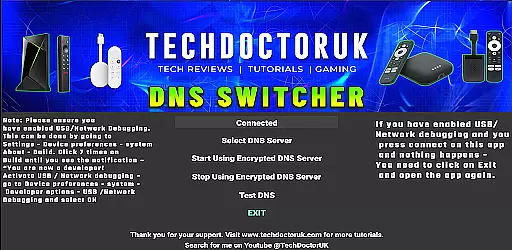
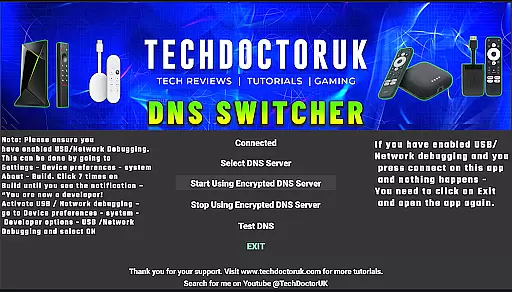
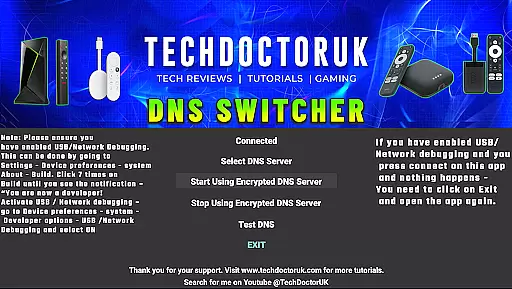
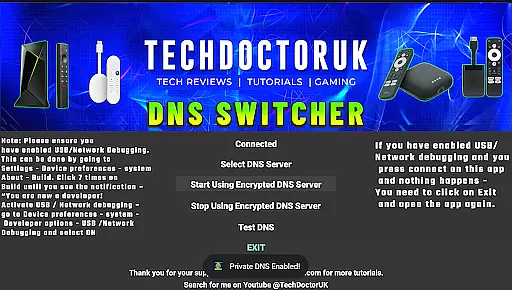
TDUK DNS Switcher is a specialized tool designed to enhance privacy and security on Android TV devices. The app allows users to configure their devices to use encrypted DNS servers, protecting their DNS requests from potential threats. With support for major encrypted DNS providers and the option to add custom servers, it offers flexibility in securing network traffic.
The application is particularly useful for users who want to safeguard their online activities while using smart TVs or streaming devices. By enabling USB or Network Debugging before use, users can ensure proper functionality and take full advantage of the app's capabilities.
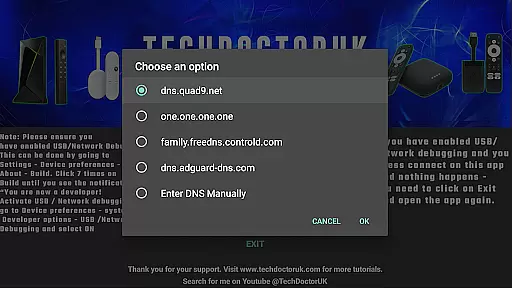
TDUK DNS Switcher provides several key features that make it an essential tool for Android TV users. First, it supports popular encrypted DNS services like Cloudflare, Google, and Quad9, ensuring compatibility with trusted providers. Additionally, users can manually input custom DNS server addresses, offering complete control over their network settings.
Another notable feature is its straightforward setup process. Once USB or Network Debugging is enabled, the app guides users through configuring their DNS preferences quickly and efficiently. This simplicity makes it accessible even to those with limited technical expertise, while still delivering robust security benefits.
TDUK DNS Switcher focuses on providing users with a reliable way to enhance their privacy by routing DNS requests through encrypted servers. This functionality is crucial for protecting personal data and ensuring safe internet usage on Android TV devices.
The app allows users to select from a list of well-known encrypted DNS servers or input custom server details. This flexibility ensures that users can tailor their DNS settings according to their specific needs and preferences, enhancing both security and performance.
By enabling USB or Network Debugging, users can seamlessly integrate the app's features into their device settings. This preliminary step guarantees that the application's core functions are accurately applied, offering peace of mind regarding online privacy and data integrity.
A straightforward and user-friendly interface is essential for an application like TDUK DNS Switcher, which targets users looking to enhance their privacy without dealing with complex configurations. The app excels in providing clear instructions and easy navigation.
Upon opening the app, users are greeted with a simple layout that guides them through the necessary steps to enable encrypted DNS. Clear prompts ensure that even those unfamiliar with network settings can successfully configure their DNS preferences without hassle.
Additionally, the app provides helpful tips and troubleshooting advice directly within the interface. This intuitive design approach not only simplifies the setup process but also empowers users to manage their DNS settings confidently and efficiently.
Enhances privacy
Supports major DNS
Easy to configure
Custom DNS options
Lightweight design
Requires debugging
Limited to Android TV
No automatic updates
Basic interface
Few advanced features

Unit and currency converter with easy and simple UI.
 4.80
4.80
This app unlocks the Pro features of the Central for DayZ app
3.60
HD Video player and downloader for all formats, fast & smooth 4K video playback.
4.60
Small and simple app to Verify Root Access and BusyBox Install!
4.70
Effortlessly run ADB commands directly on your device without a PC.
4.20
Unleash gamepad precision for ultimate mobile gaming dominance.
3.90
The ultimate tool for network analysis, wifi scanning and problem detection.
4.90
Mobile Security with Scam Protection | Malware & Virus Cleaner | Safe Browser
4.70
Fast VPN USA for any country. Super secure VPN for calls, streaming, games, TV.
4.40
The Ultimate Flex Drivers Utility App - Convenient Tapping & Block Filters
4.70
With videos, electrical calculators, and built-in ebook, Ugly’s has your answer.
4.50
Screen Mirroring for Roku Sticks, Roku TCL TV and Roku Hisense TV
4.50
Game Booster, GFX Tool is now compatible with newer game update
4.50
Fluid navigation gestures for all of us!
4.30
An easy-to-use calculator designed to save time calculating and bending conduit
4.30
Quickly & easily calculate the spacing of handrail balusters
4.20
Create your own live wallpaper or check out thousands already made presets
3.90
Safely recover deleted photos, videos, and files with a single easy tap.
3.70
A non-root local ADB shell client. READ BELOW!
3.40


User Reviews