
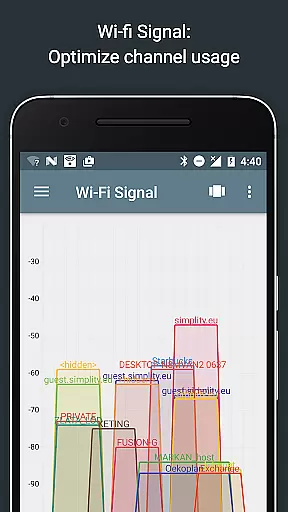
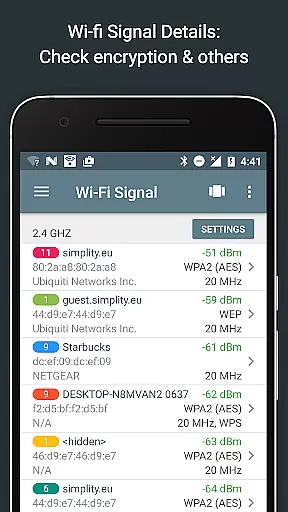
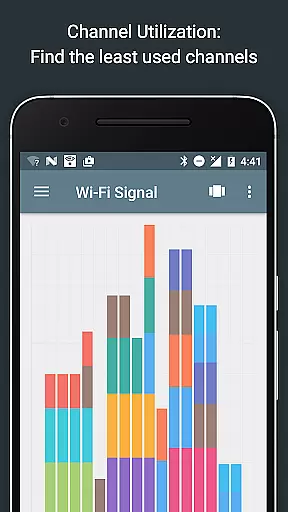
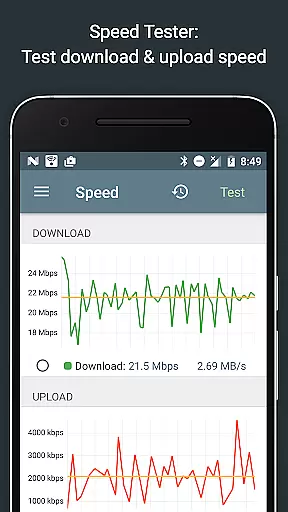
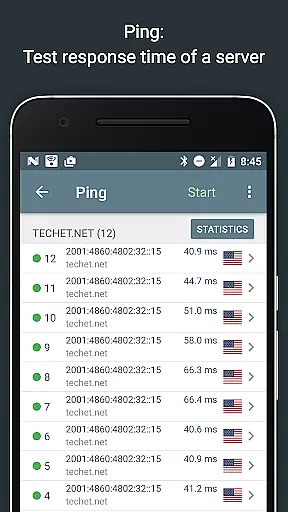
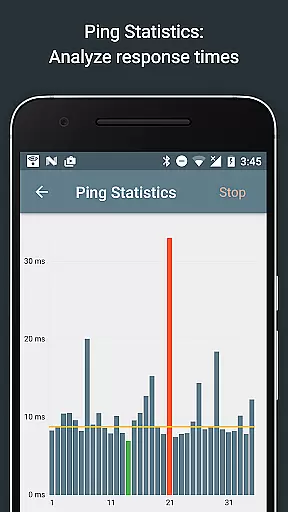
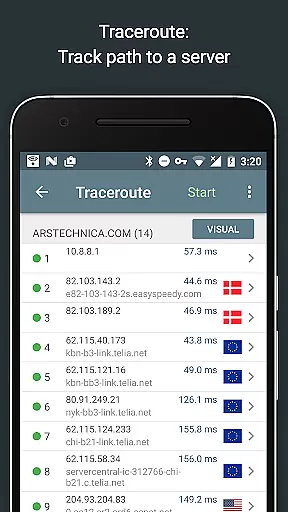
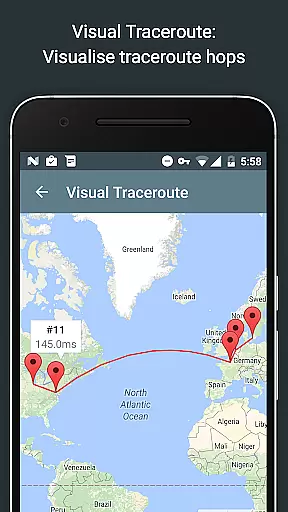
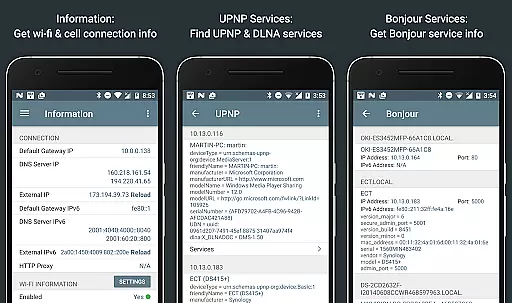
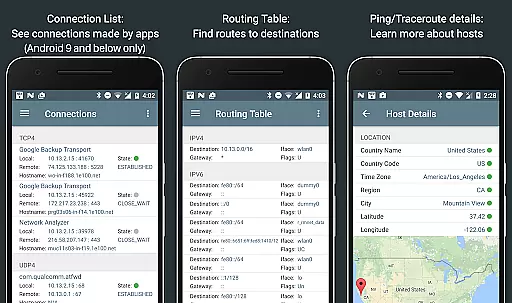
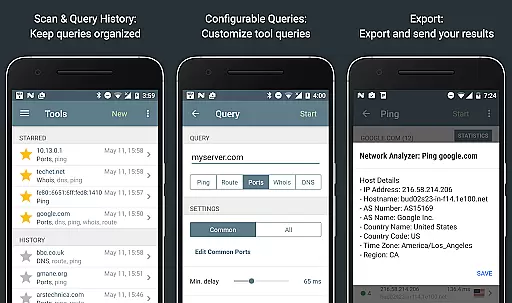
Network Analyzer Pro is a comprehensive network diagnostic tool designed to help users identify and resolve issues related to Wi-Fi networks, Internet connectivity, and remote server problems. The app offers an extensive suite of tools including a fast Wi-Fi device discovery feature that lists all LAN devices with their addresses and names, along with the Bonjour/DLNA services they provide. It also includes standard network diagnostic tools such as ping, traceroute, port scanner, DNS lookup, whois, and network speed test.
In addition to diagnosing local network issues, Network Analyzer Pro provides detailed information about neighboring Wi-Fi networks, including signal strength, encryption type, and router manufacturer. This helps users optimize their wireless router's channel selection for better performance. The app supports both IPv4 and IPv6 protocols, ensuring compatibility across different network configurations. Whether you're troubleshooting network problems or optimizing your Wi-Fi setup, this app serves as an invaluable resource for network administrators and tech-savvy users alike.
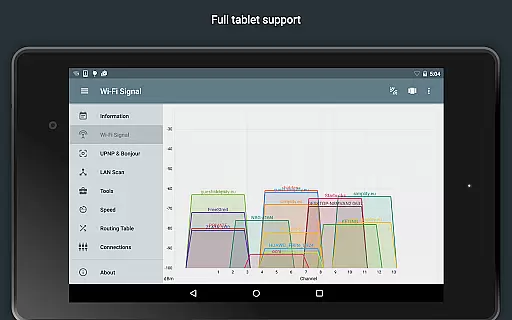
Network Analyzer Pro stands out with its wide array of advanced features tailored for network diagnostics. One notable feature is the Wi-Fi signal meter, which offers both graphical and textual representations of network channels and signal strengths. Users can view channel usage graphs, detect Wi-Fi network types (WEP, WPA, WPA2), and gather details like encryption methods (AES, TKIP), BSSID (router MAC address), manufacturer, WPS support, and bandwidth.
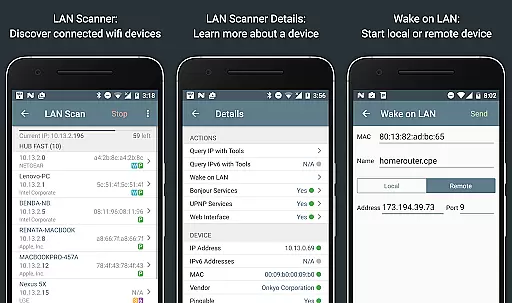
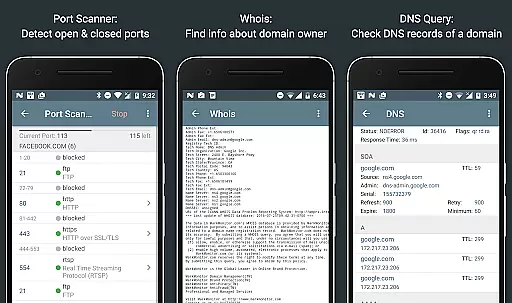
The LAN scanner is another powerful tool within the app, enabling fast and reliable detection of all network devices. It provides IP addresses of discovered devices, NetBIOS, mDNS (Bonjour), LLMNR, and DNS names where available. Additionally, it performs pingability tests, checks IPv6 availability, and supports Wake on LAN (WOL) functionality. With features like routing table visualization, port scanning, whois queries, DNS lookups, and internet speed testing, Network Analyzer Pro equips users with everything needed to maintain a robust and efficient network infrastructure.
Network Analyzer Pro stands out for its precision and effectiveness in diagnosing network issues. The app provides a comprehensive suite of tools including ping, traceroute, port scanner, DNS lookup, and whois to accurately identify problems in your wifi network setup or Internet connectivity.
The application's capabilities extend to detecting various issues on remote servers, thanks to its wide range of diagnostic functions. Whether you need to analyze signal strength, encryption types, or router manufacturers, Network Analyzer Pro ensures that every piece of data is both reliable and accessible.
Users benefit from the app's support for both IPv4 and IPv6, ensuring compatibility and future-proofing. With features like a fast wifi device discovery tool and the ability to show neighboring wi-fi networks, this app empowers users to make informed decisions about their network configurations.
Ultimately, Network Analyzer Pro's dedication to accuracy means that whether you're troubleshooting a local network issue or analyzing an external server problem, you can trust the results to guide your corrective actions effectively.
A user-friendly interface is crucial for a diagnostic tool, and Network Analyzer Pro excels in simplicity and intuitiveness. Despite the complexity of tasks it performs, the app maintains an accessible design that allows users to navigate through various tools effortlessly.
Each feature, from the Wifi signal meter to the LAN scanner, is presented with clarity, providing both graphical and textual representations. This dual approach helps users quickly interpret their network's status and identify any irregularities without needing specialized knowledge.
Moreover, the app offers advanced options such as Wake on LAN (WOL), custom IP range scans, and detailed device information while keeping the interface uncluttered. These powerful features are organized logically, making them easy to locate and use when needed.
By focusing on an intuitive layout and straightforward controls, Network Analyzer Pro ensures that even those new to network diagnostics can utilize its full potential without a steep learning curve, enhancing overall productivity and efficiency.
User-friendly interface
Comprehensive network tools
Fast Wi-Fi device discovery
Detailed Wi-Fi analysis
IPv6 support
Premium version required
Complex for beginners
Limited free features
No offline mode
Occasional bugs

 4.50
4.50
HD Video player and downloader for all formats, fast & smooth 4K video playback.
4.60
Canon PRINT is a companion app for your Canon printer.
4.60
ADB support Android 4.X-Android 13(Support wireless pair mode).No root required!
4.70
A non-root local ADB shell client. READ BELOW!
3.40
Unleash gamepad precision for ultimate mobile gaming dominance.
3.90
NFC Tools can read and write NFC tags.
4.70
Screen recorder with audio to record high-quality videos and take screenshots.
4.40
Enjoy a smooth mobile reading experience!
3.60
Monitor car performance in real time and troubleshoot malfunctions.
4.80
Planner and Tracker for Stardew Valley
4.60
Head tracking for PC sim games such as MSFS 2024 or Elite:Dangerous. No headset!
4.50
With videos, electrical calculators, and built-in ebook, Ugly’s has your answer.
4.50
Universal TV remote control all TVs, Roku, LG, Samsung, Fire, Vizio, Sony, TCL.
4.40
Amateur Radio app for APRS: Track friends, exchange messages, get tactical info.
3.90
Smart and comfortable browsing experience.
3.80
Fun lie-detection pranks for friends and parties.
3.80
Clean the junk files on your device
3.40
Transfer Files, APK from Phone to Watch & Install.
4.5


User Reviews