
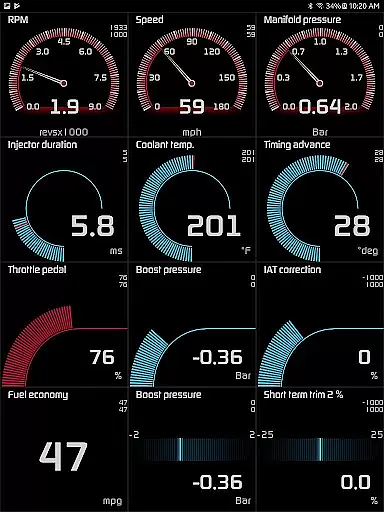
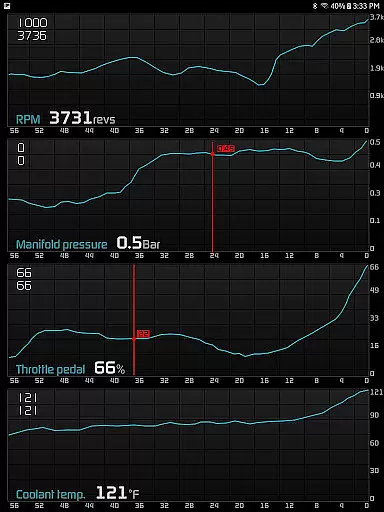
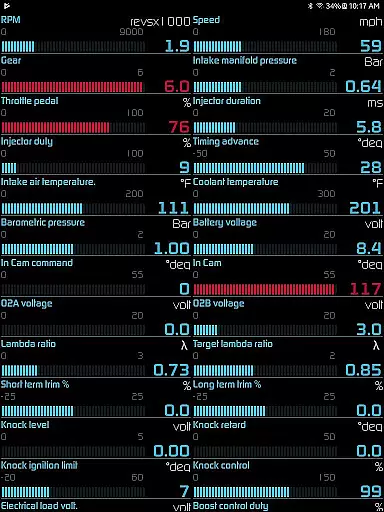
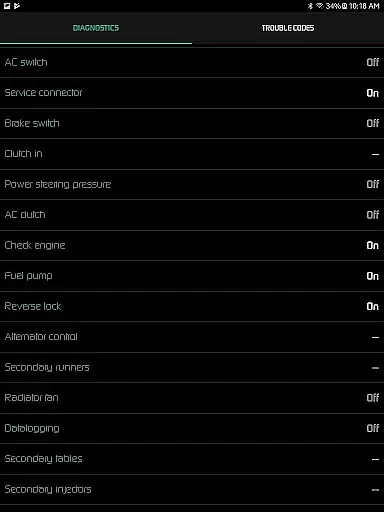
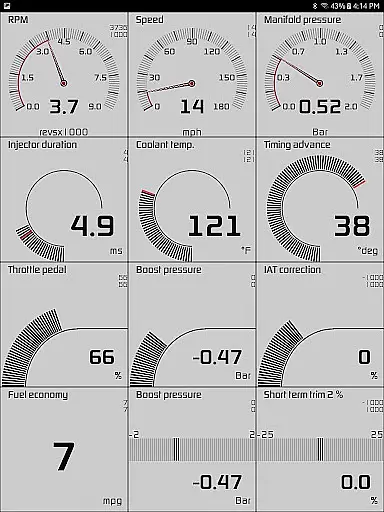
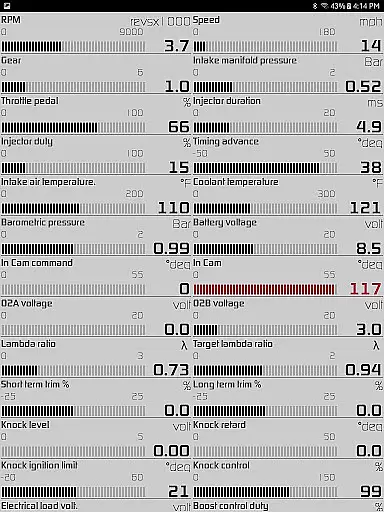
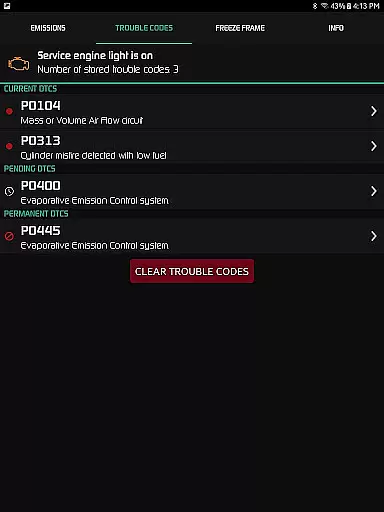
Hondata is a powerful automotive tool designed for Honda vehicle owners who want to monitor and optimize their car's performance. The app transforms your Android device into an all-in-one diagnostic and tracking system, providing real-time data on over 80 sensors. It allows users to troubleshoot issues by accessing the onboard ECU, track fuel economy, and even record performance metrics through interactive graphs.
One of the standout features of Hondata is its ability to provide detailed diagnostics, including reading and clearing trouble codes, monitoring engine parameters, and offering customizable gauges. Whether you're looking to fine-tune your vehicle's performance or simply want to save money by tracking fuel consumption, Hondata delivers both functionality and convenience in one comprehensive package.
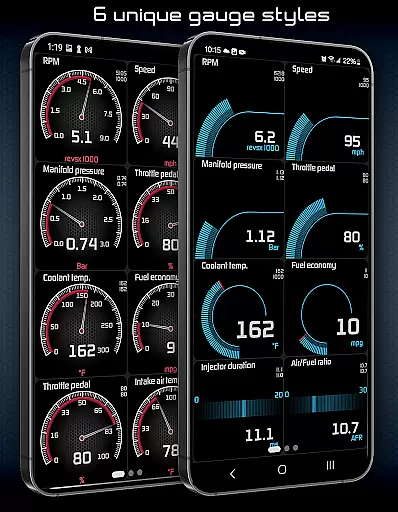
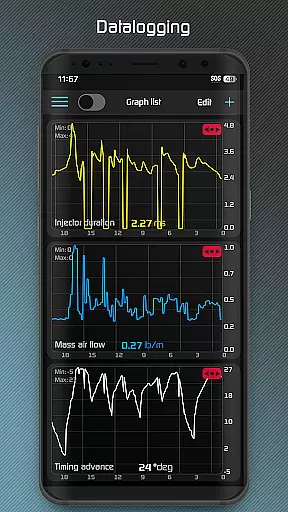
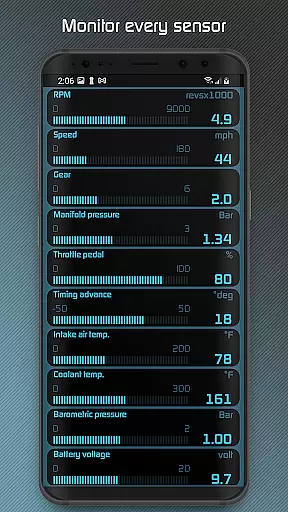
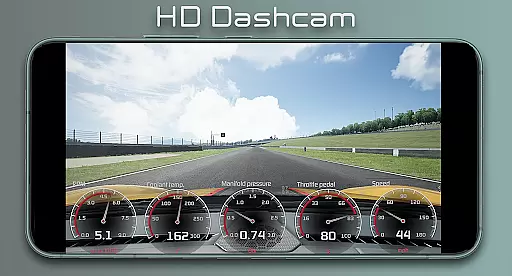
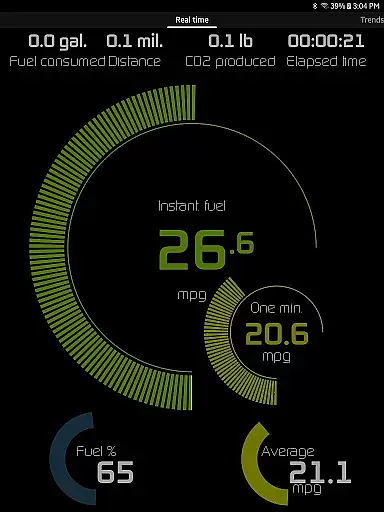
Hondata offers an extensive range of features that cater to both casual drivers and automotive enthusiasts. The app provides customizable real-time gauges that monitor up to 80 different sensors, such as boost pressure, battery voltage, and G-force. Users can plot this sensor data onto interactive graphs, recording information from multiple sensors simultaneously and exporting it as CSV files for further analysis.
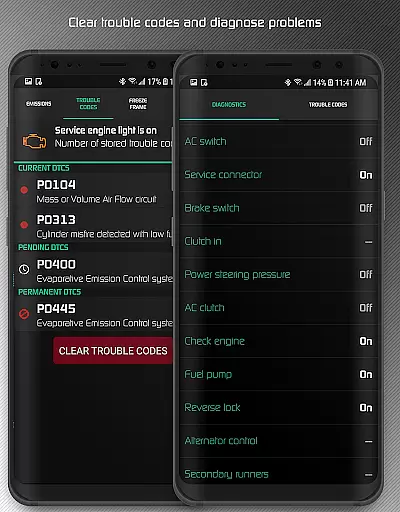
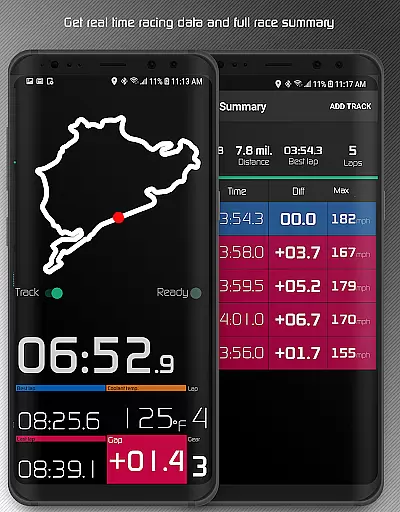
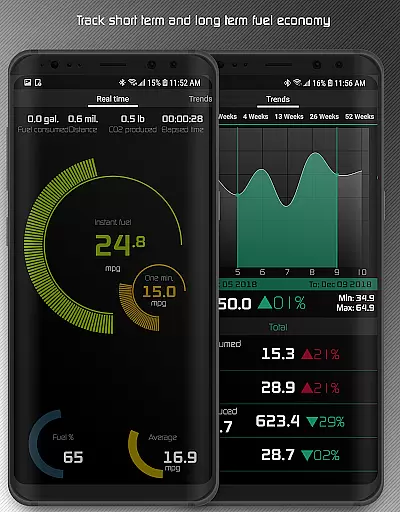
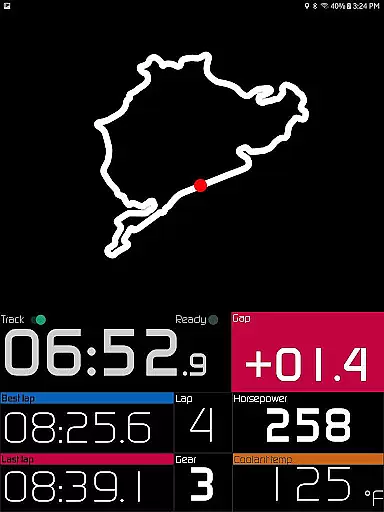
In addition to performance tracking, Hondata includes advanced diagnostic capabilities. You can read and clear vehicle trouble codes, reset service engine lights, and access over 40 diagnostic parameters like VTEC pressure and engine knock count. The racetrack feature allows users to measure drag race times, lap times, and even track circuits using GPS. With long-term fuel economy tracking, visual and audio alerts, and multiple display themes, Hondata ensures a versatile and user-friendly experience tailored to various driving needs.
The Hondata app offers an extensive suite of tools designed to monitor and enhance the performance of your Honda vehicle with precision. With real-time tracking of up to 80 sensors, including fuel economy, boost pressure, and battery voltage, the app ensures that every piece of data is captured accurately.
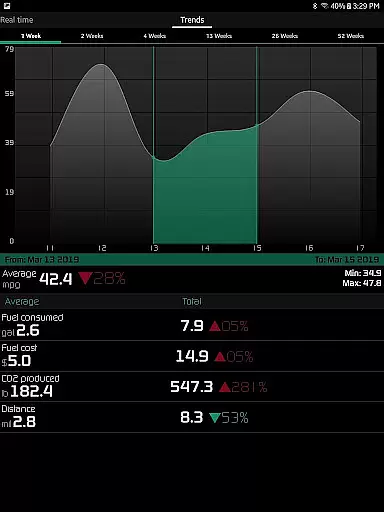
One of the standout features is its ability to plot sensor data onto interactive graphs, allowing users to record and analyze information from up to four sensors simultaneously. This functionality not only provides a comprehensive overview of vehicle performance but also supports exporting recorded data to CSV files for further analysis, ensuring that users have access to detailed and actionable insights.
In addition to performance tracking, the app includes diagnostic capabilities such as reading and clearing vehicle trouble codes, which empowers users to troubleshoot issues before visiting a mechanic. The inclusion of both metric and imperial units across all gauges and graphs enhances the app's versatility, catering to a global audience and solidifying its role as an essential tool for any Honda owner.
Hondata stands out by offering an intuitive interface that simplifies complex automotive data into an accessible format. Users can customize gauges to track every available sensor, providing a tailored experience that suits individual preferences and needs.
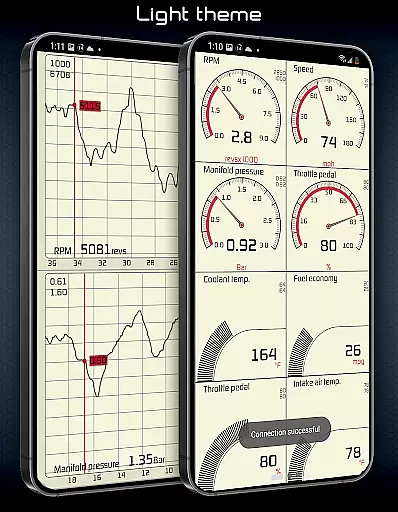
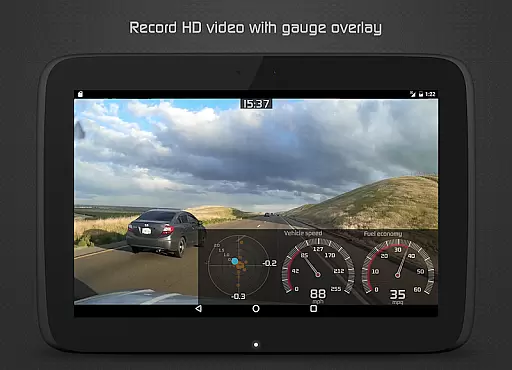
The app's design emphasizes ease of use, featuring two themes and landscape mode availability for all views. These options ensure that users can adjust the display to their liking, whether for daytime visibility or nighttime driving comfort with the HUD gauge feature.
Furthermore, the app incorporates practical alerts and notifications, such as visual and sound warnings when sensor readings reach user-defined limits, speed limit warnings, and engine overheating notifications. Such intuitive design elements contribute to a seamless user experience, making it easier for drivers to maintain their vehicle's health and optimize performance without being overwhelmed by technical details.
User-friendly interface
Real-time performance tracking
Comprehensive diagnostic tools
Customizable gauge options
Advanced racetrack features
No Android Auto support
Limited head unit compatibility
Requires specific hardware (Flashpro, Kpro4)
Complex for beginners
Premium pricing model

FV File Manager Pro, Fast and powerful file manager for Android
 4.60
4.60
HD Video player and downloader for all formats, fast & smooth 4K video playback.
4.60
App to pay for FUTO Keyboard
4.60
Effortlessly run ADB commands directly on your device without a PC.
4.20
Signal Strength, Mobile, Wifi, Speed Test, Bad Signals, Cellular, 5G, LTE, 4G
4.20
Bedrock Together: Join any bedrock server on Xbox/PS
4.80
Mirror your screen to Fire TV - Super fast and simple
4.40
The ultimate tool for network analysis, wifi scanning and problem detection.
4.90
Pro Emulator is an easy to use game console emulator for a range of consoles.
4.40
Extremely fast, secure, and protects your privacy
4.80
The one-and-only remote control for PC, Mac, and Linux
4.70
Fast Video Downloader, Movie Downloader, Torrent Downloader & Adblock Browser
4.70
Button mapper, mouse toggle, sleep timer and a lot of another features
4.50
Universal TV remote control all TVs, Roku, LG, Samsung, Fire, Vizio, Sony, TCL.
4.40
Clean up large files and similar photos, fast and easy to use
4.40
App that Recover your pictures, videos or files after you delete them.
4.20
Automate everything from settings to photos, SMS to speech. ADC2 prize winner.
4.10
Safely recover deleted photos, videos, and files with a single easy tap.
3.70
PDF Reader - Document Viewer: Read, Manage & Organize Your Documents
3.10


User Reviews