

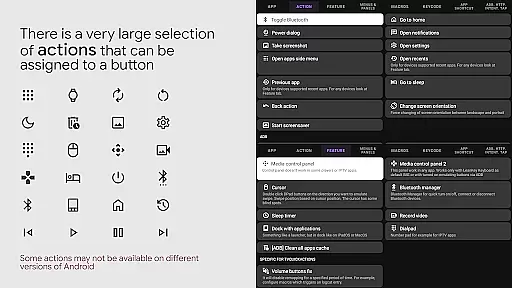
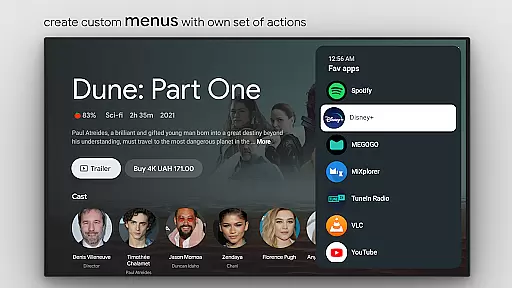
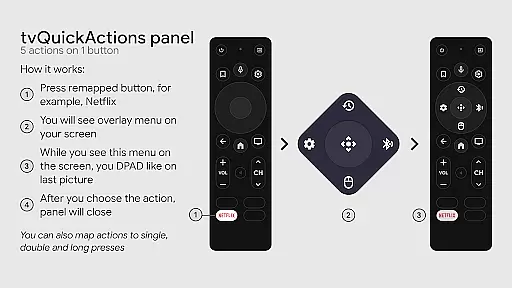
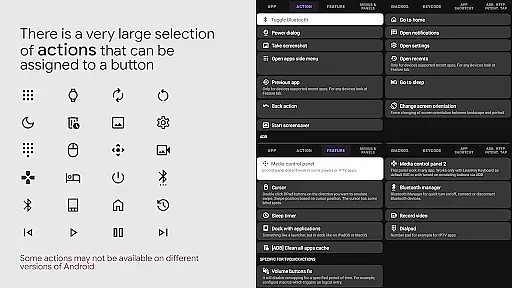
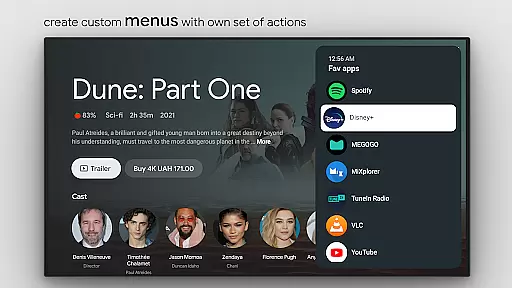
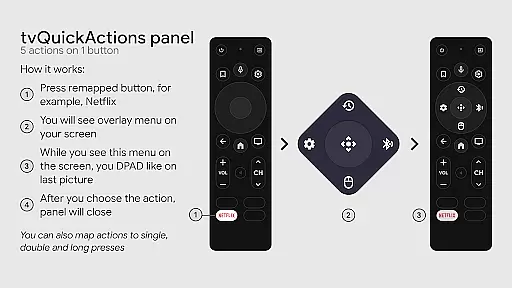
tvQuickActions Pro is an advanced button/key mapper specifically designed for TV devices, compatible with Android TV, Google TV, and AOSP on most devices. Its standout feature allows users to assign up to five actions to a single remote button, significantly enhancing device functionality.
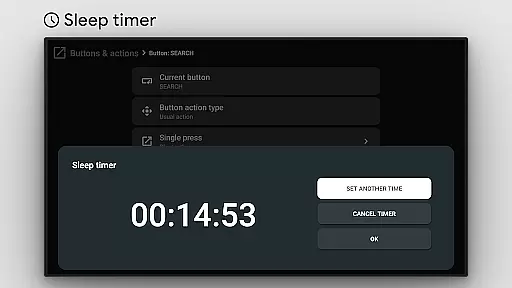
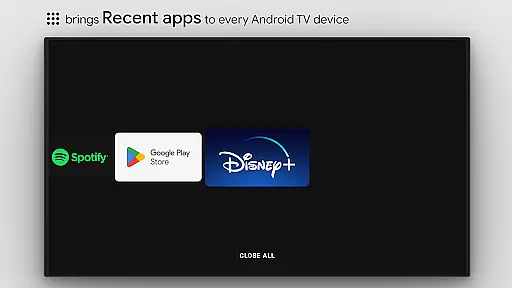
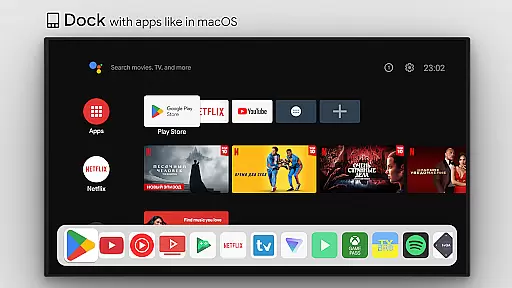
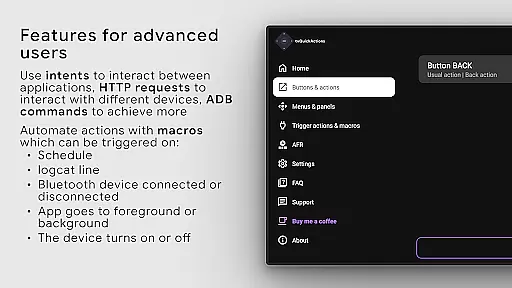
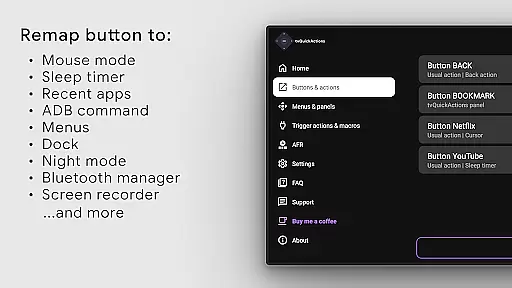
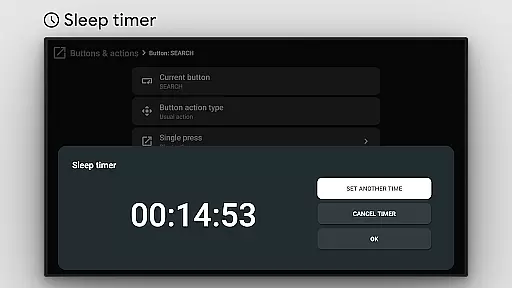
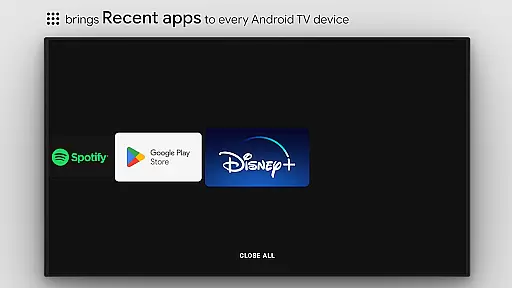
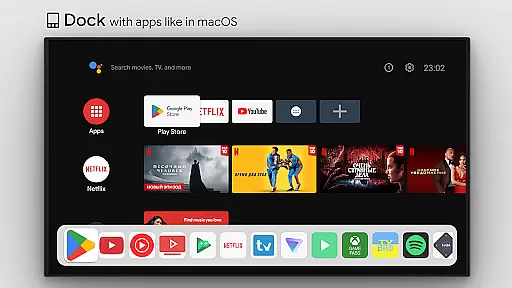
This tool transforms your TV experience by adding useful functions such as app docks similar to macOS/iPadOS, recent apps management, custom action menus, and ADB command integration. It also offers practical utilities like sleep timers, screen recording, night mode, and Bluetooth management, making it an indispensable tool for power users.
tvQuickActions Pro boasts an impressive array of features tailored for TV device enthusiasts. The app supports creating custom channels for Android TV home screens from menus, setting actions on power-on or sleep events, and locking apps for added security.
Users can choose from various actions including opening apps, sending keycodes, toggling WiFi/Bluetooth, controlling media playback, taking screenshots, and more. With support for remapping Netflix buttons on Xiaomi and TiVo Stream 4K devices, plus compatibility with AutoFrameRate for Amlogic devices running Android 9-11, this app delivers unparalleled customization options.
tvQuickActions Pro stands out as a highly accurate and effective button/key mapper specifically designed for TV devices. The app supports Android TV, Google TV, and AOSP on most devices, ensuring broad compatibility. One of its main unique features is the ability to assign up to five actions to a single button on your remote control. This functionality not only enhances the utility of your device but also streamlines access to frequently used functions.
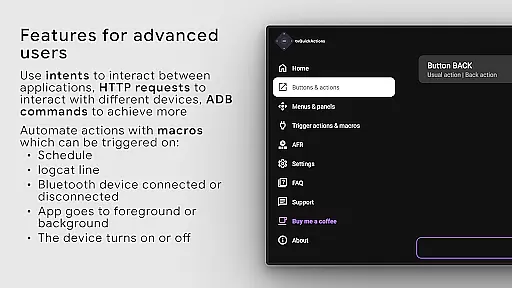
The application offers an extensive range of features including a dock system similar to macOS/iPadOS, recent apps management, custom menus, and even user ADB commands as actions. These capabilities ensure that users can tailor their TV experience precisely to their needs. Additionally, tvQuickActions Pro provides practical tools such as a sleep timer, dialpad, screen recording, night mode, Bluetooth manager, media control panel, and quick change TV input. Such diverse functionalities underscore the app's commitment to precision and effectiveness.
For users seeking advanced customization, tvQuickActions Pro allows setting actions on power-on, sleep entering or exiting, creating custom channels for Android TV home from menus, and locking apps. This level of detail ensures that every possible user interaction is accounted for, enhancing both convenience and efficiency. Even if certain buttons are rarely used, they can be repurposed with double-click functionality to perform usual actions, thus maximizing the potential utility of each button.
Ultimately, tvQuickActions Pro delivers an unmatched user experience by combining versatile action assignments with robust feature integration. Whether opening apps, managing shortcuts, controlling media playback, toggling WiFi or Bluetooth, or taking screenshots, this tool consistently meets high standards of accuracy and effectiveness, making it an indispensable asset for any TV device owner.
tvQuickActions Pro excels in providing a simple and intuitive interface that enhances user interaction with TV devices. Despite its sophisticated feature set, the app maintains an accessible design that caters to both novice and experienced users. The primary dashboard is straightforward, offering clear options for configuring button mappings and accessing various utilities without overwhelming the user.
A key aspect of the appu2019s intuitiveness lies in its support for remapping buttons on popular devices like Xiaomi and TiVo Stream 4K. Users can easily customize controls to suit their preferences, whether it involves assigning multiple actions to a single button or setting up custom menus. This flexibility ensures that even complex configurations remain manageable through a well-organized settings menu.
Beyond basic remapping, tvQuickActions Pro includes practical tools such as a mouse toggle, sleep timer, and media control panel, all presented in an easy-to-navigate format. Each feature is accompanied by clear instructions and visual cues, reducing the learning curve and allowing users to quickly adapt to new functionalities. Furthermore, the appu2019s use of familiar paradigms, such as docks akin to macOS/iPadOS, reinforces its intuitive nature.
In summary, tvQuickActions Pro combines powerful capabilities with a user-friendly interface, ensuring that users can harness its full potential without unnecessary complexity. By prioritizing simplicity and intuitiveness, the app empowers users to optimize their TV experience effortlessly, making it a standout choice among tools designed for TV devices.
Highly customizable
Wide device compatibility
Extensive feature set
User-friendly interface
Regular updates
Complex for beginners
Some features device-dependent
Requires accessibility permissions
Premium version costly
Occasional compatibility issues

 4.50
4.50
Quickly switch to an encrypted DNS server on Android TV
4.50
PDF Reader - Document Viewer: Read, Manage & Organize Your Documents
3.10
Learn the vast amount of system information about device and monitor it's state
4.70
Use your phone as a webcam on your computer over WiFi or USB.
4.40
App that Recover your pictures, videos or files after you delete them.
4.20
eXtended Permission Manager - a small app to manage permissions and AppOps
4.50
Screen Mirroring for Roku Sticks, Roku TCL TV and Roku Hisense TV
4.50
A clean app.
4.50
Navigate with Ease and Style
4.90
Easily install aab(Android App Bundle) files on your Android device with our app
4.80
The one-and-only remote control for PC, Mac, and Linux
4.70
Mirror your screen to Chromecast and Android TV - Super fast and simple
4.60
Play your X-Box games remotely in 1080p with any controller and zero latency
4.60
Mirror your screen to Fire TV - Super fast and simple
4.40
Remote for Roku, Fire TV, Samsung TV, LG TV, Android TV, Chromecast and VIZIO TV
4.20 4.10
4.10
A convenient photo, video, and file recovery tool.
4.00
Unleash gamepad precision for ultimate mobile gaming dominance.
3.90


User Reviews