
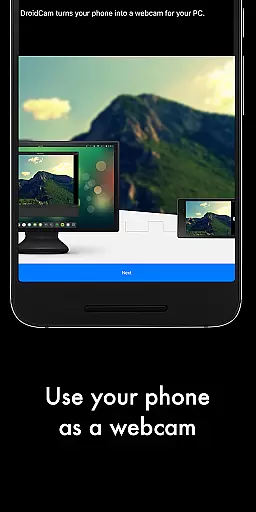
DroidCamX HD (Classic) is a versatile tool that transforms your Android device into a high-definition webcam for your computer. This application supports both video and audio transmission, making it ideal for video conferencing, streaming, or recording. With support for 720p and 1080p resolutions in HD mode, users can enjoy crisp and clear video quality.
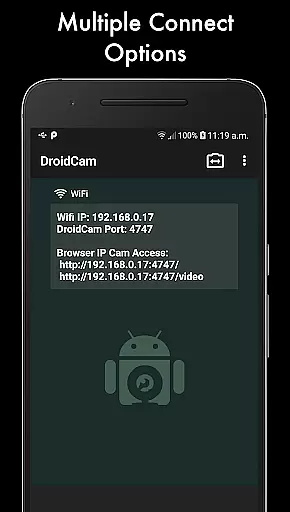
The app offers flexible connectivity options, allowing you to connect via Wi-Fi or USB. It includes advanced features such as the 'Smooth FPS' setting for stable video performance, background operation for multitasking, and battery conservation when the screen is off. Additionally, DroidCamX provides camera controls like auto-focus, zoom, and flash, along with the ability to capture still images on either the phone or computer.
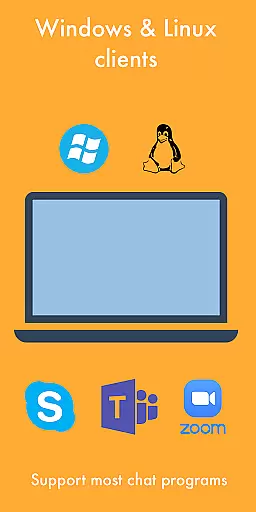
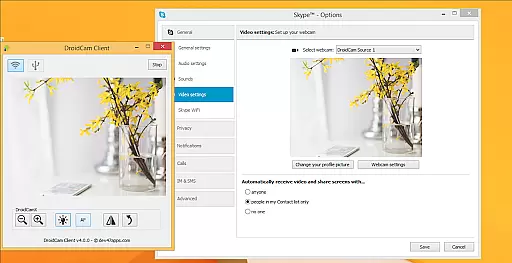
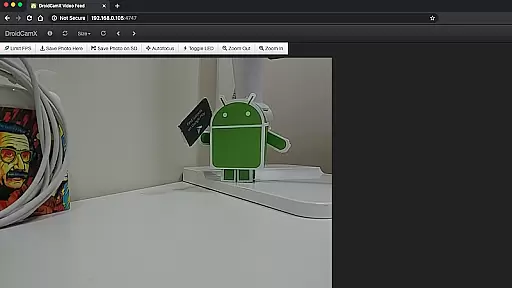
Designed for compatibility with Windows and Linux systems, DroidCamX requires a PC client for seamless integration between your phone and computer. The app also supports IP Webcam MJPEG access, enabling camera access through a browser or from another device. Whether for professional or personal use, DroidCamX delivers reliable webcam functionality with enhanced control and convenience.
DroidCamX HD (Classic) stands out with its comprehensive feature set tailored for both casual and professional use. One of its key features is the ability to connect your Android device to a computer via Wi-Fi or USB, providing flexibility based on your setup and preferences. The HD Mode supports resolutions up to 1080p, ensuring high-quality video transmission suitable for various applications like video calls, streaming, or content creation.
Another notable feature is the 'Smooth FPS' option, which stabilizes video performance by optimizing frame rates. This ensures a smoother experience during video chats or recordings. The app also allows users to operate other apps simultaneously in the background, enhancing productivity without interrupting the video feed. Furthermore, DroidCamX conserves battery life by continuing to function even when the device screen is turned off.
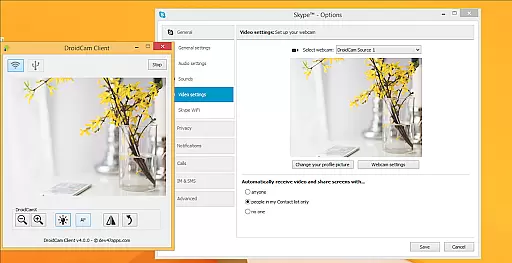
For added convenience, DroidCamX includes advanced camera controls such as auto-focus, zoom, and flash, giving users greater command over their video sessions. The Windows Client offers additional professional controls like mirroring, flipping, brightness, and contrast adjustments. These features collectively make DroidCamX a powerful tool for anyone needing reliable and customizable webcam functionality.
DroidCamX HD (Classic) excels in delivering accurate and effective core functionality by transforming your Android device into a high-quality webcam. This app ensures that both video and audio streams are transmitted seamlessly to your computer, providing a reliable experience for video conferencing or content creation.
The application supports multiple connection methods including Wi-Fi and USB, ensuring flexibility and convenience. With the added support for 720p/1080p video through its HD Mode, users can expect clear and sharp video quality. The 'Smooth FPS' option further enhances video stability, making it ideal for professional use.
One of the standout features is the ability to run other apps in the background while using DroidCamX, allowing multitasking without interrupting the video feed. Additionally, the app conserves battery by keeping the camera active even when the screen is off, which is particularly beneficial during extended use.
The interface of DroidCamX HD (Classic) is designed with simplicity and intuitiveness in mind, ensuring that users can easily navigate and utilize its features without a steep learning curve. Upon launching the app, users are greeted with a straightforward layout that highlights essential functions such as camera controls, connection options, and settings adjustments.
Key functionalities like auto-focus, zoom, and flash are readily accessible, allowing users to optimize their video feed effortlessly. The app also provides advanced controls on the Windows client, including options for mirroring, flipping, and adjusting brightness and contrast, all of which contribute to a more tailored and professional video output.
Moreover, the app's compatibility with IP Webcam MJPEG means users can access the camera feed via a browser or another device, adding an extra layer of versatility. By prioritizing user-friendly design and clear instructions, DroidCamX ensures that even those new to such tools can achieve professional results with minimal effort.
High-quality HD video
Flexible connectivity options
Advanced camera controls
Background app operation
Battery conservation features
Requires PC client installation
USB connection may need extra setup
Limited to Windows and Linux
No native macOS support
Dependent on network stability

A convenient photo, video, and file recovery tool.
 4.00
4.00
Enjoy smooth gameplay with Game Booster
4.90
App that Recover your pictures, videos or files after you delete them.
4.20
Small and simple app to Verify Root Access and BusyBox Install!
4.70
Detect hidden spy camera with advanced scanning {{ Premium version }}
4.00
Signal Strength, Mobile, Wifi, Speed Test, Bad Signals, Cellular, 5G, LTE, 4G
4.20
With videos, electrical calculators, and built-in ebook, Ugly’s has your answer.
4.50
Support Fossify apps with a warm thank you!
5.00
fast and easy mp3 music downloader
4.80
Bedrock Together: Join any bedrock server on Xbox/PS
4.80
WiFi Signal Strength Meter help you detect WiFi Signal Strength in real time.
4.80
Remote Play with FSR upscaling, low latency & full controller support
4.80
Learn the vast amount of system information about device and monitor it's state
4.70
NFC Tools can read and write NFC tags.
4.70 4.50
4.50
Head tracking for PC sim games such as MSFS 2024 or Elite:Dangerous. No headset!
4.50
Amateur Radio app for APRS: Track friends, exchange messages, get tactical info.
3.90
Safely recover deleted photos, videos, and files with a single easy tap.
3.70
Transfer Files, APK from Phone to Watch & Install.
4.2


User Reviews