
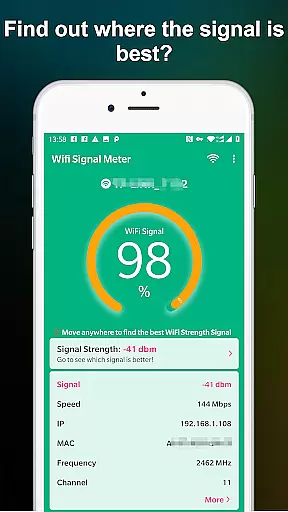
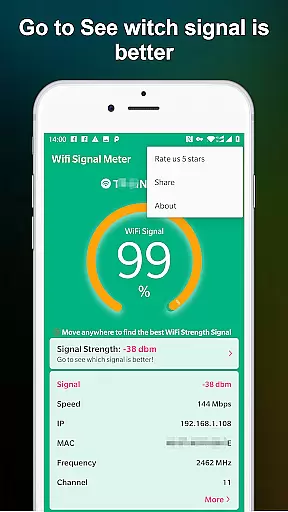
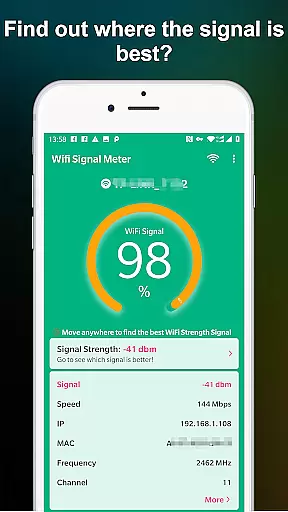
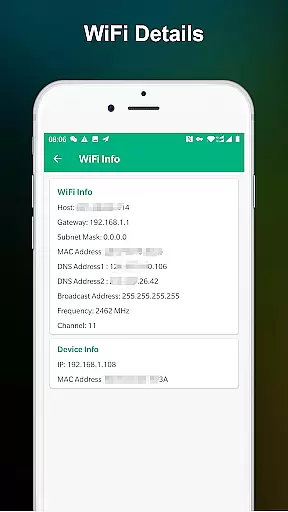
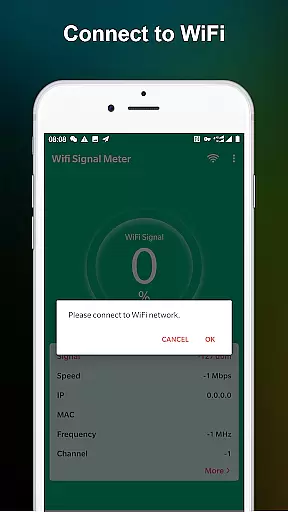
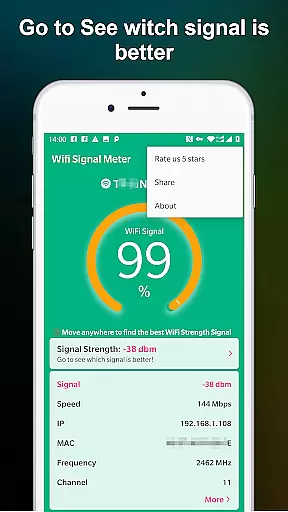
WiFi Signal Strength Meter Pro is a professional tool designed to help users optimize their WiFi network performance. The app's core functionality lies in its ability to identify the strongest WiFi signal areas, commonly known as sweet spots, within your environment.
This application provides real-time monitoring of your current WiFi connection while continuously scanning for nearby networks. Its intuitive interface allows you to walk through different areas, instantly viewing signal strength changes and identifying optimal locations for your devices. Whether you're setting up a home office or optimizing your workspace, this tool proves invaluable.
The practical value of WiFi Signal Strength Meter Pro extends beyond simple signal detection. It helps prevent potential disconnection issues by alerting users when signal strength falls below recommended levels (below 50%). This feature ensures users maintain a stable connection, particularly crucial for remote work, streaming, or online gaming scenarios.
WiFi Signal Strength Meter Pro stands out with its comprehensive set of features tailored for network optimization. The application's most notable characteristic is its real-time signal strength monitoring system, which constantly updates as you move through your environment.
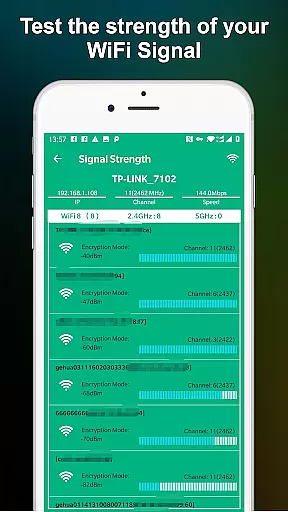
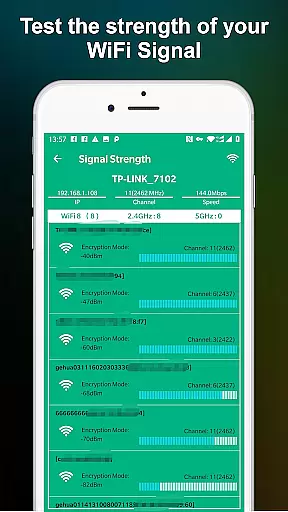
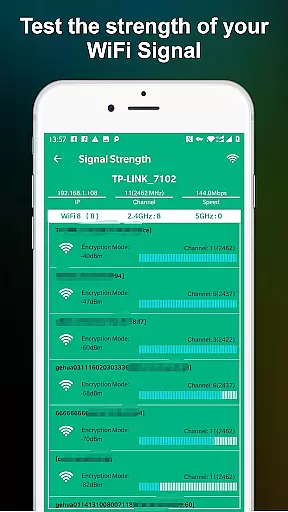
The app implements a sophisticated scanning mechanism that not only detects your current network's strength but also identifies surrounding WiFi signals. This dual-functionality helps users understand both their network's performance and the potential interference from neighboring networks. The application achieves this through an intuitive graphical interface that displays signal strength using both numerical values and visual indicators.
What sets this tool apart is its implementation of threshold alerts. When signal strength drops below 50%, the app provides immediate notifications, helping users avoid potential connectivity issues. Additionally, the app recommends maintaining signal strength above 60% for optimal performance, offering practical guidance for network improvement.
WiFi Signal Strength Meter Pro is designed to provide accurate and real-time monitoring of WiFi signal strength, ensuring users can identify the best locations for their network connectivity. This functionality is crucial for maintaining a stable internet connection in various environments.
The app employs advanced algorithms to constantly update and display the current signal strength. By detecting fluctuations in real time, it allows users to walk around their space and pinpoint areas with optimal WiFi coverage. This ensures minimal disconnection issues and maximizes network performance.
For users, this means they can strategically position their devices to enjoy uninterrupted internet access. Whether at home, work, or public spaces, the ability to find sweet spots enhances online activities such as streaming, gaming, and video conferencing.
Ultimately, the precision and reliability of WiFi Signal Strength Meter Pro's core function empower users to optimize their network setup. This leads to improved connectivity and overall better user experience, making it an essential tool for anyone looking to enhance their WiFi performance.
A simple and intuitive interface is vital for tools like WiFi Signal Strength Meter Pro, ensuring that users can easily navigate and utilize its features without a steep learning curve. The app excels in providing straightforward access to critical information about WiFi signals.
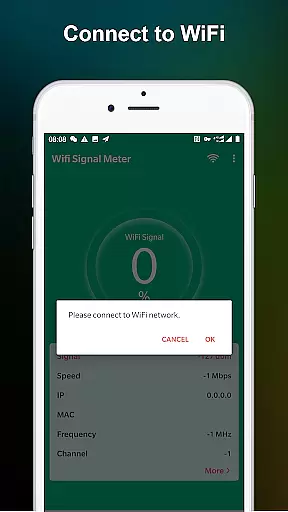
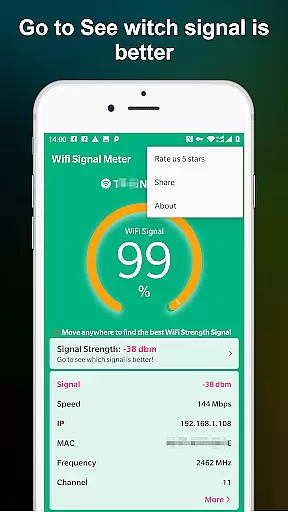
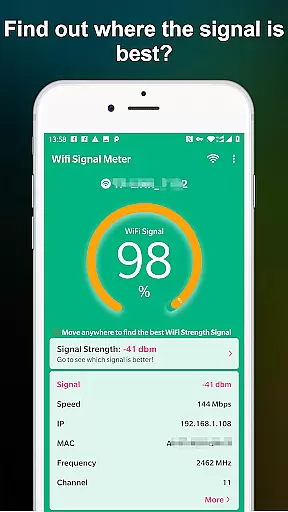
Upon launching the app, users are greeted with a clean layout displaying the current WiFi signal strength. The design emphasizes clarity and ease of understanding, presenting data in an easily digestible format. Real-time updates and visual indicators further enhance the user experience by offering immediate feedback on signal quality.
This intuitive design allows users to quickly check their WiFi strength and make necessary adjustments to their location or network setup. Such simplicity ensures that even those with limited technical knowledge can effectively use the app to improve their internet connectivity.
By focusing on interface simplicity and intuitiveness, WiFi Signal Strength Meter Pro delivers a seamless user experience. This approach not only makes the app accessible to a broader audience but also enhances its effectiveness as a practical tool for optimizing WiFi performance.
Real-time signal tracking
User-friendly interface
Continuous strength updates
Threshold notifications
Network optimization tips
Premium version costs
Advanced features locked
Occasional scanning delays
Limited customization options
No automatic reporting

1-Click close all background apps on Android TV
 3.90
3.90
Quickly & easily calculate the spacing of handrail balusters
4.20
Optimize your WiFi network, turn your phone into Wifi Analyzer
4.70
An easy-to-use calculator designed to save time calculating and bending conduit
4.30
Support Fossify apps with a warm thank you!
5.00
Powerful collection of electronics tools and reference.A must for any enthusiast
4.90
Protect your device with antivirus, storage cleanup, and system monitoring
4.70
Enjoy a smooth mobile reading experience!
3.60
Your personal health butler
3.60
Excellent scientific calculator with symbolic algebra, integrals, derivatives
4.80
Monitor car performance in real time and troubleshoot malfunctions.
4.80
Remote Play with FSR upscaling, low latency & full controller support
4.80
eXtended Permission Manager - a small app to manage permissions and AppOps
4.50
With videos, electrical calculators, and built-in ebook, Ugly’s has your answer.
4.50
Complete kernel toolbox with features to manage and tweak your rooted device
4.30
View detailed information about your Nissan Leaf the dealer never shows you.
4.10
A recovery soft,it features photo recovery, video recovery, file recovery.
3.40
Unlock your Essential Key. Create custom shortcuts to your favorite apps!
4.1
Save any video in HD - paste the link, download fast and watch offline.
4.0


User Reviews