
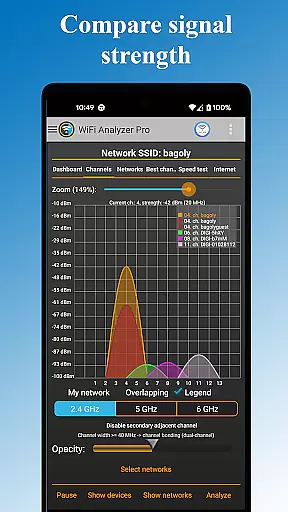
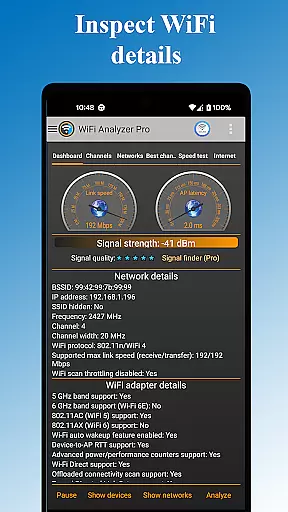
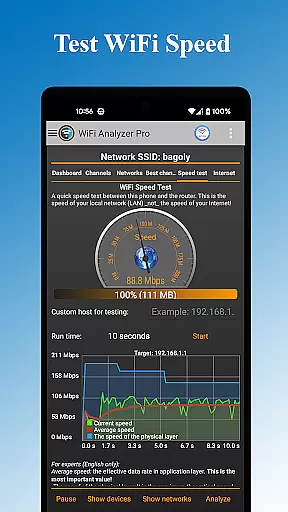
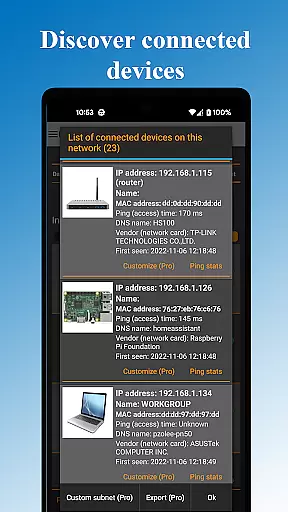
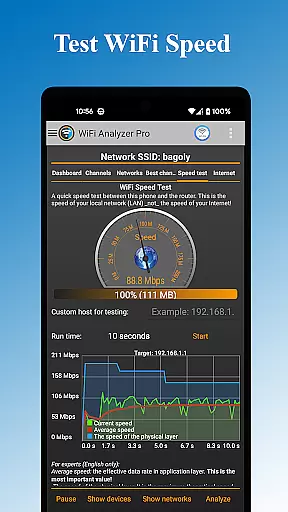
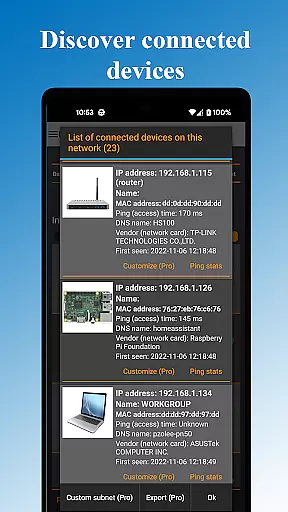
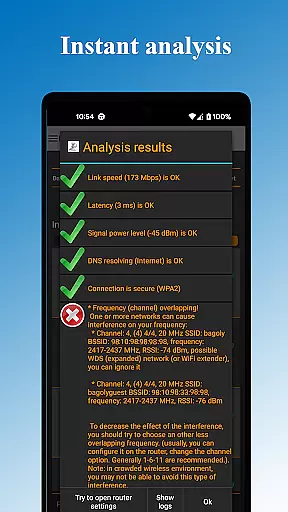
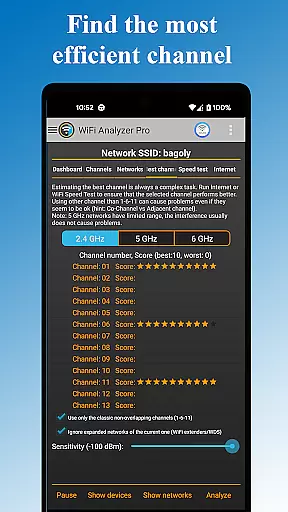
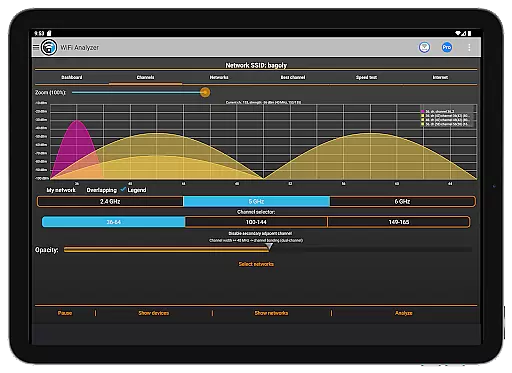
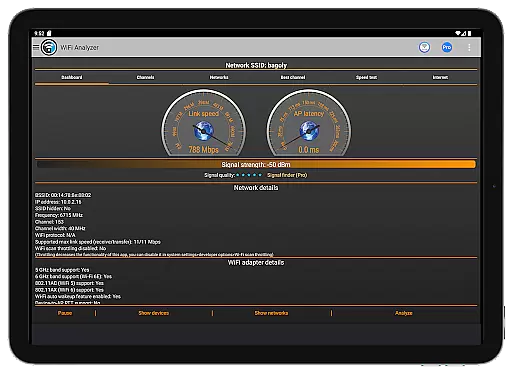
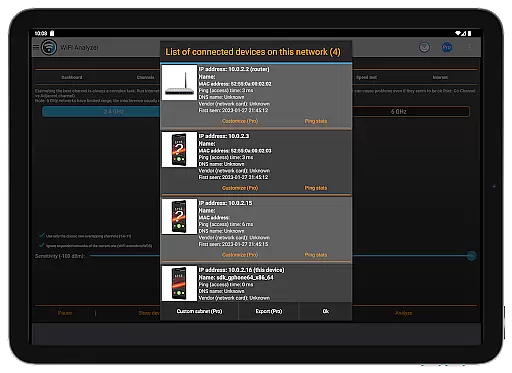
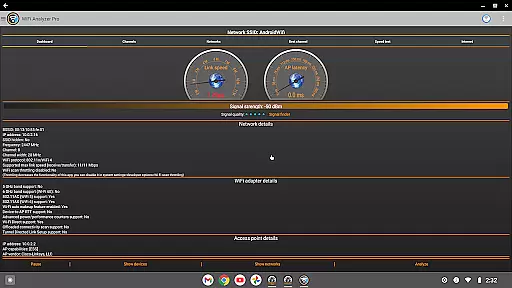
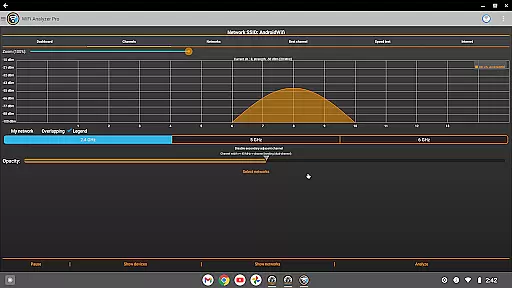
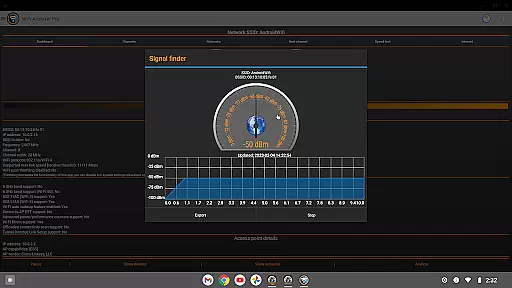
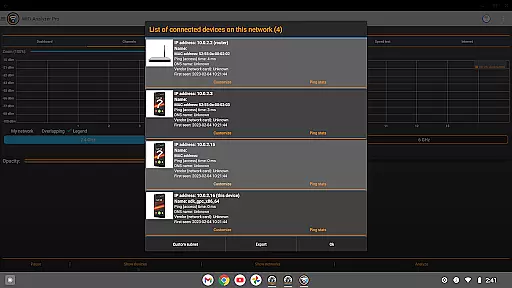
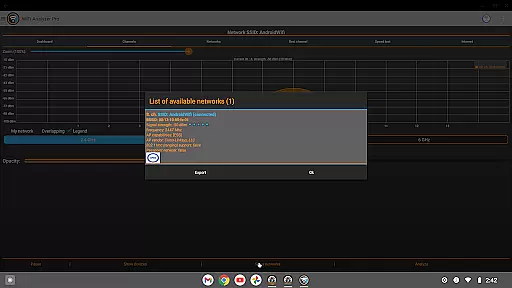
WiFi Analyzer Pro is a powerful network optimization tool designed to help users maximize their WiFi performance. The app provides detailed insights into your wireless network, including connected devices, signal strength, and channel analysis.
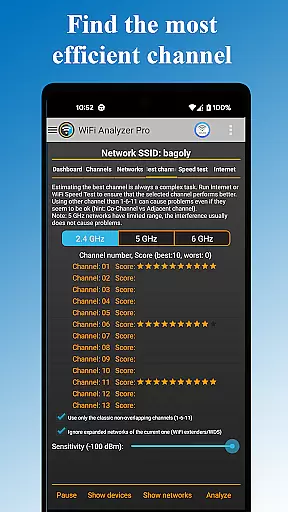
One of the standout features is its ability to recommend the best router placement and channel configuration for optimal speed and stability. It supports both 2.4GHz and 5GHz bands, making it suitable for various network setups. Whether you're troubleshooting connectivity issues or setting up a new network, this tool offers professional-grade analytics without requiring technical expertise.
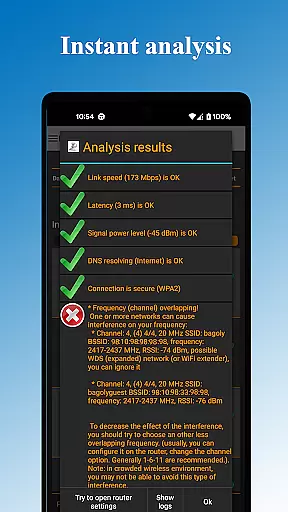
The app's intuitive interface allows even beginners to understand complex network metrics like latency, DNS functionality, and security levels. With advanced options such as exporting results and opening router settings directly from the app, WiFi Analyzer Pro delivers exceptional value for both home users and network administrators.
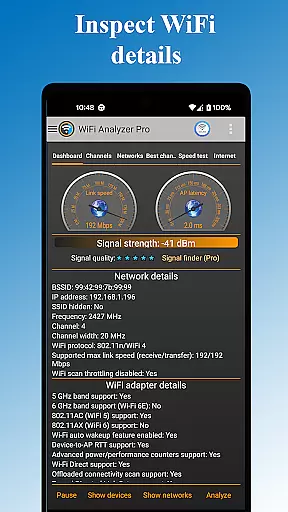
WiFi Analyzer Pro stands out with its comprehensive feature set tailored for network optimization. The app scans all nearby WiFi networks and provides detailed information about each, including signal strength, channel usage, and security protocols (WEP, WPA, WPA2).
Among its most valuable capabilities is the detection of crowded channels and recommendation of optimal configurations. Users can view network details such as vendor information, frequency, channel width, and DHCP settings. The app also includes practical tools like ping testing, device scanning, and log exporting for sharing with internet service providers.
Additional highlights include customizable themes (dark/light mode), multiple chart views for easy analysis, and support for advanced filtering by SSID, band, or overlapping channels. These features make WiFi Analyzer Pro an indispensable tool for anyone looking to improve their wireless network performance.
WiFi Analyzer Pro is designed to provide users with accurate and actionable insights into their WiFi networks. The app's core functionality revolves around network analysis, device detection, and performance optimization. By offering detailed information about connected devices, signal strength, latency, and channel congestion, it ensures that users can make informed decisions to enhance their network quality.
The app goes beyond basic network scanning by providing advanced features such as customized device tagging, logging capabilities, and exporting options. These tools allow both novice and expert users to monitor their network environment effectively. Additionally, the recommendation engine for optimal channel selection demonstrates the app's commitment to delivering precise and effective solutions tailored to individual network conditions.
For users, this level of accuracy translates into tangible benefits. Whether troubleshooting connectivity issues or optimizing router placement, WiFi Analyzer Pro empowers users to achieve faster speeds and more reliable connections. Its ability to identify overlapping channels and potential security vulnerabilities further enhances its value as a comprehensive network management tool.
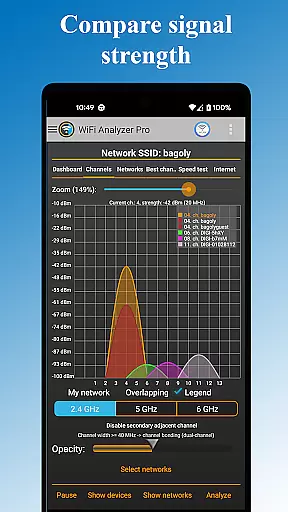
A standout feature of WiFi Analyzer Pro is its intuitive interface, which caters to users of all technical backgrounds. Despite offering a wide array of advanced tools, the app maintains an accessible design that simplifies complex tasks like network monitoring and device detection. Clear visualizations, such as charts displaying signal strength and channel usage, make it easy for users to interpret data without requiring extensive technical knowledge.
The app also includes thoughtful touches, such as dark and light theme options, customizable filters, and straightforward navigation menus. These elements contribute to a seamless user experience, ensuring that even beginners can utilize the app's full range of features without feeling overwhelmed. Furthermore, the inclusion of beginner-friendly explanations helps demystify technical terms like RSSI and link speed.
By combining powerful functionality with an approachable interface, WiFi Analyzer Pro strikes an ideal balance between sophistication and usability. This design philosophy not only enhances user satisfaction but also encourages regular engagement with the app, making it an indispensable tool for anyone looking to optimize their WiFi setup.
User-friendly interface
Comprehensive network details
No ads in Pro version
Supports 2.4/5GHz bands
Export and share results
Location service required
Premium version costs
Advanced features may overwhelm
Limited offline functionality
Occasional scanning delays

Transfer Files, APK from Phone to Watch & Install.
 4.5
4.5
Connect instantly to a fast, encrypted VPN with one tap
4.60
card-reader app
2.20
Create your own live wallpaper or check out thousands already made presets
3.90
PC precision for mobile gaming: dominate with keyboard and mouse!
4.30
Undelete and recover your lost or deleted files with DiskDigger!
3.40
Game Booster, GFX Tool is now compatible with newer game update
4.50
Creation, Learning, Entertainment & More — The All-in-One AI Search Engine
4.70
Clean up large files and similar photos, fast and easy to use
4.40
Easily install aab(Android App Bundle) files on your Android device with our app
4.80
WiFi Signal Strength Meter help you detect WiFi Signal Strength in real time.
4.80
ADB support Android 4.X-Android 13(Support wireless pair mode).No root required!
4.70
The Ultimate Flex Drivers Utility App - Convenient Tapping & Block Filters
4.70 4.50
4.50
An easy-to-use calculator designed to save time calculating and bending conduit
4.30
pdf merge, word to pdf, jpg to pdf, edit pdf, convert to pdf and much more!
4.20
Quickly & easily calculate the spacing of handrail balusters
4.20
Screen Mirroring with sound for Samsung TV, LG TV, Sony TV, Smart TV and Browser
4.20
1-Click close all background apps on Android TV
3.90


User Reviews