
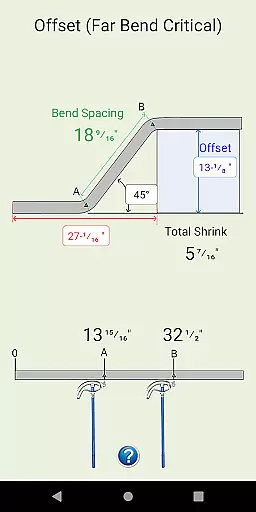
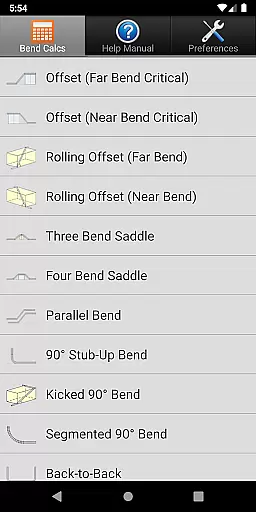
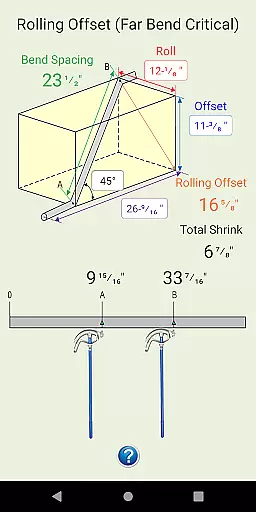
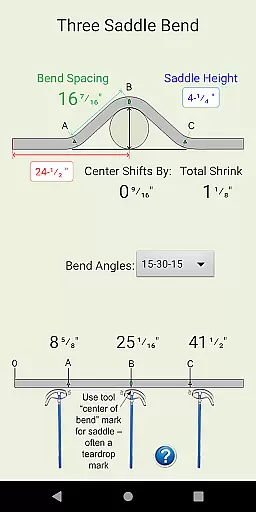
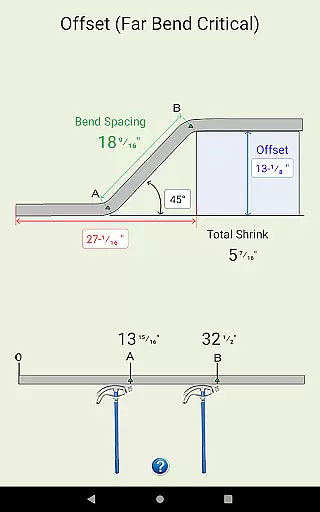
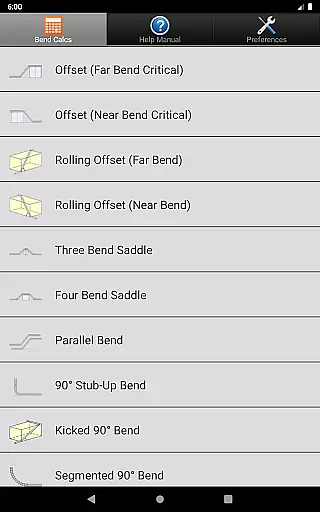
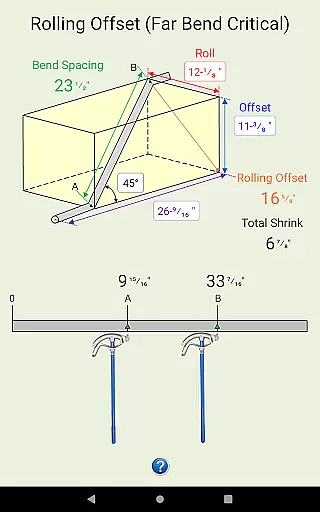
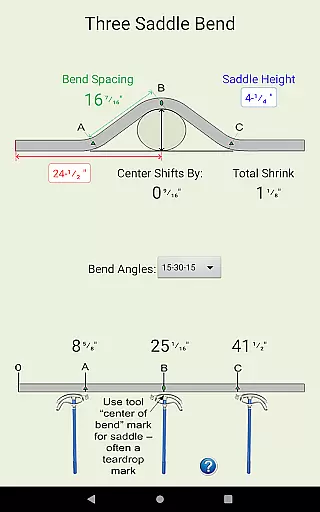
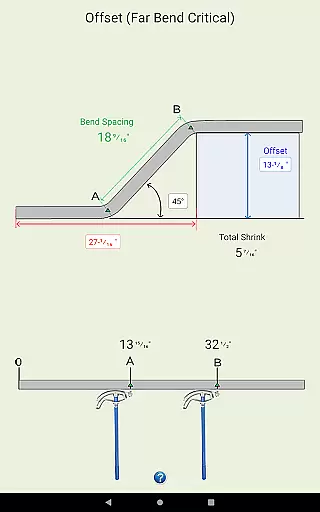
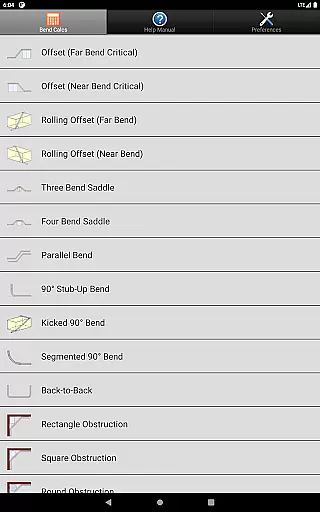
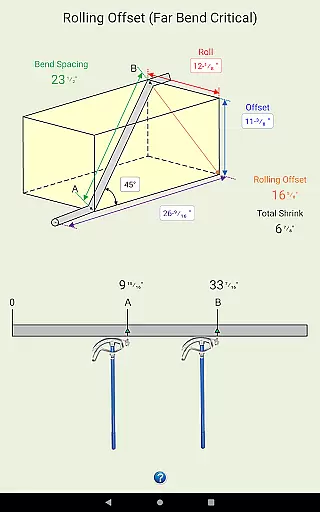
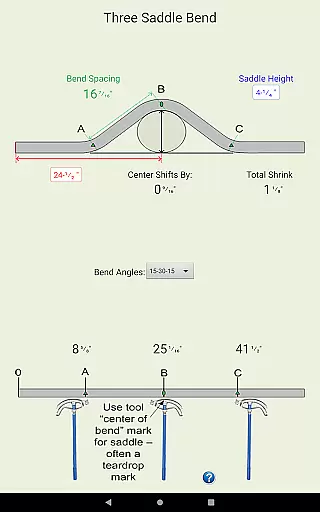
Conduit Bender Elite is a specialized calculator app designed to assist electricians in efficiently calculating, marking, and bending conduit. The app supports various bend types including Offset, Rolling Offset, Three Bend Saddle, Four Bend Saddle, and more, making it an essential tool for professional electricians. With its intuitive interface and comprehensive help features, the app simplifies complex calculations and allows users to focus on their installations with precision.
The app stands out through its detailed diagrams and step-by-step guidance for each type of bend, ensuring accuracy and efficiency in every project. Users can customize preferences for calculations in either inches or centimeters, and set deduct values for 90° bends across different conduit sizes. This flexibility makes Conduit Bender Elite adaptable to both metric and imperial measurement systems, catering to a global user base.
Whether you're working on simple stub-up bends or complex segmented 90° bends, Conduit Bender Elite streamlines the process, saving time and reducing errors. Its compatibility with a wide range of Android devices ensures that electricians can rely on this tool in diverse work environments, providing consistent performance and support.
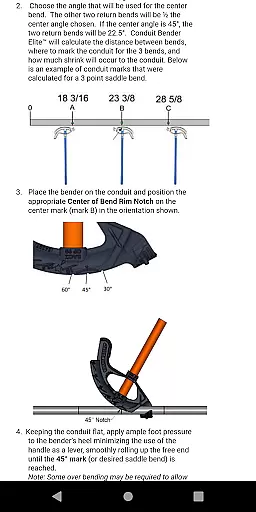
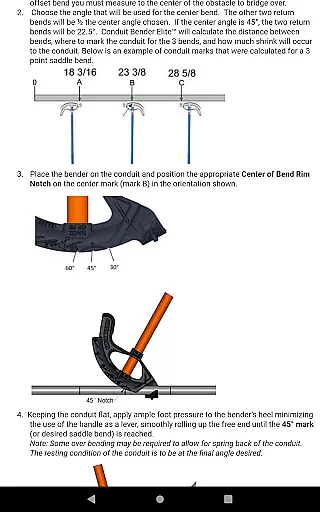
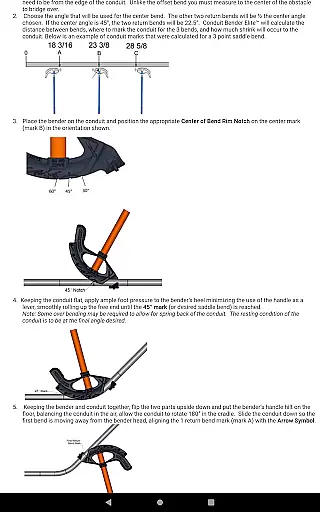
Conduit Bender Elite offers a rich set of features tailored specifically for electricians. One of its standout capabilities is the support for multiple bend types such as Offset, Rolling Offset, Three Bend Saddle, and Four Bend Saddle. Each bend type comes with detailed diagrams and step-by-step instructions, ensuring that even complex bends are executed accurately. This level of detail helps electricians avoid costly mistakes and achieve professional results.
The app provides customizable preference settings, allowing users to perform calculations using either inches or centimeters. Additionally, users can set specific deduct values for 90° bends, ranging from ½” to 4” conduit sizes (or 16-103mm). This customization ensures that the app can be tailored to individual workflow requirements, enhancing productivity and precision. The inclusion of both metric and imperial units broadens its usability across different regions and industries.
Another notable feature is the app's commitment to user satisfaction and device compatibility. The developers actively encourage feedback and offer responsive technical support to address any issues. They also continuously work on optimizing the app’s layout and display for all Android devices, ensuring a seamless user experience. These efforts highlight the app's dedication to quality and customer-centric improvements.
Conduit Bender Elite stands out as a specialized tool for electricians, focusing on the accuracy and effectiveness of its core functions. The app provides precise calculations for various types of conduit bends, ensuring that users can rely on it for their professional installations.
The application supports a wide range of bend types including offsets, rolling offsets, three and four bend saddles, and more. Each calculation is backed by detailed diagrams and step-by-step guidance, which simplifies complex mathematical operations into actionable steps for bending conduit.
Users benefit from customizable preferences allowing calculations in either inches or centimeters. This flexibility ensures that the app caters to different regional standards and personal preferences, enhancing its global usability. Additionally, specific settings for deducting 90u00b0 bends can be adjusted for conduits ranging from u00bdu201d to 4u201d, accommodating diverse project requirements.
By streamlining the math involved in conduit bending, Conduit Bender Elite enables electricians to concentrate on the physical installation process, thus improving overall productivity and precision on the job site.
A key feature of Conduit Bender Elite is its commitment to interface simplicity and intuitiveness, making it accessible even to those who may not be tech-savvy. The design prioritizes ease of use without compromising functionality, ensuring that all features are easily navigable.
The app's layout is straightforward, presenting users with clear options for selecting the type of bend they need to calculate. Each selection is accompanied by visual aids and concise instructions, reducing the learning curve associated with mastering new software tools.
Furthermore, preference settings are intuitively integrated into the main interface, allowing users to switch between metric and imperial units effortlessly. This seamless integration of essential settings enhances user experience by minimizing the steps required to customize the app to individual needs.
Overall, Conduit Bender Eliteu2019s intuitive design empowers electricians to utilize its full potential quickly, leading to increased efficiency and fewer errors during installations. By removing unnecessary complexity, the app ensures that users can focus on their work rather than struggling with complicated controls.
User-friendly interface
Comprehensive bend types
Customizable preferences
Detailed diagrams
Responsive technical support
Limited to Android
No offline mode
Occasional layout issues
Requires email for support
No iOS version

Change your GPS location instantly. Simulate routes anywhere in the world.
 4.90
4.90
Universal TV remote control all TVs, Roku, LG, Samsung, Fire, Vizio, Sony, TCL.
4.40
A non-root local ADB shell client. READ BELOW!
3.40
Mirror your screen to Chromecast and Android TV - Super fast and simple
4.60
Undelete and recover your lost or deleted files with DiskDigger!
3.40
WiFi Signal Strength Meter help you detect WiFi Signal Strength in real time.
4.80
Screen Mirroring for Roku Sticks, Roku TCL TV and Roku Hisense TV
4.50
Download any file easily and quickly with Downloader
4.4
fast and easy mp3 music downloader
4.80
Fast Video Downloader, Movie Downloader, Torrent Downloader & Adblock Browser
4.70
Creation, Learning, Entertainment & More — The All-in-One AI Search Engine
4.70
eXtended Permission Manager - a small app to manage permissions and AppOps
4.50
With videos, electrical calculators, and built-in ebook, Ugly’s has your answer.
4.50
Use your phone as a webcam on your computer over WiFi or USB.
4.40
Pro Emulator is an easy to use game console emulator for a range of consoles.
4.40
Carry a FTP server in your pocket and avoid USB cables for file transfer
4.20
Effortlessly run ADB commands directly on your device without a PC.
4.20
Screen Mirroring with sound for Samsung TV, LG TV, Sony TV, Smart TV and Browser
4.20
A convenient photo, video, and file recovery tool.
4.00


User Reviews