
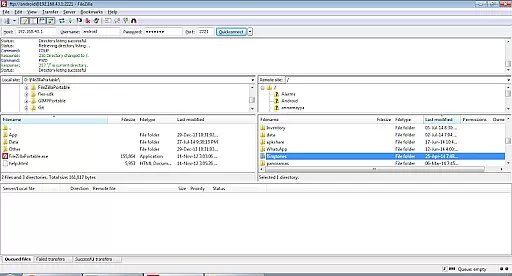
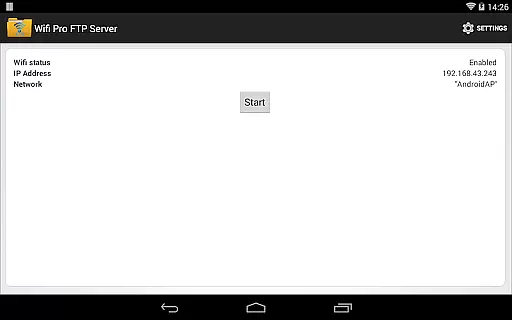
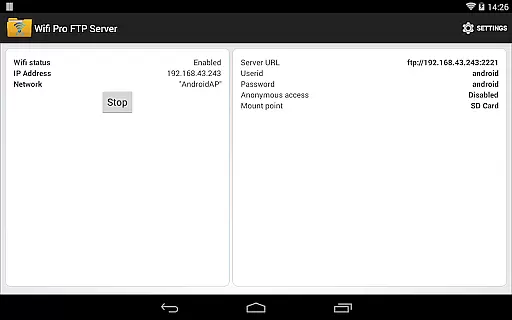
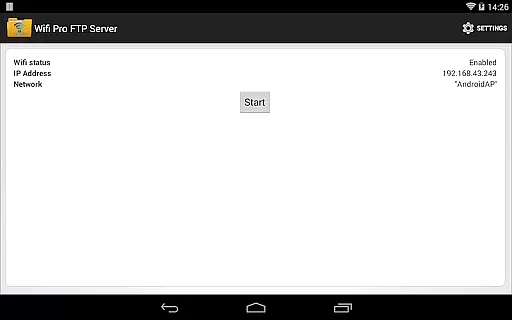
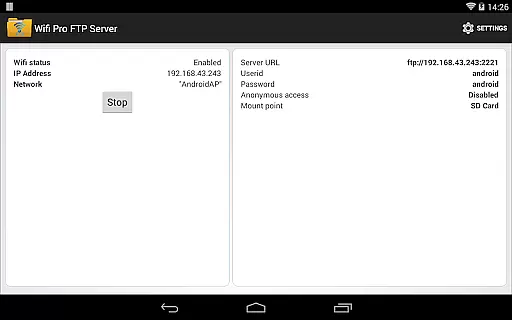
WiFi Pro FTP Server is a powerful tool that transforms your Android device into a fully functional FTP server. This allows users to easily transfer files, including photos, movies, and songs, between their Android device and any FTP client like FileZilla. The app supports advanced features such as FTP over TLS/SSL (FTPS) and offers configurable settings for port number, home folder, username, and password.
The application works seamlessly over Wi-Fi and Wi-Fi tethering mode (hotspot mode), eliminating the need for USB cables. It provides secure file transfer options with disabled anonymous access by default. Users can also try the free ad-supported version before opting for the pro version. Whether you're looking to back up files or manage media content, WiFi Pro FTP Server delivers a reliable solution for wireless file management.
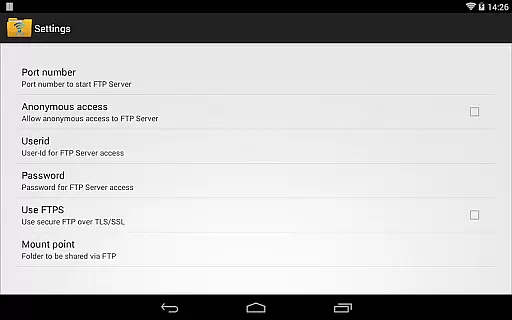
WiFi Pro FTP Server stands out with its comprehensive feature set tailored for efficient file management. The app allows complete configuration of the FTP server, including setting custom port numbers above 1024, which is crucial for non-rooted devices. With support for FTPS, users can ensure secure data transfers using encryption protocols.
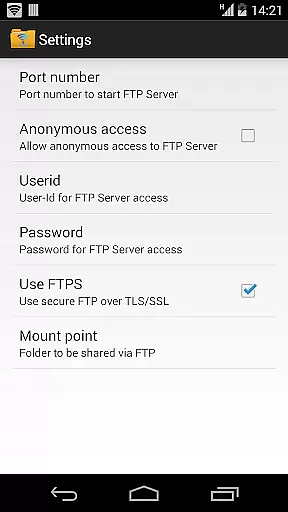
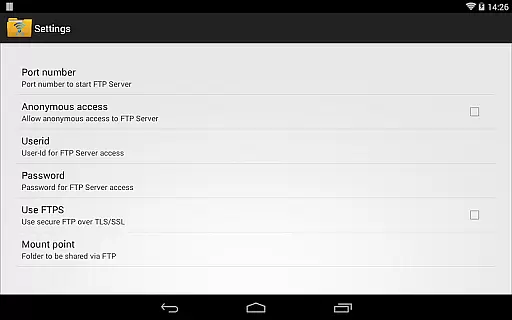
Additional functionalities include the ability to customize the home folder (mount point), user credentials, and enabling/disabling anonymous access through the settings screen. The default port is set to 2221 but can be adjusted according to user preference. These features collectively provide a flexible and secure environment for managing files directly from an Android device without the hassle of physical connections.
WiFi Pro FTP Server transforms your Android device into a fully functional FTP server, enabling seamless file transfers between your device and other systems. The core functionality of this app lies in its ability to host an FTP server with precision and reliability.
The app allows users to configure essential settings such as port numbers, home folders, and user credentials, ensuring that the FTP server operates exactly as needed. With support for advanced protocols like FTP over TLS/SSL (FTPS), it guarantees secure and efficient data exchanges, making it suitable for both personal and professional use.
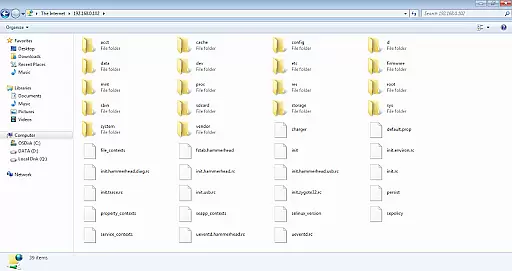
By avoiding cumbersome USB cables and supporting WiFi tethering mode, the app enhances convenience and accessibility. Users can transfer files, photos, movies, and songs effortlessly using popular FTP clients like FileZilla or even Windows File Explorer.
This level of accuracy and effectiveness in implementing FTP functionalities ensures that users can manage their digital content efficiently without compromising on security or performance.
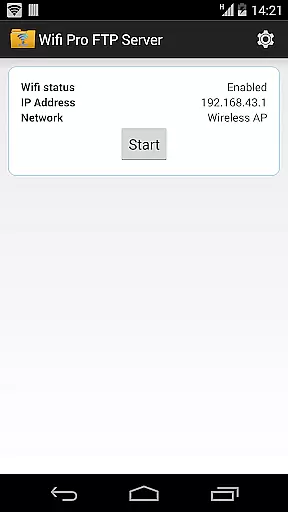
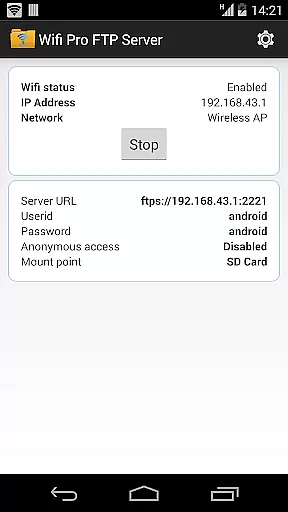
A key aspect of WiFi Pro FTP Server is its interface simplicity and intuitiveness, which makes setting up and managing an FTP server straightforward even for less tech-savvy users. The app provides clear options for configuring the FTP server, including setting the port number, defining the home folder, and managing user access credentials.
Despite offering advanced features such as FTPS support, the app maintains an easy-to-navigate interface. Users can enable or disable anonymous access, adjust security settings, and modify other parameters from a centralized settings screen without any hassle.
The logical arrangement of features ensures that users can quickly understand and utilize the app's capabilities. For instance, default configurations are sensibly chosen, such as a default port number greater than 1024, which aligns with standard security practices for non-rooted devices.
Overall, the intuitive design and simplified operational flow empower users to focus on their primary tasku2014efficient file managementu2014without getting bogged down by complex configurations or steep learning curves.
User-friendly interface
Secure FTPS support
Customizable server settings
Works on Wi-Fi and hotspot
Free version available
No SFTP support yet
Default security may limit access
Limited port options below 1024
Requires FTP client
Ads in free version

 4.50
4.50
Safely recover deleted photos, videos, and files with a single easy tap.
3.70
Universal TV remote control all TVs, Roku, LG, Samsung, Fire, Vizio, Sony, TCL.
4.40
Create your own live wallpaper or check out thousands already made presets
3.90
MS-DOS in your pocket. Play old DOS games anywhere you are ;)
4.10
Making emulation easy for everyone!
4.30
Screen Mirroring for Roku Sticks, Roku TCL TV and Roku Hisense TV
4.50
Mobile Security with Scam Protection | Malware & Virus Cleaner | Safe Browser
4.70
Screen recorder with audio to record high-quality videos and take screenshots.
4.40
Change your GPS location instantly. Simulate routes anywhere in the world.
4.90
Enjoy smooth gameplay with Game Booster
4.90
Excellent scientific calculator with symbolic algebra, integrals, derivatives
4.80
The one-and-only remote control for PC, Mac, and Linux
4.70
Use your phone as a webcam on your computer over WiFi or USB.
4.40
Mirror your screen to Fire TV - Super fast and simple
4.40
Automate everything from settings to photos, SMS to speech. ADC2 prize winner.
4.10
Detect hidden spy camera with advanced scanning {{ Premium version }}
4.00
Fun lie-detection pranks for friends and parties.
3.80
Unlock your Essential Key. Create custom shortcuts to your favorite apps!
4.0


User Reviews