
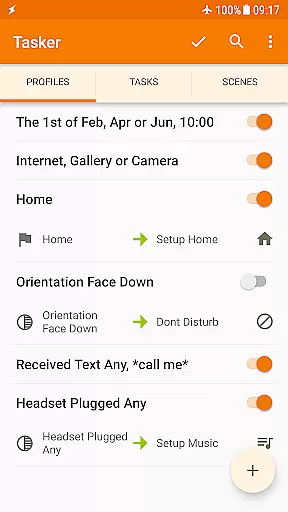
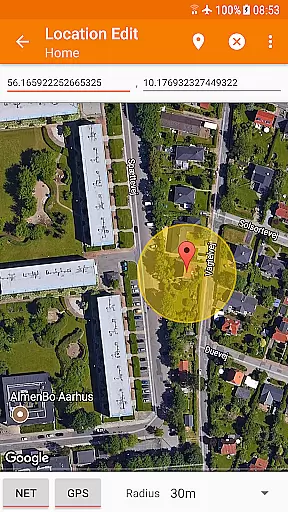
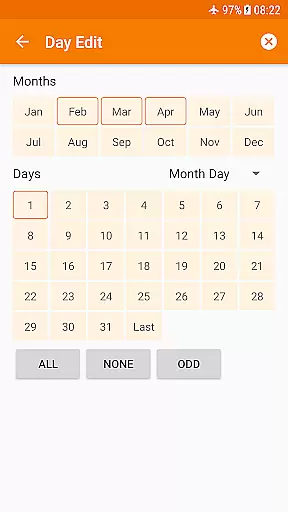
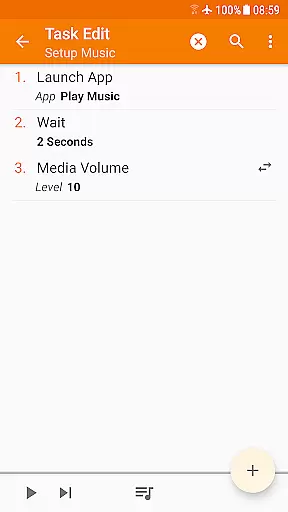
Tasker is a powerful automation tool for Android devices, enabling users to automate repetitive tasks and customize their phone's behavior based on various contexts. With over 130 triggers including location, time of day, and received messages, Tasker allows you to create complex automations that adapt to your daily routine.
The app offers more than 350 actions, ranging from sending SMS to changing system settings like Wi-Fi Tether and Dark Mode. It supports advanced features such as automatic file backups, APK installations, and even remote task triggering through Join integration. Its flexibility extends to UI design with Scenes and third-party app integrations, making it an indispensable tool for power users.
Tasker is ideal for tech-savvy individuals who want to maximize their device's potential without needing root access. Whether you're looking to automate simple tasks or create complex workflows, Tasker provides the tools necessary to transform your Android experience while maintaining complete control over your device's functionality.
Tasker stands out with its extensive range of automation capabilities. The app can trigger actions based on multiple contexts such as location, time, and events like received calls or SMS. These triggers can be combined in any way imaginable, allowing users to create highly personalized automations that suit their specific needs.
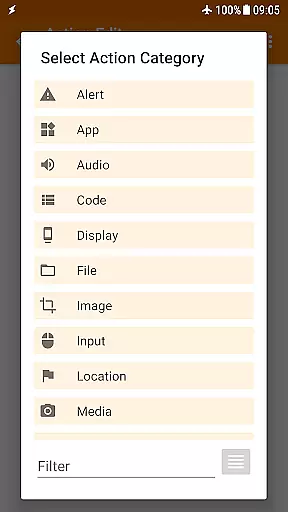
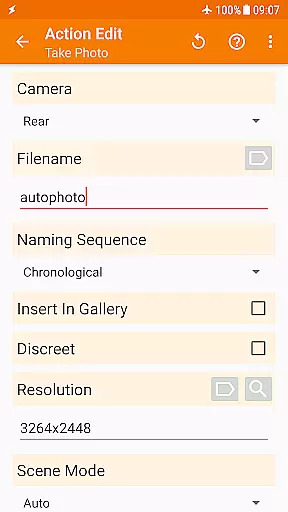
With over 350 built-in actions, Tasker enables deep customization of Android devices. Users can manipulate system settings, control music playback, manage files, and even integrate with third-party apps through plugins. Advanced features include creating custom UI elements with Scenes, building standalone apps with Tasker App Factory, and interacting with web APIs using HTTP requests.
What makes Tasker truly unique is its developer-friendly approach. The platform supports various external integrations, including Join for remote task execution and numerous third-party plugins. This flexibility, combined with its powerful automation engine, positions Tasker as the ultimate tool for both casual users seeking convenience and developers looking to expand Android's functionality.
Tasker excels in delivering precise and effective core functionalities that automate a wide range of tasks on Android devices. The app supports over 350 actions, enabling users to customize their experience by automating settings, sending SMS, controlling music playback, and more.
The flexibility of Tasker allows users to combine various contexts and triggers such as time of day, location, or received messages to execute specific tasks automatically. This powerful combination ensures that the automation is not only accurate but also highly personalized to fit individual needs.
With its extensive compatibility, Tasker integrates seamlessly with third-party apps and services, enhancing its core function accuracy. Users can perform actions in other apps, listen to events, and even call web APIs through HTTP requests, making it an indispensable tool for both casual users and developers.
By leveraging these capabilities, Tasker significantly boosts productivity and convenience, allowing users to focus on more important activities while their device handles repetitive tasks efficiently.
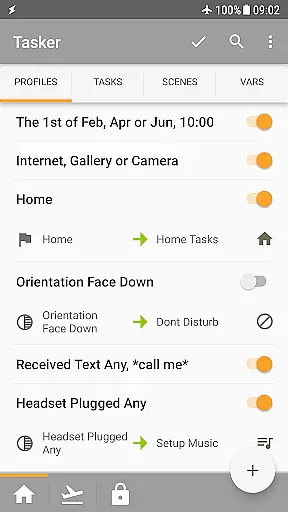
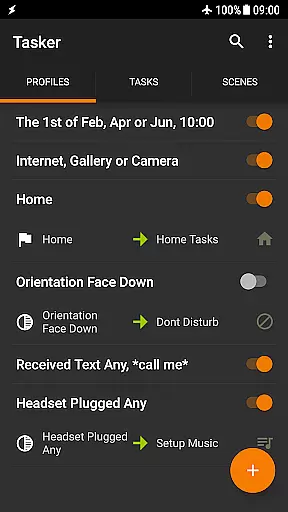
Despite its vast array of features, Tasker maintains an intuitive and user-friendly interface that simplifies complex automation tasks. New users can easily navigate through the app's structured layout, which categorizes functionalities into clear sections like Automations, Actions, and Scenes.
Tasker provides numerous examples and starter guides to help users understand how to create and manage tasks effectively. These resources ensure that even those new to automation can quickly grasp the concepts and start building their own custom solutions without a steep learning curve.
The app also supports manual triggers via shortcuts, widgets, and hardware buttons, offering multiple intuitive ways to activate tasks. This versatility enhances the overall user experience by providing straightforward methods to interact with the app.
Additionally, Tasker's scene design feature allows users to craft personalized UIs that display relevant information and trigger tasks, further contributing to the app's simplicity and ease of use. By focusing on clarity and accessibility, Tasker ensures that users can harness its full potential without feeling overwhelmed.
Highly customizable
Extensive automation options
No root required
Versatile trigger combinations
Developer friendly
Steep learning curve
Complex interface
Paid app
Limited free trial
Requires technical knowledge

 4.50
4.50 4.50
4.50
1-Click close all background apps on Android TV
3.90
Remote for Roku, Fire TV, Samsung TV, LG TV, Android TV, Chromecast and VIZIO TV
4.20
Support Fossify apps with a warm thank you!
5.00
The ultimate tool for network analysis, wifi scanning and problem detection.
4.90
Screen Mirroring with sound for Samsung TV, LG TV, Sony TV, Smart TV and Browser
4.20
Remote Play with FSR upscaling, low latency & full controller support
4.80
Your personal health butler
3.60
Connect wirelessly to your computer to watch movies, browse the web, play games
5.00
Optimize your WiFi network, turn your phone into Wifi Analyzer
4.70
HD Video player and downloader for all formats, fast & smooth 4K video playback.
4.60
Universal TV remote control all TVs, Roku, LG, Samsung, Fire, Vizio, Sony, TCL.
4.40
Mirror your screen to Fire TV - Super fast and simple
4.40
VESC Tool can monitor and configure VESC-compatible devices over BLE and Wifi
4.20
Signal Strength, Mobile, Wifi, Speed Test, Bad Signals, Cellular, 5G, LTE, 4G
4.20 4.10
4.10
Introducing Smart Printer, your ultimate destination for printing solutions!
4.00
A powerful, easy-to-use flight computer on your phone or tablet!
3.80


User Reviews