
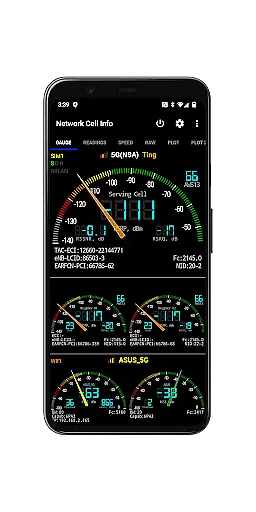
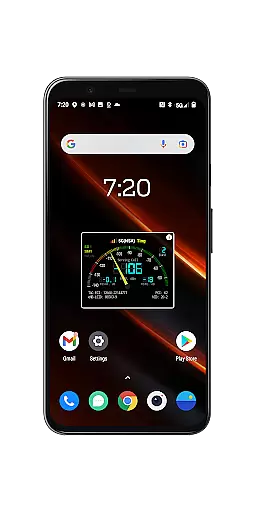
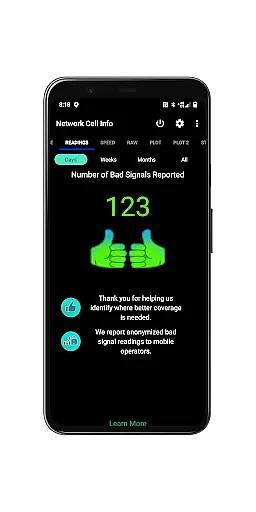
Network Cell Info & Wifi is a comprehensive mobile network monitoring tool designed for users seeking to optimize their connectivity experience. The app provides detailed insights into cellular and Wi-Fi signals, supporting technologies like 5G, LTE, CDMA, and GSM. With its Bad Signal Reporter feature, users can automatically report poor signal areas to mobile network operators, aiding in network improvements.
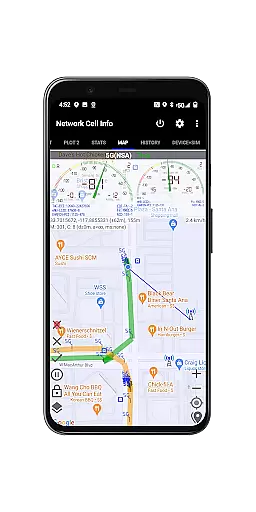
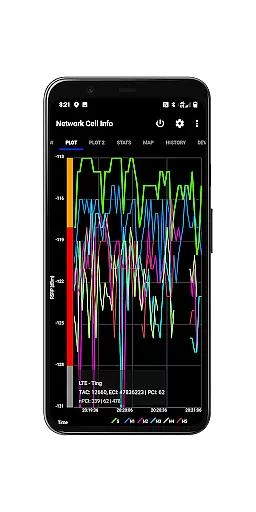
In addition to real-time signal monitoring, the app offers advanced diagnostic tools such as speed tests, dual-SIM support, and signal plots for up to six cells. Users can access historical logs, map layers showing signal strength, and crowdsourced data on the nearest best signals. These features make it an essential utility for anyone looking to troubleshoot reception issues and maximize their network performance.
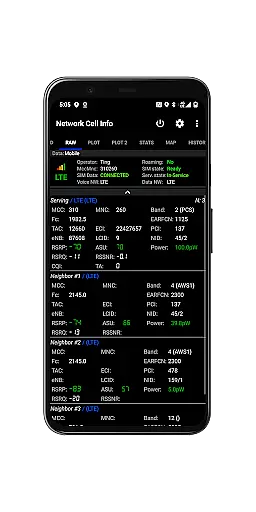
Network Cell Info & Wifi stands out with its extensive range of features tailored for network diagnostics and optimization. The app provides almost real-time monitoring of cellular and Wi-Fi signals through its Gauge and Raw tabs, ensuring users have up-to-date information on their connectivity status. It supports multiple network types including 5G, LTE+, and CDMA, making it versatile for various devices and carriers.
One of the app's key innovations is the Bad Signal Reporter, which collects data on poor signal areas and shares it with mobile network operators. This crowdsourced approach helps improve overall network quality. Additionally, features like the Personal Best Signal Finder, speed tests, and detailed SIM/device information empower users to take control of their mobile experience. The inclusion of historical graphs and exportable databases further enhances its utility for both casual users and network professionals.
Network Cell Info is designed to provide precise and effective monitoring of mobile network signals, ensuring users receive accurate real-time data. The app supports a wide range of network types including 5G, LTE, CDMA, and GSM, delivering almost real-time updates every second.
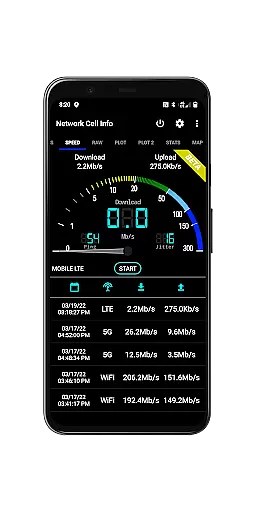
The application's one-tap speed test feature measures download, upload, ping, and jitter, offering comprehensive insights into internet performance. With dual-SIM support and up to six signal-meter gauges, it caters to various user needs while maintaining high standards of accuracy.
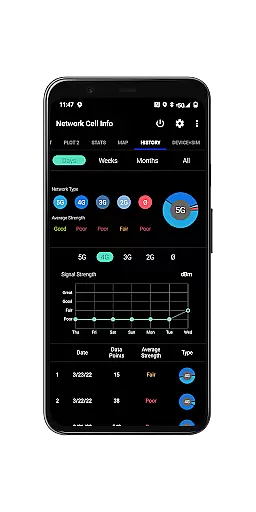
Users benefit from detailed signal plots, history logs, and readings that report the number of bad signals encountered. This functionality empowers users to troubleshoot connectivity issues effectively, enhancing their overall mobile experience by identifying the strongest available signals.
By providing access to band numbers, SIM preferences, and connection statistics, Network Cell Info ensures that users have all necessary information at their fingertips. This level of detail not only aids in immediate problem-solving but also contributes to long-term network optimization efforts.
Network Cell Info offers an intuitive interface that simplifies complex network data, making it accessible even for non-technical users. The app features clearly labeled tabs such as Gauge and Raw views, allowing users to switch between different data representations effortlessly.
A key aspect of its design is the signal-meter gauges for both SIM cards and WiFi, which present crucial information in an easily digestible format. The inclusion of maps with network cellular info further enhances usability by visually representing signal strength and cell locations.
The app's personal best signal finder and crowdsourced best signal finder layers add another dimension of user-friendliness. These features help users quickly identify optimal signal areas without requiring extensive technical knowledge or manual calculations.
With customizable measurement settings and straightforward database export options, Network Cell Info maintains a balance between advanced functionality and ease of use. This approach ensures that both casual users and network professionals can navigate and utilize the app's features efficiently.
Comprehensive network monitoring
Real-time signal tracking
Dual-SIM support
Bad Signal Reporter
Crowdsourced signal data
Complex for beginners
Requires constant updates
High battery usage
Limited CDMA support
Premium features locked

 4.10
4.10 4.50
4.50
Transfer Files, APK from Phone to Watch & Install.
4.0
Extremely fast, secure, and protects your privacy
4.80
VESC Tool can monitor and configure VESC-compatible devices over BLE and Wifi
4.20
PC precision for mobile gaming: dominate with keyboard and mouse!
4.30
With videos, electrical calculators, and built-in ebook, Ugly’s has your answer.
4.50
Screen Mirroring for Roku Sticks, Roku TCL TV and Roku Hisense TV
4.50
Your personal health butler
3.60
Change your GPS location instantly. Simulate routes anywhere in the world.
4.90
Navigate with Ease and Style
4.90
Easily install aab(Android App Bundle) files on your Android device with our app
4.80
Learn the vast amount of system information about device and monitor it's state
4.70
Creation, Learning, Entertainment & More — The All-in-One AI Search Engine
4.70
Keep track of your Palia friendships, tasks, and inventory with Palia Notebook
4.60
eXtended Permission Manager - a small app to manage permissions and AppOps
4.50
Effortlessly run ADB commands directly on your device without a PC.
4.20
Amateur Radio app for APRS: Track friends, exchange messages, get tactical info.
3.90
Create your own custom widget with endless possibilities
3.90


User Reviews