
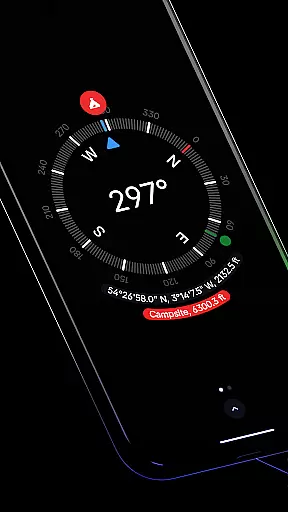
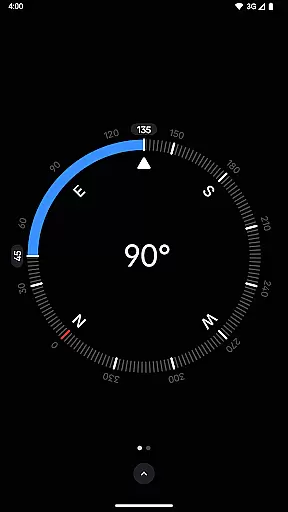
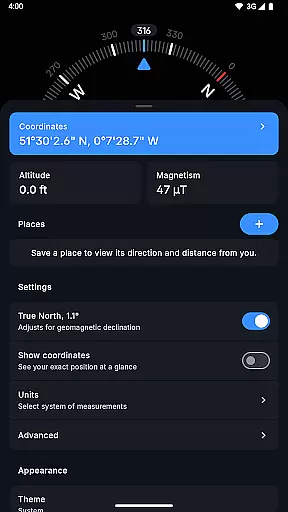
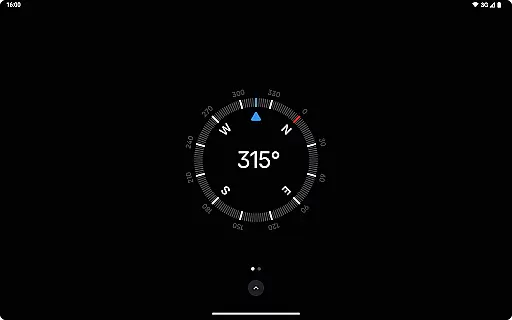
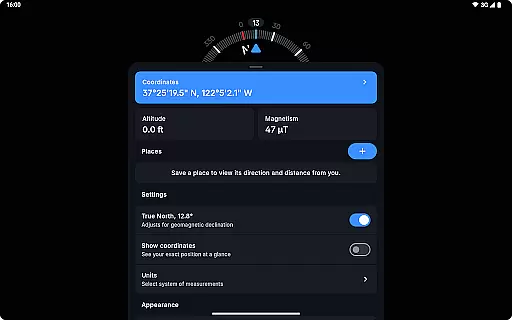
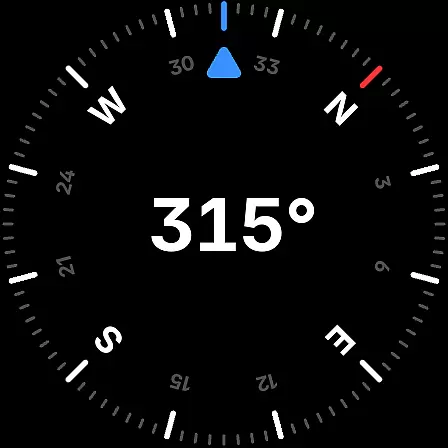
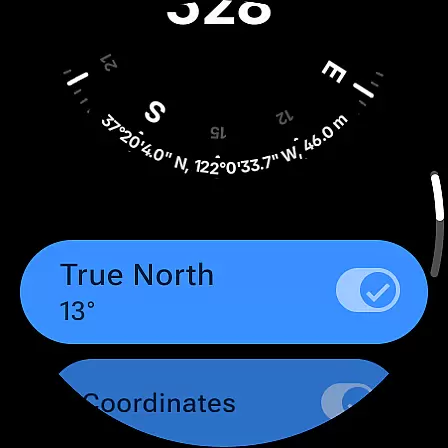
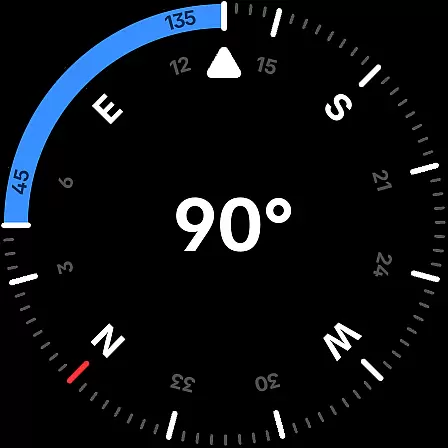
Compass is a sleek and minimalistic navigation app that combines simplicity with elegance, offering users precise direction and multiple practical features. Designed for both Android phones and select Wear OS smartwatches, it ensures flexibility and convenience in various settings. The app provides an intuitive dark-themed interface, accurate geomagnetic declination adjustments, and support for multiple coordinate formats like DMS, UTM, and MGRS.
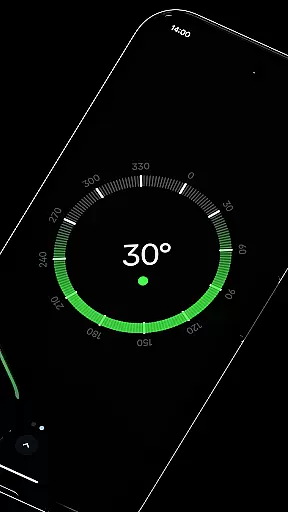
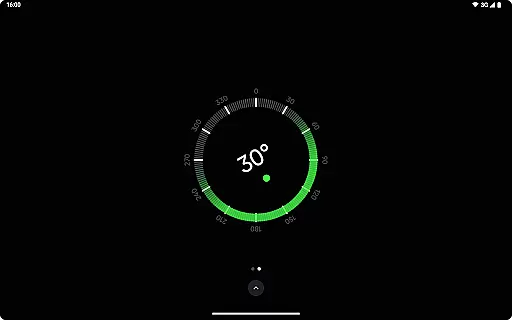
Beyond basic navigation, Compass includes advanced tools such as a bubble level, angle difference measurement, and rich haptic feedback. Users can personalize their experience by switching between dark and light themes, using dynamic colors, or applying a red screen filter for better night visibility. With no need for an internet connection, absence of ads, and strict privacy controls, this app is ideal for explorers, hikers, DIY enthusiasts, and professionals who prioritize functionality and privacy.
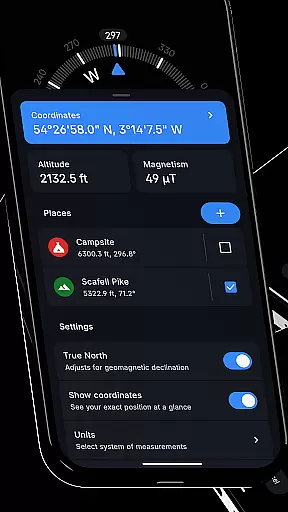
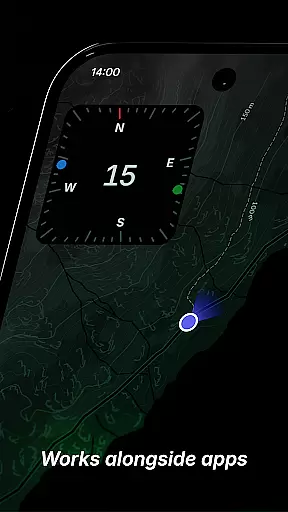
Compass stands out with its comprehensive set of features designed to enhance navigation and utility. It supports multiple coordinate formats including DMS, DDM, DD, UTM, MGRS, and OLC (Plus Codes), catering to diverse user preferences. The app allows saving places to track their direction and distance, while the unique docking feature keeps the compass visible on-screen even when using other apps.
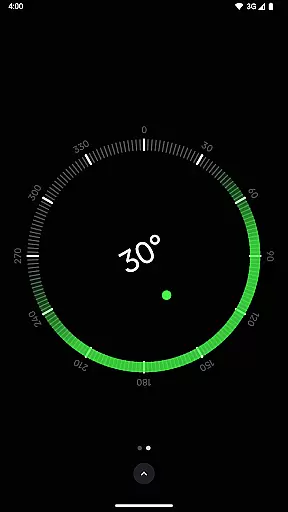
Additional functionalities include an integrated bubble level for checking surface alignment, angle difference measurement for precision tasks, and a high-contrast display mode for improved visibility. Users can customize units for angles, distances, and coordinates, switch between dark and light themes, and enable Android 12's dynamic colors. Advanced features like magnetic field magnitude display and anomaly detection ensure reliable readings. With offline functionality, no trackers, and ad-free navigation, Compass delivers a seamless and private user experience.
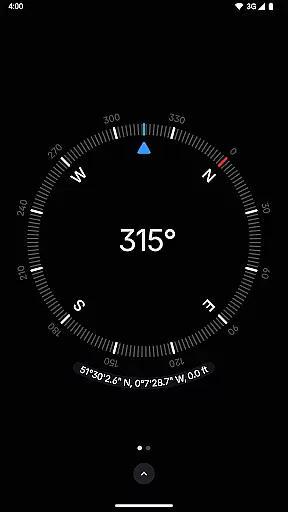
Compass stands out for its precision and reliability in delivering navigation data. The app provides users with exact location coordinates, including altitude, in multiple formats such as DMS, DDM, DD, UTM, MGRS, and OLC (Plus Codes). This versatility ensures that users can access geographic information in the format most useful to them, whether they are hikers, travelers, or professionals requiring specific data presentations.
The application's ability to adjust for geomagnetic declination enhances its accuracy by aligning with true north, offering more reliable navigation than apps that only point to magnetic north. Additionally, Compass includes a bubble level feature and an angle difference measurement tool, both of which add layers of functionality beyond basic direction finding.
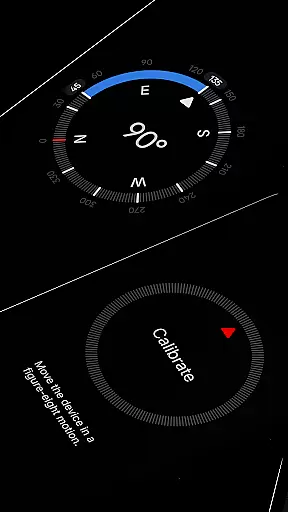
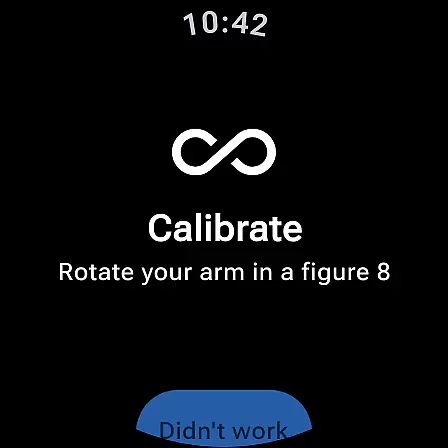
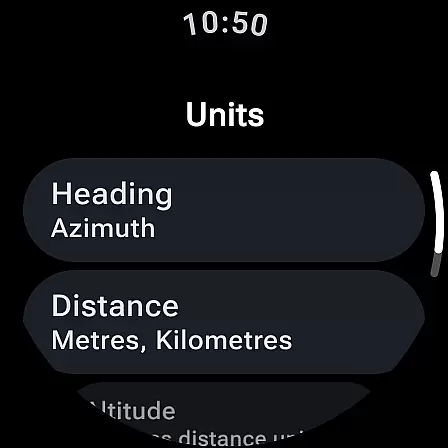
Users benefit from the app's comprehensive calibration guide, ensuring accurate readings every time they use it. With support for changing units to suit individual preferences, Compass caters to a wide audience with varying needs. Whether you prefer Azimuth or Quadrant Bearing for angles, or Metric, Imperial, or Nautical Miles for distance, this app adapts to your requirements.
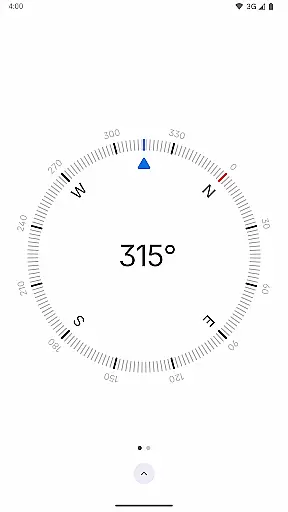
The interface of Compass is designed with simplicity and elegance in mind, featuring a modern dark-themed display that ensures ease of use and clarity. The minimalistic design avoids clutter, presenting users with an intuitive display that makes navigation effortless. Available on both Android phones and select Wear OS smartwatches, the app offers flexibility and convenience no matter where you are.
One of the key aspects of its user-friendly interface is the ability to dock the compass to the edge of the screen while using other apps. This feature allows for multitasking without losing sight of directional information. Furthermore, users can switch between dark and light themes to match their preference or lighting conditions, enhancing readability and comfort during use.
Personalization options extend to Android 12's dynamic colours feature, allowing the app's appearance to change based on the user's wallpaper. For nighttime use, a red screen filter option reduces light pollution, making it easier to see in low-light conditions. These thoughtful design elements contribute to an intuitive and adaptable user experience.
User-friendly interface
Highly customizable
Offline functionality
No ads or trackers
Advanced navigation tools
Limited Wear OS support
Red filter requires Android 10+
Calibration may be needed
Feature-heavy for casual users
Design not for everyone

pdf merge, word to pdf, jpg to pdf, edit pdf, convert to pdf and much more!
 4.20
4.20
Complete kernel toolbox with features to manage and tweak your rooted device
4.30
This app unlocks the Pro features of the Central for DayZ app
3.60
Universal TV remote control all TVs, Roku, LG, Samsung, Fire, Vizio, Sony, TCL.
4.40
Mirror your screen to Chromecast and Android TV - Super fast and simple
4.60
WiFi Signal Strength Meter help you detect WiFi Signal Strength in real time.
4.80
NFC Tools can read and write NFC tags.
4.70
Creation, Learning, Entertainment & More — The All-in-One AI Search Engine
4.70
Mobile Security with Scam Protection | Malware & Virus Cleaner | Safe Browser
4.70
Remote Play with FSR upscaling, low latency & full controller support
4.80
Connect instantly to a fast, encrypted VPN with one tap
4.60
Canon PRINT is a companion app for your Canon printer.
4.60 4.50
4.50
Use your phone as a webcam on your computer over WiFi or USB.
4.40
Mirror your screen to Fire TV - Super fast and simple
4.40
Fluid navigation gestures for all of us!
4.30
Making emulation easy for everyone!
4.30
Signal Strength, Mobile, Wifi, Speed Test, Bad Signals, Cellular, 5G, LTE, 4G
4.20
Detect hidden spy camera with advanced scanning {{ Premium version }}
4.00


User Reviews