
EmuReady Beta is a comprehensive emulation compatibility tool designed to help users discover the best gaming experience on their devices. This app provides detailed compatibility reports for various games, emulators, and devices, ensuring optimal performance without wasting time on trial and error.
The app features a robust game compatibility database, community-driven reports, device-specific information, and support for multiple emulators. Whether you are using a flagship phone or a budget tablet, EmuReady helps you find out which games run perfectly on your hardware. With smart filtering and performance tracking, users can quickly identify the best settings and enjoy an enhanced retro gaming experience.
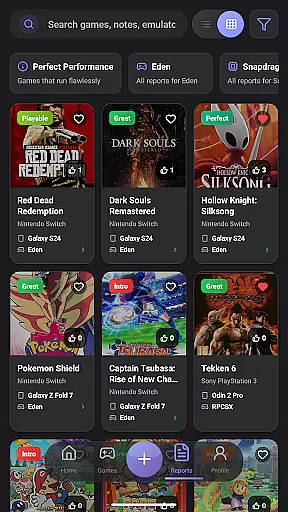
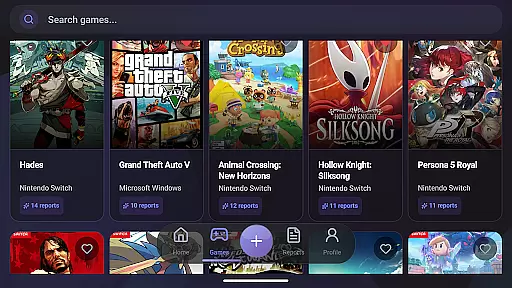
EmuReady Beta offers a wide array of features tailored to enhance the emulation experience. The app includes a comprehensive game compatibility database where users can browse thousands of games and instantly see how they perform on different devices and emulators. This feature allows users to search by game title, system, or explore an extensive catalog.
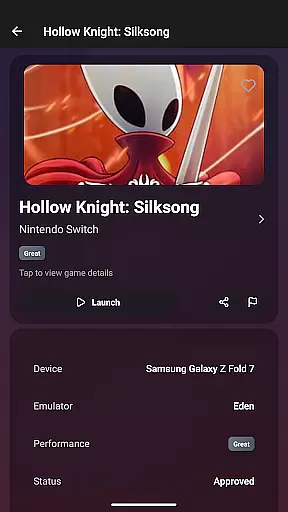
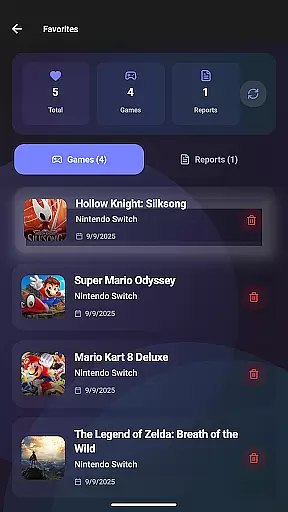
Another standout feature is the community reports section, where real users share their experiences through detailed compatibility reports. These reports include performance ratings, custom settings, and helpful notes from the community. Additionally, EmuReady supports multiple emulators for systems like Nintendo Switch and 3DS, allowing users to compare performance and choose the best emulator for each game.
EmuReady Beta focuses on providing accurate and effective core functions that cater to the needs of emulation enthusiasts. The app's Game Compatibility Database allows users to browse thousands of games and instantly see how they perform across different devices and emulators. This feature ensures that users can make informed decisions about which games are most likely to run smoothly on their specific hardware.
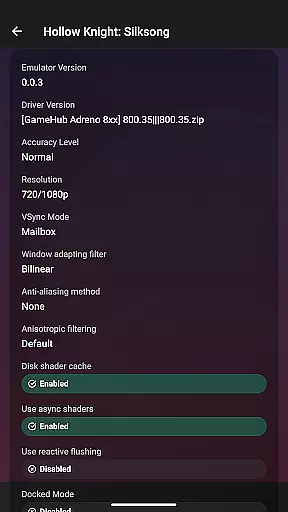
The app also offers Community Reports, where real users share detailed compatibility experiences. These reports include performance ratings, custom settings, and helpful notes from the community, ensuring that users have access to reliable data when configuring their emulation setups. By leveraging this collective knowledge, EmuReady helps eliminate the guesswork involved in selecting games that will provide an optimal experience.
Device-Specific Information is another key aspect of EmuReady's functionality. Users can find tailored reports for their exact device model, whether they are using a flagship phone or a budget tablet. This ensures that the recommendations provided by the app are relevant and applicable to each user's unique hardware configuration.
Ultimately, EmuReady Beta empowers users with the tools they need to optimize their emulation experience. By delivering precise compatibility information and performance metrics, the app enables users to spend less time troubleshooting and more time enjoying their favorite retro games.
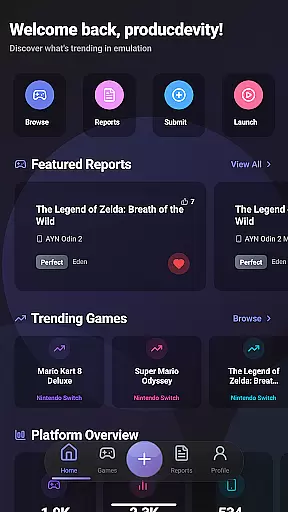
EmuReady Beta excels in offering an interface that is both simple and intuitive, making it accessible even to those who are new to the world of emulation. The app's design emphasizes ease of use, allowing users to quickly navigate through its extensive features without feeling overwhelmed. With clear categories and straightforward search options, finding the right game compatibility report is a seamless process.
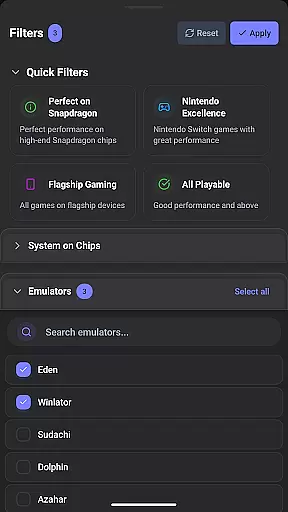
One of the standout features contributing to the app's intuitive nature is Smart Filtering. Users can filter reports by device, emulator, performance rating, and more, enabling them to quickly narrow down their search results to find exactly what they're looking for. This functionality streamlines the user experience, ensuring that valuable time is not wasted sifting through irrelevant information.
Additionally, EmuReady includes a Vote & Comment System that further enhances its user-friendly interface. This system allows users to upvote helpful reports and contribute their own experiences, fostering a collaborative environment where users can easily share insights and advice. Such interactions not only enrich the community but also simplify the process of discovering reliable emulation settings.
Finally, EmuReady offers a comfortable viewing experience with its Dark Mode feature, which automatically switches themes for day or night use. This thoughtful addition underscores the app's commitment to providing an interface that is as pleasant to use as it is functional, ensuring that users can engage with the app for extended periods without discomfort.
User-friendly interface
Comprehensive game database
Community-driven reports
Device-specific information
Multiple emulator support
Beta version limitations
Occasional stability issues
Limited emulator options
Dependent on user reports
No built-in emulator

 4.50
4.50
Just swipe the edge to do something!
4.40
Detect hidden spy camera with advanced scanning {{ Premium version }}
4.00
View detailed information about your Nissan Leaf the dealer never shows you.
4.10
Mirror your screen to Chromecast and Android TV - Super fast and simple
4.60
Connect wirelessly to your computer to watch movies, browse the web, play games
5.00
NFC Tools can read and write NFC tags.
4.70
Pro Emulator is an easy to use game console emulator for a range of consoles.
4.40
Protect your device with antivirus, storage cleanup, and system monitoring
4.70
Extremely fast, secure, and protects your privacy
4.80
The one-and-only remote control for PC, Mac, and Linux
4.70
The Ultimate Flex Drivers Utility App - Convenient Tapping & Block Filters
4.70
FV File Manager Pro, Fast and powerful file manager for Android
4.60
Canon PRINT is a companion app for your Canon printer.
4.60 4.50
4.50
With videos, electrical calculators, and built-in ebook, Ugly’s has your answer.
4.50
Universal TV remote control all TVs, Roku, LG, Samsung, Fire, Vizio, Sony, TCL.
4.40
An easy-to-use calculator designed to save time calculating and bending conduit
4.30
Effortlessly run ADB commands directly on your device without a PC.
4.20


User Reviews