
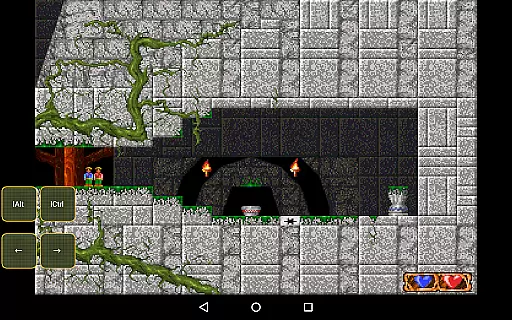
Magic DosBox is a highly optimized and fast DOSBox port for Android, designed to bring your favorite DOS and Windows games to your mobile device. With full support for mouse, keyboard, sound, and gamepads, this emulator allows you to play classic games anywhere without the need for external hardware. The app focuses on touch-device optimization, featuring a unique control system that makes gaming on the go seamless and enjoyable.
One of the standout features of Magic DosBox is its game collection system, where every game profile can be extensively customized. You can create desktop shortcuts for quick access, export or import profiles complete with designed layouts, and share these with friends. Additionally, the multi-language support and various on-screen widgets enhance user interaction and accessibility, making it versatile for different types of gamers.
Whether you're revisiting nostalgic DOS games or exploring new ones, Magic DosBox provides a robust platform that ensures compatibility and performance. Its active development and community support further enrich the user experience, providing resources like forums and detailed documentation to help you get started and make the most out of this powerful emulator.
Magic DosBox offers an array of features that cater to both casual and hardcore gamers. One of the primary highlights is the ability to customize game profiles extensively within the game collection. Each profile can be tailored to suit specific needs, allowing users to optimize their gaming experience fully. Furthermore, the app supports creating desktop shortcuts for games, streamlining access and enhancing convenience.
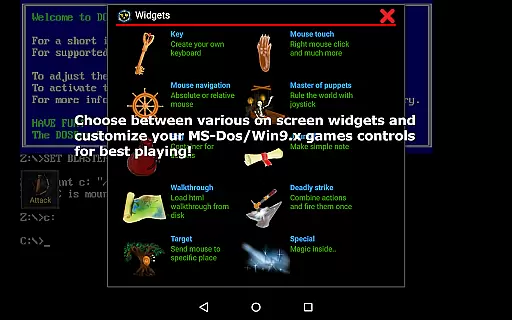
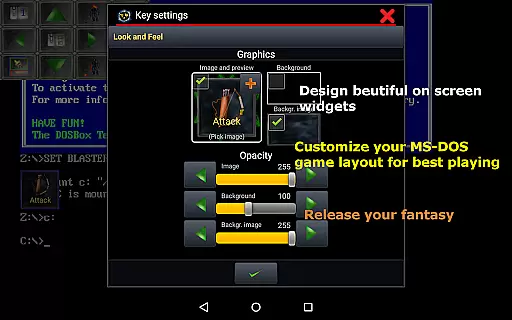
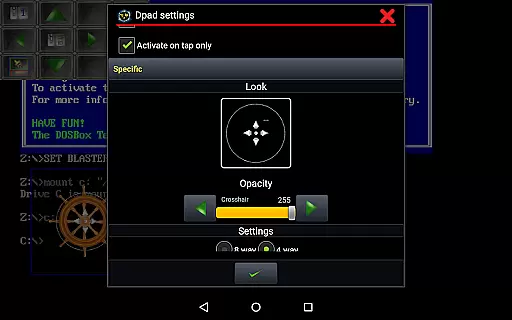
The emulator boasts ten types of on-screen widgets and buttons, each with dozens of settings for customization. These include key, mouse, dpad, and various other interactive elements that can be personalized with custom images, text, and positioning. This flexibility ensures that users can design a control layout that feels intuitive and comfortable. Additionally, Magic DosBox supports multiple languages, broadening its accessibility worldwide.
Advanced functionalities such as absolute and relative mouse support, compatibility with external gamepads like x360 joystick and NVIDIA Shield controller, and gesture mapping elevate the app's versatility. Networking capabilities through IPX and serial modem support enable multiplayer experiences. With continuous updates and optimizations, Magic DosBox remains a top choice for running DOS games on Android devices efficiently.
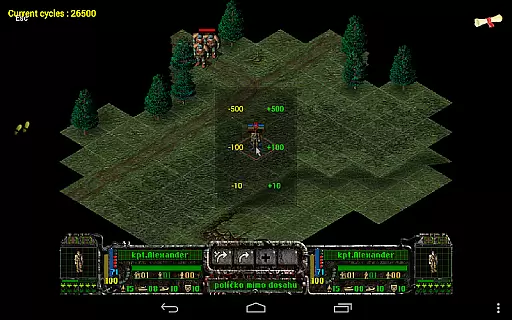
Magic DosBox is a highly optimized and fast DOSBox port for Android, designed to emulate DOS and Windows games with precision. The core function of this application lies in its ability to run games and applications originally developed for the DOS platform on modern Android devices. This includes full support for mouse, keyboard, sound, and gamepad controls, making it an all-in-one solution for retro gaming enthusiasts.
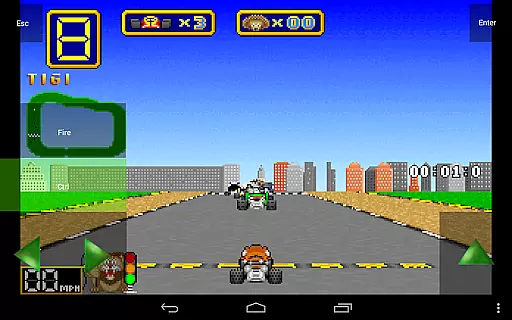
The app's effectiveness is demonstrated through its advanced features such as IPX network support for multiplayer gaming, customizable game profiles, and various on-screen widgets. These widgets include virtual buttons, dpad, and even gesture controls, allowing users to tailor their gaming experience without the need for external hardware. Such comprehensive functionality ensures that users can enjoy their favorite classic games anywhere and anytime.
For users, Magic DosBox offers significant value by providing a seamless way to relive nostalgic gaming experiences. The ability to create game shortcuts, export/import profiles, and customize controls makes it incredibly user-friendly and versatile. Whether you are a casual gamer or a hardcore enthusiast, the precision and reliability of Magic DosBox enhance your gaming sessions, offering a truly authentic and enjoyable experience.
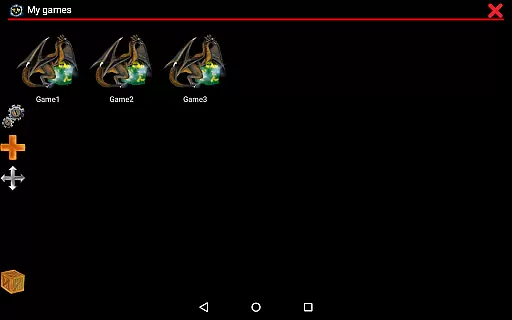
Magic DosBox stands out not only for its powerful emulation capabilities but also for its intuitive and straightforward interface. Despite the complexity of emulating DOS systems, the developers have ensured that the user interface remains accessible to both beginners and experienced users. The main screen provides quick access to your game collection, where every game profile can be highly customized to suit individual preferences.
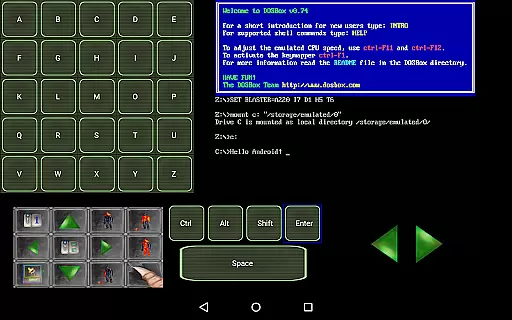
One of the key aspects of its interface design is the availability of various modes, such as design mode and play mode. In design mode, users can create and customize on-screen widgets with ease. These widgets range from virtual keys and dpads to more complex controls like combo buttons and walkthrough notes. Each widget can be resized, repositioned, and styled using dozens of pre-painted images and background options, ensuring a personalized and visually appealing setup.
The simplicity of Magic DosBox extends to its multi-language support, covering languages such as English, German, Russian, and French. This inclusivity enhances the overall user experience, making it easier for a global audience to navigate and utilize the app's features. By focusing on an intuitive layout and customizable options, Magic DosBox ensures that users can fully leverage its capabilities without a steep learning curve, ultimately delivering a satisfying and efficient user experience.
Highly optimized for Android
Extensive customization options
Supports multiple gaming peripherals
Active community and forum support
Regular updates and improvements
No included games
Complex setup for beginners
Limited free version features
Requires technical knowledge
Occasional compatibility issues

 4.50
4.50
Easily install aab(Android App Bundle) files on your Android device with our app
4.80
A powerful, easy-to-use flight computer on your phone or tablet!
3.80
A convenient photo, video, and file recovery tool.
4.00
Fluid navigation gestures for all of us!
4.30
Screen Mirroring for Roku Sticks, Roku TCL TV and Roku Hisense TV
4.50
Connect wirelessly to your computer to watch movies, browse the web, play games
5.00
The Ultimate Flex Drivers Utility App - Convenient Tapping & Block Filters
4.70
Protect your device with antivirus, storage cleanup, and system monitoring
4.70
Monitor car performance in real time and troubleshoot malfunctions.
4.80
Creation, Learning, Entertainment & More — The All-in-One AI Search Engine
4.70
FV File Manager Pro, Fast and powerful file manager for Android
4.60
Button mapper, mouse toggle, sleep timer and a lot of another features
4.50
Complete kernel toolbox with features to manage and tweak your rooted device
4.30
An easy-to-use calculator designed to save time calculating and bending conduit
4.30
Effortlessly run ADB commands directly on your device without a PC.
4.20
Automate everything from settings to photos, SMS to speech. ADC2 prize winner.
4.10
Unleash gamepad precision for ultimate mobile gaming dominance.
3.90
A non-root local ADB shell client. READ BELOW!
3.40


User Reviews