
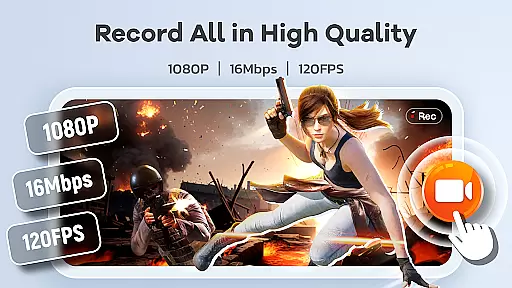
Screen Recorder Video Recorder is a versatile screen recording and video editing tool designed for both casual users and content creators. The app allows you to capture high-quality videos of your screen with up to 1080P resolution, 16Mbps bitrate, and 120FPS frame rate. It supports internal and external audio recording, making it ideal for creating tutorials, gameplay videos, or capturing video calls.
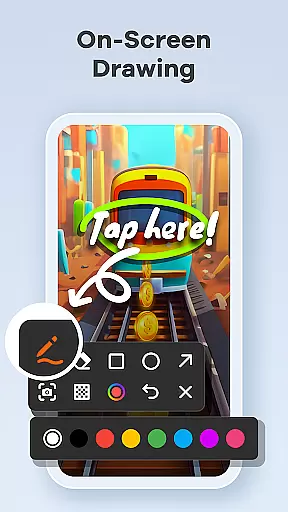
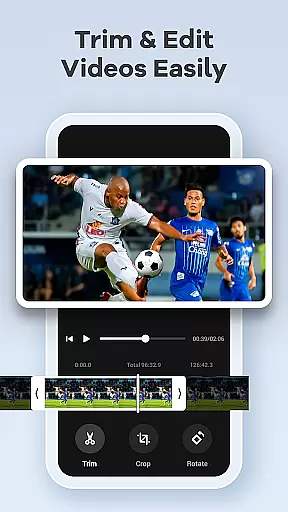
One standout feature is the built-in video editor, which enables users to trim, crop, and rotate their recordings effortlessly. Additionally, the app offers live drawing tools and facecam functionality, allowing creators to annotate their videos in real-time or add personal reactions. With intuitive controls like gesture customization and a floating control ball, managing recordings has never been easier.
This app is perfect for anyone looking to create engaging content directly from their mobile device. Whether you're producing tutorials, recording gaming highlights, or preserving important moments, Screen Recorder Video Recorder provides all the necessary tools to produce professional-grade videos without needing additional software.
Screen Recorder Video Recorder stands out due to its comprehensive set of features tailored for seamless video creation. The HD recording capability ensures every detail is captured in stunning clarity, while the option to record both system and microphone audio adds versatility to your projects. The built-in video editor simplifies post-production tasks such as trimming, cropping, and rotating footage, enabling users to quickly polish their work before sharing.
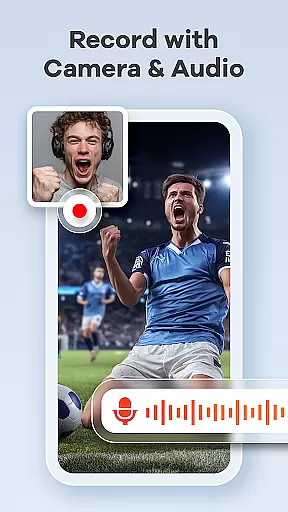
Another key feature is the ability to convert videos into GIFs, which can be useful for creating short, shareable clips. The live drawing and annotation tools allow users to visually explain concepts during recordings, enhancing the educational value of tutorials or presentations. Furthermore, the facecam function lets creators engage with their audience by adding a personal touch to their videos.
The app also includes practical functionalities like one-tap gesture controls and a floating control ball that makes managing recordings hassle-free. With no time limits or watermarks on exported videos, users have complete creative freedom. These robust features make Screen Recorder Video Recorder an excellent choice for anyone seeking an all-in-one solution for mobile video production.
Screen Recorder Video Recorder excels in delivering precise and effective core functions that cater to a wide range of video recording needs. The app supports HD recording at up to 1080P resolution, with a bitrate of 16Mbps and frame rates as high as 120FPS, ensuring every detail is captured with stunning clarity.
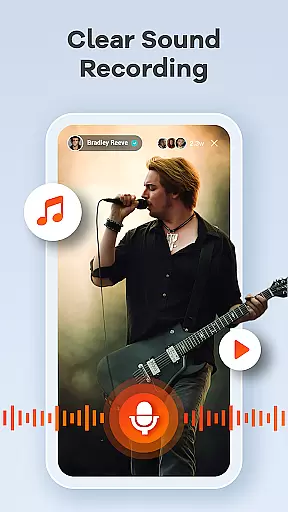
In addition to its superior video quality, the app offers both internal and external audio recording options. Users can record crisp, clear audio directly from their device or through an external microphone, providing flexibility and enhanced sound quality for various use cases such as tutorials, gameplay, and video calls.
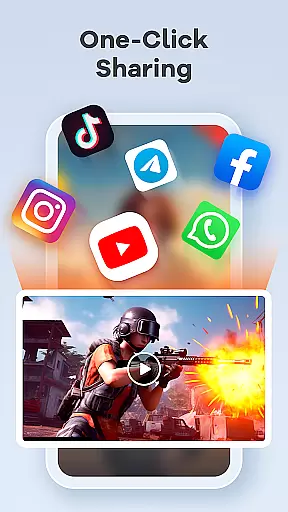
The built-in video editor further enhances the app's functionality by allowing users to trim, crop, and rotate their videos effortlessly. This feature ensures that the final content is not only high-quality but also polished and professional-looking, making it ready for sharing across different platforms without any additional editing software.
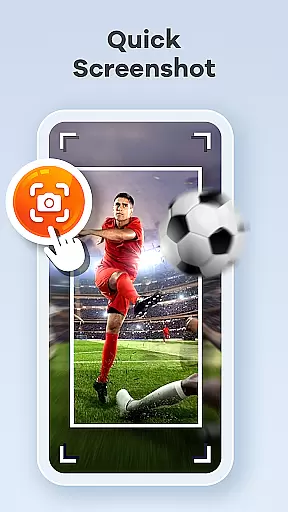
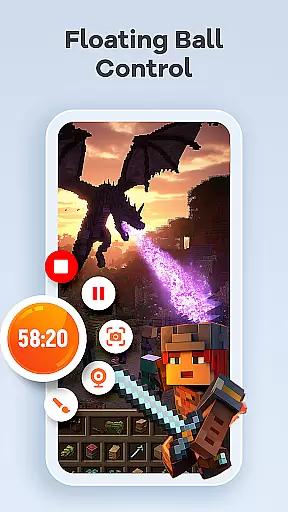
With intuitive controls like the one-tap floating ball and customizable gesture controls, Screen Recorder Video Recorder streamlines the entire recording process. These features enable users to start, pause, resume recordings, and even take screenshots seamlessly, thus maintaining an uninterrupted workflow and enhancing overall productivity.
Screen Recorder Video Recorder stands out for its simple and intuitive interface, designed to make video recording and editing accessible to users of all skill levels. The app's layout is straightforward, with essential functions like the floating ball control prominently placed for easy access, ensuring that users can manage their recordings without any disruptions.
One of the key highlights is the one-tap floating ball feature, which allows users to start, pause, resume recordings, and capture screenshots with a single touch. This streamlined control mechanism significantly reduces the learning curve, making the app highly user-friendly and efficient for quick tasks or more extended recording sessions.
Customizable settings further enhance the app's intuitiveness by letting users adjust recording parameters according to their specific needs. Whether it's setting the desired resolution, frame rate, or choosing between internal and external audio sources, these personalized options ensure that the app adapts to individual preferences and project requirements.
Moreover, the inclusion of gesture controls adds another layer of convenience, enabling users to perform quick actions effortlessly. By minimizing the steps required to execute common tasks, Screen Recorder Video Recorder maintains a clean and uncluttered interface, focusing on delivering a seamless and enjoyable user experience.
User-friendly interface
High-quality recording options
Built-in video editing tools
Live drawing and annotation
Facecam functionality
Limited advanced editing features
Occasional performance issues
Requires sufficient storage space
No cloud backup option
Ads in free version

Use your phone as a webcam on your computer over WiFi or USB.
 4.40
4.40
HD Video player and downloader for all formats, fast & smooth 4K video playback.
4.60
Quickly & easily calculate the spacing of handrail balusters
4.20
eXtended Permission Manager - a small app to manage permissions and AppOps
4.50
An open-source APK explorer for Android!
4.10
Create your own live wallpaper or check out thousands already made presets
3.90
Navigate with Ease and Style
4.90
With videos, electrical calculators, and built-in ebook, Ugly’s has your answer.
4.50
Protect your device with antivirus, storage cleanup, and system monitoring
4.70
Easily install aab(Android App Bundle) files on your Android device with our app
4.80
Unit and currency converter with easy and simple UI.
4.80
ADB support Android 4.X-Android 13(Support wireless pair mode).No root required!
4.70
Small and simple app to Verify Root Access and BusyBox Install!
4.70
NFC Tools can read and write NFC tags.
4.70
Mirror your screen to Chromecast and Android TV - Super fast and simple
4.60
Screen Mirroring for Roku Sticks, Roku TCL TV and Roku Hisense TV
4.50
Game Booster, GFX Tool is now compatible with newer game update
4.50
Screen Mirroring with sound for Samsung TV, LG TV, Sony TV, Smart TV and Browser
4.20
Unleash gamepad precision for ultimate mobile gaming dominance.
3.90


User Reviews