
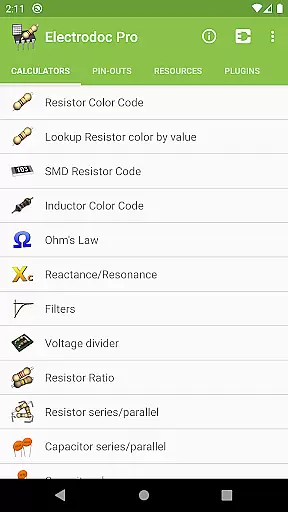
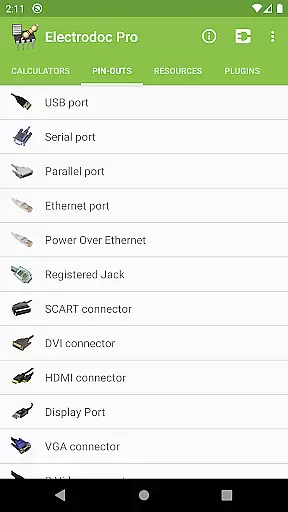
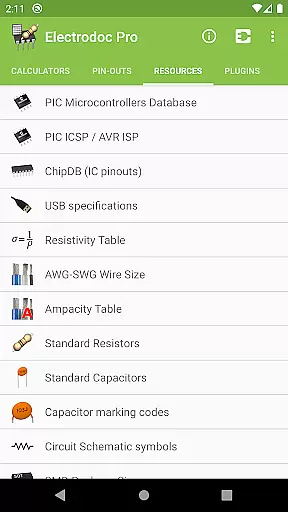
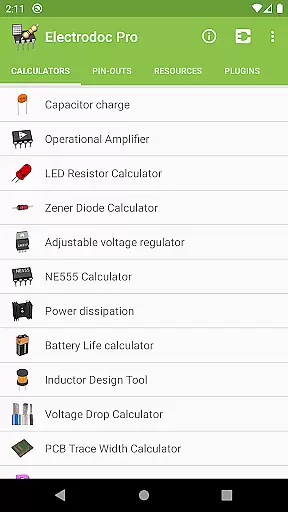
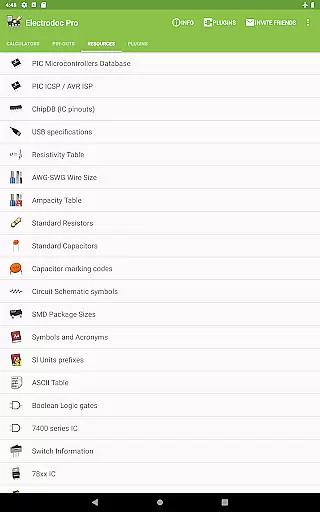
Electrodoc Pro is a comprehensive electronics toolkit designed for professionals, hobbyists, and students alike. This application serves as an all-in-one reference and calculator suite, providing essential tools for electronic circuit design, component identification, and signal processing. With its intuitive interface and extensive feature set, Electrodoc Pro eliminates the need for multiple apps or bulky reference books.
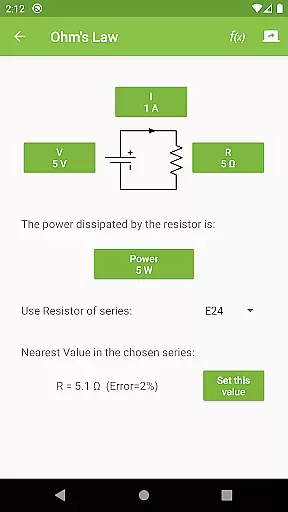
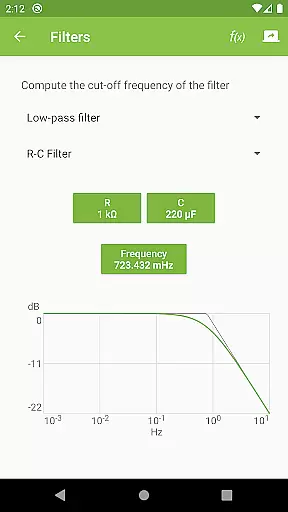
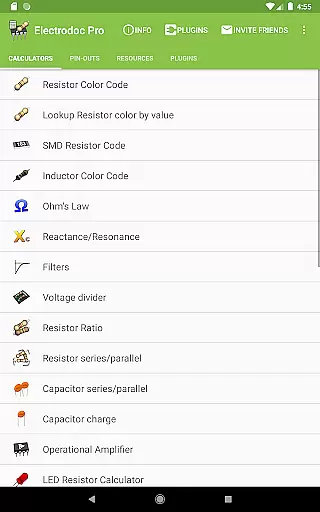
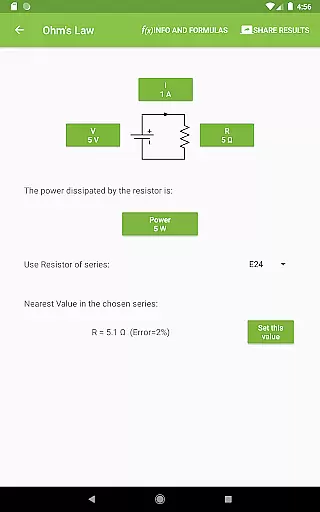
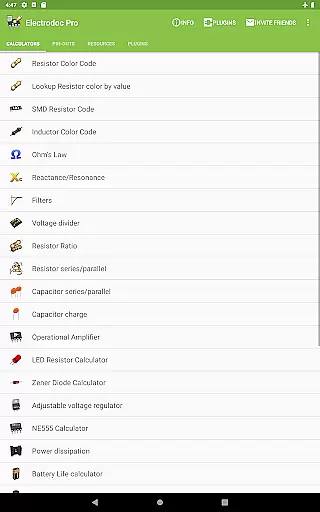
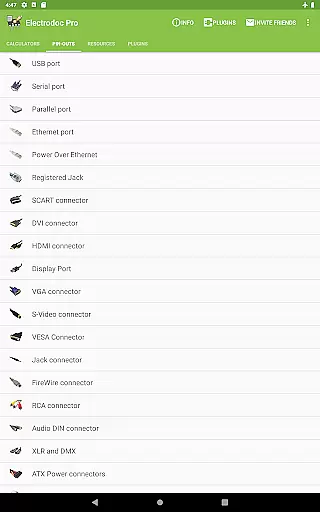
The app includes advanced calculators such as Ohm's Law, Reactance/Resonance, and Voltage Divider, alongside practical tools like Resistor Color Code and SMD Resistor Code decoders. It also features specialized calculators for operational amplifiers, LED circuits, and power dissipation analysis. The inclusion of port pin-outs, wire size charts, and standard resistor/capacitor values makes it an indispensable companion for both field work and laboratory projects.
Particularly useful for PCB designers, the application provides dedicated tools for trace width calculation, inductor design, and voltage drop analysis. Its offline functionality ensures that engineers can access critical information even without internet connectivity, making it perfect for on-site troubleshooting and remote installations.
Electrodoc Pro distinguishes itself through its extensive collection of specialized electronics tools and references. The application features over 50 distinct calculators and reference tables, covering fundamental electronics principles as well as advanced engineering applications. Unlike basic electronics apps, Electrodoc Pro includes professional-grade tools such as NE555 timer configuration, Zener diode selection, and adjustable voltage regulator design.
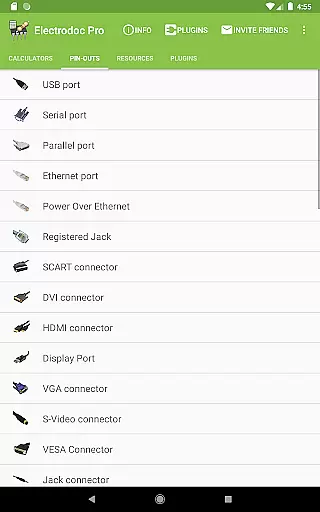
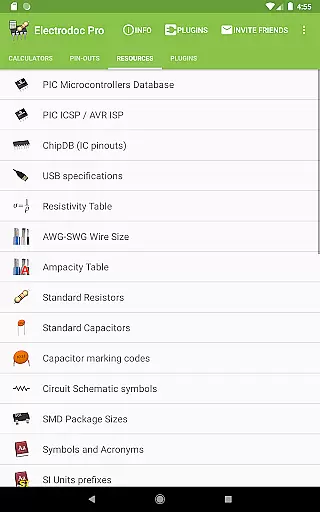
The app's comprehensive port pin-out section covers more than 100 different connector types, including modern interfaces like HDMI, USB-C, and DisplayPort, alongside legacy connectors such as RS-232 and parallel ports. Each pin-out is accompanied by detailed diagrams and specifications. The resources section provides quick access to crucial data like AWG/SWG wire sizes, standard resistor values, and ASCII tables, all optimized for quick reference during design work.
What sets Electrodoc Pro apart is its support for plugin expansion, allowing users to add specialized databases for microcontrollers and component libraries. The PRO version removes all advertisements while unlocking additional features like EIA resistor series support across all calculators. Regular updates ensure compatibility with emerging technologies and maintain accuracy of technical data.
Electrodoc Pro stands out as a comprehensive electronics toolkit, offering precise and reliable calculations for various electronic components. The app includes essential tools such as Resistor Color Code, Ohm's Law, Reactance/Resonance calculators, and more, ensuring accurate computations for both novice and professional users.
The application's strength lies in its detailed implementation of industry-standard formulas and codes. For instance, the SMD Resistor Code and Inductor Color Code features provide exact readings and interpretations, enabling users to work confidently with surface-mount and inductor components. These tools are indispensable for correct component identification and circuit design.
Users benefit significantly from Electrodoc Pro's extensive range of calculators, which cover everything from simple resistor calculations to complex circuit behavior predictions. This wide array of functionalities supports engineers, hobbyists, and students alike in their projects, reducing errors and enhancing productivity.
Ultimately, Electrodoc Pro's meticulous attention to detail and commitment to precision make it an invaluable tool for anyone involved in electronics. Its ability to deliver consistent and accurate results across different scenarios underscores its practical value in real-world applications.
A key aspect of Electrodoc Pro is its user-friendly interface, designed to ensure that all tools and references are easily accessible. The layout is intuitive, allowing users to quickly navigate through various electronics calculators and resources without a steep learning curve.
The app categorizes its extensive features into logical sections, making it simple for users to find specific tools like the Voltage Divider or Capacitor Charge calculator. Each tool is presented with clear input fields and straightforward instructions, promoting ease of use even for those new to electronics.
This intuitive design translates into tangible benefits for the user, saving time and effort when performing critical calculations. Whether working on a complex project or learning the basics, users can focus more on their tasks rather than figuring out how to use the app.
By prioritizing interface simplicity and intuitive navigation, Electrodoc Pro enhances overall user experience. This approach not only makes the app approachable for beginners but also maintains efficiency for seasoned professionals who require quick access to powerful electronics tools.
Comprehensive toolset
Offline functionality
Regular updates
Professional-grade calculators
Detailed pin-outs
Premium price point
Steep learning curve
Occasional bugs
Heavy storage use
Complex interface

Just one-tap to easy translate in any language after calls within seconds.
 4.20
4.20
FV File Manager Pro, Fast and powerful file manager for Android
4.60
Use your phone as a webcam on your computer over WiFi or USB.
4.40
Best leveling tool for your Android device. Hang paintings like a pro.
4.90
PC precision for mobile gaming: dominate with keyboard and mouse!
4.30
Bedrock Together: Join any bedrock server on Xbox/PS
4.80
Undelete and recover your lost or deleted files with DiskDigger!
3.40
Button mapper, mouse toggle, sleep timer and a lot of another features
4.50
Fast VPN USA for any country. Super secure VPN for calls, streaming, games, TV.
4.40
Enjoy smooth gameplay with Game Booster
4.90
Extremely fast, secure, and protects your privacy
4.80
HD Video player and downloader for all formats, fast & smooth 4K video playback.
4.60 4.50
4.50
Just swipe the edge to do something!
4.40
Universal TV remote control all TVs, Roku, LG, Samsung, Fire, Vizio, Sony, TCL.
4.40
A convenient photo, video, and file recovery tool.
4.00
Create your own live wallpaper or check out thousands already made presets
3.90
card-reader app
2.20
Save any video in HD - paste the link, download fast and watch offline.
4.3


User Reviews