
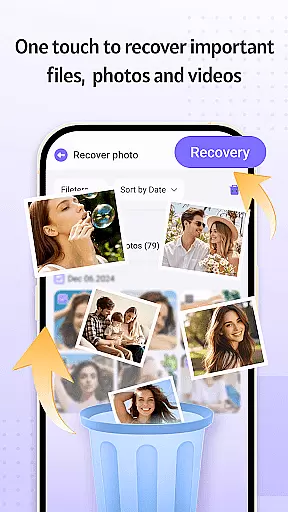
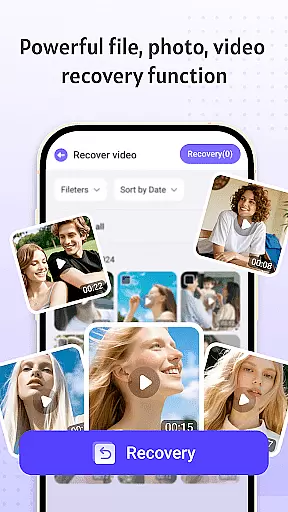
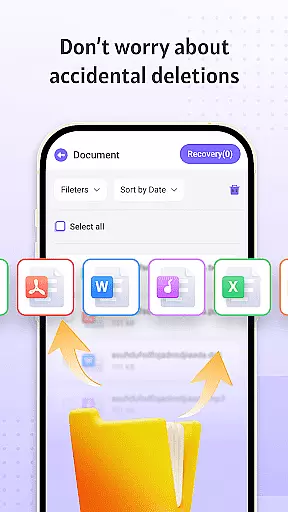


Recovery Photo is a professional file recovery tool designed to help users retrieve lost or deleted files across various categories. The app specializes in recovering photos, videos, and other document types that may have been accidentally removed or lost due to system errors. Its powerful scanning technology ensures comprehensive searches within your device's storage, identifying recoverable files with precision.
In addition to its core recovery functions, the app offers practical tools for managing recovered files. Users can conveniently organize and view restored content directly on their devices. With an intuitive interface and reliable performance, Recovery Photo provides peace of mind by ensuring that precious memories and important documents are not permanently lost.
Recovery Photo stands out with its diverse range of recovery features tailored to different file types. The photo recovery function scans your device’s storage to locate and restore lost images, making it ideal for recovering cherished memories. Similarly, the video recovery feature helps retrieve accidentally deleted video files, allowing you to preserve significant moments captured on camera.
Beyond multimedia recovery, the app also supports general file restoration, including documents and other essential data. Once files are recovered, the built-in management system allows users to categorize and store them systematically. This ensures easy access and prevents future loss. Additionally, the app provides insights into your device's storage status, helping you monitor available space and manage resources effectively.
Recovery Photo is designed to provide users with a reliable solution for recovering lost files, including photos, videos, and other important documents. The core functions of this application are engineered with precision to ensure that users can retrieve their valuable data with minimal effort.
The software employs advanced scanning algorithms that meticulously comb through the device's storage. By identifying specific path patterns and file signatures, it can locate and recover files that were thought to be permanently lost. This process is crucial for ensuring that users regain access to their cherished memories and essential documents without compromising the integrity of the recovered items.
Users benefit significantly from the app's ability to handle various types of files. Whether it's family photos, work-related documents, or entertainment videos, Recovery Photo offers a comprehensive recovery solution. The application's effectiveness is further enhanced by its user-friendly interface, which simplifies the recovery process even for those who may not be tech-savvy.
Ultimately, the value of Recovery Photo lies in its capacity to deliver peace of mind. Knowing that there is a dependable tool available to recover lost files provides users with confidence in managing their digital content. This assurance is particularly vital in today's fast-paced world, where data loss can have significant personal and professional repercussions.
A key aspect of Recovery Photo's design philosophy is to offer an interface that is both simple and intuitive. Recognizing that users may be under stress when attempting to recover lost files, the application ensures that its layout and navigation are straightforward, minimizing the learning curve and allowing users to focus on the task at hand.
The main dashboard provides clear options for different recovery needs, such as photo recovery, video recovery, and general file recovery. Each option is accompanied by concise instructions and visual cues that guide users through the necessary steps. This approach eliminates confusion and helps users make informed decisions about their recovery processes.
Moreover, the application includes features like restored file management, which allows users to organize and view recovered files effortlessly. With intuitive controls for categorizing and accessing restored items, users can quickly locate specific files and ensure they are properly managed post-recovery. This attention to detail enhances the overall user experience.
By prioritizing interface simplicity and intuitiveness, Recovery Photo empowers users to navigate the complexities of file recovery with ease. The result is a tool that not only recovers lost data but also instills confidence in users, knowing they can operate the software effectively regardless of their technical expertise.
User-friendly interface
Fast scanning speed
Multiple file recovery
Secure local processing
Free to download
Requires technical knowledge
Limited success rate
No cloud backup
Ads in free version
Device compatibility issues

 4.10
4.10
Easily install aab(Android App Bundle) files on your Android device with our app
4.80
HD Video player and downloader for all formats, fast & smooth 4K video playback.
4.60
Carry a FTP server in your pocket and avoid USB cables for file transfer
4.20
Quickly & easily calculate the spacing of handrail balusters
4.20
Bedrock Together: Join any bedrock server on Xbox/PS
4.80
The Ultimate Bluetooth Keyboard & Mouse. Securely control your PC, Mac, and more
4.50
Screen Mirroring for Roku Sticks, Roku TCL TV and Roku Hisense TV
4.50
NFC Tools can read and write NFC tags.
4.70
Change your GPS location instantly. Simulate routes anywhere in the world.
4.90
Powerful collection of electronics tools and reference.A must for any enthusiast
4.90
Unit and currency converter with easy and simple UI.
4.80
Monitor car performance in real time and troubleshoot malfunctions.
4.80 4.50
4.50
Complete kernel toolbox with features to manage and tweak your rooted device
4.30
Just one-tap to easy translate in any language after calls within seconds.
4.20
MS-DOS in your pocket. Play old DOS games anywhere you are ;)
4.10
1-Click close all background apps on Android TV
3.90
Family Locator, Share location, StayConnect with your family in real time
3.90


User Reviews