
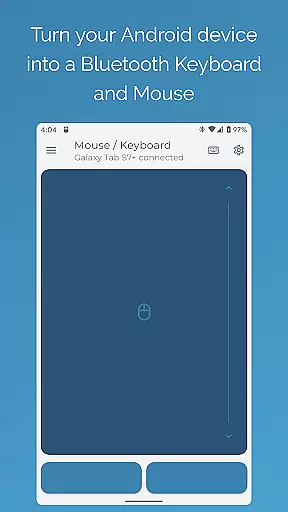
Bluetooth Keyboard & Mouse Pro revolutionizes the way you interact with your devices by turning your Android phone into a versatile remote control tool. This app offers a serverless solution for keyboard, mouse, and presentation needs, ensuring instant response through direct Bluetooth connection without requiring additional software.
The app provides professionals with precision control via a responsive keyboard, mouse, and multi-touch trackpad. It also includes features like Keep-Alive / Jiggler Mode to prevent computers from sleeping during long tasks, Full PC Keyboard support with over 100 international language layouts, and Presenter Mode for confident slide navigation. These capabilities make it an essential tool for enhancing productivity in various work environments.
Whether you're managing presentations, controlling multimedia playback, or streamlining data entry with the integrated scanner, Bluetooth Keyboard & Mouse Pro ensures seamless operation across multiple platforms including Windows, iOS, Android, and Chrome OS. Its universal compatibility and robust feature set deliver significant value to users seeking efficient device management solutions.
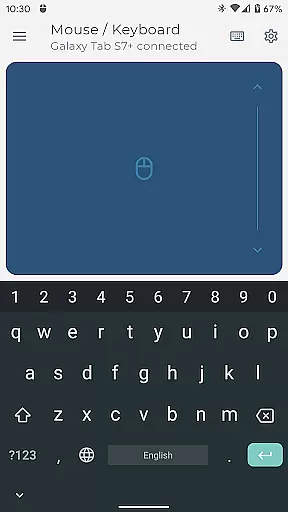
Bluetooth Keyboard & Mouse Pro stands out with its comprehensive toolkit designed to elevate user experience. The Precision Control feature offers a highly responsive keyboard, mouse, and multi-touch trackpad, enabling intuitive scrolling and smooth navigation. This makes it ideal for professionals who require accuracy and speed in their daily tasks.
One of the standout features is the Keep-Alive / Jiggler Mode, which prevents computers from sleeping or locking—a crucial function for remote workers needing to maintain active status on communication platforms. Additionally, the Full PC Keyboard allows users to type efficiently with a standard layout and switch between multiple international language settings effortlessly. These features collectively enhance workflow continuity and adaptability.
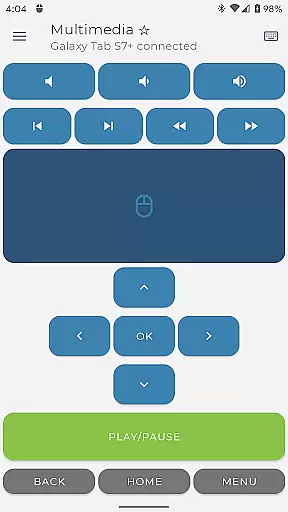
The app's Presenter Mode empowers users to command presentations confidently, navigating slides and engaging audiences from anywhere in the room. Multimedia Control adds another layer of convenience by allowing easy management of playback, volume, and navigation for various media players. With universal compatibility across major operating systems, Bluetooth Keyboard & Mouse Pro delivers unmatched versatility and performance tailored to diverse user needs.
Bluetooth Keyboard & Mouse Pro is designed to deliver precise and effective control over your devices through a direct Bluetooth connection. This application transforms your Android phone into a versatile tool that functions as a keyboard, mouse, and presentation remote without the need for additional software or server connections.
The app ensures instant response times with its highly responsive keyboard, multi-touch trackpad, and intuitive scrolling features. These core functions are engineered to provide users with an experience that closely mirrors using physical peripherals, thus enhancing productivity and workflow efficiency.
Users benefit from advanced functionalities such as Keep-Alive/Jiggler Mode, which prevents computers from sleeping during critical tasks, and support for over 100 international language layouts, allowing seamless transitions between different typing environments. Such features ensure that professionals can maintain focus on their work without interruptions caused by connectivity issues or limited language options.
Ultimately, the effectiveness of Bluetooth Keyboard & Mouse Pro lies in its ability to offer universal compatibility across various operating systems including Windows, iOS, Android, Chrome OS, and more. This versatility makes it an invaluable asset for individuals seeking reliable device control in diverse computing scenarios.
Achieving simplicity and intuitiveness in user interface design is crucial for any tool aiming to enhance productivity, and Bluetooth Keyboard & Mouse Pro excels in this area. The application offers a straightforward setup process where users can quickly connect their Android phones to other devices via Bluetooth without needing extra software installations.
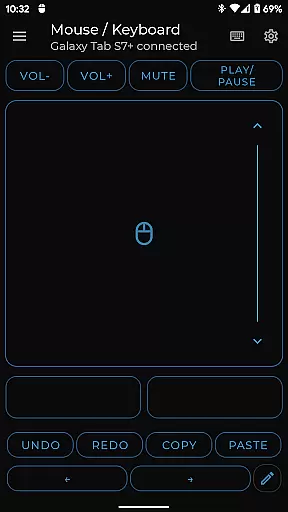
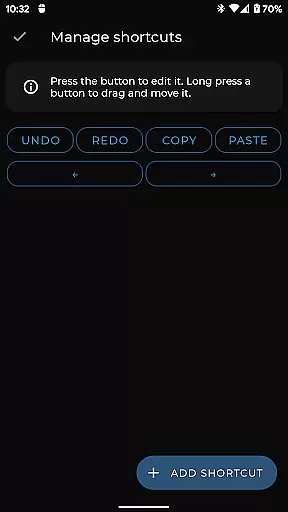
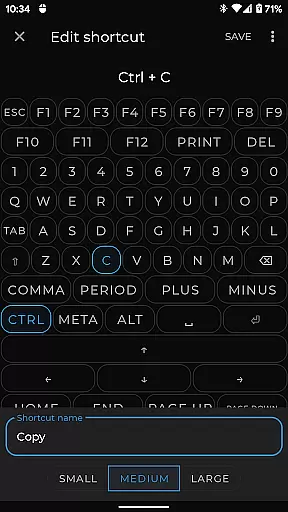
Once connected, the interface provides easy access to essential controls like multimedia management, voice-to-text input, clipboard synchronization, and custom layout configurations. Each feature is strategically placed within the app's environment to ensure quick navigation and minimal learning curve, making it accessible even for those who may not be tech-savvy.
This intuitive arrangement extends beyond basic functionality; advanced features such as Presenter Mode and integrated QR code scanning are also seamlessly integrated into the main dashboard. By prioritizing clarity and ease-of-use, these tools empower users to take full advantage of their capabilities without being overwhelmed by complex menus or settings.
In summary, Bluetooth Keyboard & Mouse Pro stands out due to its commitment to delivering an interface that combines powerful functionality with user-friendly design principles. Whether you're managing presentations, controlling media playback, or customizing controls for specific applications, this app ensures every interaction feels natural and effortless.
User-friendly interface
Wide device compatibility
Efficient workflow tools
Secure Bluetooth connection
Customizable controls
Limited free features
Requires Bluetooth
Premium version costly
Occasional connectivity issues
Learning curve for new users

Unit and currency converter with easy and simple UI.
 4.80
4.80
Amateur Radio app for APRS: Track friends, exchange messages, get tactical info.
3.90
ADB support Android 4.X-Android 13(Support wireless pair mode).No root required!
4.70
Monitor car performance in real time and troubleshoot malfunctions.
4.80
Mirror your screen to Fire TV - Super fast and simple
4.40
The Ultimate Flex Drivers Utility App - Convenient Tapping & Block Filters
4.70
Remote Play with FSR upscaling, low latency & full controller support
4.80
Mobile Security with Scam Protection | Malware & Virus Cleaner | Safe Browser
4.70
Enjoy a smooth mobile reading experience!
3.60
The one-and-only remote control for PC, Mac, and Linux
4.70
Optimize your WiFi network, turn your phone into Wifi Analyzer
4.70
Protect your device with antivirus, storage cleanup, and system monitoring
4.70
Screen Mirroring for Roku Sticks, Roku TCL TV and Roku Hisense TV
4.50
Pro Emulator is an easy to use game console emulator for a range of consoles.
4.40
Remote for Roku, Fire TV, Samsung TV, LG TV, Android TV, Chromecast and VIZIO TV
4.20
Carry a FTP server in your pocket and avoid USB cables for file transfer
4.20
Effortlessly run ADB commands directly on your device without a PC.
4.20 4.10
4.10
Transfer Files, APK from Phone to Watch & Install.
4.2


User Reviews