
SMS Backup & Restore Pro is a premium Android application designed for secure and efficient backup and restoration of SMS, MMS messages, and call logs. This tool ensures that users can create encrypted local backups on their devices while offering seamless integration with cloud services like Google Drive, Dropbox, and OneDrive.
One of the standout features of this app is its ability to compress and encrypt backups, providing an additional layer of security for sensitive data. It also supports advanced options such as WebDAV storage and scheduled automatic backups, making it ideal for power users who need reliable data management.
This app is particularly useful for individuals looking to transfer data between phones or free up space by deleting old messages and call logs. With support for Android 5.0 and higher, it offers compatibility across a wide range of devices while maintaining independence from specific Android versions for easy cross-device transfers.
SMS Backup & Restore Pro stands out with its comprehensive feature set tailored for both casual and advanced users. The app allows users to back up SMS, MMS, and call logs in XML format, which can be viewed on a computer via an online viewer. This provides transparency and ease of access to backed-up data.
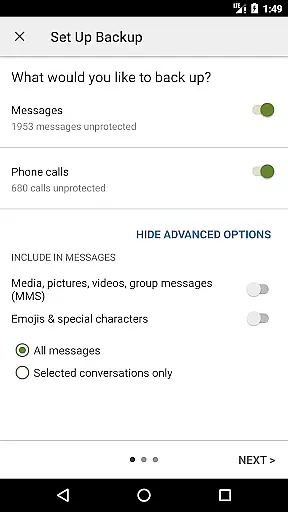
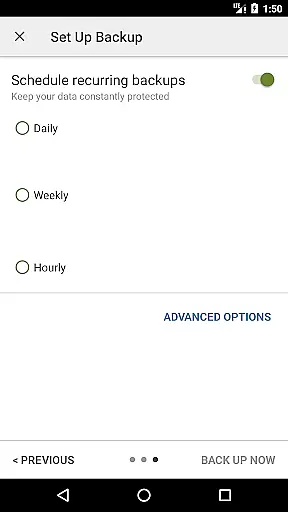
For those seeking more control, the app offers selective backup and restore options, enabling users to choose specific conversations. Additionally, features like WiFi Direct fast transfer between phones, recurring scheduled backups, and the ability to email backup files enhance convenience and flexibility.
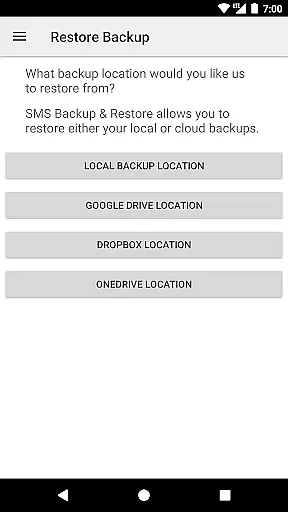
The app's compatibility with multiple cloud storage platforms ensures users can store their data securely off-device. Moreover, its requirement for existing backups to restore data emphasizes the importance of proactive data management, ensuring users maintain complete control over their information at all times.
SMS Backup & Restore Pro delivers exceptional core functionality by providing reliable backup and restore solutions for SMS, MMS, and call logs. The app creates XML format backups that are both comprehensive and versatile.
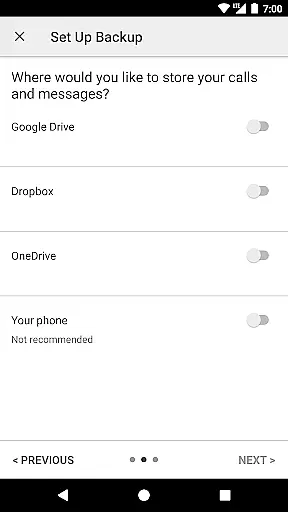
Users can choose to store these backups locally or upload them automatically to cloud services like Google Drive, Dropbox, and OneDrive. This flexibility ensures that users have multiple options to secure their data effectively.
The app also offers advanced features such as compression and encryption of backup files, enhancing both security and storage efficiency. These capabilities ensure that user data remains protected and manageable, regardless of the volume.
With scheduled automatic backups and selective conversation restoration, the app provides a seamless experience that caters to both casual users and power users who demand precision and control over their data management processes.
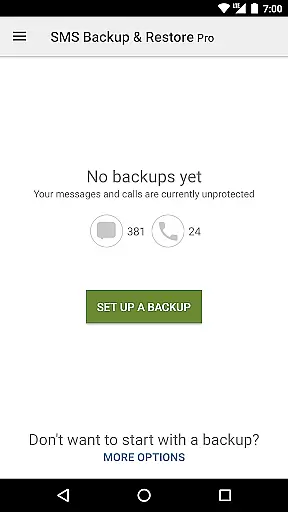
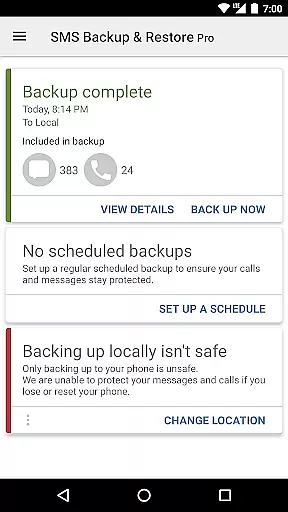
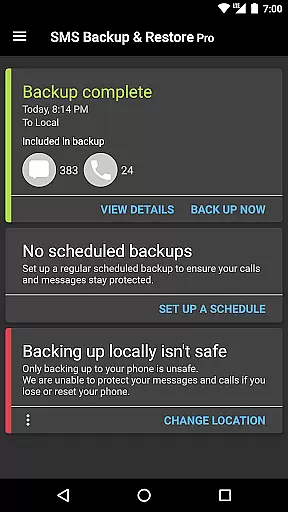
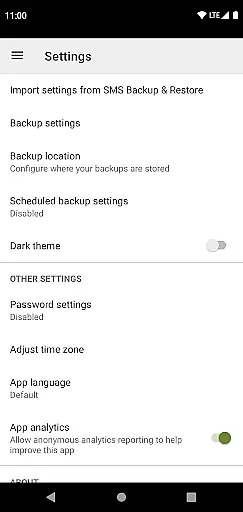
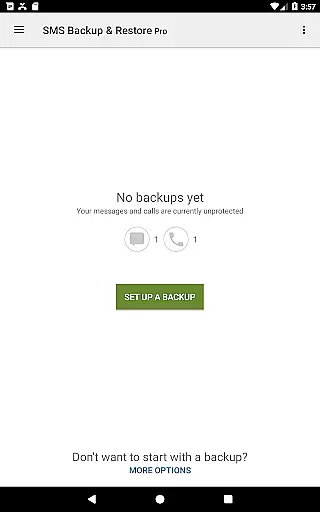
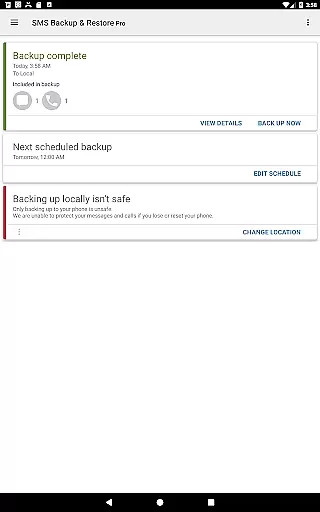
The interface of SMS Backup & Restore Pro is designed with simplicity and intuitiveness in mind, ensuring that users can navigate and utilize its features without a steep learning curve. The straightforward design allows users to easily initiate backups and restores with minimal effort.
Key functionalities such as selecting specific conversations for backup or restore, viewing detailed backup contents, and searching within backups are readily accessible. This ease of access enhances user engagement and satisfaction by reducing complexity.
Additionally, the app supports fast transfer between devices over WiFi Direct, making it convenient for users to migrate data quickly. Such features underscore the app's commitment to delivering an intuitive and efficient user experience.
Overall, the clean layout and logical flow of operations enable users to manage their SMS, MMS, and call logs confidently, knowing they have precise control over their valuable communications data.
Secure encryption
Cloud integration
Scheduled backups
WiFi direct transfer
Wide compatibility
No free version
Requires setup
Paid only
Limited UI
Manual restore

A convenient photo, video, and file recovery tool.
 4.00
4.00
Just swipe the edge to do something!
4.40
Complete kernel toolbox with features to manage and tweak your rooted device
4.30
Unit and currency converter with easy and simple UI.
4.80
This app unlocks the Pro features of the Central for DayZ app
3.60
Clean the junk files on your device
3.40
WiFi Signal Strength Meter help you detect WiFi Signal Strength in real time.
4.80
Clean up large files and similar photos, fast and easy to use
4.40
Screen recorder with audio to record high-quality videos and take screenshots.
4.40
Remote Play with FSR upscaling, low latency & full controller support
4.80
Easily install aab(Android App Bundle) files on your Android device with our app
4.80
Keep track of your Palia friendships, tasks, and inventory with Palia Notebook
4.60
Planner and Tracker for Stardew Valley
4.60
Quickly switch to an encrypted DNS server on Android TV
4.50
Pro Emulator is an easy to use game console emulator for a range of consoles.
4.40
Just one-tap to easy translate in any language after calls within seconds.
4.20
App that Recover your pictures, videos or files after you delete them.
4.20 4.10
4.10
Create your own live wallpaper or check out thousands already made presets
3.90


User Reviews