
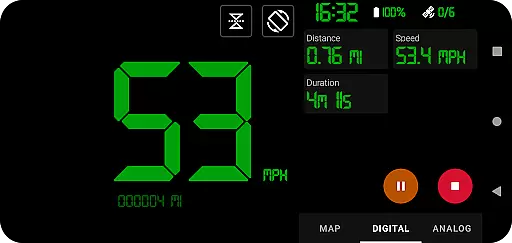
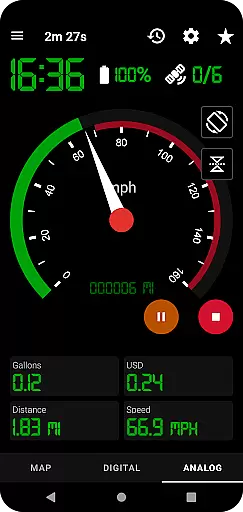
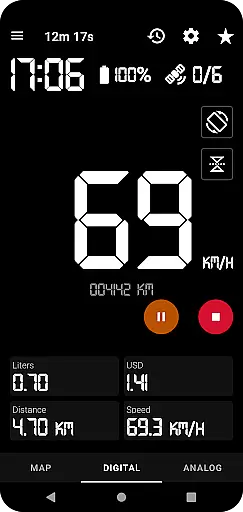
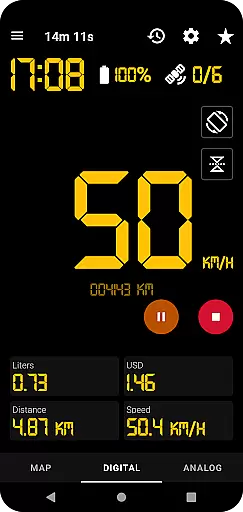
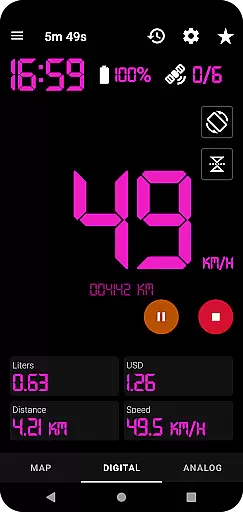
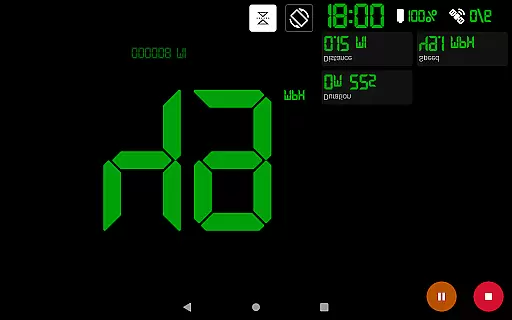
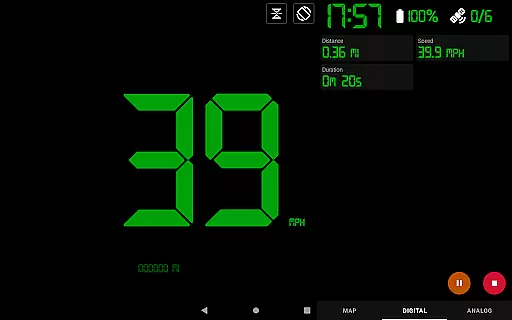
GPS Speedometer Pro is a comprehensive navigation and tracking application designed to help users monitor their speed, distance, and routes using the phone's built-in GPS. The app offers multiple display modes including analog, digital, and head-up display (HUD) options, making it versatile for various activities such as driving, running, or cycling.
One of its standout features is the ability to operate seamlessly in the background, allowing users to multitask on their phones without interrupting the tracking process. Additionally, the app provides advanced functionalities like fuel cost estimation, over-speed alerts, and odometer readings, ensuring users stay informed about their travel metrics.
Whether you're commuting, exercising, or exploring new terrains, GPS Speedometer Pro serves as an essential tool for real-time tracking and post-trip analysis. Its ability to export routes in .gpx format adds extra utility for those who rely on third-party software for deeper insights into their journeys.
GPS Speedometer Pro stands out with its rich set of features tailored for both casual and power users. The app supports multiple speedometer styles, including analog, digital, and HUD modes, catering to different preferences and use cases. Users can also switch between light and dark themes, as well as choose from various map types such as terrain or standard views.
A key highlight is the app’s robust tracking system, which allows users to pause, stop, and resume tracking at any time, optimizing battery usage. Advanced tools like fuel cost estimation, maximum speed alerts, and odometer functionality provide practical benefits for drivers, while fitness enthusiasts can benefit from detailed route histories and sharing capabilities.
Another innovative feature is the ability to replay saved routes within the app, offering users a chance to review their trips visually. With privacy being a priority, the app ensures no personal data is collected or shared, providing peace of mind for users concerned about digital security.
Map accuracy is crucial for any navigation or tracking application, and GPS Speedometer Pro excels in this area. The app leverages your phone's built-in GPS to provide precise location data, ensuring that your routes are recorded with high fidelity.
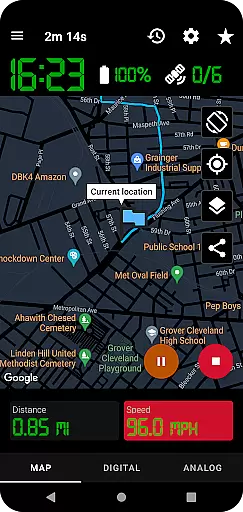
The app offers various map types including light, dark, and terrain views, allowing users to choose the most suitable option for their environment. This versatility enhances the accuracy of the map display, adapting to different lighting conditions and geographical terrains.
Users can benefit from real-time tracking features that ensure the map follows the current location seamlessly while recording. This dynamic tracking provides a reliable visual representation of the user's journey, making it easier to navigate and review past trips.
Furthermore, the ability to download routes in .gpx file format allows for detailed route analysis in third-party software. This feature not only underscores the app's commitment to accuracy but also extends its utility beyond simple navigation, catering to enthusiasts who require meticulous route details.
Effective route planning is essential for optimizing travel time and ensuring a smooth journey. GPS Speedometer Pro supports this by offering pause, stop, and resume functionalities, enabling users to manage their routes efficiently without draining battery life unnecessarily.
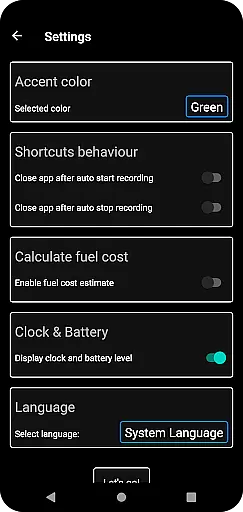
The app includes an odometer and fuel cost estimation feature, which aids in planning by providing insights into distance covered and potential expenses. These tools help users make informed decisions about their travel plans, whether for daily commutes or long-distance trips.
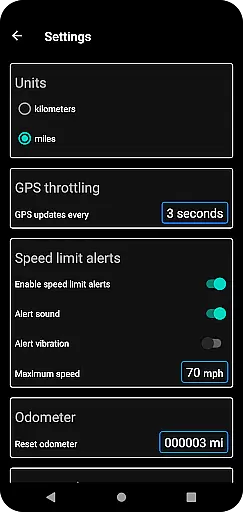
Additionally, setting maximum speed limits and receiving over-speed alertsu2014even when the app runs in the backgroundu2014enhances safety during route planning. Users can predefine these parameters before starting their journey, ensuring they stay within legal and personal speed thresholds.
Lastly, the appu2019s capability to replay saved routes adds another layer of sophistication to route planning. By reviewing past journeys, users can refine future trips, taking note of efficient paths and avoiding previously encountered obstacles, thus improving overall travel efficiency.
User-friendly interface
Accurate GPS tracking
Customizable display options
Background operation
Privacy-focused design
Limited offline functionality
Occasional GPS inaccuracies
No social integration
Premium features locked
Heavy battery consumption

Offline maps & GPS for hiking, travel, fieldwork & outdoor adventures
 4.70
4.70
Play in the outdoors with Android as your Handheld GPS and offline topo maps!
3.50
CamSam PLUS - The speed and red light camera warning system!
4.40
Turn your tablet or Android powered unit into a full blow Android Auto headunit.
2.30
Instant diesel discounts - save big with each fill up!
4.40
Use GPS maps or search by property owner, address or parcel to view parcel data
4.30
GPS Speedometer & Odometer: Track car, bike, truck speed & distance in real-time
4.70
MapQuest is your go-to app for maps, GPS, voice navigation & live traffic.
3.80
Route Planner is travel map to get turn by turn navigation & driving directions
3.90
Find EV & Tesla charging stations with PlugShare
4.70
Track friends in real-time and explore worldwide live cameras.
4.60
Plan routes, share locations, and set custom alert zones
4.40
Route schedules, maps, and real-time tracking of MTA buses in New York City.
4.20
Get directions, Maps, GPS navigation & GPS Maps using GPS App
4.10
Navigate seamlessly with Real-Time Traffic, Offline Maps, and Voice Navigation.
4.10
Start your next adventure confidently using our Accurate Compass App
3.70
NJ TRANSIT information and ticketing at your fingertips
3.70
OpenCPN is a full featured ChartPlotter and Navigator for Android.
3.60
Find 93 Octane Gas: Locate Gasoline Stations Selling Premium 93 Octane or Higher
4.5


User Reviews