
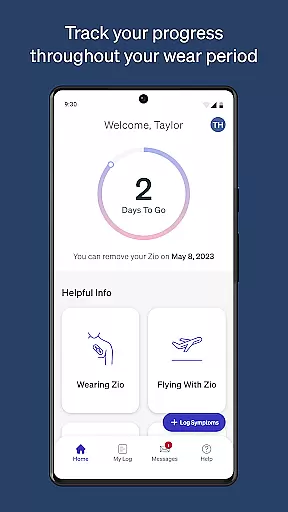
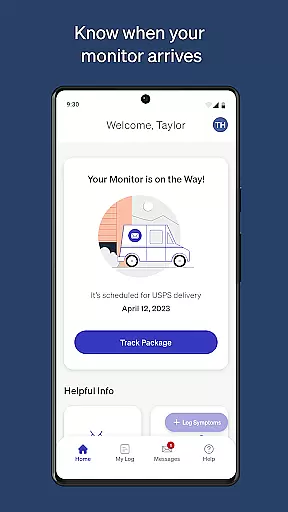
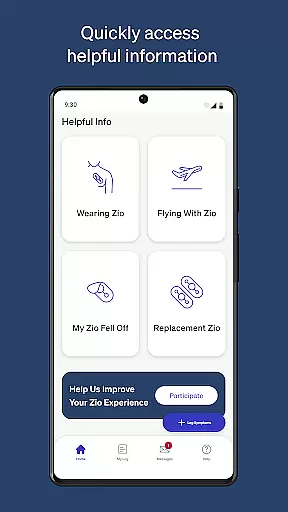
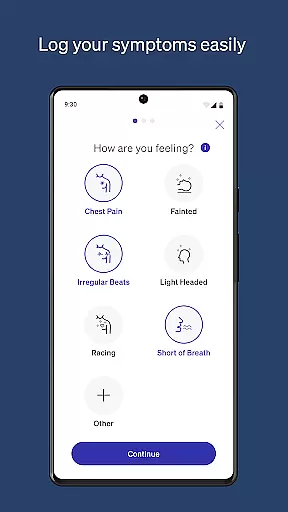
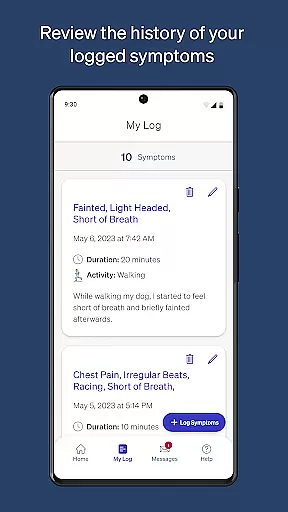
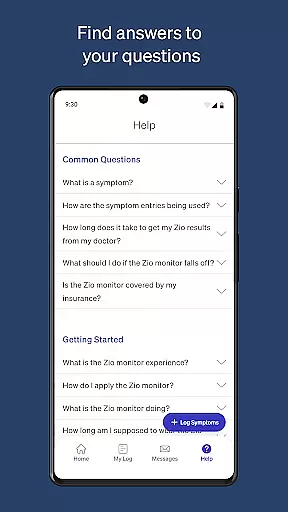
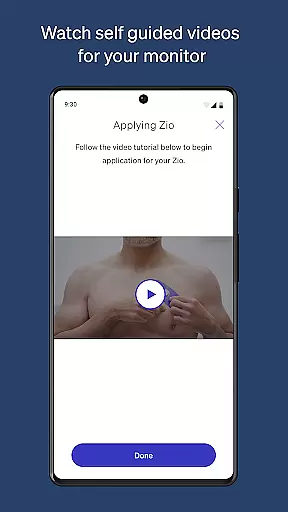
MyZio is a specialized medical application designed to complement the Zio ECG monitor. This app allows users to track the shipping status of their monitors, log symptoms, and access instructional content. With its user-friendly interface, MyZio ensures that patients can efficiently manage their heart health monitoring process.
The app provides seamless integration with the Zio service, enabling users to register their devices, input symptoms, and modify entries as needed. Additionally, it offers educational resources such as videos to enhance the overall user experience while wearing the Zio ECG monitor.
For individuals using the Zio ECG monitor, MyZio serves as an essential tool for maintaining accurate health records and staying informed about their monitoring journey. Its comprehensive tracking and educational features make it invaluable for proactive heart health management.
MyZio boasts several key features that cater specifically to users of the Zio ECG monitor. First, users can create a MyZio account at any time, providing flexibility and accessibility. The ability to track the shipping status of the monitor ensures users are always informed about their device's whereabouts.
Another standout feature is the symptom logging system, which allows users to enter and edit symptoms effortlessly. This functionality supports accurate record-keeping and helps healthcare providers make informed decisions based on detailed patient data.
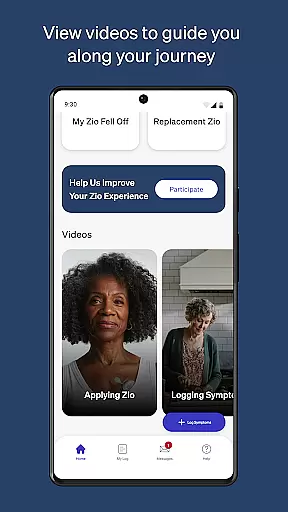
Additionally, MyZio offers a library of instructional videos and informational content about the Zio service. These resources guide users through every step of their monitoring experience, enhancing understanding and compliance with medical recommendations.
In the realm of medical applications, content credibility is paramount. MyZio ensures that all information provided within the app is thoroughly vetted by healthcare professionals and experts in cardiology. This guarantees users receive accurate and reliable guidance regarding their Zio ECG monitor usage.
The app offers instructional videos and detailed descriptions about the Zio service, crafted under the supervision of medical experts. These resources are designed to educate users on proper device usage and help them understand their heart health data with confidence.
By maintaining strict standards for content creation and review, MyZio establishes itself as a trustworthy tool for managing cardiac monitoring. Users can rely on the app's symptom logging features, knowing that the underlying medical principles have been validated by qualified personnel.
MyZio goes beyond basic monitoring by facilitating high-quality teleconsultation services. The app enables seamless communication between patients and healthcare providers, ensuring that critical health information is conveyed accurately and efficiently during virtual consultations.
Through its intuitive interface, users can easily share their ECG data and symptom logs with their doctors. This streamlined process enhances the quality of remote consultations, allowing physicians to make informed decisions based on comprehensive patient information.
The ability to track the monitor's shipping status and access instructional materials further supports the overall teleconsultation experience. By providing these tools, MyZio ensures that both patients and healthcare providers have the necessary resources to maintain effective ongoing care.
User-friendly interface
Comprehensive symptom tracking
Seamless device registration
Educational video library
Real-time shipping updates
Limited to Zio users
Feature disparity by region
Potential connectivity issues
No offline functionality
Symptom input can be repetitive

A scientifically-proven method to help people with dementia or memory impairment
 4.1
4.1
A comprehensive medical disease app.
5.00
3rd trimester? Counting Kicks is what moms should do-It’s important & easy too!
4.30
Personalized hearing experience and health data tracking
4.50
Save up to 80% on your pharmacy prescriptions & medications with free Rx coupons
4.70
Assess and treat left neglect more effectively in stroke and brain injury rehab.
4.30
Hear far away sounds, conversations, TV and surrounding sounds more clearly.
4.70
Download OctaApp for easy access to your plasma donation info
4.40
MyChart for Android
4.50
CPR Timer for High Performance AHA BLS / ACLS
5.00
myVCA is your tailor-made guide to raising a healthy and happy pet.
4.90
Pelvic Floor Muscle Exercises
4.80
Download the PulsePoint app and use your CPR skills to save a life!
4.60
Beat alcohol and drug addiction with a revolutionary treatment program in an app
4.50
One app to unlock your health
4.30
Voice pitch monitor for speech therapy, LSVT, Parkinson's, singing & trans
4.30
Over 1,200 review questions and 5 exams—pass the NREMT with EMT Review Plus!
4.10
HealtheLife lets you easily manage your health online.
3.20
MHealth is the mobile version of MEDITECH’s Patient and Consumer Health Portal.
3.10


User Reviews